Loading extra shifts doesn't work #13

Description

Loading extra shifts doesn't work
Issue:
When you are viewing a list of shifts (like, all the completed shifts) you may see a button with the text "Load More." This button is supposed to show you more shifts that meet the category you selected (open, completed, filled, paid, or draft shifts).
The problem is that, when you click that button, it shows you random shifts that do follow the criteria you selected. In other words, Whatever trigger that "Load More" button is not taking the selected category into consideration.
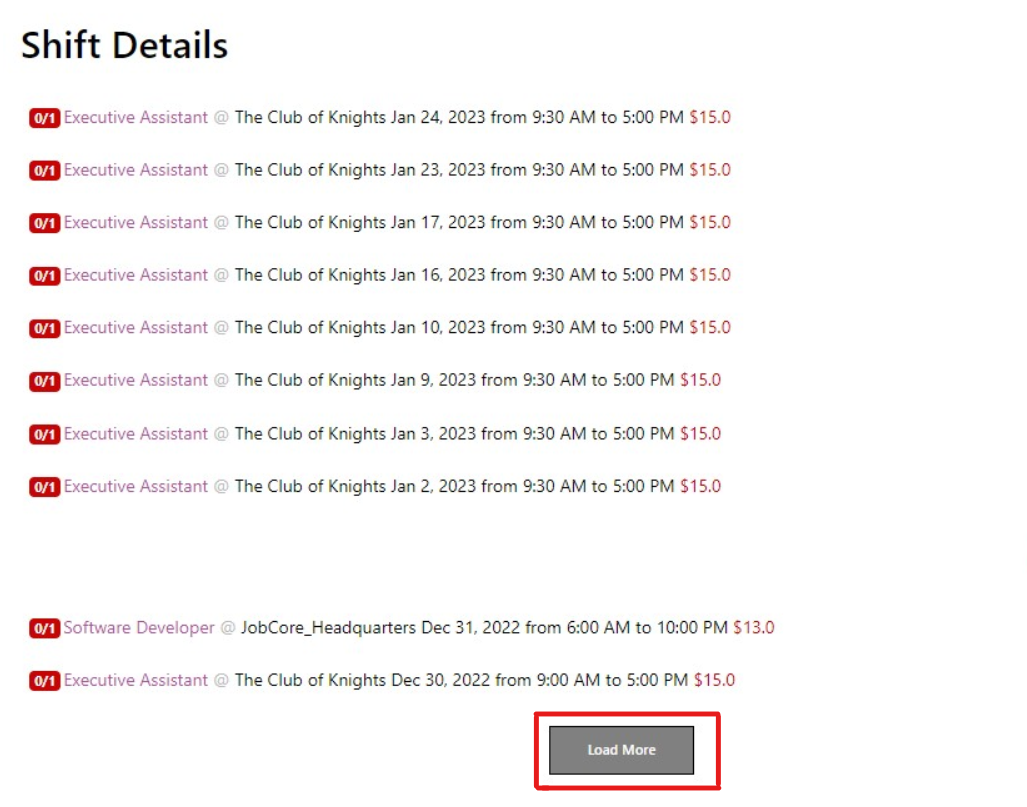
In order to see a list of shifts, like the one above, go to Dashboard. There, you will see a few buttons that say "Open Shifts", "Filled Shifts", "Completed Shifts", among others. If you click any of them, you can see a button that says "View all." Click that.

For reference, this issue can be found in lines 398 - 463 of /workspace/employer-web-client/src/js/views/shifts.js
Solution:
Make it so that the "Load More" button loads shifts based on the selected category.
How to solve it:
- See how "Load More" is being triggered, then see if you can filter the results based on the category (maybe pass it as a prop).
- Once finished, run all the tests provided in the repo to make sure that your integration was successful
- Create a pull request so that your code can be evaluated by the Lead Developer before deployment.
- Keep an eye out for any new bugs that arise after the change is deployed to the code.