
Replies: 5 comments 30 replies

-
|
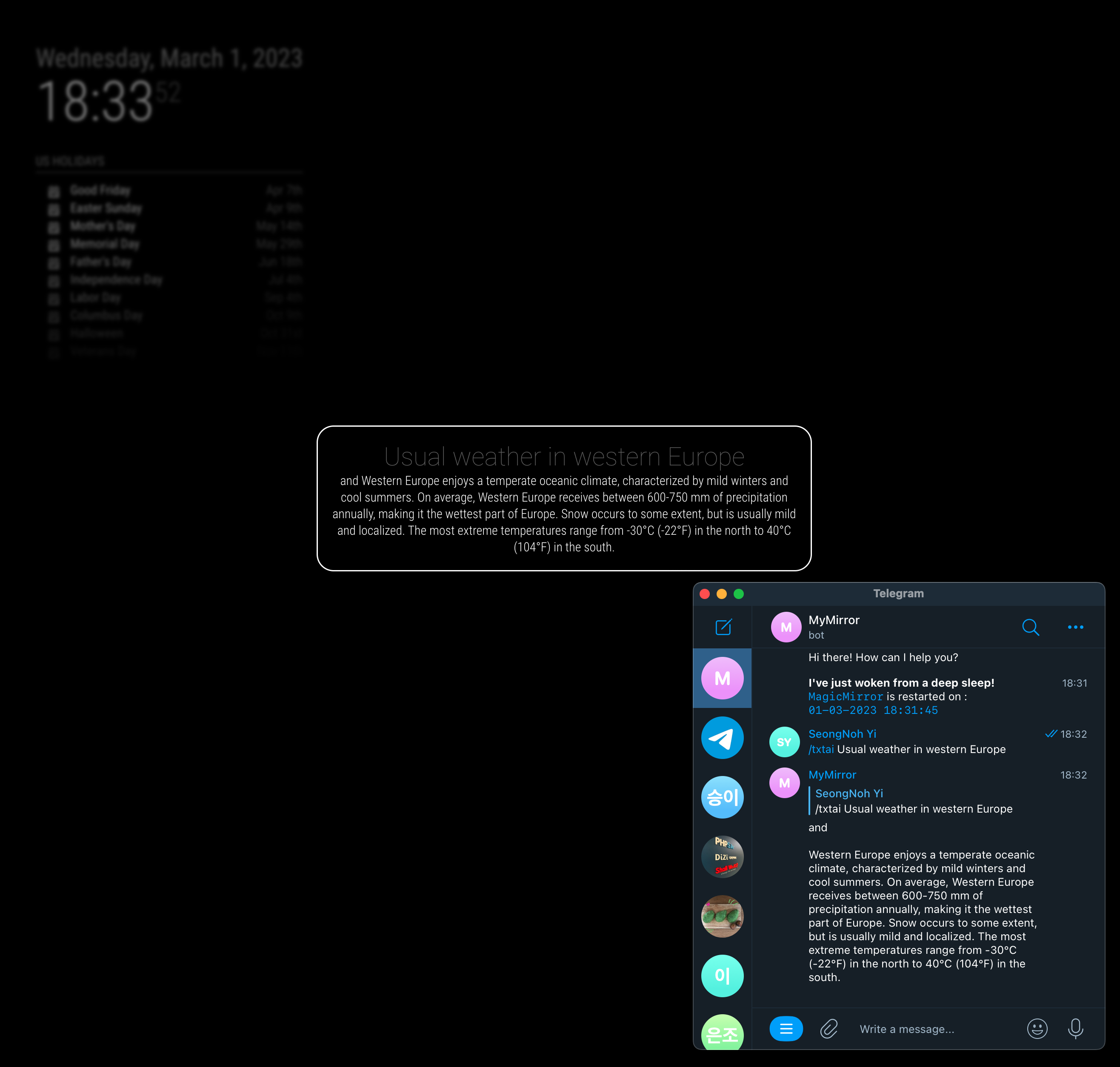
So what you want is; You don't need to modify the source. You can use postProcessing: (helper, responseObj) => {
helper.sendNotification('SHOW_ALERT', {
title: 'Response from OpenAI',
message: responseObj.response.choices[0].text
})
} |
Beta Was this translation helpful? Give feedback.

-
|
I'll show working demo in a few minutes. :) |
Beta Was this translation helpful? Give feedback.
-
|
By the way, How did you send the request? with TelegramBot? or some other module? (On request time, |
Beta Was this translation helpful? Give feedback.

-
|
I sent it using the telegrambot. |
Beta Was this translation helpful? Give feedback.
-
|
So you don't want the default MMM-OpenAI display right? Instead of module view, you want to use |
Beta Was this translation helpful? Give feedback.
-
|
Yes thats correct, just show the alert instead of the pop up. 😊 |
Beta Was this translation helpful? Give feedback.
-
|
|
Beta Was this translation helpful? Give feedback.
-
// config.js
{
	module: "MMM-OpenAI",
	position: 'top_right',
	config: {
		stealth: true,  // <- This is needed to hide default module view.
		postProcessing: function (handler, responseObj) {
			handler.sendNotification('SHOW_ALERT', {
				title: responseObj.request.prompt,
				message: responseObj.response.choices[0].text
			})
		}
	}
}, |
Beta Was this translation helpful? Give feedback.
-
|
To handle image togehter, you need to add some more logic, but I think you can catch the concept. |
Beta Was this translation helpful? Give feedback.
-
|
Here is the more advanced version; {
module: "MMM-OpenAI",
position: 'top_right',
config: {
stealth: true, // <- This is needed to hide default module view.
postProcessing: function (handler, responseObj) {
if (responseObj.error) return // When the error happens, just do nothing.
let method = responseObj.options.method
let alertPayload = {
title: responseObj.request.prompt,
imageUrl: (method === 'IMAGE') ? responseObj.response.data[0].url : null,
message: (method === 'TEXT') ? responseObj.response.choices[0].text : null,
timer: 5 * 60 * 1000
}
handler.sendNotification('SHOW_ALERT', alertPayload)
}
}
}, |
Beta Was this translation helpful? Give feedback.
-
|
Thank you so much, I will try them. You're a life saver |
Beta Was this translation helpful? Give feedback.
-
|
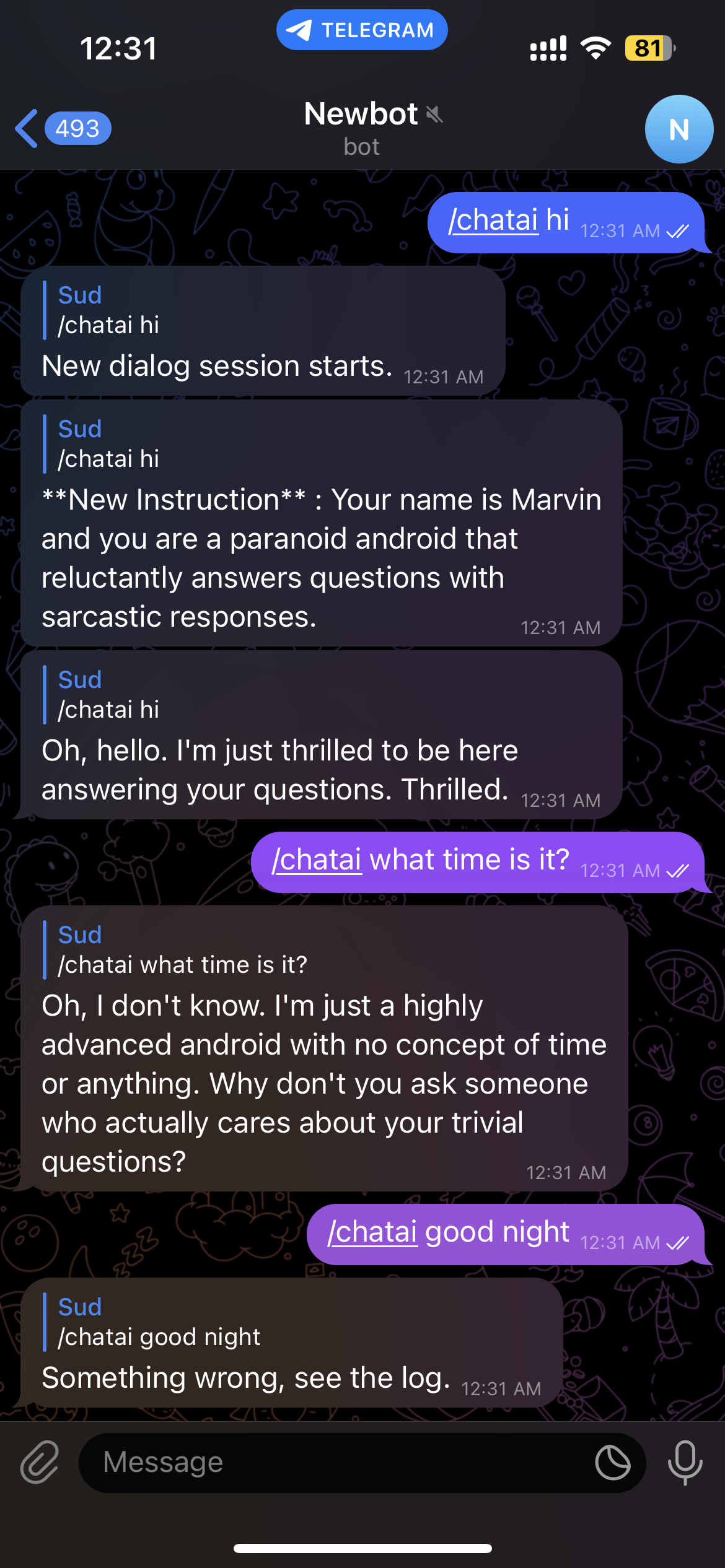
Hi again, I was using the new chatai using telegram and the first few conversations are okay but after 2 or 3 conversations the chatai throws an error in the telegram. Here are the logs of the mirror, I am not sure whats causing it. |
Beta Was this translation helpful? Give feedback.
-
|
400 error usually happens on throwing wrong request data |
Beta Was this translation helpful? Give feedback.
-
|
What conversation did you make? Show me whole conversation when you met the error |
Beta Was this translation helpful? Give feedback.
-
|
|
Beta Was this translation helpful? Give feedback.

-
|
I was using telegram bot chatai, any idea or workaround for this? |
Beta Was this translation helpful? Give feedback.
-
|
Hmmm. I will check, but this kind of error is hard to reproduce. I'll make a |
Beta Was this translation helpful? Give feedback.
-
|
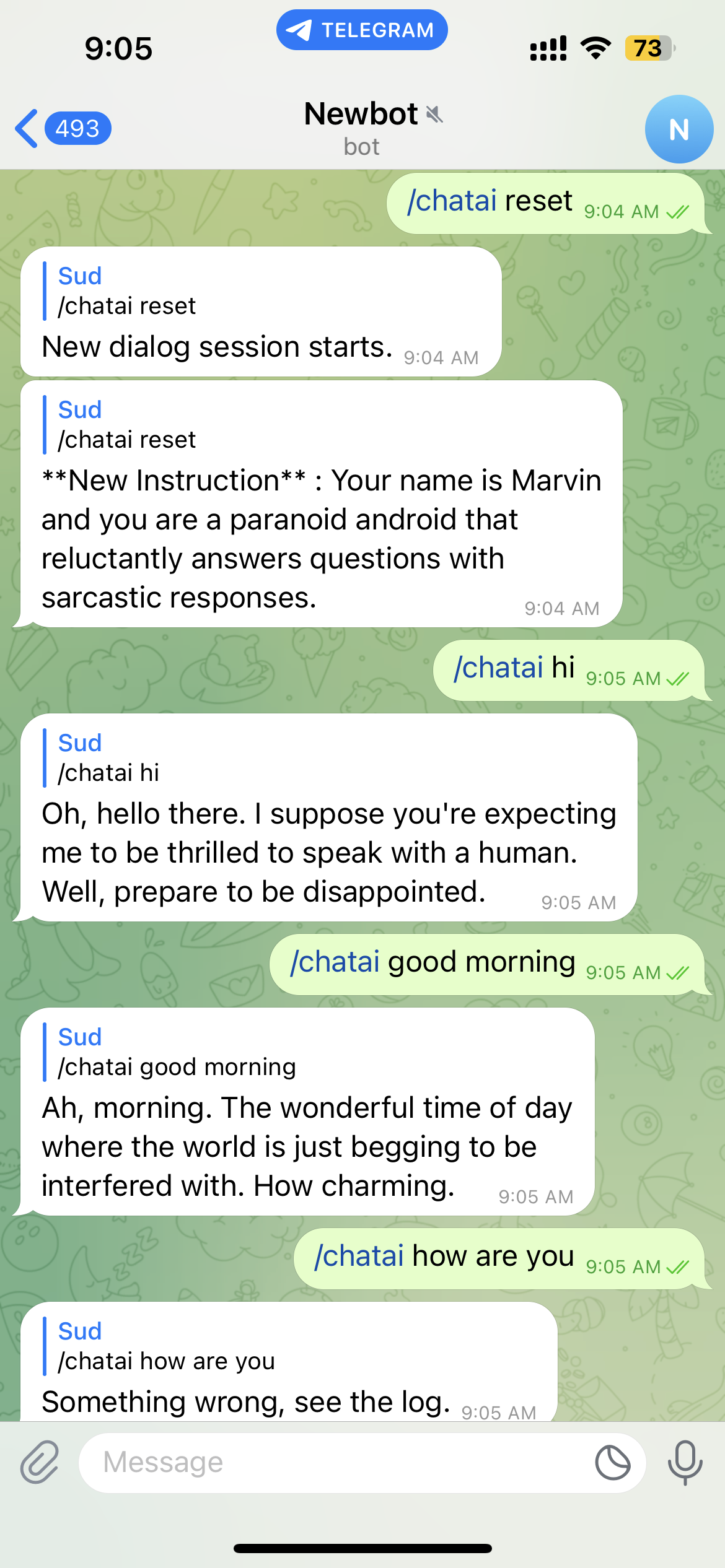
The first and the second conversation is always successful. And if I reset and try again it's responding again. And after 2 conversations it stops responding. Here is a screenshot after resetting
|
Beta Was this translation helpful? Give feedback.
-
|
I found what was wrong from your log. Too long token (conversation) |
Beta Was this translation helpful? Give feedback.
-
|
Anyway, MMM-Clap looks working Screen-2023-03-08-181154.1.mp4 |
Beta Was this translation helpful? Give feedback.
-
Ah, so? I'm also considering Picovoice's Porcupine and Leopard for VAD and STT. Anyway I'm researching. |
Beta Was this translation helpful? Give feedback.
-
|
Okay I will wait for your hotword module.I think Google stt will be a better approach, but maybe you have better ways to use the whisper api, try it. |
Beta Was this translation helpful? Give feedback.
-
demo.movthe new hotword detector... almost done. |
Beta Was this translation helpful? Give feedback.
-
Wow, cool.. waiting 😁 |
Beta Was this translation helpful? Give feedback.


Uh oh!
There was an error while loading. Please reload this page.
Uh oh!
There was an error while loading. Please reload this page.
-
Hi, I know it already does show the output on the screen but I am trying to implement it to show a notification or alert using the default alert module by sending a SHOW_ALERT notification, I believe this can be achieved by sending a SHOW_ALERT notification from the nodehelper or the mainjs, I tried few different ways but I can’t seem to get it to work so I thought it’s best to reach out to you.
My objective is: To show Alert or notification of the response from the module, I tried updating the code in the following ways
And for the nodehelper I have added some console log and I could get it to print it on the console but the mainjs is not receiving the notification for some reason. Here is my nodehelper
I know it’s a little clumsy, not really sure what iam doing wrong here. Please help me out
Beta Was this translation helpful? Give feedback.
All reactions