No CQ or AA visible in App #22

Replies: 7 comments 7 replies

-
|
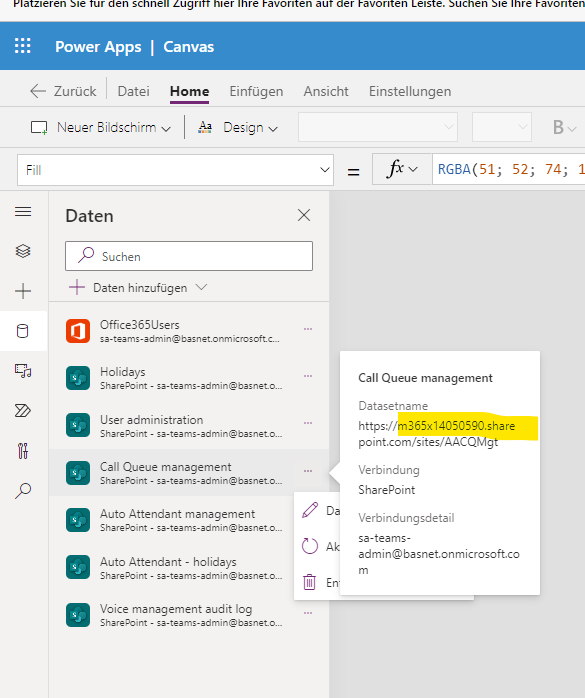
@donky-bison So based on this you need to update the SharePoint connection it looks like it is still referring to our test tenant which we used. Please make sure all the SharePoint connections are pointing to the site you have created to have the SPO lists hosted. Based on this it looks like the SharePoint connections were not updated which is kind of weird since you mentioned the workflow has added the auto attendants and call queues to the SPO lists |
Beta Was this translation helpful? Give feedback.

-
|
No I dont' see any item on the start screen - Im starting the app with my personal account, the one I have installed the whole app |
Beta Was this translation helpful? Give feedback.

-
|
As mentioned in my previous answer it looks like the app didn't update it's data connections which results in the app connecting to the wrong SPO site. You could try to remove the connections in the edit mode of the app and recreate them and point them to the correct url. To do this perform the following steps:
Johan |
Beta Was this translation helpful? Give feedback.
-
|
@donky-bison based on working with one of my colleagues we confirmed that should resolve the issue. Based on this we updated the Wiki to include these steps. Wiki Let me know if this also fixes your issue |
Beta Was this translation helpful? Give feedback.

-
|
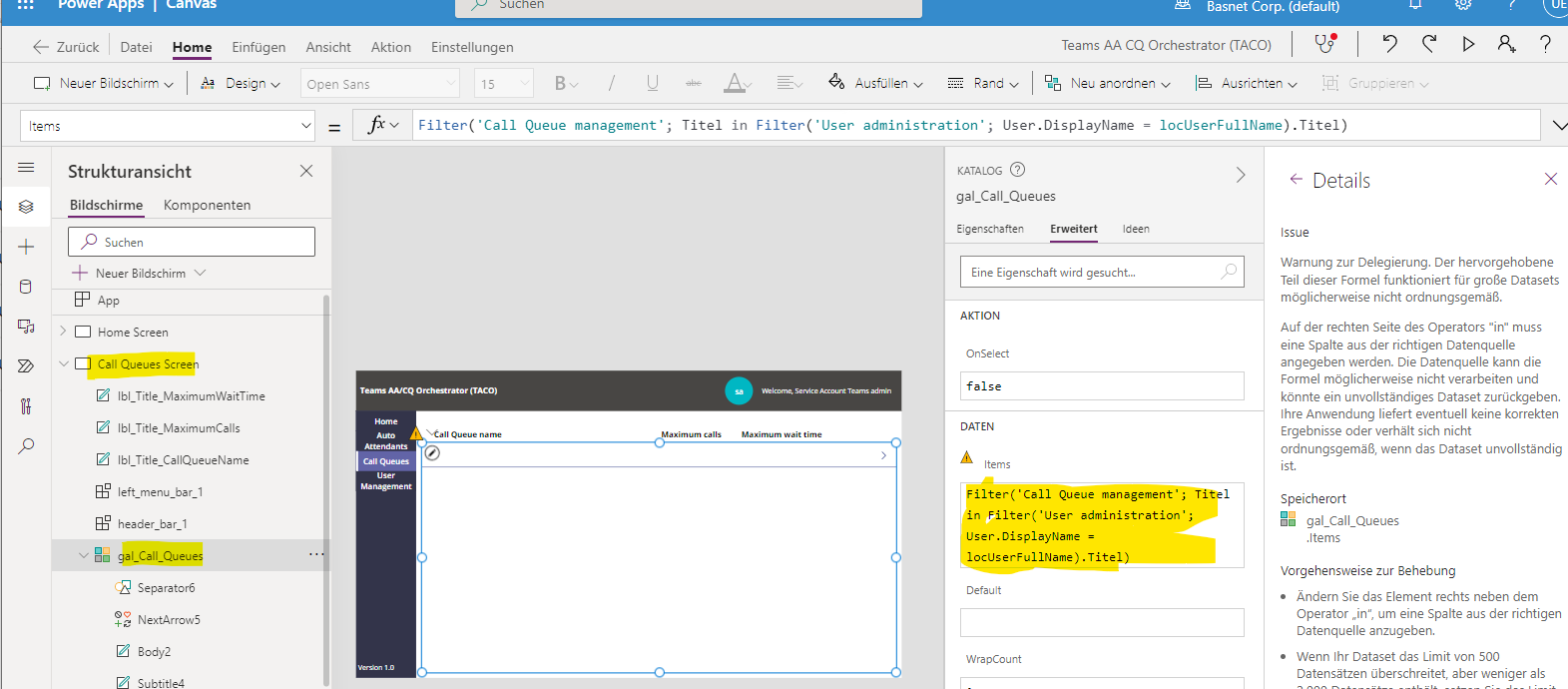
After rebuilding all the shareppoint connections there is some data showing in the app. It shows only the user management data, but no AA or CQ Data.
I assume the filters for the call queue screen and all the other screens are wrong Can you check that? |
Beta Was this translation helpful? Give feedback.
-
|
@donky-bison filters are correct we checked this in multiple environments. Did you recreated all the data connections or only the call queue one? |
Beta Was this translation helpful? Give feedback.
-
Beta Was this translation helpful? Give feedback.
-
|
OK how did you start the app does it show the user who has permissions in the top right corner of the app? Reason I am asking is the different between the gallery filters is that in the AA and CQ section we determine the user based on a function in PowerApps while in the gallery for the permissions we are using the O365Users filter. We validated this in multiple environments and it should work unless there is something different in your environment. What you can do for troubleshooting is the following:
Johan |
Beta Was this translation helpful? Give feedback.
-
|
I found the mistake - In the user Management I have to define the exact CQ-Name or AA-Name under the column "Titel" and assign it to a user |
Beta Was this translation helpful? Give feedback.
-
|
Yeah it needs to be 100% the same else it won't find it. Good to hear you found the solution. |
Beta Was this translation helpful? Give feedback.
-
|
@donky-bison be aware that doing this step might have broken the workflows since the connection id is different. If this is the case probably an easier way to fix all the issues is remove the solution and reimport it again, else you will need to fix all workflows manually |
Beta Was this translation helpful? Give feedback.
-
Beta Was this translation helpful? Give feedback.
-
|
@donky-bison did you manage to fix the issue? |
Beta Was this translation helpful? Give feedback.
-
Beta Was this translation helpful? Give feedback.


Uh oh!
There was an error while loading. Please reload this page.
-
Hi
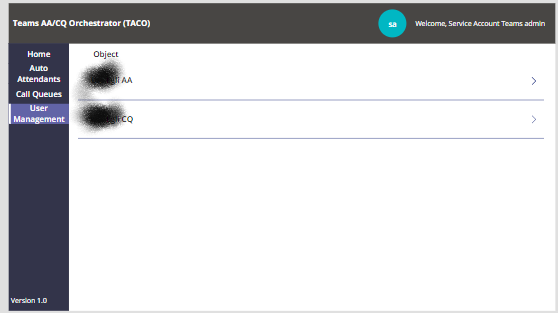
When I start the app i get a screen like this - see grafik. The AA and CQ Files in SP are populated and even the user management file is filled up with data
Checking the data source shows me a strange url - see grafik 2
Beta Was this translation helpful? Give feedback.
All reactions