🦙 Bug - TinaCMS Dependency - Saving edits in TinaCMS fails when auto-generated branch name already exists #2407

Description

Requested by: @KostaMadorsky via YakShaver.ai 🦬
cc: @KostaMadorsky, @Marxoz, @PothieuG, @Freego1783
Hi Team!
🟥 Watch the video (1 min 53 sec)
Url from screen share: https://www.ssw.com.au/rules/admin/rules/fundamentals-of-prompt-engineering
Pain
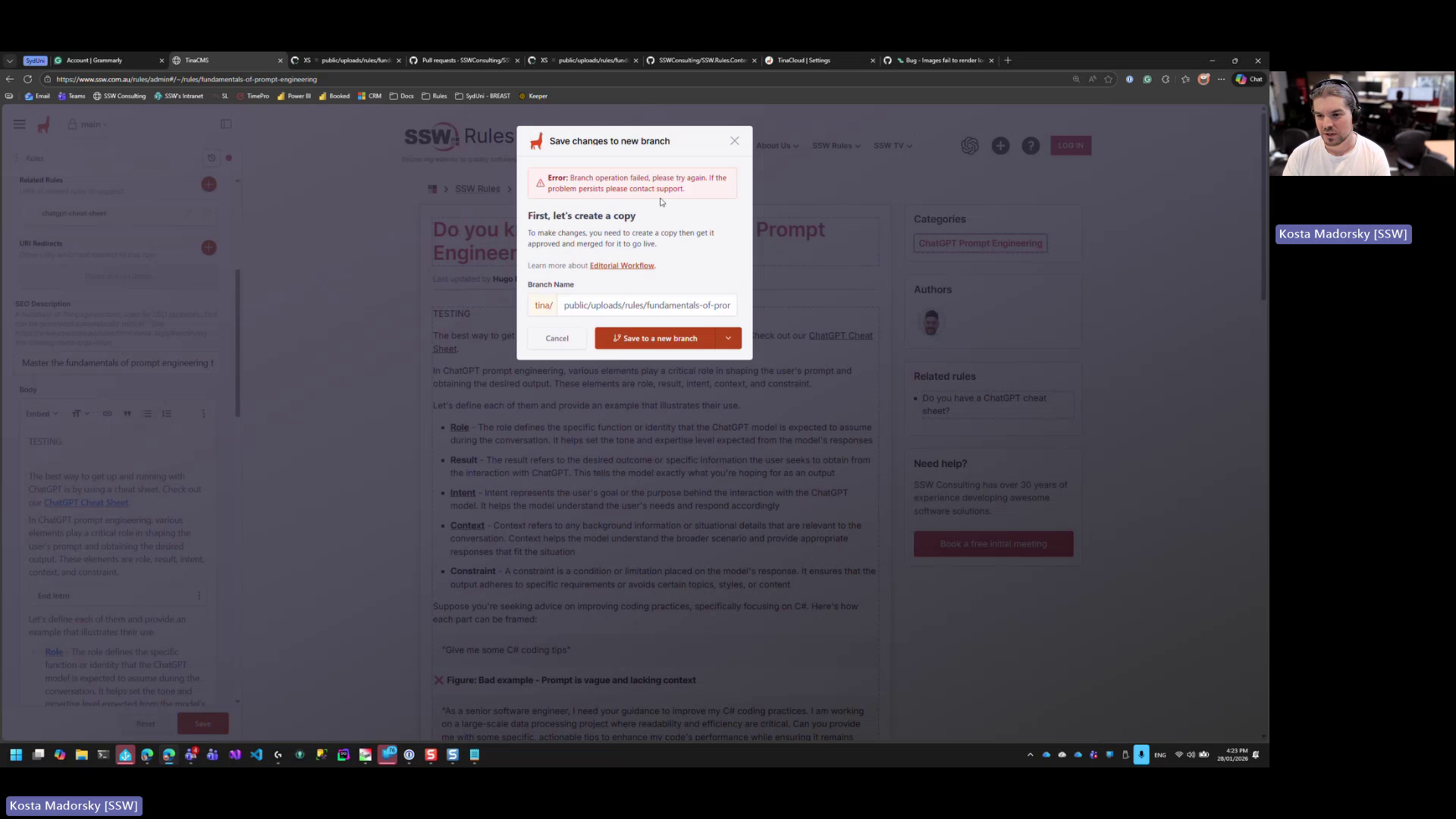
When editing rules in Rules V3 (TinaCMS) and saving changes to a new branch, the system automatically generates a default branch name. If that branch name already exists, the save operation fails with a generic "Branch operation failed" error that provides no actionable information. This leads to repeated failures with no clear guidance. The system should display a clear, descriptive error message indicating that the branch already exists. I would also be great to prevent branch name collisions by generating unique branch names (e.g. including username and timestamp).
Acceptance Criteria
- When saving changes to a new branch, the system must not fail silently due to an existing branch name.
- If an auto-generated branch name already exists, the user is shown a clear and descriptive error message stating that the branch already exists.
- (Nice to have) the system generates a unique default branch name to avoid collisions (e.g. including authenticated user name and a unique suffix). Having user name on the branch name automatically, would make it easier to search for PRs later on in GitHub.
- The error message must guide the user on how to resolve the issue (e.g. rename branch, retry with a new branch).
- User can successfully save changes after the branch name conflict is handled.
Reproduce Steps
- Log in to Rules V3 (TinaCMS).
- Open an existing rule in the editor.
- Make a small change to the content.
- Click Save and choose to save in a new branch.
- Allow the system to use the default auto-generated branch name.
- If a branch with that name already exists, observe that the save fails with a generic "Branch operation failed" error.
Screenshot
Figure: Saving edits creates a new branch that fails because the default branch name already exists