Describe the bug
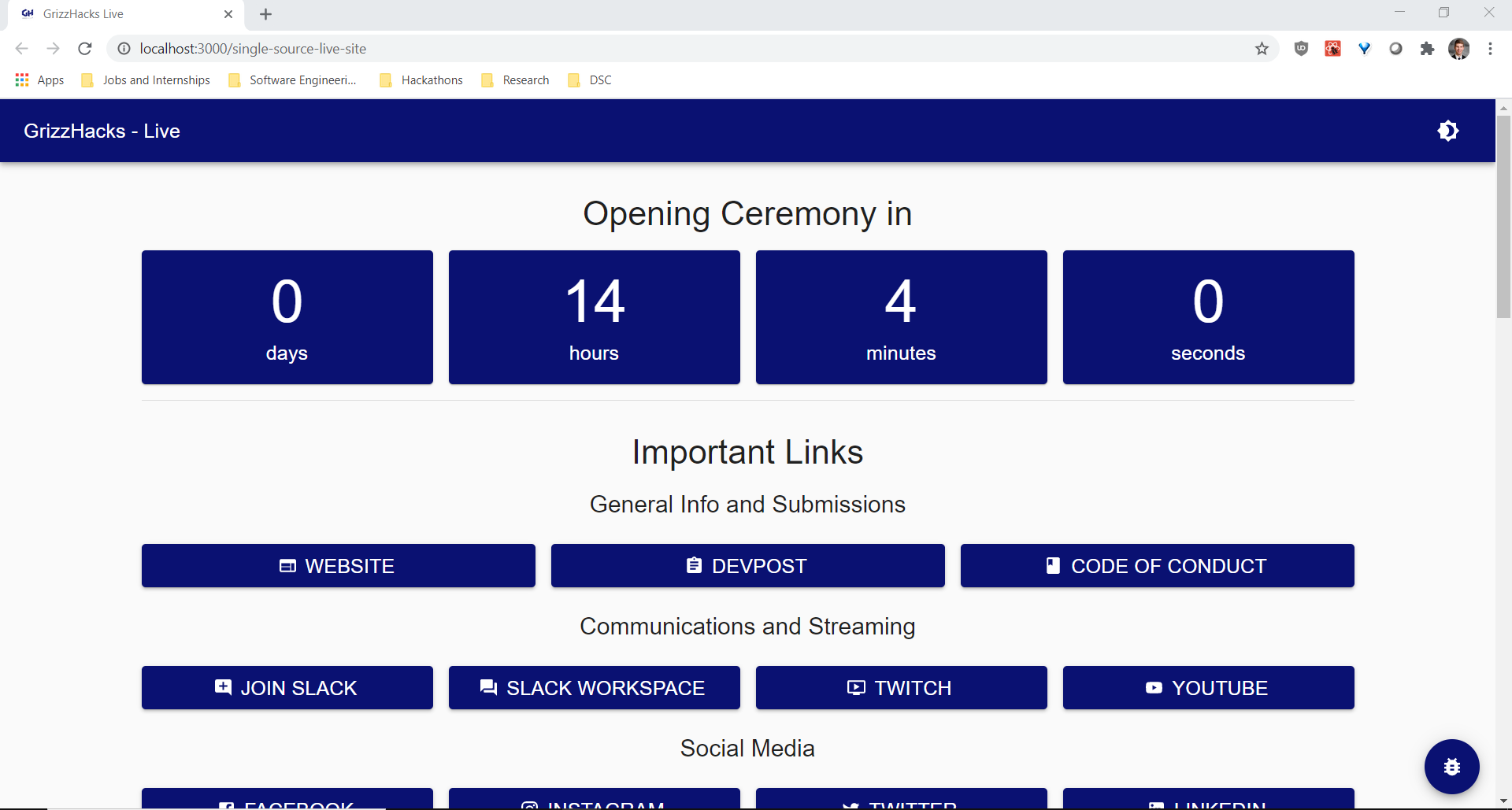
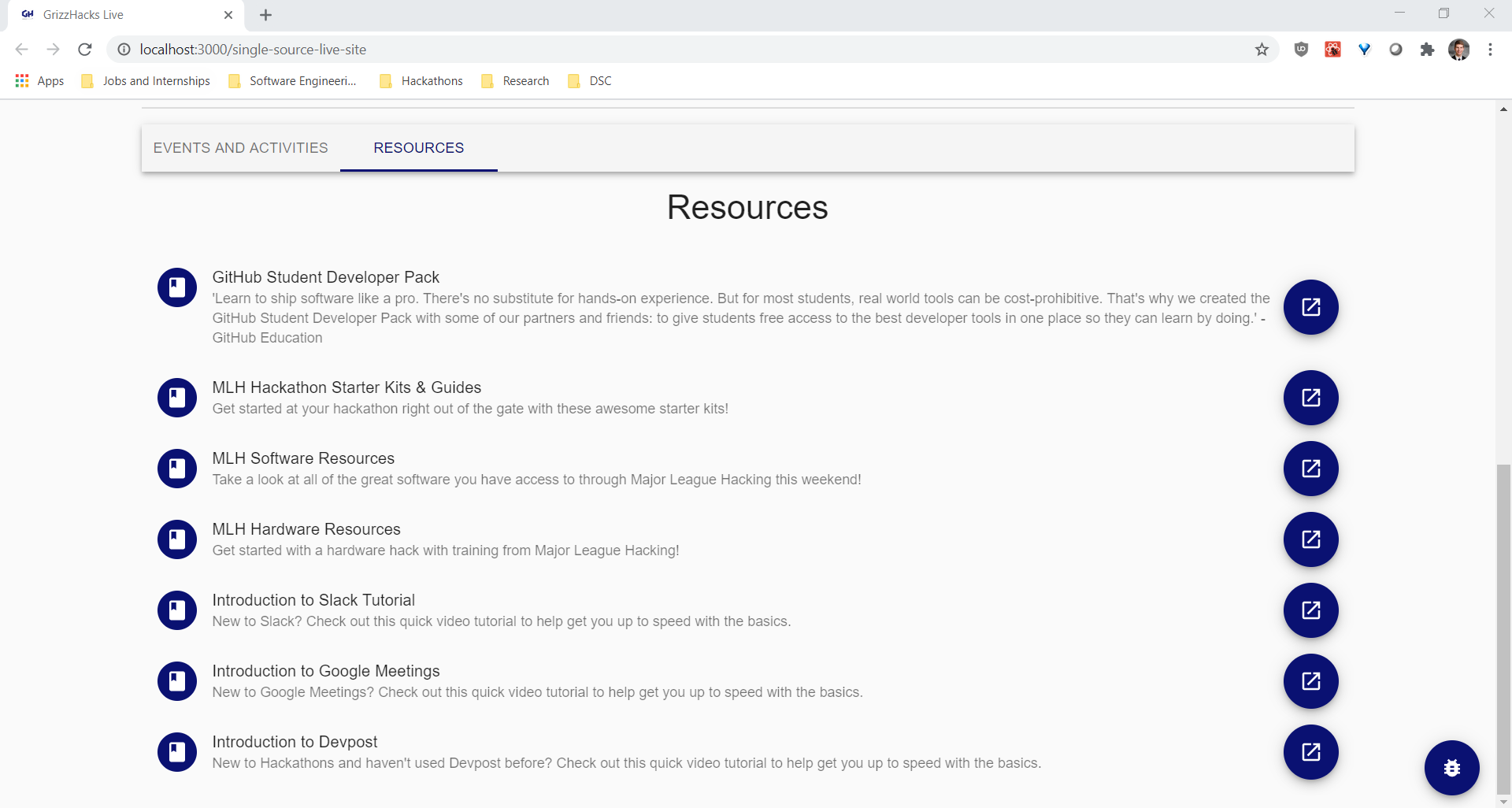
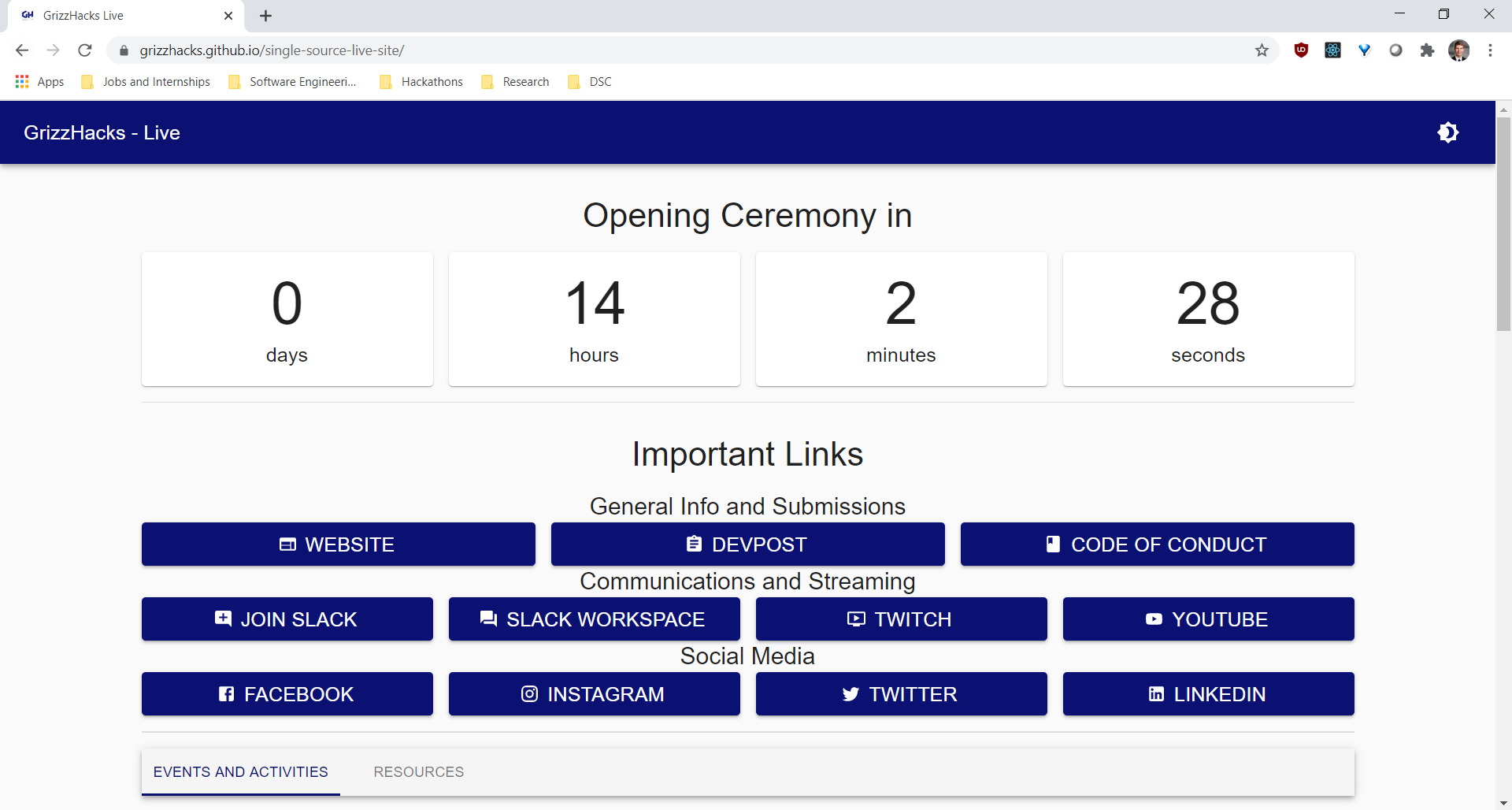
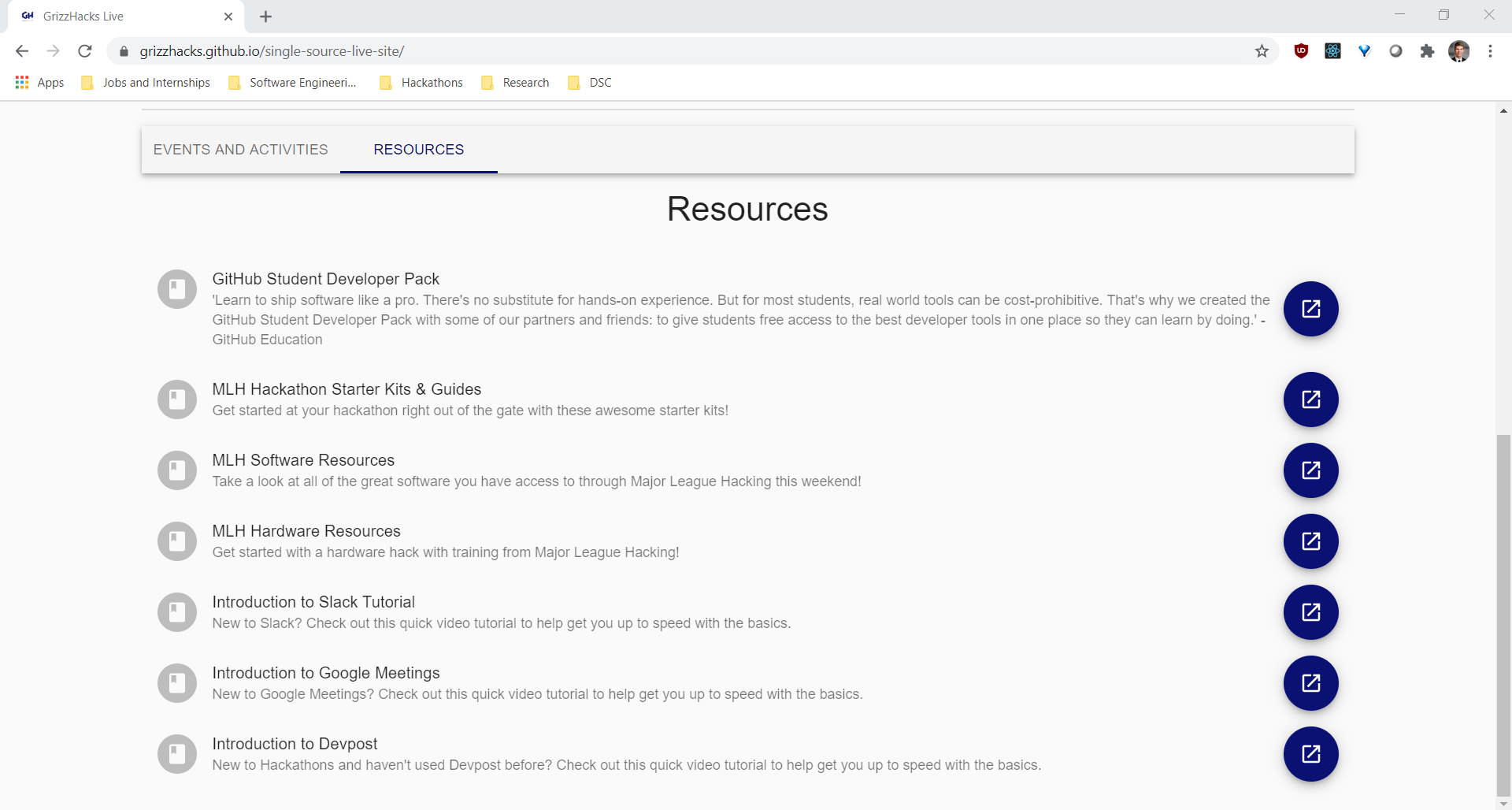
On the local demo, the background of the clock icons on the left of each list item have the branding color. Once you run npm run build, however, they get reverted back to the default grey/white.
To Reproduce
Steps to reproduce the behavior:
- Enter into the
website directory (i.e. cd website from the root of the repository)
- Run
npm run start
- Observe that the timer background and list icons are blue (or whatever the specified branding color is)
- Run
npm run build
- Server the website from the
build directory
- Observe that the timer background and list icons are grey/white
Expected behavior
The background colors should be the same between npm run start and npm run build.
Screenshots
If applicable, add screenshots to help explain your problem.
Local Build:
Production Build:
Desktop (please complete the following information):
- OS: Windows 10 Home (1903)
- Browser: Google Chrome
- Version: Version 85.0.4183.102 (Official Build) (64-bit)

Describe the bug
On the local demo, the background of the clock icons on the left of each list item have the branding color. Once you run
npm run build, however, they get reverted back to the default grey/white.To Reproduce
Steps to reproduce the behavior:
websitedirectory (i.e.cd websitefrom the root of the repository)npm run startnpm run buildbuilddirectoryExpected behavior
The background colors should be the same between
npm run startandnpm run build.Screenshots
If applicable, add screenshots to help explain your problem.
Local Build:
Production Build:
Desktop (please complete the following information):