Info Card: Store Framework's call to action #5

Description

Info Card: Store Framework's call to action
✨ Branch: infocard
Introduction
A store needs a good home page to engage users, increasing session time and therefore conversion chances. To achieve this, several elements need to be used, such as promotional banners, shelves with highlights, about us material, etc.
We have created the next block on the home page using a call to action. In Store Framework, we have a block designed for this purpose, called Info Card.
Info Card
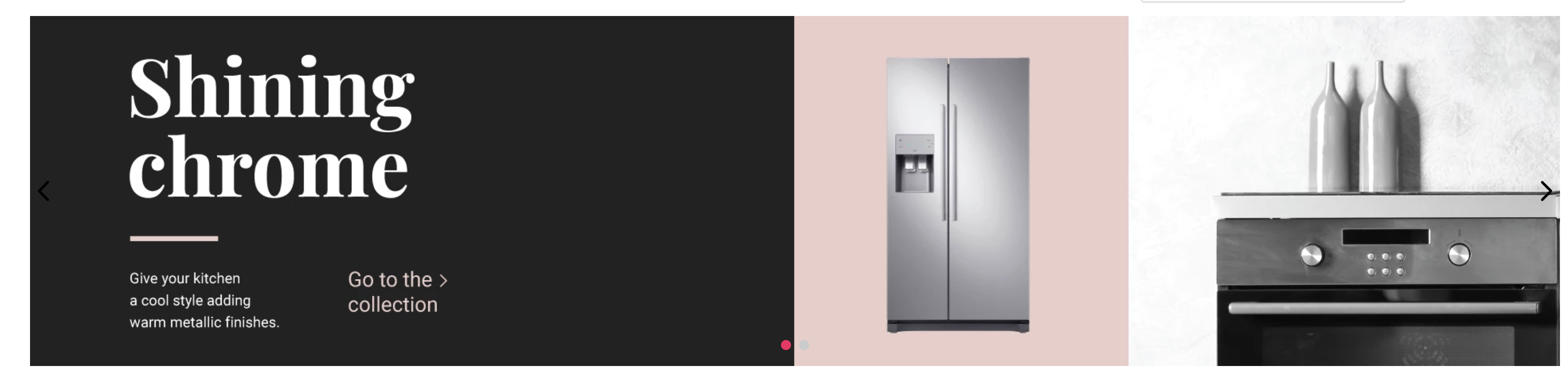
Using the Info Card, you can create images which have links and buttons (top or side of the block) that direct the user's flow (Call to action).
Looking at the documentation, we can see that:
isFullModeStyledefines whether the Call to Action (CTA) is set above the banner;textPositiondefines the position of the text;textAlignmentdefines the text's alignment;imageUrldefines which image will be used as banner;headlinedetermines which text will be used as headline;callToActionModeallows to choose the CTA mode as either a link or a button;callToActionTextdefines the CTA text;callToActionUrldetermines the URL to which it redirects;
We therefore have the following props:
  {
    "store.home": {
      "blocks": [
        "rich-text",
        "info-card"
      ]
    },
    "rich-text": {
      "props": {
        "text": "*Hello, World!*",
        "textPosition": "RIGHT"
      }
    },
    "info-card": {
      "props": {
      "isFullModeStyle": false,
      "textPosition": "right",
      "imageUrl": "https://appliancetheme.vteximg.com.br/arquivos/cozinha-rosa-min.png",
      "headline": "Vintage Pink",
      "subhead": "Give your kitchen a boho style adding vintage apparels.<br>Available until January 2020.",
      "callToActionMode": "button",
      "callToActionText": "Explore",
      "callToActionUrl": "/sale/d",
      "textAlignment": "center"
      }
    }
  }
Instancing blocks
You may have asked yourself:
"What if I wanted to have two different Info Cards?"
It's possible through block instancing.
All block have pre-established names, but you can create block instances and define different ways in which the block types appear. After each block has been defined, simply place an '#' with an arbitrary name that makes, for example:
  {
    "store.home": {
      "blocks": [
        "rich-text",
        "info-card#button-right"
      ]
    },
    ...
    "info-card#button-right": {
      "props": {
        "isFullModeStyle": false,
        "textPosition": "right",
        "imageUrl": "https://appliancetheme.vteximg.com.br/arquivos/cozinha-rosa-min.png",
        "headline": "Vintage Pink",
        "subhead": "Give your kitchen a boho style adding vintage apparels.<br>Available until January 2020.",
        "callToActionMode": "button",
        "callToActionText": "Explore",
        "callToActionUrl": "/sale/d",
        "textAlignment": "center"
      }
    }
  }
WARNING: Throughout the course, you will notice several
..., which you should not copy as it represents the progress achieved during previous steps.
Activity
In the home.jsonc file, based on the code above, create the info-card#button-left right under the infocard: info-card#button-right. This new infocard must implement the following:
- The title must be
Shining chrome - A link type call-to-action with the following text instead of a button:
Go to Collection - The following image
https://appliancetheme.vteximg.com.br/arquivos/cozinha-cinza-min.png - The following subtitle
Give your kitchen a cool style adding warm metallic finishes.<br>Available until January 2020. - Text to the left of the image (
textPosition).
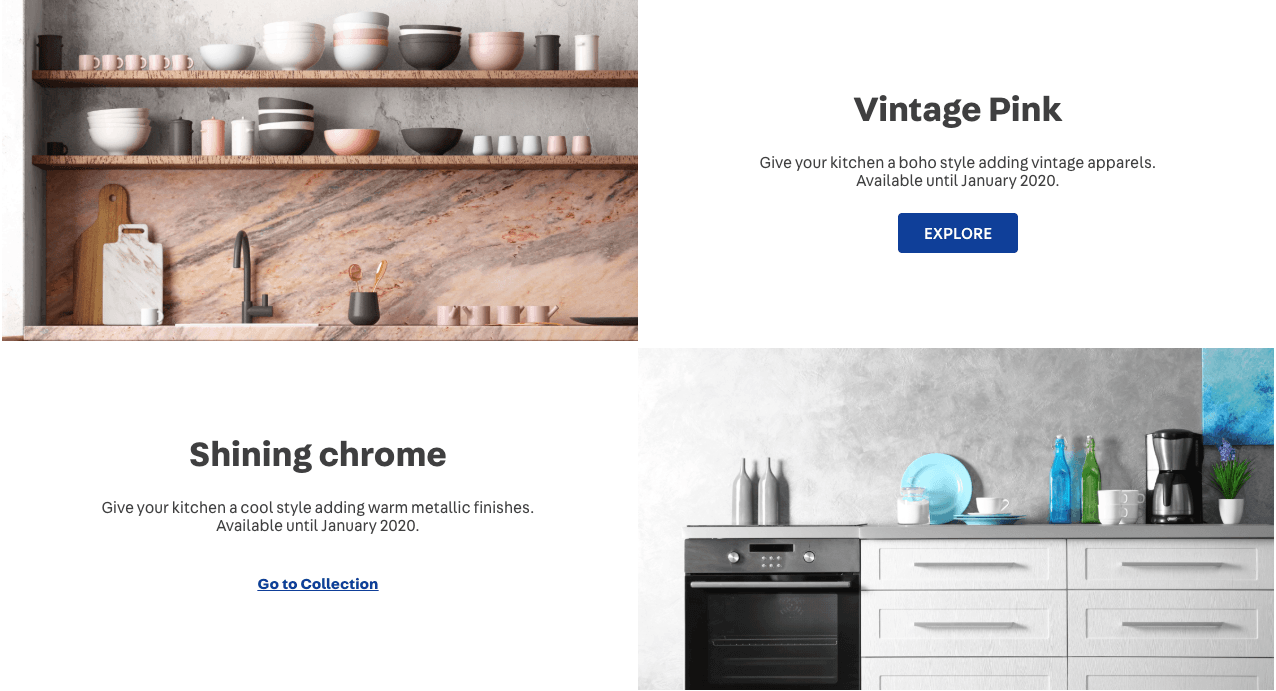
The expected result will look similar to this:
ℹ️ Remember to access the Info Card documentation if you have any questions regarding the activity.
If you're still unsure as to how to send your answers, click here.