Universal Login theme changes don't get applied on import #646

Description

Description
When using the package as a node module to deploy/import a configuration which includes theme changes, the effects aren't visible on the actual Login screen, but only on the Auth0 web app. Also, some properties get reset.
Reproduction
We have multiple environments set up and are using the CLI to easily propagate changes throughout them. We're using this package as a node module with 2 npm scripts: one that does auth0cli.import() and one that does auth0cli.export().
import
auth0cli.import({
    config: configuration,
    input_file: './configuration',
  });
export
auth0cli.export({
    config: configuration,
    output_folder: './configuration',
    format: 'directory',
  });
where configuration is read from a json file as guided here
Example json:
{
  "AUTH0_DOMAIN": "tenantName.eu.auth0.com",
  "AUTH0_KEYWORD_REPLACE_MAPPINGS": {
    "AUTH0_TENANT_NAME": "tenantName",
    "EMAIL_RESULT_URL": "http://localhost:3000",
    "CALLBACK_URLS": ["http://localhost:3000"],
    "ALLOWED_LOGOUT_URLS": ["http://localhost:3000"],
    "WEB_ORIGINS": ["http://localhost:3000"]
  },
  "AUTH0_ALLOW_DELETE": true
}
Initially we set up everything in the Auth0 web app, then ran the export command to have everything in code.
Now, whenever we run the import command with something new in the automatically generated themes/theme.json file, the change can only be seen in the web app, but not on the actual login screen.
For example, let's say we want to change the background color of the page to red:
theme.json
{
  "colors": {
    "primary_button": "#2D3748",
    "primary_button_label": "#ffffff",
    "secondary_button_border": "#c9cace",
    "secondary_button_label": "#1e212a",
    "base_focus_color": "#2D3748",
    "base_hover_color": "#000000",
    "links_focused_components": "#2D3748",
    "header": "#1e212a",
    "body_text": "#1e212a",
    "widget_background": "#ffffff",
    "widget_border": "#c9cace",
    "input_labels_placeholders": "#2D3748",
    "input_filled_text": "#000000",
    "input_border": "#c9cace",
    "input_background": "#ffffff",
    "icons": "#65676e",
    "error": "#d03c38",
    "success": "#13a688"
  },
  "fonts": {
    "font_url": "",
    "reference_text_size": 16,
    "title": {
      "bold": false,
      "size": 150
    },
    "subtitle": {
      "bold": false,
      "size": 87.5
    },
    "body_text": {
      "bold": false,
      "size": 87.5
    },
    "buttons_text": {
      "bold": false,
      "size": 100
    },
    "input_labels": {
      "bold": false,
      "size": 100
    },
    "links": {
      "bold": true,
      "size": 87.5
    },
    "links_style": "normal"
  },
  "borders": {
    "button_border_weight": 1,
    "buttons_style": "rounded",
    "button_border_radius": 6,
    "input_border_weight": 1,
    "inputs_style": "rounded",
    "input_border_radius": 6,
    "widget_corner_radius": 8,
    "widget_border_weight": 0,
    "show_widget_shadow": false
  },
  "widget": {
    "logo_position": "left",
    "logo_url": "",
    "logo_height": 40,
    "header_text_alignment": "left",
    "social_buttons_layout": "bottom"
  },
  "page_background": {
    "page_layout": "center",
    "background_color": "#FF0000",
    "background_image_url": ""
  },
  "displayName": "Unnamed Theme"
}
This is visible in the web app:


But the actual login screen now has a black background and even some properties got reset (the logo and headers should be left aligned, not centered).
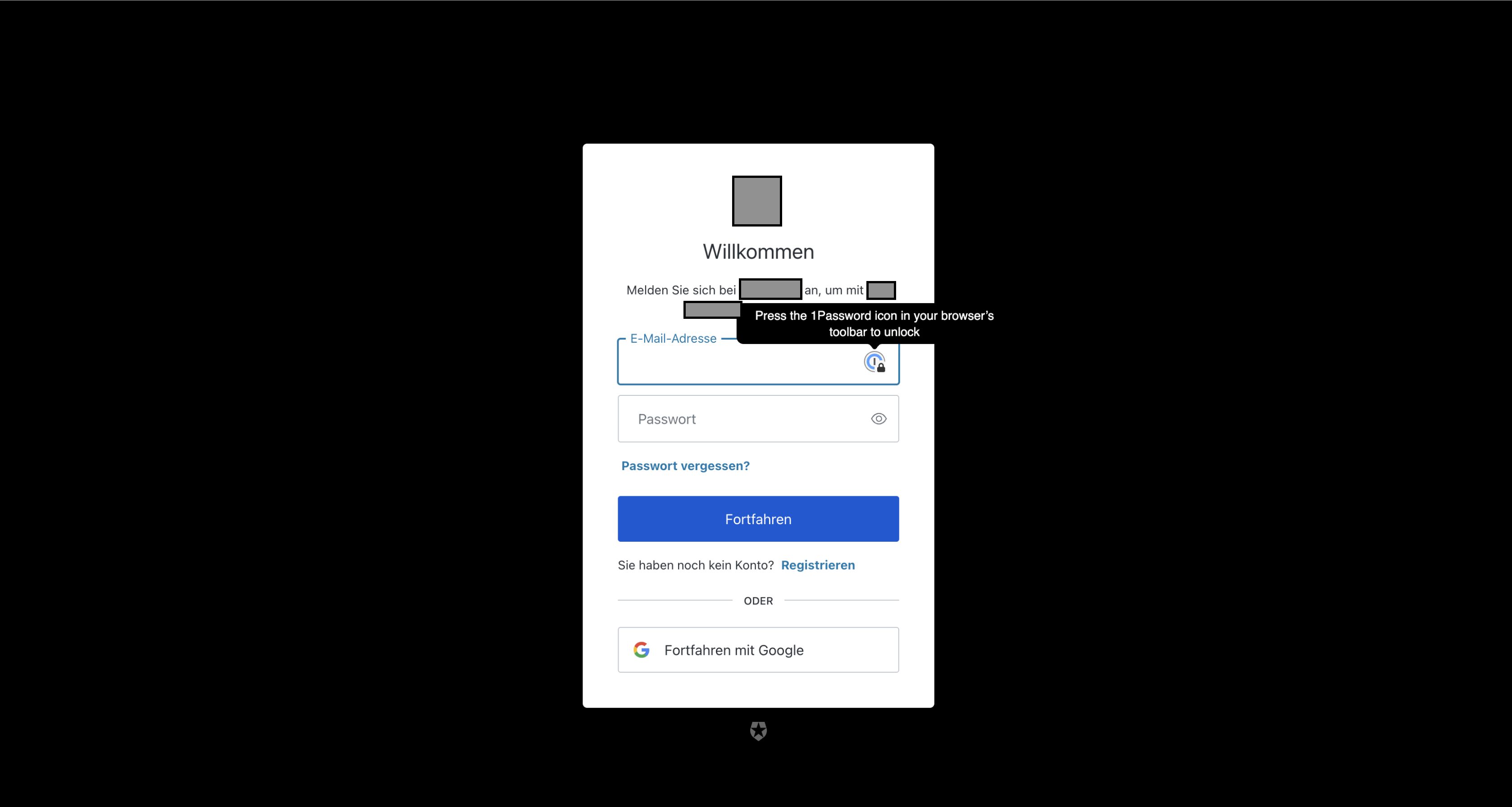
excuse the high quality censorship of the sensitive information 😂
Environment
Auth0 Config uses the new Universal Login.
- Version of this library used: 7.14.2
- Version of the platform or framework used, if applicable: -
- Other relevant versions (language, server software, OS, browser): macOS 12.2.1
- Other modules/plugins/libraries that might be involved: -