Triggerflow provides an interface to orchestrate state machines using events and triggers.
The state machines are defined in Amazon States Language, so we can orchestrate existing state machine definitions proved and running on Amazon Step Functions.
However, this implementation comes with some caveats:
- Only Lambda tasks are permitted since they can produce termination events through Lambda Destinations.
Waitstates are not supported, as Triggerflow currently lacks a time-based event source.
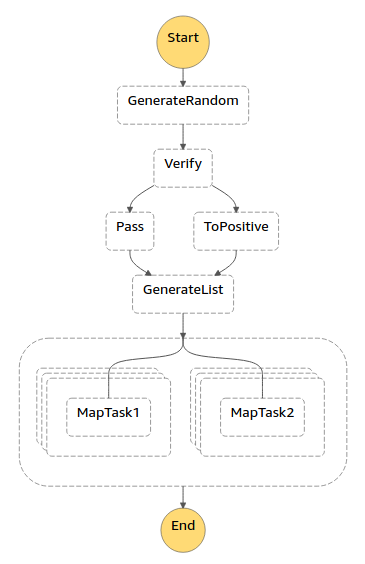
Here you can find an example of a toy state machine that combines Choice,
Parallel and Map states to test the state machine interface with a complex workflow.
-
Deploy the functions provided on Lambda.
-
Replace the deployed functions ARN on the state machine definition file (sm.json).
-
Have a Triggerflow instance up and running. You can find instructions here.
-
Run the following commands.
To deploy the state machine execute:
triggerflow statemachine deploy examples/state-machine-example/mixed.jsonThis will give you a run ID. To trigger the state machine deployment execute:
triggerflow statemachine trigger <RUN_ID>Where <RUN_ID> is the previously generated run ID.
-
(Optional) Alternatively, you can deploy and run a state machine using the functions provided directly from a script:
import json

from triggerflow.statemachine import StateMachine

sm = StateMachine.json('statemachine.json')
sm.trigger()