[Coding]
Almost finish the whole website, besides the announcement page, has no clue what to put inside so far.
- Fix the first fetch in all event page when there's no second page from the API
- Add a latest section under the event detail
- Add click effect on event card on mobile
- Storing the light theme into localStorage
[Coding]
Have try various approaches for infinite scrolling in all event page, like the react-infinite-scroll-component and react-infinite-scroller. However, probably my scrolling part is not in body tag but in a nested div, thus they're not working solution. I should go for intersection observer. But for simplicity I used innerHeight, scrollTop, and scrollHeight instead.
- Add infinite scrolling in all event page
- Clear up all the console.log across files
- Add a spinner when fetching data
- update the Links' href
- Update some responsiveness on mobile in all event page
[Coding]
- Testing the all event page between grid layout and flex
- Refactor some constant value of events into a data class
- Add Filtering function for all event page
- Add layout animation in-n-out when event get filtered
[Coding]
- Rename Pages
- Group the getDate methods into an EventUtils Class
- Add Event Detail Page
- Event Detail Page is running dynamic routes w/
getStaticProps - Add error handling, redirect to 404 when Event not exists
[Coding]
- Add try catch for fetching API
- Display error message when not able to fetch Event data
- Fix some issues on the Event Card Responsiveness
- Add All Events Page
- Add Scroll to Top when switching pages
[Coding]
After updating the API from the backend, the data is much more clean and easy to handle.
- Update the data from API
- Add fallback empty space for leaders name on card
- truncate the event name on card
The update of styles are trying to maintain the same card size in all situation. Like when the event name is too long and wrap to an new line, or the leader name is empty which shrink the height. So that we can prevent the above cases.
[Coding]
Shifting the event card data from dummy data to API calls, update the subheader on the carousel and an extra blur layer on banner.
[Design]
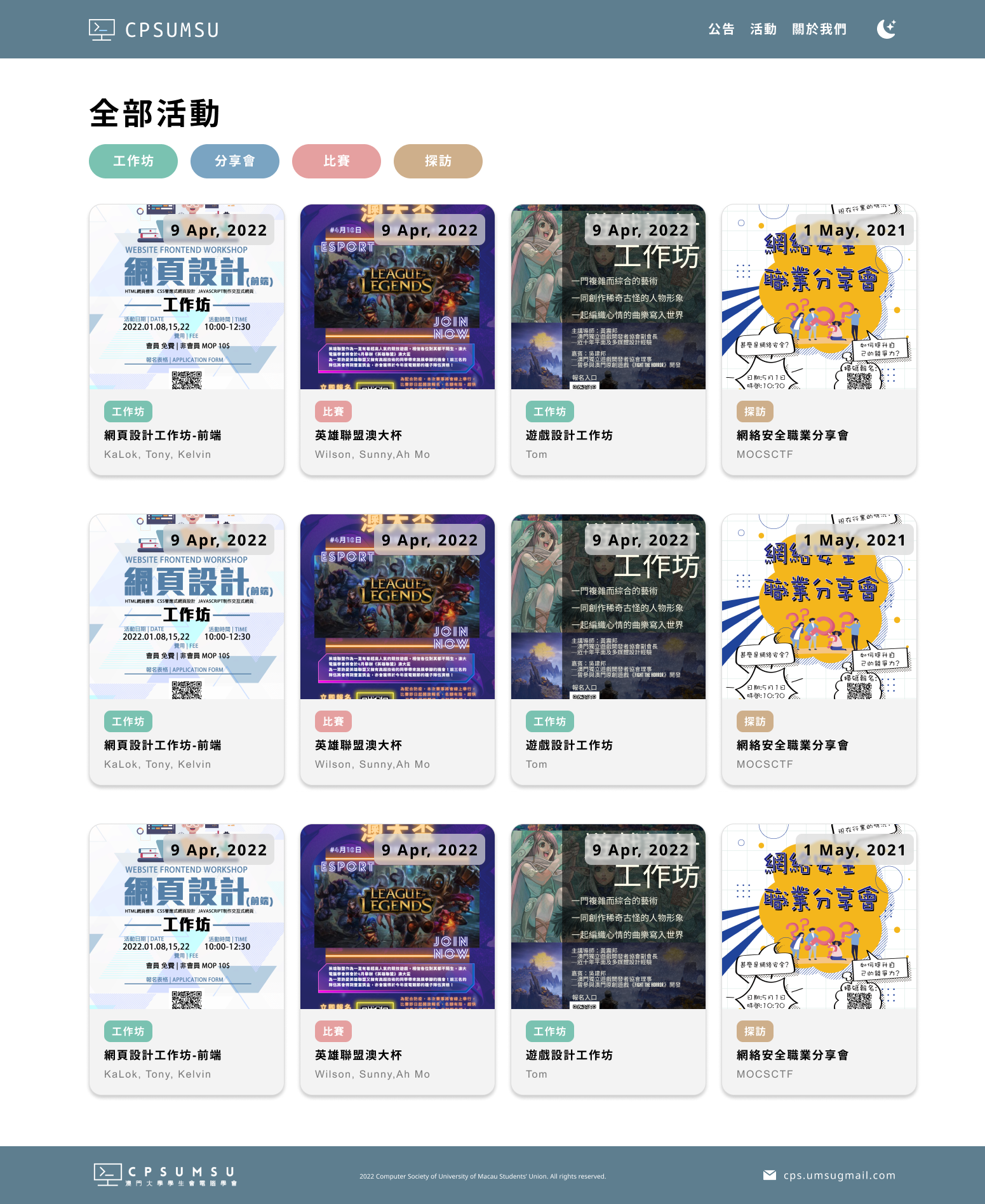
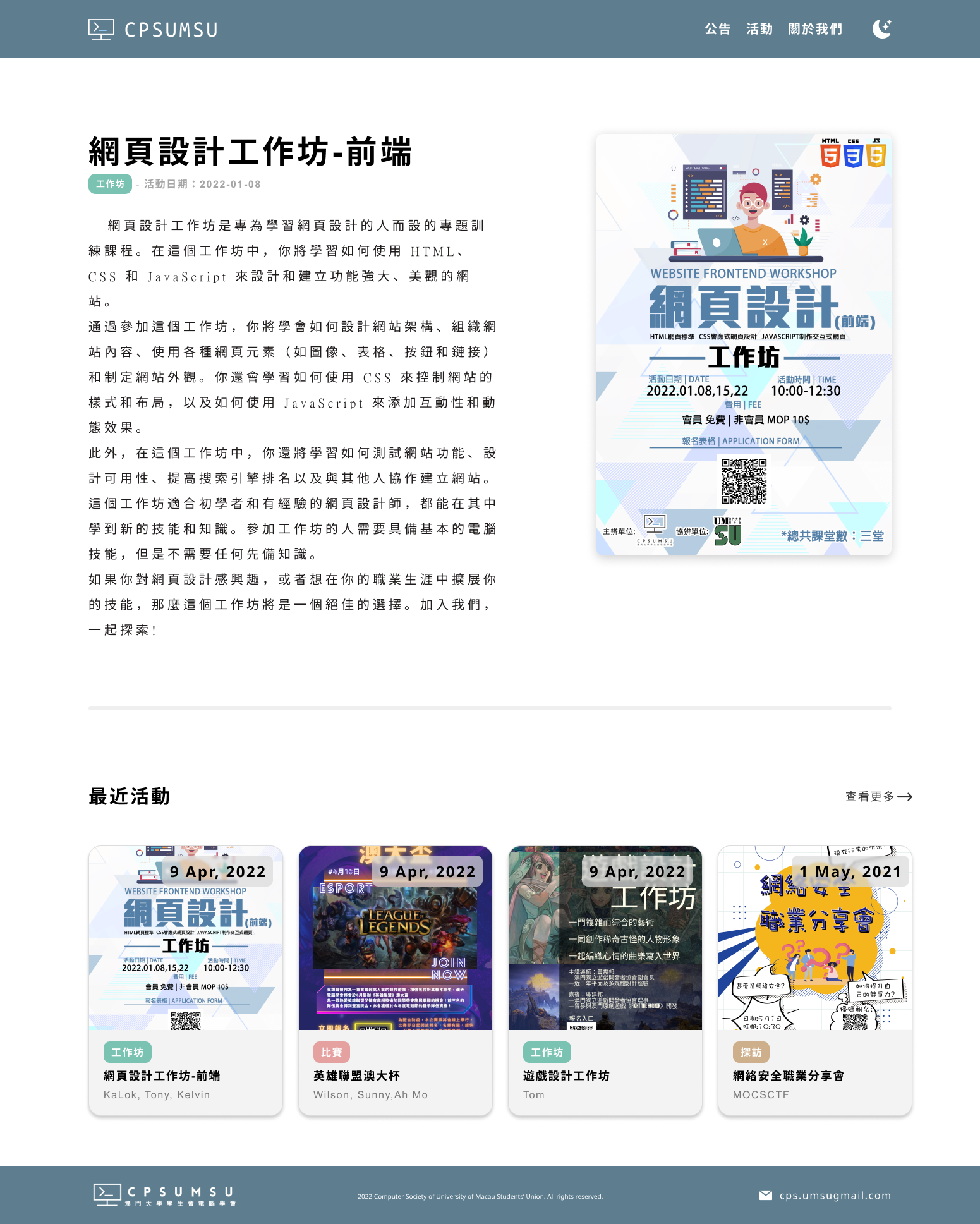
Designs for All Event Page and Event Detail Page
showcase / screenshot
[Coding]
Styling Event Card and Add Mobile Menu:
- Using Image component from nextjs (auto compress the size of images)
- Customize the blur loading effect for Event Card image
- Create Pop up modal for mobile menu
[Coding]
Styling and Refactoring:
- Date Tag on the Event Card
- Restructure the Images folder into more well organized
- Footer Section for both desktop and mobile
[Coding]
Finish the following:
- Event Section for both theme
- Event Card and Styling
- Contact Us Section for both theme
- Animation for both Event and Contact Us Section
TODO
The Homepage is almost done, the footer is not yet created but not in a hurry. Will focusing on the dynamic routing for the event data first. A base route for all the event cards, and a dynamic event detail page for correcsponding event ID.
- Dynamic Routing
- Event Detail Page Design
- Footer Section
[Coding]
Done some minor adjustment, styling and animation:
- Navigation Bar on different screen sizes
- Add Watermark on text-based section
- Also the dark mode version of the watermark
- Add a light bulb on mobile screen for theme toggle
- Animated the light bulb, pull to toggle
- Fix animation bug, probably having a large x, y value will lead to flickering
TODO
The Event section need to be done, waiting for the backend to show up. Before that, will be using some dummy data first.
- Event Cards
- Animations for the rest of the section
[Coding]
Staring with Next.js starter command w/ npx create-next-app@latest and build up many things as follow:
- Navigation Bar
- Light, Dark Model toggle
- Hero Section / Carousel Section
- Progress Bar goes by time integrated into the carousel section
- 3 Title-Description pair sections
- Most of them of now animated with Framer Motion
- Mobile Responsive
TODO
Still got quite a lot to do with, the navigation bar is now only contain the logo and theme toggler, could add more links into it.
- Navigation Bar on Desktop
- Event Cards Section
- Social Media Section
- Footer
- Other routes are needed but not urgent
[Design]
Turn Light Mode in Mobile Version to Dark Mode
showcase / screenshot

[Design]
Turn Desktop version into Mobile version
showcase / screenshot

[Design]
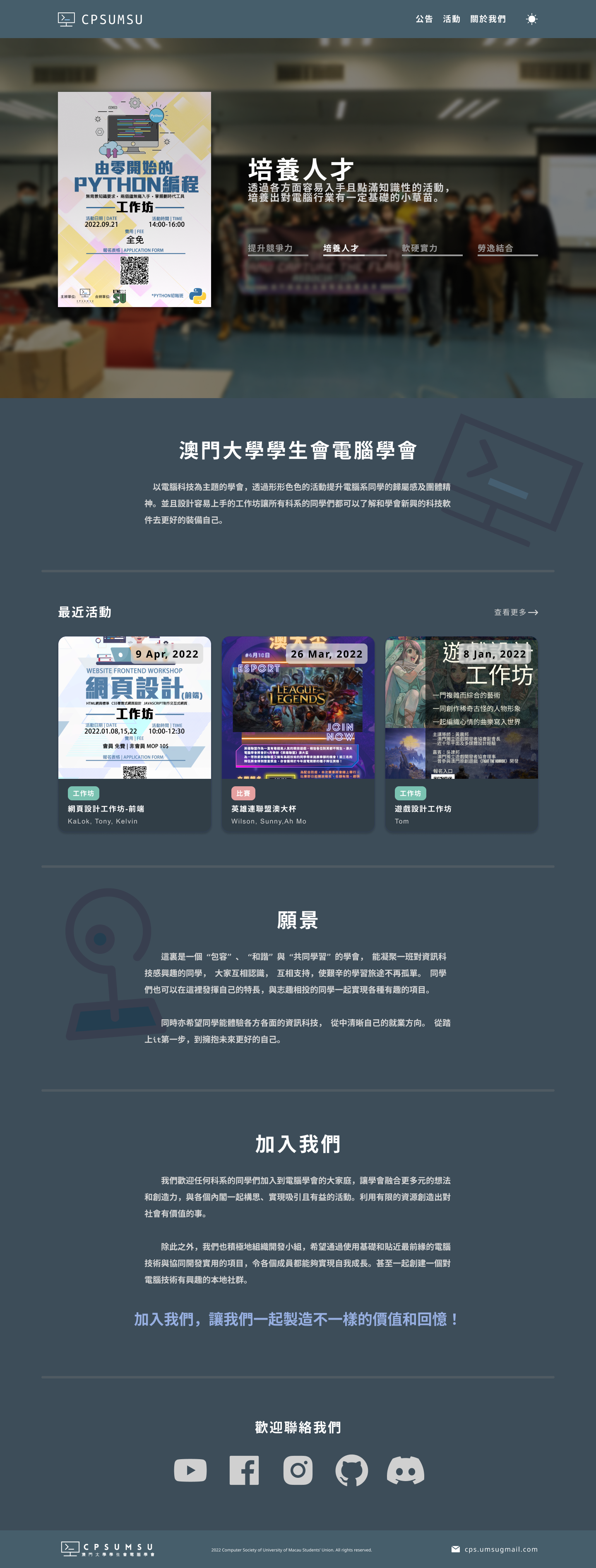
Home Page - Desktop
- Modify the Navigation bar
- Join Us Section
- Dark Mode
Link to the figma design.
showcase / screenshot
[Design]
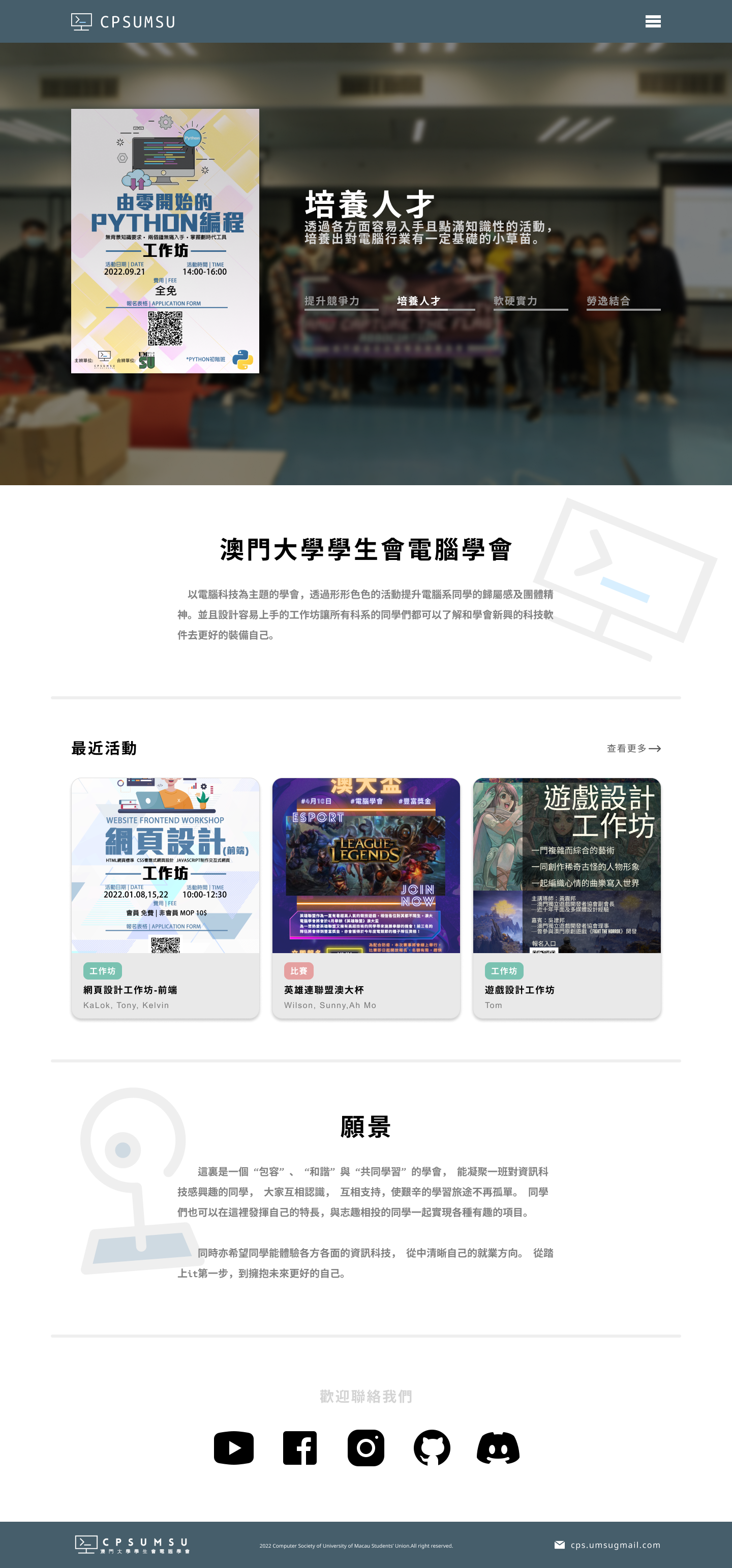
Home Page - Desktop
- Header, Navigation bar
- Hero Section with carousel
- Introduction Section
- Recent Activites Section
- Our Core Value
- Social Media Section
- Footer
Link to the figma design.
showcase / screenshot