A graphical user interface for Fido.ps1
Important
After a few years spent in the company of FidoGUI, which was created simply to compensate for a temporary lack of Pete Batard's original Fido file, the time has come to say goodbye and let it run free in the fields. The project no longer has a reason to exist because, by launching Fido.ps1 (always available at the URL https://github.com/pbatard/Fido/raw/master/Fido.ps1) directly via PowerShell, you will see the same sequence of choices and experience that you have when using the native Download function in Rufus. The interface is clean, immediate, and gets straight to the point, which was somewhat the purpose of FidoGUI.
I would like to personally thank those who have chosen to use this small utility and refer you to the direct use of the Batard file. To ensure that PowerShell retrieves it independently and launches it directly, simply run this command:
iex (irm 'https://raw.githubusercontent.com/pbatard/Fido/master/Fido.ps1').Substring(3)Just for your information: Substring(3) is necessary because it cuts the first 3 characters (the UTF-8 BOM) that would otherwise prevent direct execution.
In the meantime, I archive the repository and leave it read-only, cheers! 🍻
Fido.ps1 is a PowerShell script created by Pete Batard, the author of the brilliant Rufus utility. It enables direct downloads of official Microsoft Windows ISO images from Microsoft’s servers.
While Fido.ps1 is integrated into Rufus and can be accessed via its GUI, using the script independently requires knowledge of PowerShell parameters, syntax, and switches — which you might not care to learn.
That’s where FidoGUI.ps1 comes in.
FidoGUI.ps1 is a wrapper that gives Fido.ps1 a simple graphical interface, acting as a wizard that guides you through:
- Selecting the Windows version
- Choosing a specific release
- Picking your preferred language
- Defining the system architecture
- Selecting the destination folder for your ISO
- Automatically downloading the ISO file from Microsoft’s servers
All of this — without typing a single line of PowerShell.
| Step-by-step GUI | Description |
|---|---|
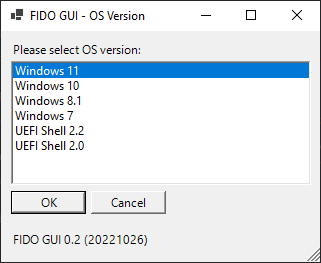 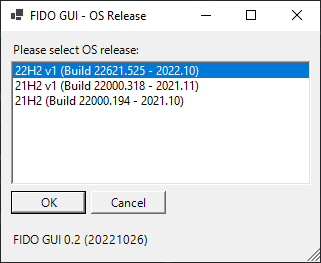 |
Choose version & release |
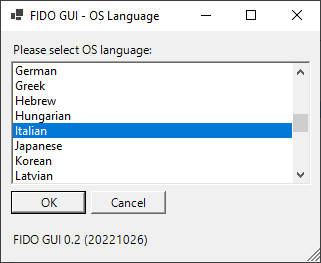 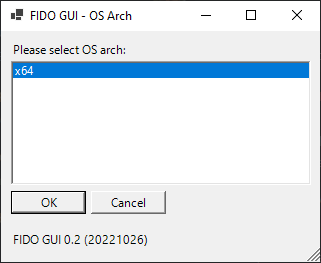 |
Choose language & architecture |
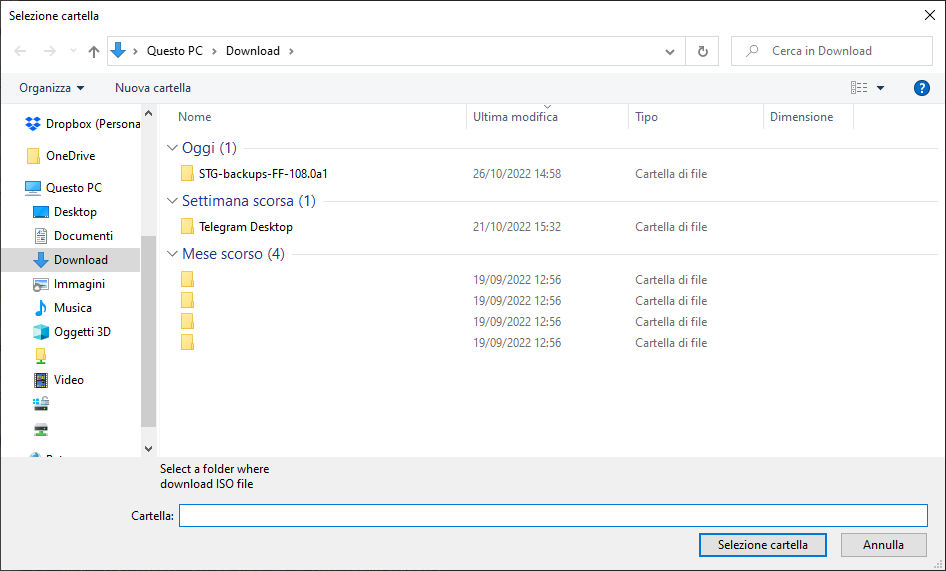 |
Select where to save the ISO |
 |
PowerShell begins download |
- Windows with PowerShell 5.1 or later
- Internet connection
- No administrative privileges required
FidoGUI.ps1checks for the presence ofFido.ps1in its working directory at launch.
If missing, it automatically downloads the latest version from GitHub.
Launch FidoGUI from PowerShell:
.\FidoGUI.ps1Optionally, check for updates to Fido.ps1 before launching:
.\FidoGUI.ps1 -UpdateIf you just want to run FidoGUI.ps1 without cloning the repository, you can do so directly via PowerShell:
irm https://raw.githubusercontent.com/gioxx/FidoGUI/master/FidoGUI.ps1 | iexOr, using the long form for clarity:
Invoke-Expression (Invoke-WebRequest -UseBasicParsing https://raw.githubusercontent.com/gioxx/FidoGUI/master/FidoGUI.ps1).Content
⚠️ Make sure your execution policy allows this, or run from an elevated prompt:Set-ExecutionPolicy RemoteSigned -Scope Process
This will:
- Download the latest version of
FidoGUI.ps1into memory - Run it immediately
- Download
Fido.ps1automatically if missing
- Run update check for
Fido.ps1automatically at startup - Add self-update feature for
FidoGUI.ps1 - Improve error handling and fallback messages for API blocks
- Pete Batard for the original
Fido.ps1script - Inspiration from Rufus, Microsoft Docs, and community examples
- Various Stack Overflow contributors for GUI patterns and PowerShell tips

