The Animals page is a repository of (adorable) animal images. We need to keep this repository up-to-date with the most important (adorable) animal images of our time.
This repository seeks to compile as many (adorable) images of as many different types of animals as possible. For each image, we will provide a small caption. If there are more than one instance of the given type of animal in the image, italicize the collective noun.
In order to do our job, we will learn a couple tools:
- Prereqs
- Prepare to Edit the Animals Doc
- Add a Header
- Add an Image
- Add a Caption with Styled Text
- Add a Horizontal Rule (Divider)
- Finishing Up
In order to complete this task, you'll need the following:
- A computer with a web browser (probably what you are using to read this document right now)
- A Github account
Click on the pencil icon to the top-right of the Animals document.
If you are adding images of a type of animal which is not yet represented in the document, you will need to add a header with the name of the animal.
In Markdown, you can specify the size of the header with varying amounts of # characters. For the types of animals, we are using the second-level header, so precede the type of animal with ##.
For example, you can see that the Penguins header is encoded as ## Penguins.
The core mission of this document is to spread joy through (adorable) animal images. Thus, we need images.
In Markdown, you can an embed an image by using the following syntax:

For example, the image of the waddle of penguins jumping looks like:
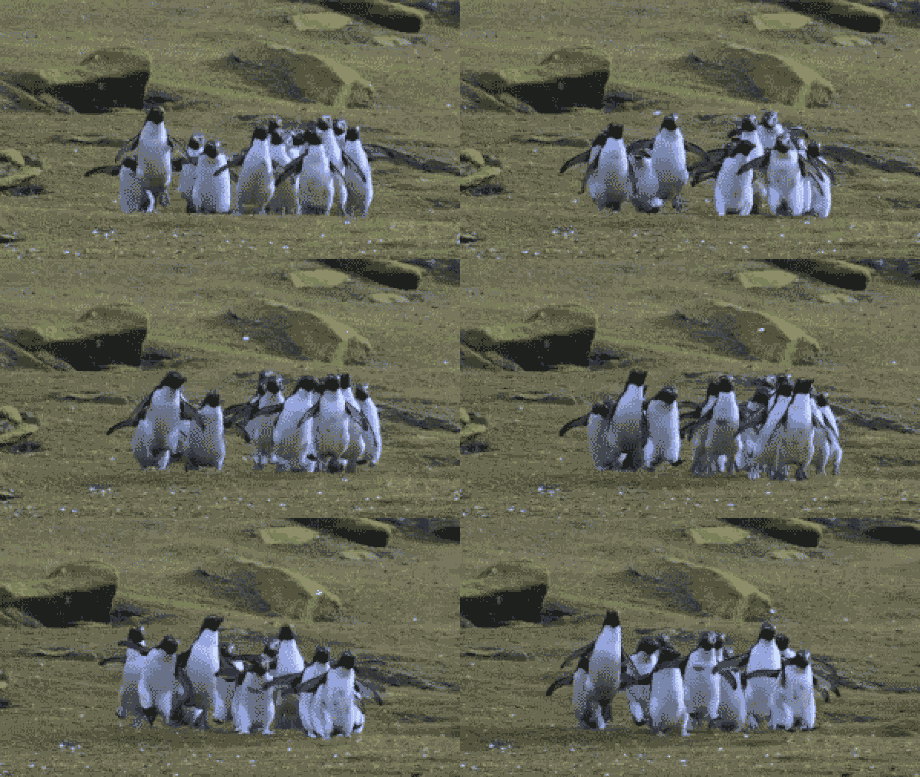
Now that we have embedded an image into your repository, we need to add a brief description of our image. If there is a group of animals of a given type in the image, we will italicize the collective noun.
In Markdown, normally-styled text requires no fancy syntax: just write as you would normally. To italicize some text, use the following syntax:
_some italicized text_
This will show up as: some italicized text.
If there are more than one image of a given type of animal, separate the images with a horizontal rule. In Markdown, it's as easy as typing the following:
---
If there is only a single image of a given type of animal, don't worry about the divider!
Once you are happy with the contributions that you have made, leave a message (Update Animals.md will be submitted by default), and click the Commit Changes button to add your animal image to the repository.
Thanks for supporting this noble cause!
💡 For more advanced file editing techniques, check out the Editing Files Tutorial.