
Replies: 2 comments

-
|
Normally the root password is root. You can also login via bash and reset it: docker exec -it mgt-dev bash Instead of "mgt-dev" you can also use the container id. |
Beta Was this translation helpful? Give feedback.

-
You can try disabling the public key authentication like this:
Hope it helps! |
Beta Was this translation helpful? Give feedback.


Uh oh!
There was an error while loading. Please reload this page.
-
Hello all, I'm new to this project and also Docker, so please don't be too harsh :)
I was able to install the Docker instance of the MGT Development Environment, and I can connect to the panel under https://127.0.0.1:8443/domains
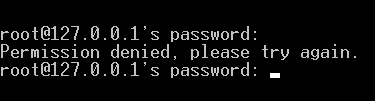
But when I try to connect via ssh with the default root/root username and password I get the "permission denied" error.
How can I check what's wrong, or perhaps can I try to somehow reset the settings to make sure I haven't changed something unwillingly?
Beta Was this translation helpful? Give feedback.
All reactions