-
Having manifests is optimal, IaC
-
Rollbacks though are necessary when things go wrong
-
When using a Kubernetes
Deployment, history of rollouts is in theClusterstab of your Application -
Spinnaker exposes “Undo Rollout” functionality in two places:
-
Clusters tab
-
Pipeline stage
-
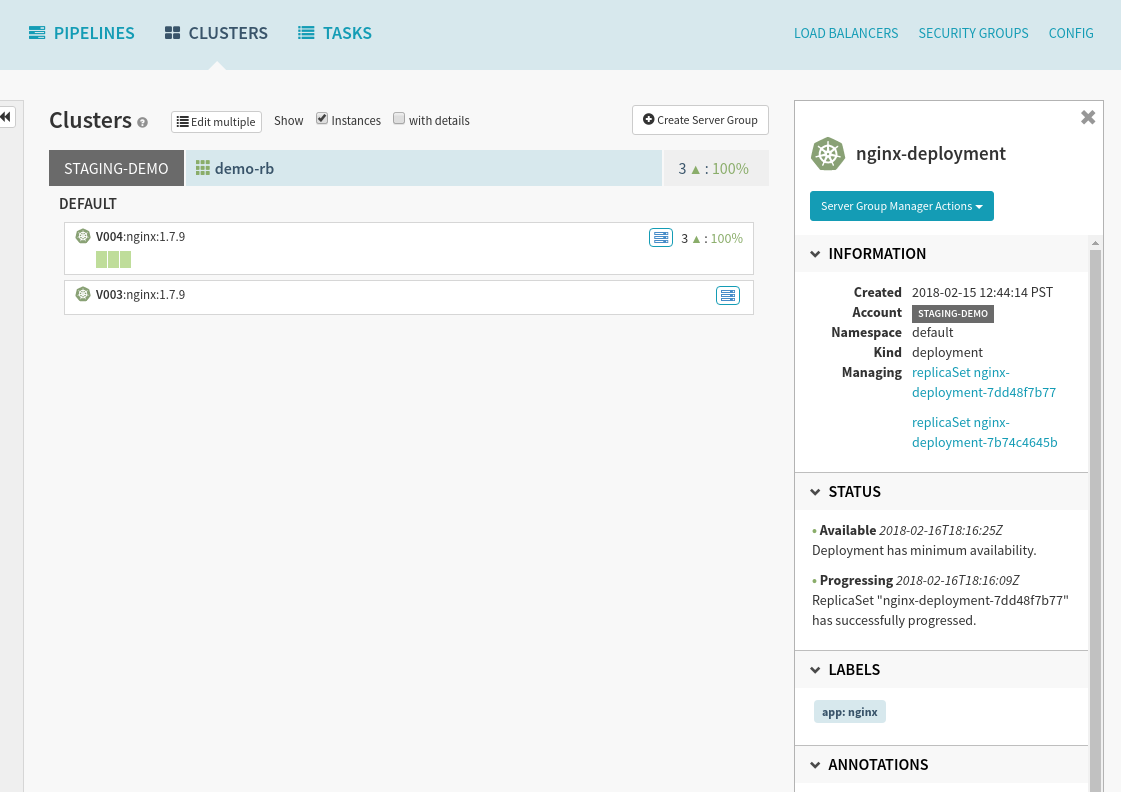
-
In cases where you see something is immediately wrong and isolated to a resource in the “Clusters” tab
-
You can select “Undo Rollout” from the “Actions” dropdown
-
This provides an opportunity to select a healthier alternative
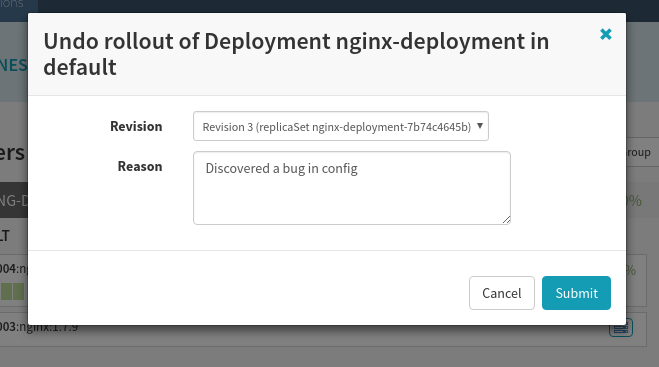
-
You can also configure automated rollbacks inside of Spinnaker pipelines.
-
These stages are best configured to run when other stages or branches fail, indicating that something has gone wrong in your rollout.
-
Number of Revisions Back:
-
Counts how many revisions the current active revision should be rolled back by. If you have the following state:
-
nginx-deployment-2d8178b77 (Revision 5) # active
nginx-deployment-7bdd110f7 (Revision 4)
nginx-deployment-0b13cc8c1 (Revision 1)
And roll back by “1” revision, (Revision 4) will be active again. Roll back by “2” revisions and (Revision 1) will be active again.
Keep in mind that Kubernetes will implicitly roll-forward the old configuration, creating (Revision 6) in both cases.
-
Parameterize the target resource to roll back
-
Reference anything via pipeline expressions
-
Point to something specified using pipeline parameters, for example:
-
Upstream deploy stage
-
Another stage’s outputs
-
Using pipeline expressions.
-
-
Rolling Back will not work unless artifacts are versioned, this includes:
-
Docker images
-
ConfigMap -
Kubernetes Secrets
-