- Running OpenShift Cluster (3Node, 3x(n))
- Logged into cluster or exported KUBECONFIG
- Copy the secrets template file to your home directory:
cp values-secret.yaml.template $HOME/values-secret-travelops.yaml- Run pattern.sh wrapper script
./pattern.sh make install- Get the route to the travel control portal
CONTROL=http://$(oc get gtw travel-control-gateway -o jsonpath='{.status.addresses[0].value}')In the travel control dashboard, use the sliders to change the requests for each travel locale. We need this to generate traffic between the different services in the service mesh.
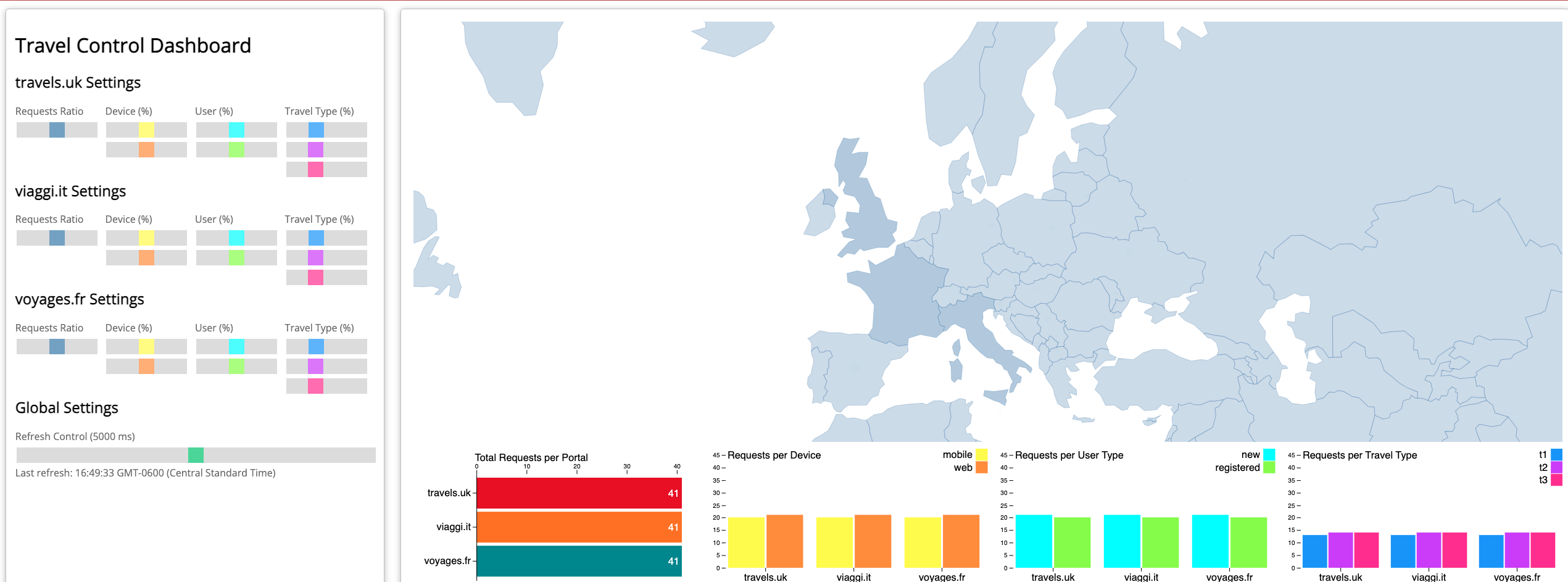
- Get the route to the kiali dashboard and log in using kubeadmin (or other credentialed user)
KIALI=https://$(oc get route kiali -n istio-system -o jsonpath=’{.spec.host}’- Use the kiali dashboard to verify the mTLS configuration and ensure that the travelops applications are configured in the mesh correctly:
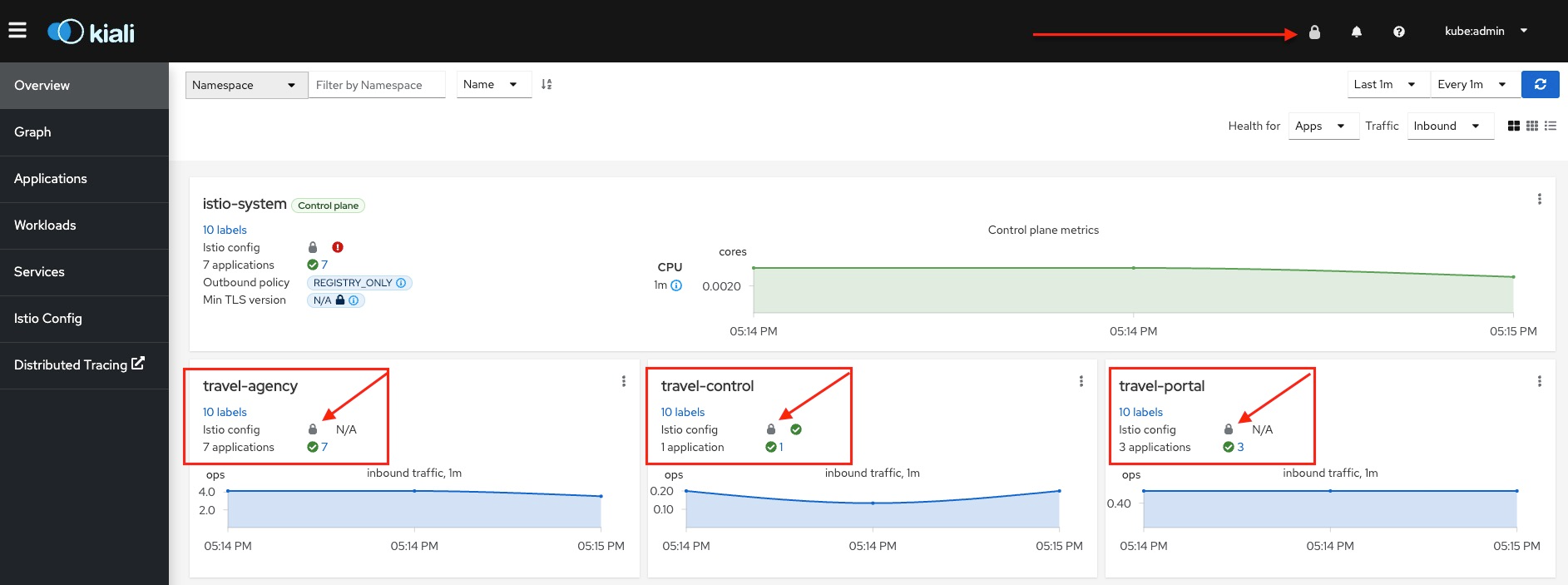
Within the dashboard verify that you see the following in the travel-agency, travel-control and travel-portal application contexts:
- Each application (travel-agency, travel-control and travel-portal) should also show a lock within their respective context boxes.
- Each application (travel-agency, travel-control and travel-portal) should have a green check mark next number of applications.
The kiali dashboard shows us that our travelops applications are configured correctly for mTLS and properly joined to the service mesh. This test plan confirms that the deployed configuration is working as expected.