기존 get 방식
//비동기적으로 데이터불러옴
    useEffect(() => {
        async function get() {
            const result = await Axios.get('/Post')
            setData(result.data)
            console.log(result.data)
            console.log(result.data.length)
        }
        get()
        return ()=> {
            completed = true
        }
    },[])
-> Redux 를 씀으로 상태관리 , component의 부담을 줄여줌
리덕스 언제 써야 할까?

프로젝트의 규모가 큰가?
Yes: 리덕스
No: Context API

비동기 작업을 자주 하게 되는가?
Yes: 리덕스
No: Context API

리덕스를 배워보니까 사용하는게 편한가?
Yes: 리덕스
No: Context API 또는 MobX
출처"https://velog.io/@smooth97/Netflix-Clone-1-API-"
npm i redux react-redux
store안에 /actions , /reducers 폴더에 모듈을 분리시켜 작성한다.

소스트리 구조를 보면 action/index.js 는
action 함수를 생성해줍니다 이 액션에 따라 리듀서에 정의된 동작을 분기하게 되는데 액션생성함수란 이 액션객체를 생성하는 함수를 의미한다.
import Axios from "axios"
export const FETCH_GET_POST = 'FETCH_GET_POST'
export const fetchGetPost = async() => {
    const Data = await Axios.get('http://localhost:3000/Post/')
    return {
        type:'FETCH_GET_POST',
        payload:Data.data
    }
}
리듀서 생성
변화를 일으키는 함수. 즉, 상태를 받아와서 새로운 상태로 반환하는 기능을 하는 함수이다.
여기서 변화될 상태는 데이터가 없던 상태에서 API를 호출해 받아온 데이터를 넣은 새로운 상태를 의미한다.
reducers/getpost.js
import {FETCH_GET_POST} from '../action/index'
const initialState= {
    title:"None",
    body:"None"
}
function data(state={}, action) {
    console.log(action)
    switch(action.type) {
        case FETCH_GET_POST:
            return {
                ...action.payload,
            }
        default:
            return state
    }
}
export default data
combineReducers 로 리듀서 합치기
리듀서가 여러개일대는 redux 의 내장함수인 combineReducers 를 사용하여 리듀서를 하나로 합치는 작업을 합니다. 여러개로 나뉘어진 리듀서들을 서브리듀서 라고 부르고, 하나로 합쳐진 리듀서를 루트리듀서 라고 부릅니다.
reducers/index.js
import {combineReducers} from 'redux'
import fetchGetPost  from './getpost'
const rootReducer = combineReducers({
    fetchGetPost
})
export default rootReducer
src/index.js
import React from 'react';
import ReactDOM from 'react-dom';
import './index.css';
import App from './App';
import { createStore, applyMiddleware, compose } from 'redux';
import thunk from 'redux-thunk';
import { Provider } from 'react-redux';
import rootReducer from './store/reducers'
import reportWebVitals from './reportWebVitals';
const composeEnhancer = window.__REDUX_DEVTOOLS_EXTENSION_COMPOSE__ || compose;
const store = createStore(rootReducer, composeEnhancer(applyMiddleware(thunk)))

ReactDOM.render(
  <Provider store={store}>
     <App />
  </Provider>,
  document.getElementById('root')
);

// If you want to start measuring performance in your app, pass a function
// to log results (for example: reportWebVitals(console.log))
// or send to an analytics endpoint. Learn more: https://bit.ly/CRA-vitals
reportWebVitals();
여기까지 했으면 리듀서를 사용할 준비가 된 것입니다.
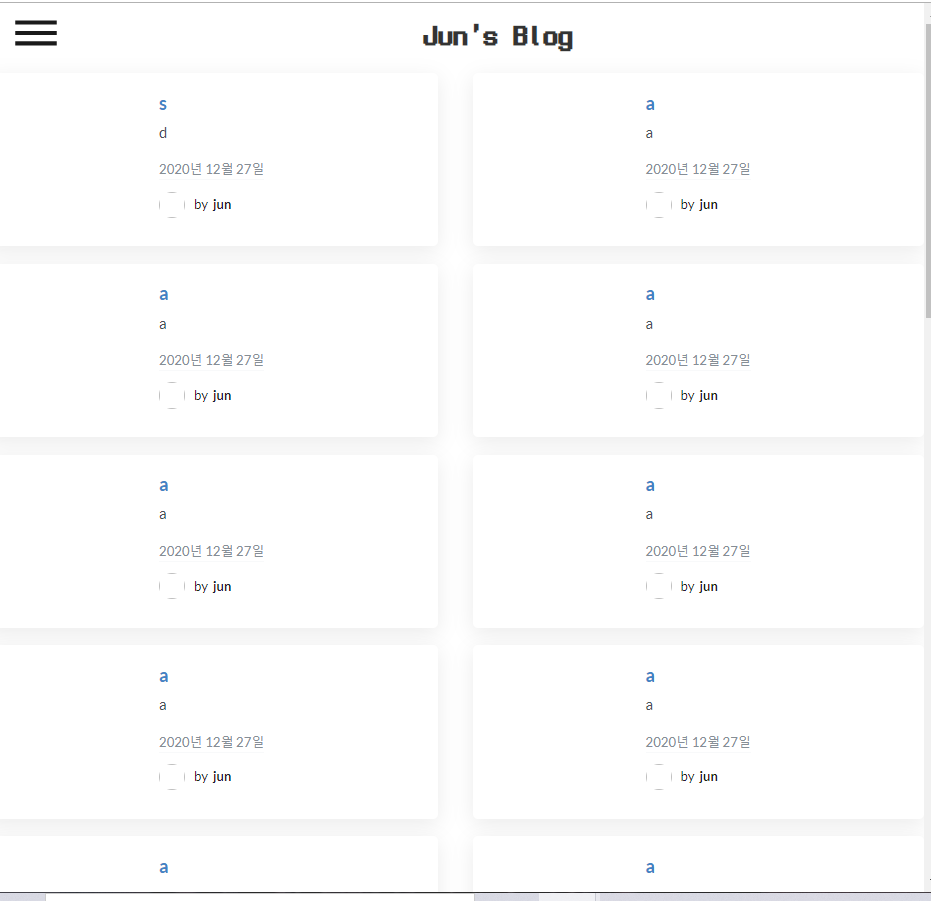
localhost:3000/Post 에 들어있는 데이터는 title,body 로 만 구성된 Object 입니다.
실제 사용하는 곳에서 useDispatch 와 useSelector 을 사용해서 데이터를 불러와 줍니다.
 const dispatch = useDispatch()
    const mydata = useSelector((state)=> state.fetchGetPost)
    useEffect(()=> {
        fetchGetPost().then(function(result){
            dispatch(result)
        })
    },[])
여기서 다시 강조하는 점은 기존에 이 부분에서 통신을 해서 데이터를 곧잘 받아왔는데 이렇게 복잡하게 하는 이유는 "상태관리" 이다. 통신을 비동기적으로 불러오면 레이아웃도 그에 따라 바뀌어야 하기 때문에 reducer 을 통해 상태관리를 해주는 것이다.
  ```
      <ShowPostBlock>
                <Grid divided="vertically">
                    <Grid.Row columns={columnCount}>
                    {Object.keys(mydata).map(function(key) {
                        return (
                            <Grid.Column>
                                <SinglePostBox key ={key} title={mydata[key]["title"]} body={mydata[key]["body"]} />
                            </Grid.Column>
                        )


                    })}
                    </Grid.Row>
                </Grid>
            </ShowPostBlock>


기존 get 방식
-> Redux 를 씀으로 상태관리 , component의 부담을 줄여줌
npm i redux react-reduxstore안에 /actions , /reducers 폴더에 모듈을 분리시켜 작성한다.
소스트리 구조를 보면 action/index.js 는
action 함수를 생성해줍니다 이 액션에 따라 리듀서에 정의된 동작을 분기하게 되는데 액션생성함수란 이 액션객체를 생성하는 함수를 의미한다.
리듀서 생성
변화를 일으키는 함수. 즉, 상태를 받아와서 새로운 상태로 반환하는 기능을 하는 함수이다.
여기서 변화될 상태는 데이터가 없던 상태에서 API를 호출해 받아온 데이터를 넣은 새로운 상태를 의미한다.
reducers/getpost.js
combineReducers 로 리듀서 합치기
리듀서가 여러개일대는 redux 의 내장함수인 combineReducers 를 사용하여 리듀서를 하나로 합치는 작업을 합니다. 여러개로 나뉘어진 리듀서들을 서브리듀서 라고 부르고, 하나로 합쳐진 리듀서를 루트리듀서 라고 부릅니다.
reducers/index.js
src/index.js
여기까지 했으면 리듀서를 사용할 준비가 된 것입니다.
localhost:3000/Post 에 들어있는 데이터는 title,body 로 만 구성된 Object 입니다.
실제 사용하는 곳에서 useDispatch 와 useSelector 을 사용해서 데이터를 불러와 줍니다.
여기서 다시 강조하는 점은 기존에 이 부분에서 통신을 해서 데이터를 곧잘 받아왔는데 이렇게 복잡하게 하는 이유는 "상태관리" 이다. 통신을 비동기적으로 불러오면 레이아웃도 그에 따라 바뀌어야 하기 때문에 reducer 을 통해 상태관리를 해주는 것이다.