
Deep Conversations, Automated Insights.
Open-source AI interview platform for voice, chat, and video.
Website · Video Intro · Docs · Deploy




Design an interview in plain language. Share a link. Aural's AI conducts the conversation —
asking questions, probing with follow-ups, and generating detailed analysis when the session ends.
| 🎙 Voice, Chat & Video AI-driven interviews across all channels with real-time adaptation |
🧠 AI Generation Describe goals in plain language — get a complete interview with questions and criteria |
💻 Live Coding Monaco editor and Excalidraw whiteboard for technical assessments |
📊 Auto Reports Per-question scores, highlights, and improvement areas generated by AI |
| 🛡 Anti-Cheating Tab monitoring, paste blocking, multi-screen detection, integrity logs |
👥 Team Management Organizations, projects, and role-based access control |
🌐 Multilingual English and Chinese with pluggable locale system |
🔌 Pluggable LLMs OpenAI, Moonshot Kimi, MiniMax — or any OpenAI-compatible API |
| 🚀 Quick Start Templates Pre-built interview templates for technical, behavioral, research, and more |
🔗 Share & Preview Share interviews with a link and preview as a candidate before going live |
🔑 Developer API Full REST API with OpenAPI spec for programmatic interview management |
📈 Activity Tracking Session activity segments and multi-segment audio recordings |
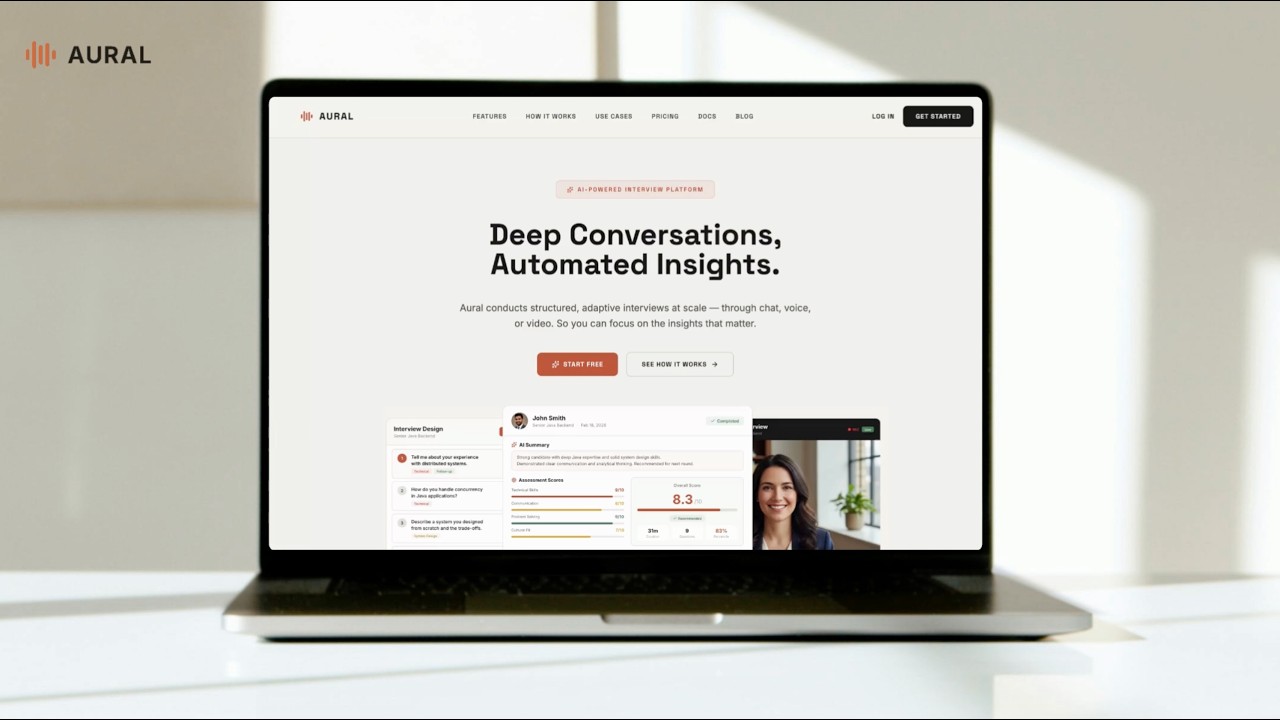
Click to watch the 3-minute product demo on YouTube
Influencer product promotion (Chinese)

Aural is an AI-powered interview platform that conducts structured interviews autonomously. You design an interview, share a link, and Aural's AI handles the conversation — asking questions, probing with follow-ups, and generating detailed analysis when the session is complete.
Describe what you want to learn in plain language. The AI generates a complete interview with questions, assessment criteria, and recommended settings — or build one manually with the flexible editor.

Customize questions by type: open-ended, single/multiple choice, live coding with Monaco editor, or whiteboard drawing with Excalidraw.

Fine-tune interview settings — AI personality, tone, follow-up depth, language, and communication channels (chat, voice, video). Control access with public shareable links or invite-only mode.

Add candidates one at a time, bulk-import from an Excel spreadsheet, or upload PDF resumes and let AI extract the details. Each candidate gets a unique invite link.


Add a candidate manually or extract from resume |

Batch-import from PDF resumes |
Candidates complete a pre-interview checklist (photo capture, microphone test, screen sharing) and then enter the live session.


Share a link and candidates join via chat, voice, or video. The AI adapts in real time — adjusting follow-up depth, tone, and direction based on responses.

Built-in coding and whiteboard modes for technical interviews:

Coding questions with Monaco editor |

Whiteboard questions with Excalidraw |
Enable anti-cheating mode to enforce camera, microphone, and screen sharing. The system monitors tab switches, blocks external paste, and detects multi-monitor setups — all logged in a per-session integrity report.


Real-time violation warning |

Per-session integrity log |
Every completed session produces an AI-generated report with per-question scores, key highlights, and areas for improvement.


Per-question evaluation |

Multi-dimensional assessment scores |
Track all your interviews, sessions, and candidates from a unified dashboard. Organize work across organizations and projects with role-based access.

- Technical hiring — coding and system design interviews with built-in editor and whiteboard
- User research — in-depth research interviews with AI follow-ups that surface deeper insights
- Behavioral interviews — voice-based conversations that feel natural and scale to hundreds of candidates
- Interview practice — candidates practice with AI feedback before their real interview
| Layer | Technology |
|---|---|
| Framework | Next.js 14 (App Router) |
| Language | TypeScript |
| Database | Supabase (PostgreSQL + Auth + Storage + RLS) |
| API | tRPC |
| AI / LLM | OpenAI, Moonshot Kimi, MiniMax — pluggable provider system |
| Voice | WebSocket relay servers (Volcengine Doubao, Azure OpenAI Realtime) |
| UI | Tailwind CSS + shadcn/ui + Radix |
| Code Editor | Monaco Editor |
| Whiteboard | Excalidraw |
| Charts | Recharts |
┌──────────────────────────────────────────────────────────────┐
│                        Browser                               │
│  ┌───────────┐  ┌──────────────┐  ┌────────────────────────┐ │
│  │ Dashboard │  │ Interview    │  │ Session UI             │ │
│  │ & Admin   │  │ Builder      │  │ (Chat / Voice / Video) │ │
│  └─────┬─────┘  └──────┬───────┘  └──────────┬─────────────┘ │
│        │               │                     │               │
│        └───────────┬───┘         ┌───────────┘               │
│                    │             │ WebSocket                 │
└────────────────────┼─────────────┼───────────────────────────┘
                     │ tRPC / REST │
                     ▼             ▼
┌────────────────────────┐  ┌──────────────────┐
│   Next.js Server       │  │  Voice Relay     │
│                        │  │  Servers         │
│  ┌──────────────────┐  │  │  ┌────────────┐  │
│  │ tRPC Routers     │  │  │  │ Volcengine │  │
│  │ (typed RPC API)  │  │  │  │ Doubao S2S │  │
│  ├──────────────────┤  │  │  ├────────────┤  │
│  │ REST API Routes  │  │  │  │ Azure OAI  │  │
│  │ /api/ai/*        │  │  │  │ Realtime   │  │
│  │ /api/voice/*     │  │  │  └────────────┘  │
│  │ /api/auth/*      │  │  └──────────────────┘
│  ├──────────────────┤  │
│  │ AI Provider      │  │
│  │ Registry         │  │
│  │ ┌──────────────┐ │  │
│  │ │OpenAI│Kimi│MM│ │  │
│  │ └──────────────┘ │  │
│  └──────────────────┘  │
└────────────┬───────────┘
             │
             ▼
┌────────────────────────┐
│       Supabase         │
│  ┌──────┐ ┌──────────┐ │
│  │ Auth │ │PostgreSQL│ │
│  ├──────┤ ├──────────┤ │
│  │ RLS  │ │ Storage  │ │
│  └──────┘ └──────────┘ │
└────────────────────────┘
| Module | Location | Responsibility |
|---|---|---|
| App Router | src/app/ |
Pages and layouts organized into route groups: (auth) for login/register, (dashboard) for the main app, (docs) for documentation, and i/ for public interview links. |
| tRPC Routers | src/server/routers/ |
Typed API layer handling interviews, sessions, analysis, organizations, projects, candidates, and access control. |
| REST API Routes | src/app/api/ |
Endpoints for AI operations (chat, generate, refine, summarize), voice token/save, auth, session lifecycle (complete/leave), and file uploads. |
| Developer API (v1) | src/app/api/v1/ |
Full REST API for programmatic interview management — CRUD for interviews, questions, sessions, candidates, publish, and usage. Authenticated via dlv_ API keys with rate limiting. OpenAPI 3.1 spec at /api/v1/openapi.json. |
| AI Provider Registry | src/lib/ai/ |
Pluggable LLM system with a provider registry, per-task model selection, and prompt templates for interviewing, generation, and report summarization. |
| Voice Relay | server/ |
Standalone WebSocket servers that proxy audio between the browser and speech-to-speech APIs (Volcengine Doubao or Azure OpenAI Realtime). |
| Components | src/components/ |
React components split by domain — session/ (chat/voice/video UI, anti-cheating), interview/ (builder, question cards), auth/, layout/, and ui/ (shadcn primitives). |
| Supabase Layer | src/lib/supabase/ |
Client/server/admin helpers for database access, auth, and storage. Row-Level Security enforces data isolation per user and organization. |
You can use Aural as a managed cloud service or self-host the entire platform on your own infrastructure.
The fastest way to get started. No setup required — sign up and start creating interviews immediately.
- Fully managed infrastructure
- Automatic updates and maintenance
- Built-in voice relay servers
- No LLM keys or Supabase setup needed
Run Aural on your own servers for full control over data, configuration, and customization.
- Node.js 18+ and npm
- Supabase project (cloud or local via
supabase start) - LLM API key — at least one of: OpenAI, Kimi (Moonshot), or MiniMax
- Voice relay credentials — Volcengine Doubao (primary) or Azure OpenAI (backup)
git clone https://github.com/1146345502/aural-oss.git
cd aural-oss
npm installOption A — Supabase Cloud
- Create a project at supabase.com
- Copy your project URL and keys
Option B — Local Supabase
Requires Docker running on your machine.
npx supabase startThis pulls the Supabase Docker images, starts all services, and automatically applies all migrations from supabase/migrations/. When it finishes, it prints connection details including the API keys (look for the Publishable and Secret keys).
- Local Supabase: migrations are applied automatically during
supabase start— skip this step. - Supabase Cloud: push the migrations to your remote project:
npx supabase db pushOr apply migrations manually from supabase/migrations/.
cp .env.example .env.localEdit .env.local with your credentials. At minimum you need:
- Supabase URL and keys
- One LLM provider API key (OpenAI recommended)
Local Supabase key mapping — map the keys from supabase status output to your .env.local:
| Supabase CLI output | .env.local variable |
|---|---|
Project URL (http://127.0.0.1:54321) |
NEXT_PUBLIC_SUPABASE_URL and SUPABASE_URL |
| Publishable key | NEXT_PUBLIC_SUPABASE_ANON_KEY and SUPABASE_ANON_KEY |
| Secret key | SUPABASE_SERVICE_ROLE_KEY |
| Database URL | DATABASE_URL |
# Start the Next.js dev server
npm run dev

# Start the primary voice relay (Volcengine Doubao)
npm run dev:voice

# Or start the backup voice relay (Azure OpenAI Realtime)
npm run dev:openai-voice
Open http://localhost:3000/login to sign in, or http://localhost:3000/register to create a new account.
aural/
├── src/
│   ├── app/                # Next.js App Router pages and API routes
│   │   ├── (auth)/         # Login, register, password reset
│   │   ├── (dashboard)/    # Dashboard, interviews, projects, settings
│   │   ├── (docs)/         # Documentation pages
│   │   ├── api/            # API routes (AI, auth, voice, session, etc.)
│   │   │   └── v1/         # Developer REST API (interviews, sessions, etc.)
│   │   └── i/              # Public interview and invite links
│   ├── components/         # React components
│   │   ├── auth/           # Auth forms
│   │   ├── interview/      # Interview builder, question cards
│   │   ├── session/        # Voice/chat interface, anti-cheating
│   │   ├── layout/         # Header, sidebar
│   │   └── ui/             # shadcn/ui primitives
│   ├── hooks/              # Custom React hooks
│   ├── lib/                # Shared utilities
│   │   ├── ai/             # LLM provider registry and implementations
│   │   ├── supabase/       # Supabase client/server/admin helpers
│   │   ├── voice/          # Voice relay types and utilities
│   │   ├── api-key-auth.ts # Developer API key validation
│   │   ├── api-rate-limit.ts # Per-key rate limiter
│   │   └── interview-templates.ts # Quick start interview templates
│   ├── server/             # tRPC routers
│   └── content/            # Documentation content
├── server/                 # Voice relay WebSocket servers
├── supabase/               # Database migrations and config
├── tests/                  # Unit and functional tests
└── public/                 # Static assets
Aural uses a pluggable LLM provider architecture. You need at least one provider configured. The system auto-selects the first available provider in this order: OpenAI > Kimi > MiniMax.
| Provider | Env Variable | Default Model | Get API Key |
|---|---|---|---|
| OpenAI (recommended) | OPENAI_API_KEY |
gpt-4o-mini |
platform.openai.com/api-keys |
| Moonshot Kimi | KIMI_API_KEY |
moonshot-v1-8k |
platform.moonshot.cn |
| MiniMax | MINIMAX_API_KEY |
MiniMax-Text-01 |
platform.minimaxi.com |
You can also use any OpenAI-compatible API (e.g., local models via Ollama or LiteLLM) by setting OPENAI_BASE_URL.
Aural uses LLMs for four distinct tasks, each selecting the best available model:
| Task | What It Does | OpenAI Model | Kimi Model | MiniMax Model |
|---|---|---|---|---|
| Chat interviewing | Powers the AI interviewer during live sessions — asks questions, generates follow-ups, adapts tone | gpt-4o-mini |
moonshot-v1-8k |
MiniMax-Text-01 |
| Interview generation | Generates a complete interview (questions, criteria, settings) from a plain-language description | gpt-4o-mini |
moonshot-v1-8k |
MiniMax-M2.1-lightning |
| Question refinement | Improves or refines existing interview questions based on feedback | gpt-4o-mini |
moonshot-v1-8k |
MiniMax-M2.1-lightning |
| Report & analysis | Generates post-interview reports with per-question scores, highlights, and improvement areas | gpt-4o |
kimi-k2.5 |
MiniMax-M2.1-lightning |
Report generation uses a higher-capability model because it requires synthesizing an entire conversation into structured analysis. Chat interviewing uses each provider's default model unless overridden per-interview in the settings.
Aural supports real-time AI voice interviews via WebSocket relay servers. Two relay implementations are provided.
Recommendation: We strongly recommend using Volcengine Doubao as your primary voice relay. It delivers a noticeably better interview experience than the OpenAI Realtime model — lower latency, more natural speech-to-speech flow, superior Chinese language support, and built-in server-side auto-reconnect for reliability. The OpenAI relay is provided as a backup for environments where Volcengine credentials are unavailable.
The recommended voice relay for production use. It provides full-featured Speech-to-Speech capabilities with per-question interview flow, LLM-powered context summarization, native Chinese language support, and automatic server-side reconnection (up to 3 retry attempts with backoff) for resilient voice sessions.
npm run dev:voice # starts on port 8081Required env vars: DOUBAO_APP_ID, DOUBAO_ACCESS_TOKEN, DOUBAO_SECRET_KEY, DOUBAO_APP_KEY, DOUBAO_RESOURCE_ID
An alternative relay using Azure OpenAI's Realtime API (gpt-4o-realtime-preview). Use this when Volcengine credentials are unavailable or for English-only deployments. Note that the OpenAI relay may have higher latency and less natural conversational flow compared to Volcengine.
npm run dev:openai-voice # starts on port 8082Required env vars: AZURE_OPENAI_ENDPOINT, AZURE_OPENAI_API_KEY, AZURE_OPENAI_DEPLOYMENT
Tip: You can run both relays simultaneously. The frontend selects the appropriate relay based on the interview's language configuration.
Aural includes a full REST API for programmatic access to interviews, questions, sessions, and candidates. Use it to integrate Aural into your existing workflows, automate interview creation, or build custom integrations.
All API requests require a developer API key in the Authorization header:
Authorization: Bearer dlv_your_key_here
Create and manage API keys from Settings > API Keys in the dashboard.
| Method | Path | Description |
|---|---|---|
GET |
/api/v1/interviews |
List interviews (paginated) |
POST |
/api/v1/interviews |
Create interview |
GET |
/api/v1/interviews/{id} |
Get interview with questions |
PATCH |
/api/v1/interviews/{id} |
Update interview |
DELETE |
/api/v1/interviews/{id} |
Archive interview |
POST |
/api/v1/interviews/{id}/publish |
Publish interview (shareable link) |
GET/POST |
/api/v1/interviews/{id}/questions |
List or add questions |
PATCH/DELETE |
/api/v1/questions/{id} |
Update or delete a question |
GET |
/api/v1/interviews/{id}/sessions |
List sessions (paginated) |
GET |
/api/v1/sessions/{id} |
Get session with transcript |
GET/POST |
/api/v1/interviews/{id}/candidates |
List or create candidates |
GET |
/api/v1/usage |
Current usage snapshot |
GET |
/api/v1/openapi.json |
OpenAPI 3.1 specification |
API requests are rate-limited to 60 requests per minute per API key. Exceeded requests receive a 429 response with Retry-After header.
# Create an interview
curl -X POST http://localhost:3000/api/v1/interviews \
  -H "Authorization: Bearer dlv_your_key" \
  -H "Content-Type: application/json" \
  -d '{"title": "Backend Engineer Screen", "voiceEnabled": true}'

# Add questions
curl -X POST http://localhost:3000/api/v1/interviews/{id}/questions \
  -H "Authorization: Bearer dlv_your_key" \
  -H "Content-Type: application/json" \
  -d '[{"text": "Describe your experience with distributed systems"}]'

# Publish and get shareable link
curl -X POST http://localhost:3000/api/v1/interviews/{id}/publish \
-H "Authorization: Bearer dlv_your_key"| Command | Description |
|---|---|
npm run dev |
Start Next.js dev server |
npm run build |
Build for production |
npm run start |
Start production server |
npm run lint |
Run ESLint |
npm run test:web |
Run web tests |
npm run dev:voice |
Start primary voice relay (Volcengine Doubao) |
npm run dev:openai-voice |
Start backup voice relay (Azure OpenAI) |
npm run db:types |
Regenerate Supabase TypeScript types |
Contributions are welcome! Please:
- Fork the repository
- Create a feature branch (
git checkout -b feature/amazing-feature) - Commit your changes (
git commit -m 'Add amazing feature') - Push to the branch (
git push origin feature/amazing-feature) - Open a Pull Request
This project is licensed under the MIT License — see the LICENSE file for details.
Built by AuraTerra Nexus — Every voice heard, every insight captured.
