This repository was archived by the owner on Apr 21, 2023. It is now read-only.
Remote Debugging with GoLand
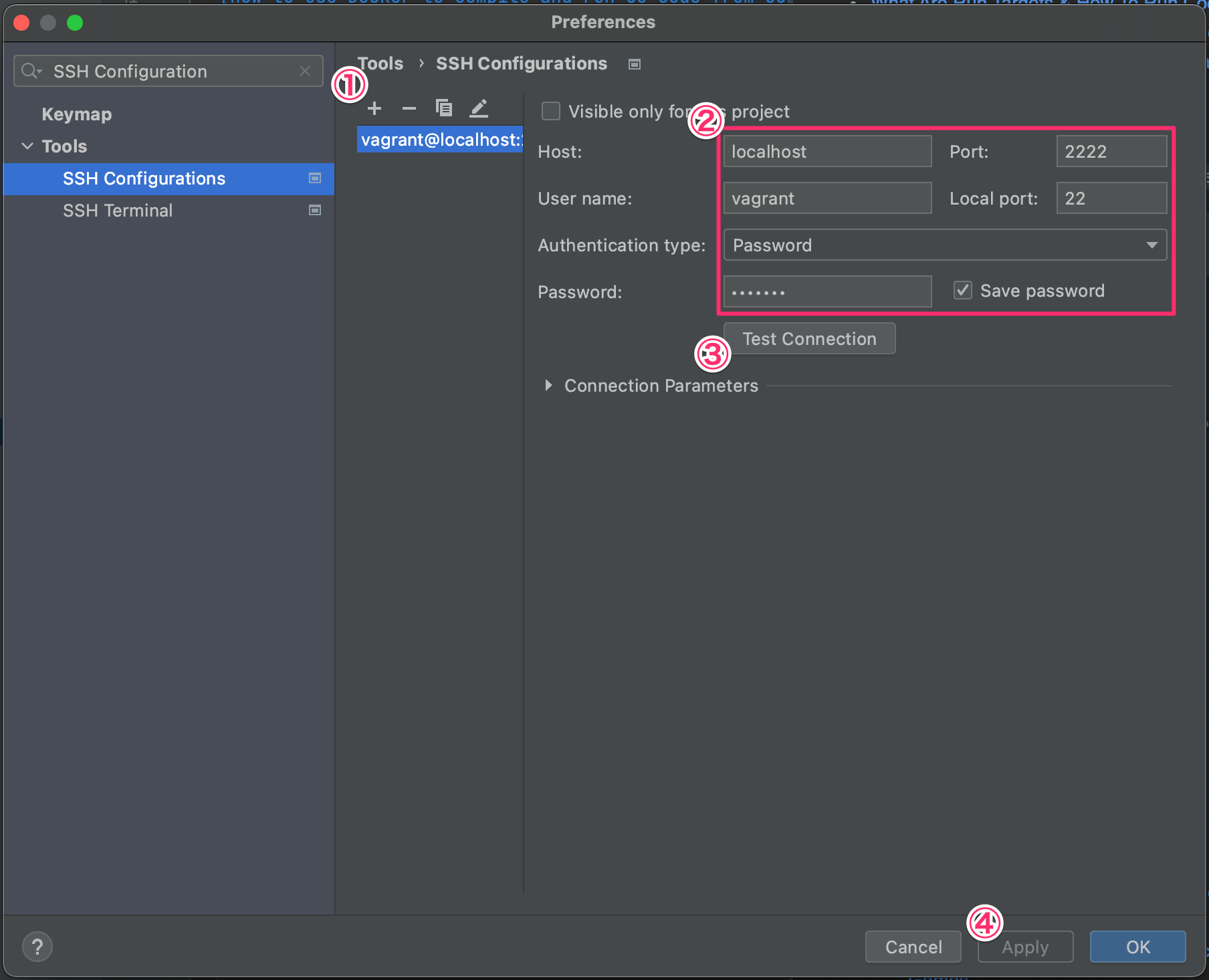
- Click
+in the left part ofTools > SSH Configurations. - Type the information required to establish SSH connection to a remote host.
- Click
Test Connectionto make sure the information is valid. - Click
Apply.
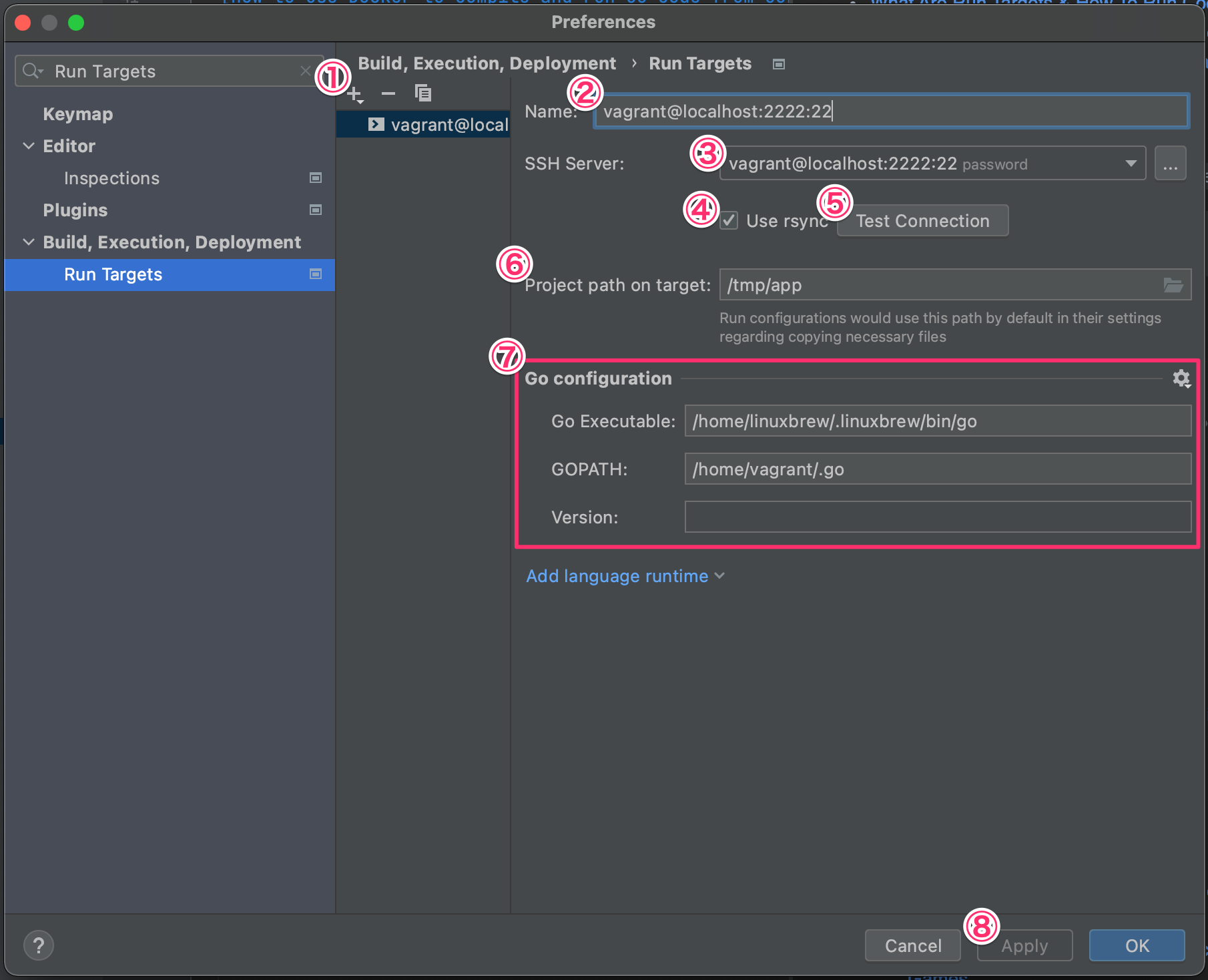
- Click
+in the left part ofBuild, Execution, Deployment > Run Targets. - Type the target name.
- Choose a remote host (In this instruction, use the one configured in the previous section).
- Check
Use rsync. - Click
Test Connectionto make sure that the remote host is reachable. - Type the project path (For building the application on the remote host, GoLand deploys the project to this directory).
- Type the information (Except
Version). - Click
Apply.
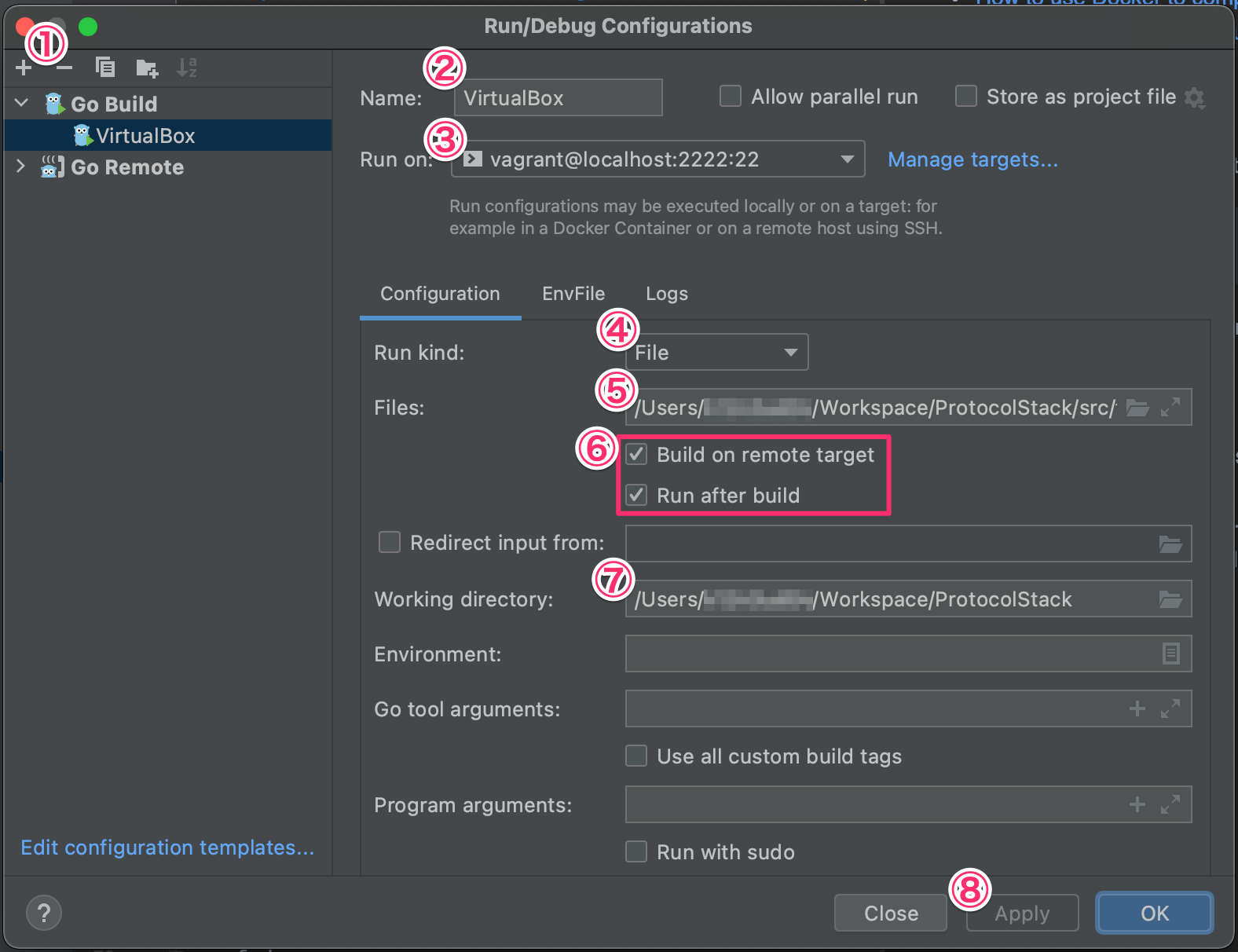
- Click
+in the left part ofRun/Debug Configurationsand chooseGo Build. - Type the configuration name.
- Choose a remote host (executable is run on this host).
- Coose
File. - Type absolute path of the Go file which belongs to
mainpackage and havemainfunction. - Check
Build on remote targetandRun after build. - Type the working directory (Same directory as the project).
- Click
Apply.