Try it here.
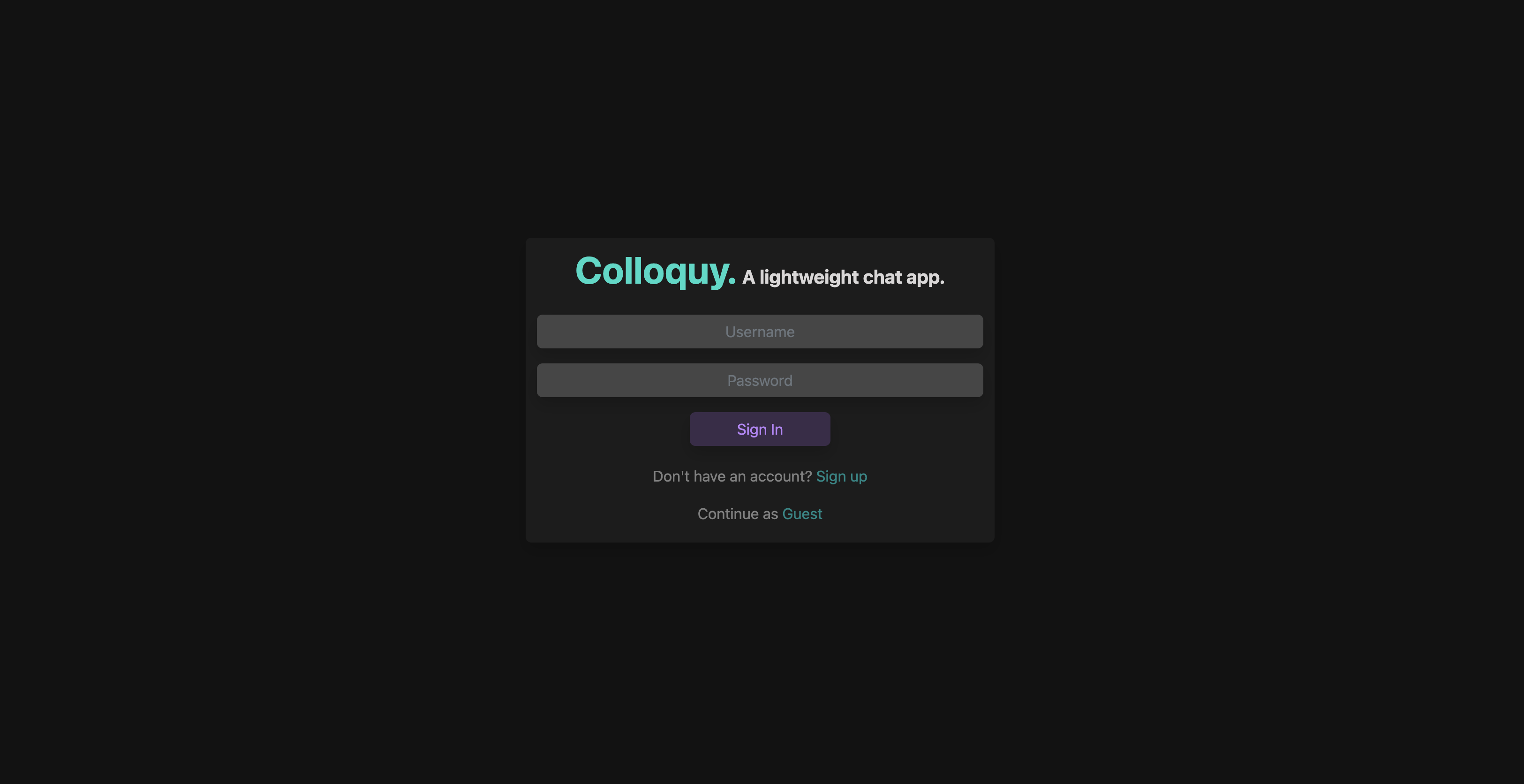
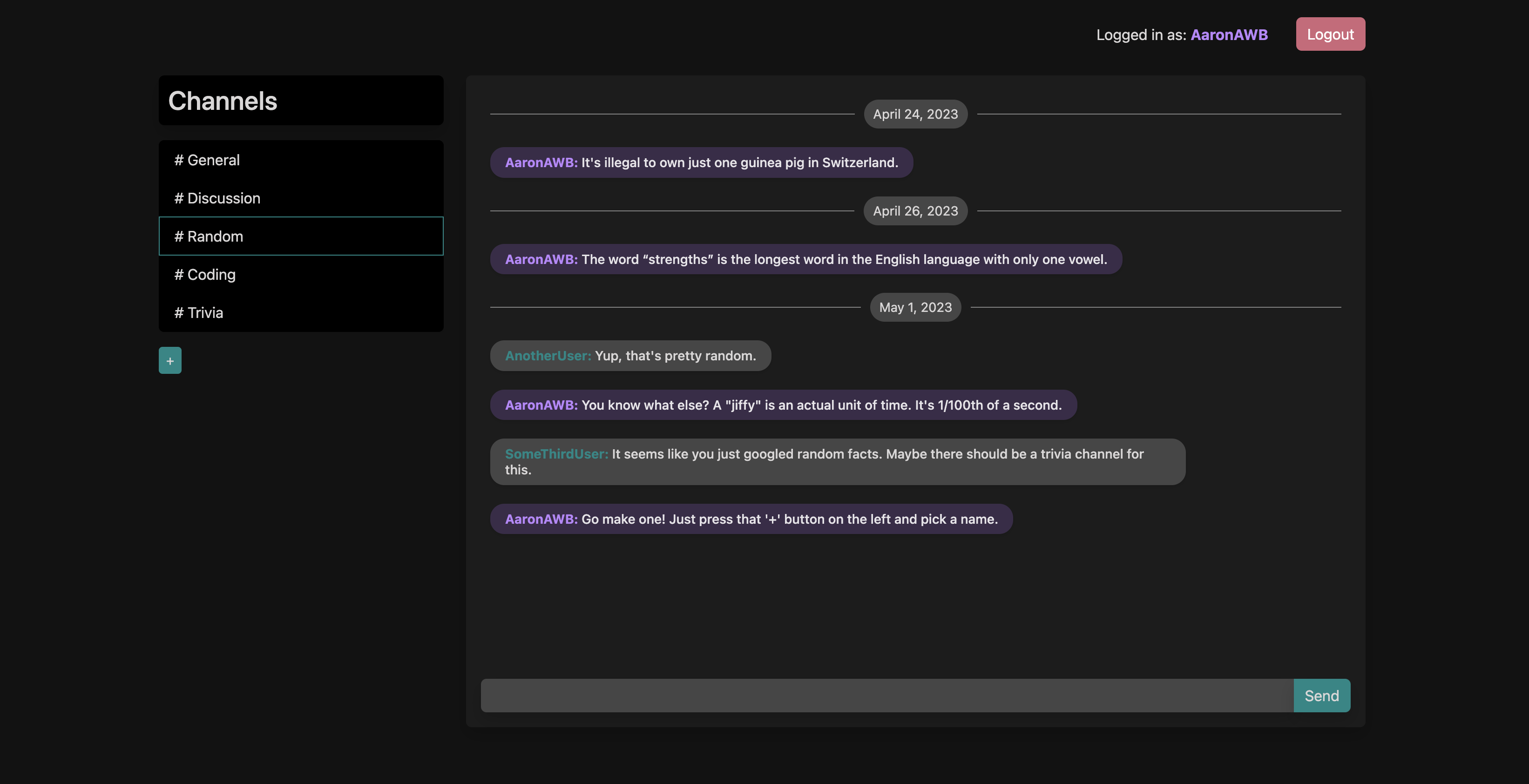
Colloquy is a simple chat app loosely inspired by Slack. Users can send and receive message in real time, join a list of existing channels, and create new channels at any time.
-
You will need to create an account to send message and create channels. You can do that by clicking on the
Sign Upbutton and selecting a username and password. -
If you would prefer not to create and account and just want to see what has already been posted, you can click the
Guestbutton to sign in as a guest. -
Once you are signed in, you can click on any of the existing channels to view the messages that have been posted there. You can also create a new channel by clicking on the
+button next to the list of channels.
- Written with HTML, CSS, and JavaScript, using the React framework.
- Setup was done using Vite as an alternative to Create React App, allowing aliases for cleaner imports and faster build times.
- Styling relies primarily on React Bootstrap.
- Pages are routed using React Router.
- Websockets communication uses the socket.io-client library.
- HTTP calls to the server's REST API are supported with the axios library.ß
- Webtokens are stored in localStorage for user authentication.
- Written in Python using the Flask framework.
- Websockets communication uses the Flask-SocketIO library.
- Webtokens are generated using the PyJWT library.
- REST API is built using Flask-RESTX.
- Database queries are handled using the psycopg2 library.
- The app is served using Gunicorn and hosted on Render.com.
- Data is stored in a PostgreSQL database hosted on elephantsql.com.
This app was a lot of fun to build and will continue to be a platform for experimenting. I plan to continue adding features to make it more functional, polished, and fun to use as my web development skills progress. Some of the features I plan to add are:
- The ability to see which users are currently online.
- The ability to see if another user is currently typing.
- The ability to upload images, both to use as avatars and to send in messages.
- A sound notification when a new message is received.
- Better mobile support.
- The ability to toggle the times messages were sent.
- Clone this repository to your local machine.
- Run the setup script by typing 'sh setup.sh' in your terminal. This will automatically install the necessary dependencies, create the PostgreSQL database, and start the server.
- Navigate to
localhost:3000in your browser to view the app.
Aaron Brinckerhoff - Full-Stack Software Developer | LinkedIn | Website