Welcome to LoboLocate, a mobile app designed to help users report, find, and match lost and found items. This app is built with React Native for the frontend, with a Node.js/Express backend hosted on Heroku, and uses MongoDB for data storage. LoboLocate connects users to potential matches, facilitates real-time chats, and allows item reporting through the Google Vision API for image processing.
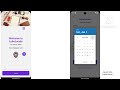
Click the image above or here to watch the video demonstration on YouTube.

- Features
- Screens and Components
- Tech Stack
- Installation
- Backend API Routes
- Environment Variables
- Usage
- Troubleshooting
- User Authentication: Login and signup functionality.
- Report Lost or Found Items: Users can upload images, describe items, and report lost or found items.
- Image Recognition: Google Vision API integration to assist with item descriptions.
- Matchmaking: AI-based matching of lost items with found items.
- Chat System: Real-time chat between users for item retrieval.
- User History: Log of reported and matched items.
- Unclaimed Items Display: Display of unclaimed items open for retrieval.
- Welcome: Displays welcome message, menu, and quick action buttons for item reporting.
- ReportFoundItem / ReportLostItem: Forms for reporting lost or found items, including image upload and description generation.
- PotentialMatches: Displays potential matches for reported lost items.
- UserHistory: Displays user's reporting history.
- UnclaimedItems: Lists unclaimed items with relevant information.
- Login: User login screen.
- Signup: User signup screen.
- RootStack: Manages stack navigation for screens.
- Google Vision API: Used for generating descriptions from uploaded images.
- Frontend: React Native, Expo
- Backend: Node.js, Express, Socket.IO
- Database: MongoDB (Atlas)
- APIs: Google Vision API for image analysis
- Hosting: Heroku (Backend)
- Node.js and npm
- Expo CLI for React Native
- MongoDB Atlas for database hosting
- Clone the repository:
git clone <repository-url>
cd frontend
- Install dependencies:
npm install
- Start the app:
npm start
- Navigate to the backend directory:
cd login_server - Install dependencies:
npm install - Create a .env file in the backend directory and add the following variables:
MONGODB_URI=<Your MongoDB URL> - Start the server:
npm start
POST /user/signup- Register a new user.POST /user/login- Authenticate an existing user.
POST /item/report- Report a lost or found item.GET /item/potentialMatches/:userId- Retrieve potential matches for a lost item.GET /item/history/:userId- Get the history of all items reported by a user.DELETE /item/delete/:itemId- Delete a specific reported item.GET /item/chat/:itemId- Fetch chat history related to an item.
- Socket.IO Events: Real-time message exchange between users.
Ensure the following environment variables are set for both development and production:
| Variable | Description |
|---|---|
MONGO_URI |
MongoDB connection string |
GOOGLE_API_KEY |
Google Vision API Key |
PORT |
Port on which the server runs |
- Sign Up/Login: Users sign up or log in to access the app.
- Report an Item: Navigate to the "Report Found" or "Report Lost" screen, upload an image, and fill out details.
- Check for Matches: Go to the "Potential Matches" screen to view possible matches based on reported items.
- Chat with Finder: If a potential match is found, users can chat with the item’s finder to retrieve the item.
- View Unclaimed Items: Check the "Unclaimed Items" screen for items unclaimed for over 90 days.
- View History: Access the "User History" screen for an overview of all reported items.