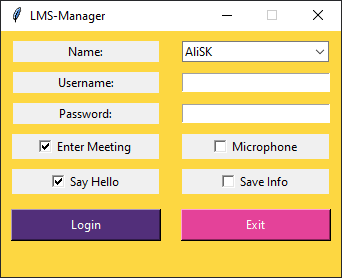
This script helps you log in to your LMS account and enter the currently running session, all in a second.
First, make sure Python 3 is installed on your system. Open the terminal and run:
python --version
You should get a message like "Python 3.x.x." otherwise, download it from here.
The Installation is straightforward. Do the following steps in order:
-
Clone the repo
git clone https://github.com/AliSK81/LMS-manager.git -
Install required packages:
pip install -r req.txt -
Run the program:
python main.py
Note: Once you install packages, you can double-click on main.py to run the script next time.