 A local desktop web application for managing astrophotography files captured with a SeeStar S50 telescope. SSLM runs entirely on your Windows PC — no internet connection required.
Download the latest installer from the Releases page.
Security Guarantee: SSLM is unsigned freeware. When you run the installer, Windows Defender SmartScreen may show a blue warning saying "Windows protected your PC" because the publisher is unknown. You can safely install it by clicking More info -> Run anyway. SHA-256:
2dab40b285b0de647259a69dd31b67b91dafc72af5aae9434f8d4c88d79e7d14— View the VirusTotal Security Scan (75/76 clean — 1 false positive, 3 Mar 2026) — all major engines (Defender, Kaspersky, ESET, Sophos, CrowdStrike…) are clean. SSLM is strictly offline-only, open-source, and never modifies files on your SeeStar device.
Current release: v1.0.0-beta.4 — public beta
No prerequisites — Node.js is bundled inside the installer.
- Run
SSLM-Setup-v1.0.0-beta.4.exe - Follow the wizard to choose your preferred installation folder (no admin rights needed)
- Launch from the Start Menu or Desktop shortcut
- Your browser opens automatically at
http://localhost:3000
User settings and favourites are stored in
%APPDATA%\SSLM\settings.jsonand survive uninstall/reinstall.
- Import files from a connected SeeStar device (USB or Wi-Fi) to local storage
- Analyse your collection: objects, catalogs, integration times, sessions, file sizes
- Browse sessions and files with a rich detail view per celestial object
- Delete specific imaging sessions to reclaim space
- Merge multiple library copies into a single consolidated library
- Export to Stacking — export deduplicated light frames (
.fit) for a single object into a clean folder structure ready for your stacking software - Clean up unnecessary preview files from sub-frame directories to save disk space
- Look up cross-catalog identifiers and J2000 coordinates via the SIMBAD database (optional, Online Mode)
- Re-classify objects by renaming all files and folders to a different catalog designation in one operation (Online Mode)
- SSLM never writes to, modifies, or deletes files on your SeeStar device
- SSLM does not stack or process images
- SSLM does not control the telescope
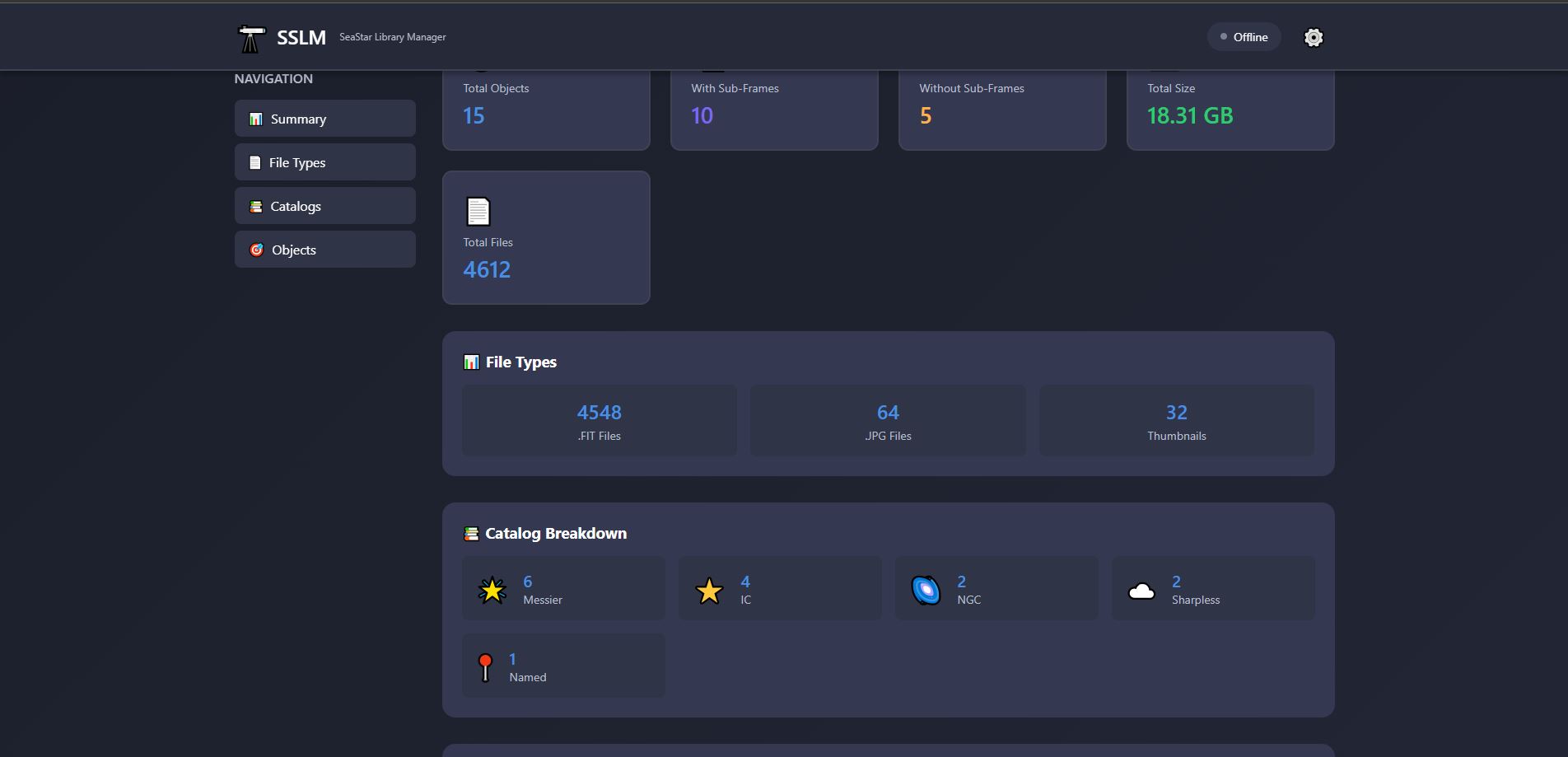
- Summary cards: total objects, sub-frame presence, total size, file counts
- Catalog breakdown (Messier, NGC, IC, Sharpless, Named)
- Objects table with search, integration time, and per-object cleanup
- Empty directory detection and one-click cleanup
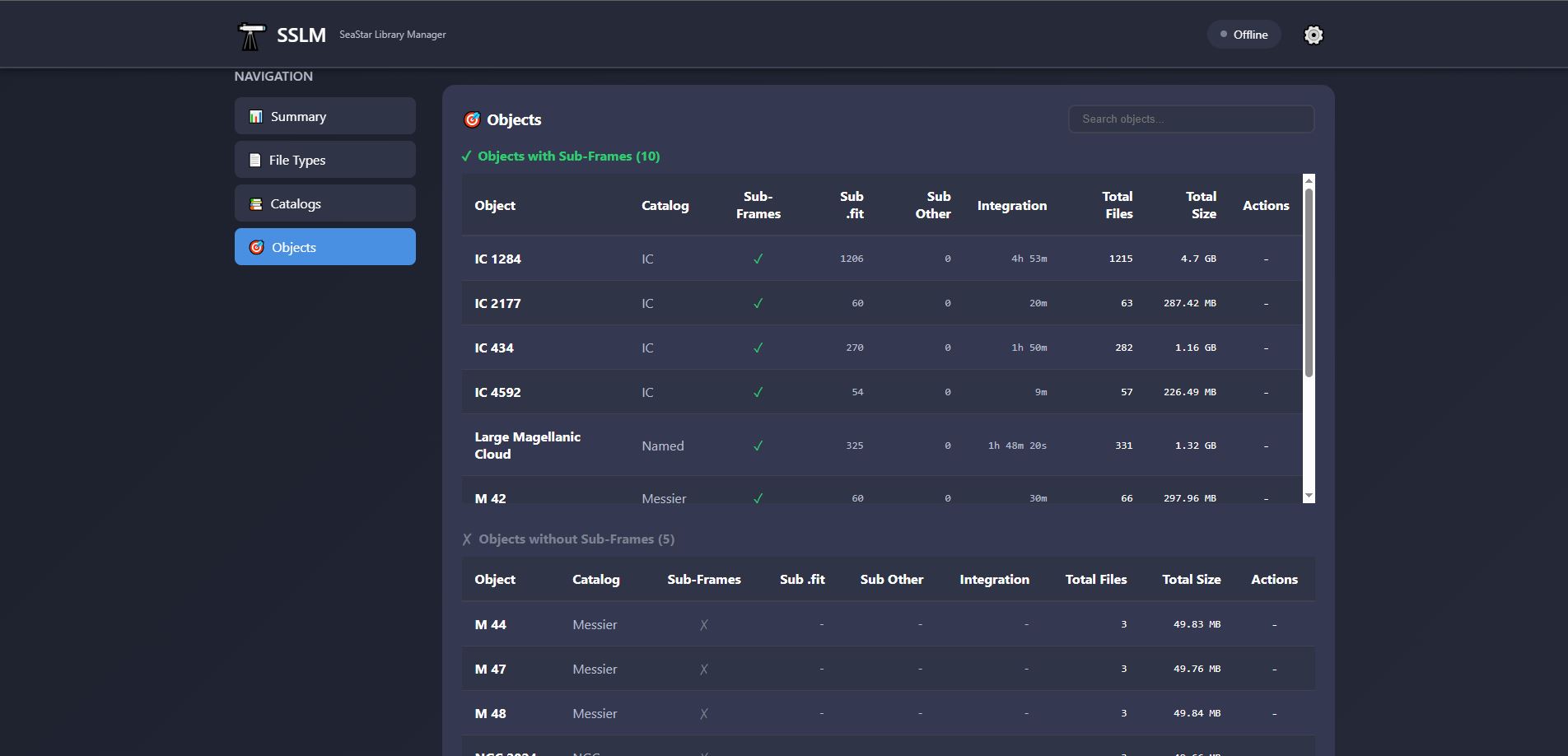
- Stacking counts: total frames + per-session breakdown
- Exposure and filter metadata
- Imaging sessions table with clickable dates and per-session delete
- Expandable file lists (main folder and sub-frames folder)
- Sub-frame cleanup button
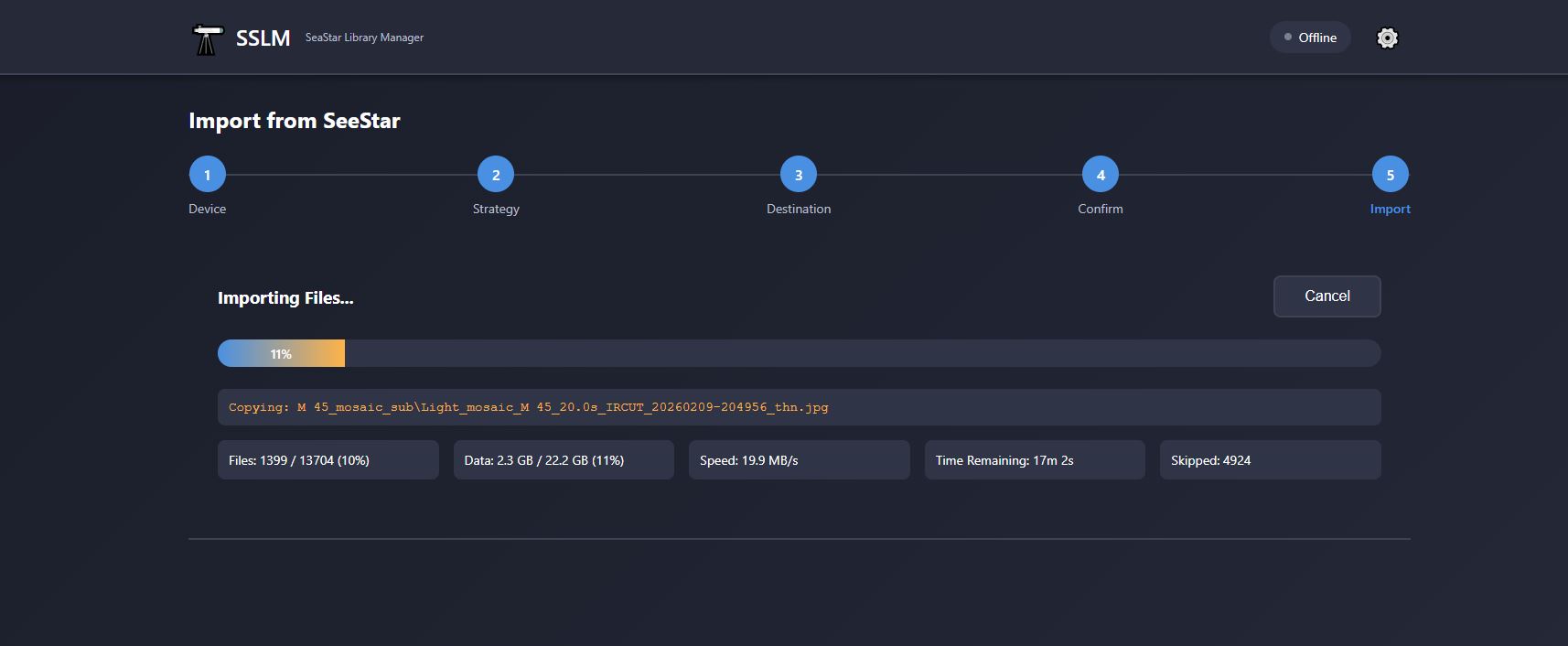
- Auto-detection of SeeStar on USB drives and network path (
\\seestar) - Full copy or incremental (smart sync) strategies
- Expurged mode: skip non-FITS files from
_subdirectories to save space - Real-time progress: speed, ETA, files/bytes transferred
- Post-import transfer validation
- Combine 2 or more library copies
- Intelligent deduplication by relative file path
- Conflict resolution: keep newer version by modification date
- Expurged mode support
- Real-time analysis progress and per-source breakdown
- Post-merge validation
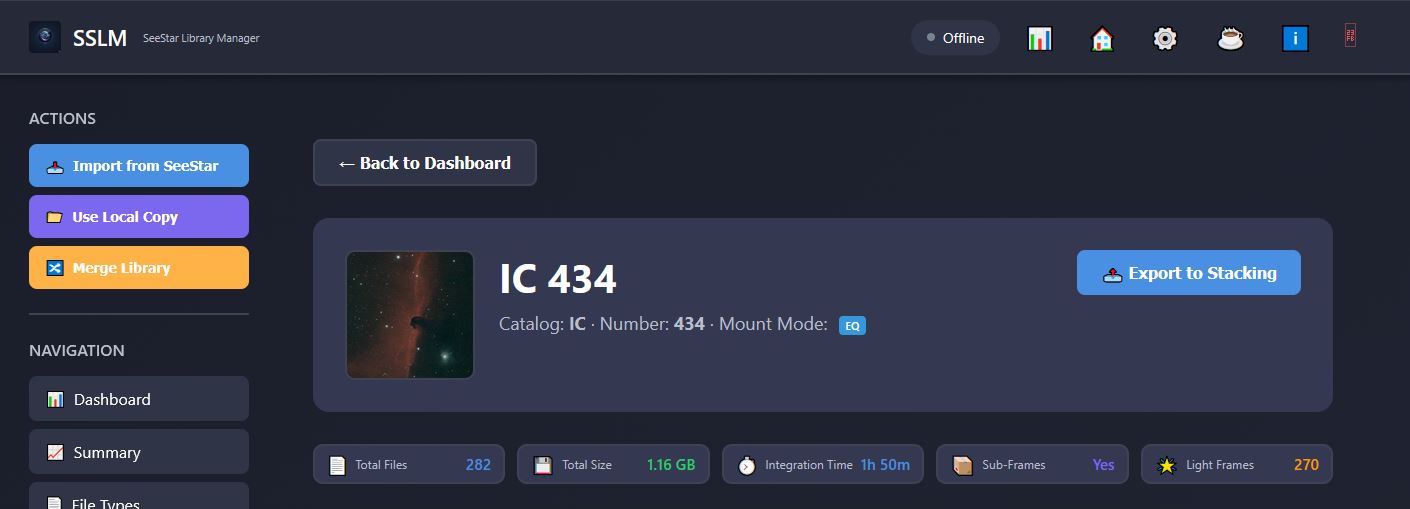
- Available on any object detail page that has sub-frames (EQ
_subor Alt/Az-sub) - Folder picker lets you choose any destination on your PC
- Both EQ and Alt/Az sub-frame folders are merged; duplicates resolved by keeping the newer file (same dedup logic as Merge)
- Exported structure is ready to load straight into your stacking software:
[destination]/Object_Name/ Lights/ Session_YYYYMMDD/ [exposure]s_[FILTER]/ Light_*.fit - Pre-export summary shows file count and total size before copying begins
- Real-time progress display with speed, ETA, and bytes transferred
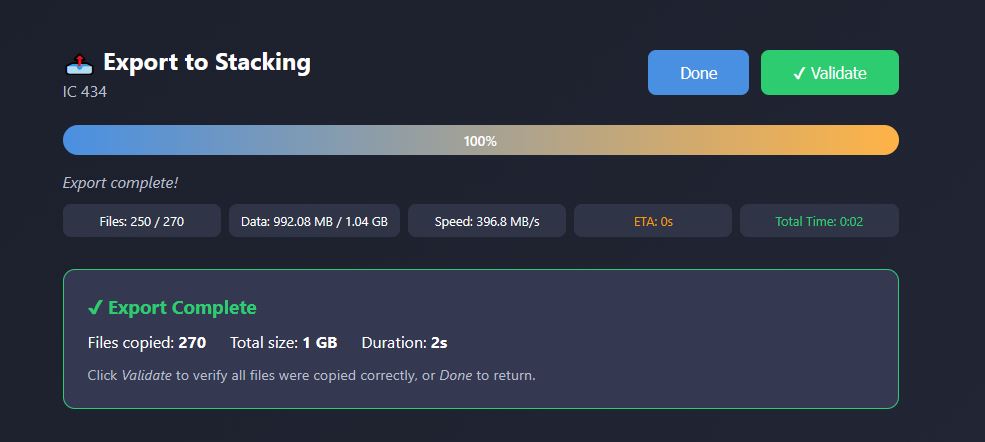
- Post-export validation confirms every file was copied correctly
- Only
.fitlight frames are exported — no stacked images, no JPGs, no thumbnails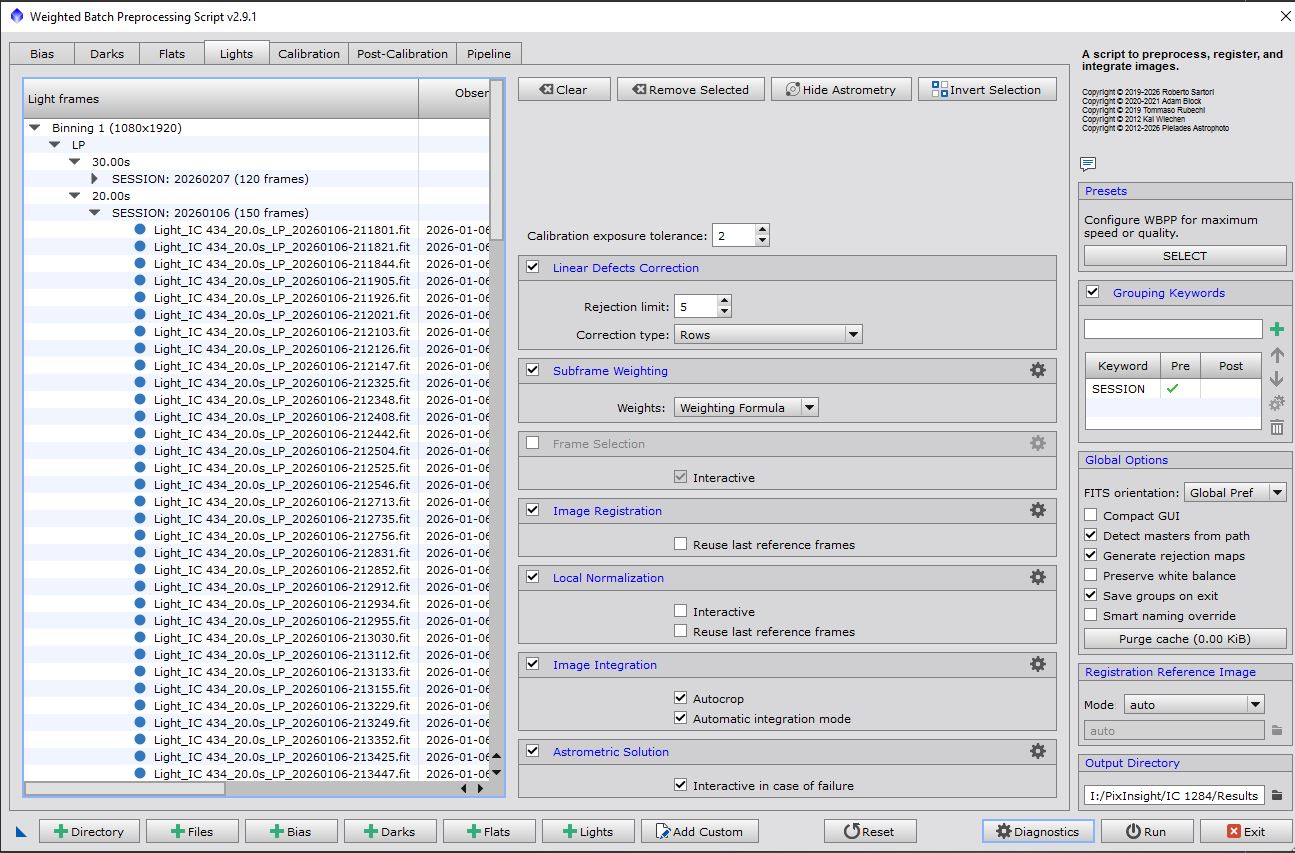
- Delete empty directories
- Remove JPG/thumbnail previews from
_subdirectories (.fitfiles always kept) - Delete individual imaging sessions (stacked images + light frames)
SSLM is fully offline by default. Clicking the Offline / Online badge in the header enables Online Mode.
When Online Mode is active, opening any object's detail page silently queries the SIMBAD Astronomical Database (CDS Strasbourg) and injects:
- Also known as — cross-catalog aliases: Messier, NGC, IC, Caldwell, Sharpless, Abell, Barnard, HD, HIP, and common names
- J2000 coordinates — RA and Dec in sexagesimal format (e.g.
05h 35m 17s / −05° 23′ 28″) - Re Classify button — rename every file and folder for the object to a different catalog designation
Re-Classification renames everything in one operation — main folder, _sub folder, and all files within — after two confirmation dialogs. A pre-flight check ensures the target name does not already exist before anything is touched.
Results are cached in memory so repeated visits cost zero additional network calls. If the object is not found in SIMBAD or you are offline, the page loads exactly as normal — no errors.
Security: Online Mode is strictly outbound-only. SSLM sends a single lookup request to SIMBAD's TAP endpoint — nothing else. No port is opened on your machine, no external party can reach SSLM, and no data about your library or files is ever transmitted.
- Offline / Online badge — click to toggle Online Mode; all core features remain available in either state
- ⚙️ Settings — configure port, SeeStar directory name, import strategy
- ℹ️ About — version number and contact details
- ⏻ Quit — gracefully shuts down the server from the browser
- SSLM never modifies the SeeStar device — all operations are read-only on source
- Cleanup operations require explicit user confirmation before any file is deleted
- Session deletion shows a file count in a confirmation dialog before proceeding
- Sub-frame cleanup only removes JPG/thumbnail files —
.fitdata is always preserved
- Windows 10 or later
- Node.js v18 or later
git clone https://github.com/AstroNoob-Tools/SSLM.git
cd SSLM
npm install
npm start
Then open: http://localhost:3000
Auto-reload during development:
npm run devRequires Inno Setup 6.x.
# Step 1 — build the self-contained exe (icon embedded)
npm run build

# Step 2 — compile the installer
"C:\Program Files (x86)\Inno Setup 6\ISCC.exe" installer\sslm.iss
Output: installer/output/SSLM-Setup-v1.0.0-beta.4.exe
See documentation/InstallationManual.md for the full release checklist.
SSLM/
├── public/
│   ├── assets/            # Logos and icons (sslm.png, sslmLogo.png, sslm.ico, astroNoobLogo.png)
│   ├── css/styles.css
│   └── js/
│       ├── app.js         # Core app (navigation, modals, About, Quit)
│       ├── dashboard.js   # Dashboard, object/session detail views
│       ├── modeSelection.js
│       ├── importWizard.js
│       ├── mergeWizard.js
│       └── stackExportWizard.js
├── src/
│   └── services/
│       ├── catalogParser.js
│       ├── fileAnalyzer.js
│       ├── fileCleanup.js
│       ├── importService.js
│       ├── mergeService.js
│       └── stackExportService.js
├── installer/
│   └── sslm.iss           # Inno Setup script (source of truth for version)
├── documentation/         # User and installation manuals
├── config/                # settings.json (gitignored)
├── server.js
└── package.json
| Document | Description |
|---|---|
| documentation/UserManual.md | Full user guide |
| documentation/InstallationManual.md | Installation & release instructions |

Astro Noob
Contact: astronoob001@gmail.com
SSLM — SeeStar Library Manager v1.0.0-beta.4 | Last updated: March 2026
