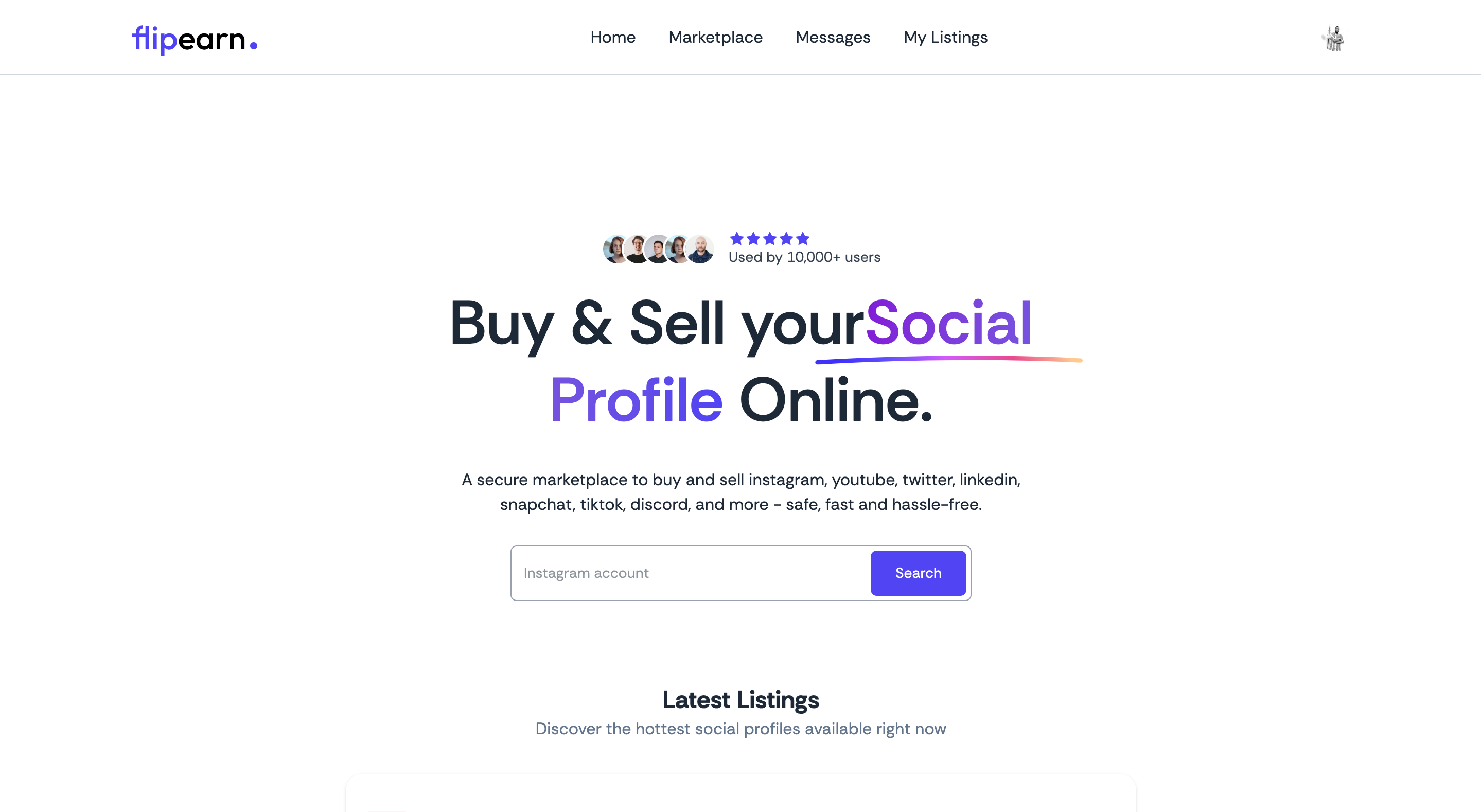
A secure B2C and C2C marketplace for buying and selling social media and digital platform accounts. FlipEarn provides a safe, efficient, and reliable environment for transferring high‑value digital assets. It consolidates a fragmented market into a single trusted platform supporting Instagram, YouTube, X (Twitter), LinkedIn, TikTok, Snapchat, Discord, and more.
- Overview
- Core Features
- Architecture
- Tech Stack
- Screens and Flows (Client)
- API Overview (Server)
- Prerequisites
- Environment Variables
- Local Development
- Useful Scripts
- Deployment
- Troubleshooting
- Roadmap
- Contributing
- License
FlipEarn is designed for creators, digital marketers, and entrepreneurs to list, discover, negotiate, and securely transfer ownership of digital accounts. It emphasizes trust and safety with authentication, listing moderation, escrow-like transaction flows, and auditable messaging.
Core value propositions:
- Risk mitigation: Structured flows and clear state transitions reduce fraud risk and payment disputes.
- Market efficiency: A liquid marketplace that quickly connects qualified buyers and sellers.
- User-centric design: Straightforward listing creation, discovery, messaging, and order management.
Monorepo style with two apps:
- client: React + Vite single-page app (SPA) with Clerk authentication, Redux Toolkit state, Tailwind styling, and Axios for API calls.
- server: Node.js Express API with Clerk middleware, Prisma ORM (Neon/Postgres), ImageKit for media, Inngest for Clerk event webhooks, and Multer for uploads.
Key integrations and concerns:
- Authentication/Authorization: Clerk (JWT/session) via @clerk/express and @clerk/clerk-react.
- Database: Postgres via Prisma with @prisma/adapter-neon for serverless-friendly Neon.
- Storage/Media: ImageKit uploads via server-side SDK.
- Messaging: Chat between buyer and seller tied to listings.
- Background/Webhooks: Inngest functions process Clerk user.created/user.updated/user.deleted events to sync user profiles.
- Deployment: Server supports serverless export and traditional server. Works with Vercel, Netlify, Cloud Run, etc.
Project layout:
- README.md
- client/ (frontend SPA)
- server/ (backend API)
Frontend (client):
- React 19, React Router 7
- Vite 7
- Tailwind CSS 4
- Redux Toolkit, React Redux
- Axios
- Clerk React for auth
Backend (server):
- Node.js, Express 5
- Clerk Express middleware
- Prisma 6 with Neon adapter
- Inngest for webhooks/event functions
- Multer for handling multipart uploads
- ImageKit Node SDK
- CORS
Representative UI areas and flows include:
- Public Listings: Browse active listings with filters and cards.
- Listing Details: View images, metrics (followers, engagement, monthly views), pricing, and seller profile.
- Authentication: Login/Sign up via Clerk.
- My Listings: Manage your listings (create, update, toggle status, mark as featured, delete).
- Orders: Track purchases/sales and withdrawals.
- Messaging: In-app chat between buyers and sellers for specific listings.
- Admin Panels: Credential verification and change workflows.
Key client files of interest:
- src/main.jsx: App bootstrap with Router, ClerkProvider, Redux store.
- src/configs/axios.js: API base URL configuration.
- src/app/features/ChatSlice.js: Chat state handling.
- src/components and src/pages: UI building blocks, detail pages, and admin modals.
Base URL default (local): http://localhost:3000 Root health: GET / → "Server is running!"
Auth: Most mutation endpoints are protected via Clerk; provide Authorization bearer tokens from Clerk on client requests.
Listings (mounted at /api/listing):
- POST / (protected, multipart form-data with images[up to 5]) → create listing
- PUT / (protected, multipart form-data) → update listing
- GET /public (public) → list all active listings
- GET /user (protected) → list listings for current user
- PUT /:id/status (protected) → toggle listing status (active/inactive)
- DELETE /:listingId (protected) → delete user listing
- POST /add-credential (protected) → add account credentials to a listing
- PUT /featured/:id (protected) → mark as featured
- GET /user-orders (protected) → get user orders
- POST /withdraw (protected) → request withdrawal
- POST /purchase-account/:listingId (protected) → purchase a listing
Chat (mounted at /api/chat):
- POST / (protected) body: { listingId, chatId? } → get or create chat for a listing; marks last message as read where applicable
- GET /user (protected) → list all chats for current user (ordered by updatedAt desc)
- POST /send-message (protected) body: { chatId, message } → send a message; updates chat metadata
Webhooks/Background (mounted at /api/inngest):
- Handled by Inngest serve({ client, functions }). Functions include:
- clerk/user.created → create/sync user in DB
- clerk/user.updated → update user profile data in DB
- clerk/user.deleted → deactivate listings or delete user when safe
Notes:
- Many endpoints derive user identity from req.auth() via Clerk middleware.
- Listings expect numeric metrics and normalized lowercase platform/niche. Image upload transformations are applied by ImageKit.
- Node.js 18+ and npm
- Postgres database (Neon recommended)
- ImageKit account (for media uploads)
- Clerk account (for authentication)
- Optional: Inngest account/keys for verifying incoming events (server currently mounts functions without additional config)
Create .env files as needed. Do not commit secrets.
Server (/server/.env):
- DATABASE_URL=postgres://... (Neon connection string)
- CLERK_SECRET_KEY=sk_live_... (required by @clerk/express)
- IMAGEKIT_PRIVATE_KEY=your_imagekit_private_key
- Optional serverless hints (set by platforms): VERCEL, NETLIFY, AWS_LAMBDA_FUNCTION_NAME, K_SERVICE, FUNCTION_TARGET
- PORT=3000 (optional for local dev)
Client (/client/.env):
- VITE_CLERK_PUBLISHABLE_KEY=pk_live_...
- VITE_BASEURL=http://localhost:3000
- VITE_CURRENCY=$ (or your display currency symbol)
- Clone repository
- git clone https://github.com/your-org/FLIPEARN.git
- cd FLIPEARN
- Install dependencies for both apps
- cd server && npm install
- cd ../client && npm install
- Configure environment
- Create /server/.env and /client/.env using the variables above.
- Apply Prisma schema to your database if not yet applied (see prisma section below).
- Run the backend (in one terminal)
- cd server
- npm run server (uses nodemon) or npm start
- Server default: http://localhost:3000
- Run the frontend (in another terminal)
- cd client
- npm run dev
- Frontend default: http://localhost:5173
- Login and test
- App will prompt for Clerk. Configure your Clerk app domains and redirect URLs for local dev.
Prisma schema and migration:
- The project uses Prisma with the Neon adapter. If you add models or need migrations:
- cd server
- npx prisma migrate dev
- npx prisma generate (also runs on postinstall)
Server (/server):
- npm run server → start dev server with nodemon
- npm start → start server with node
- postinstall → npx prisma generate
Client (/client):
- npm run dev → start Vite dev server
- npm run build → production build
- npm run preview → preview built app
- npm run lint → run ESLint
Backend:
- Supports serverless (exports default app) and traditional servers.
- For Vercel/Netlify/Cloud Run/AWS Lambda:
- Ensure environment variables are set
- Expose /api/listing, /api/chat, and /api/inngest routes
- Configure Clerk backend keys
- Ensure Neon connection string works in serverless (WebSocket enabled via ws; Neon config is set in prisma.js)
Frontend:
- Deploy the client build to Vercel/Netlify/Cloudflare Pages, etc.
- Set VITE_* env vars at build time (especially VITE_BASEURL and VITE_CLERK_PUBLISHABLE_KEY).
Clerk:
- Configure allowed origins and redirect URLs for both local and production.
ImageKit:
- Only the private key is used server-side. Configure folders/transformations to your needs.
Inngest:
- Point Clerk event webhooks to your deployed /api/inngest endpoint or configure Inngest event sources accordingly.
- 401 Unauthorized on API: Ensure Clerk keys are correct and Authorization header is sent from the client. For server-to-server testing, use a valid Clerk session/JWT.
- Database connection errors: Verify DATABASE_URL and Neon project settings. Neon requires fetch/WebSocket settings; prisma.js already configures ws via the ws package.
- Image upload issues: Confirm IMAGEKIT_PRIVATE_KEY and that multipart/form-data is used for listing creation/update. Verify file size and limits.
- CORS: If the client cannot reach the server, adjust CORS configuration in server/server.js to allow your frontend origin.
- Env not loaded: Make sure .env files are present and that dotenv/config is imported (already done in server).
- Escrow and payment integrations
- Advanced search and ranking
- Seller verification tiers
- Dispute resolution workflows
- Audit trails and notifications
- Fork the repo and create a feature branch.
- Follow conventional commits where possible.
- Open a PR with a clear description and screenshots where relevant.
- This repository currently contains mixed licensing hints (server/package.json: ISC). Confirm the intended license for the whole project.
- Recommended: add a LICENSE file (e.g., ISC/MIT) at the repo root and update this section accordingly.