Project Arcade Cafe presents Galaga 0.5, the more entertaining version of the original Galaga.
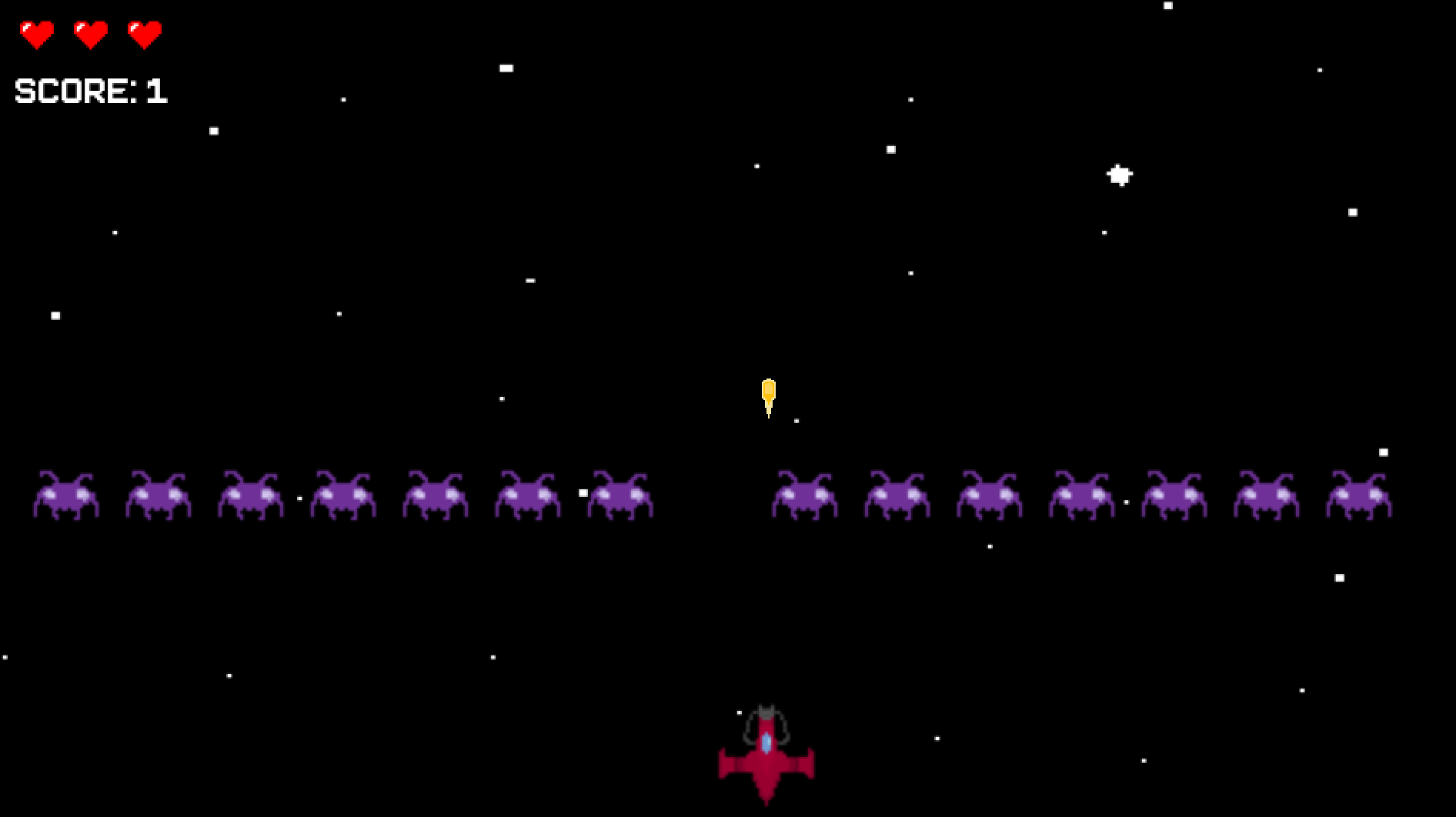
Control your spaceship to shoot bullets at the invading aliens, and collect powerups along the way!
To run the game, clone this repository into your local computer, open in IntelliJ and run the Window class.
Requirement 1: Galaga 0.5 utilizes PApplet for its visual interfaces.
Requirement 2: We utilize asynchronous processing to save the game state in a JSON file every 30 seconds.
Requirement 3: After pausing the game and clicking the <Save & Exit> button, the game state is saved in a JSON file.
Requirement 4: BulletManager utilizes the iterator to iterate through the bullet arraylist.
Requirement 5: Different branches and git issues were used to track and document the progress of the project.
Communication policies: Project Arcade Cafe has a private discord group that is used to keep track of all communication, questions and requests. Meetings are also held on discord in the case that in-person is not possible.
Roles and responsibilities: Please see the individual pitches in the Initial Individual Pitch section.
Milestones:
- All Sprites, classes that extend Sprite, Managers are implemented and functioning correctly.
- Collisions and modifications to enemies and powerups are completed to increase difficulty of game.
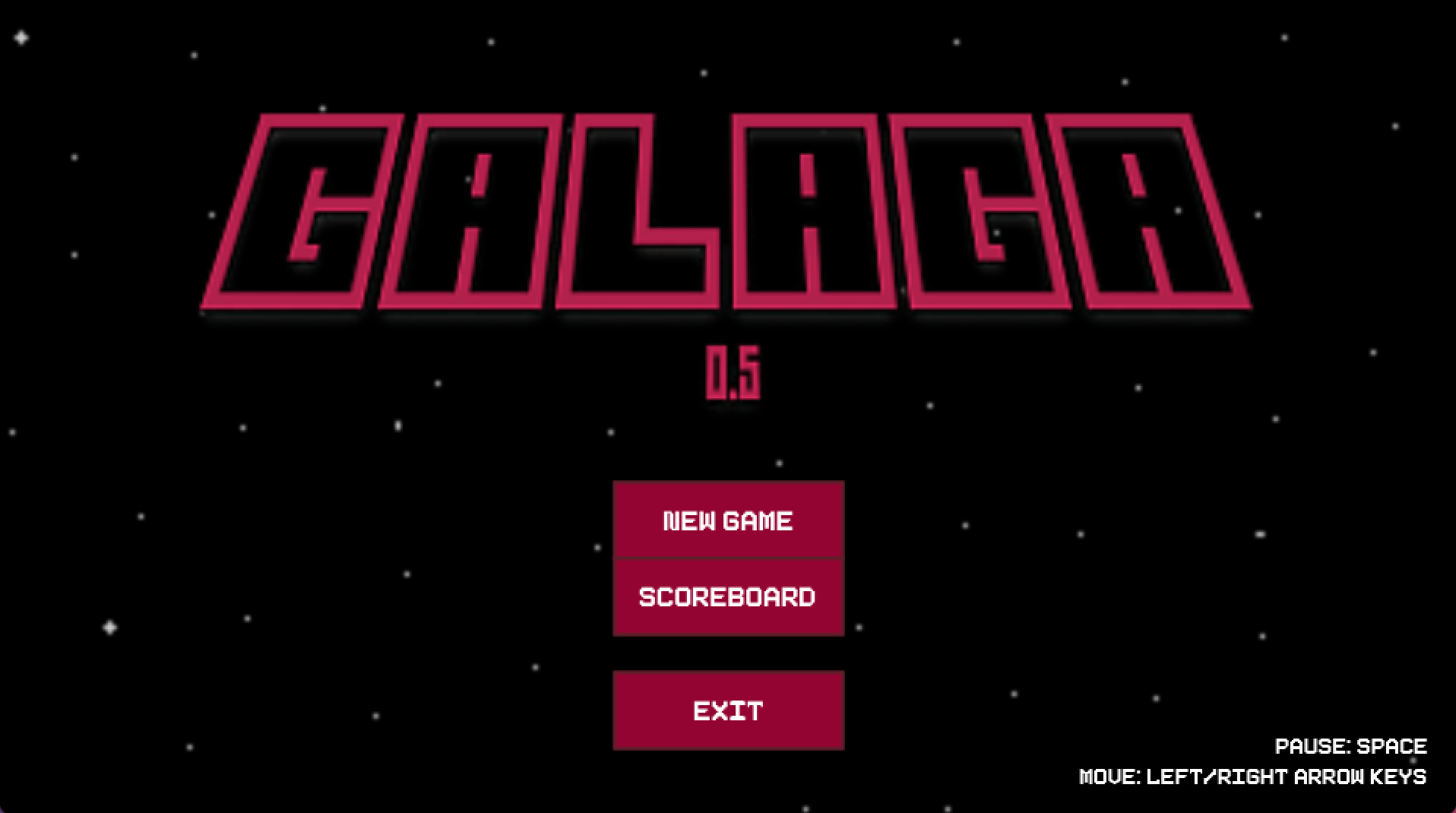
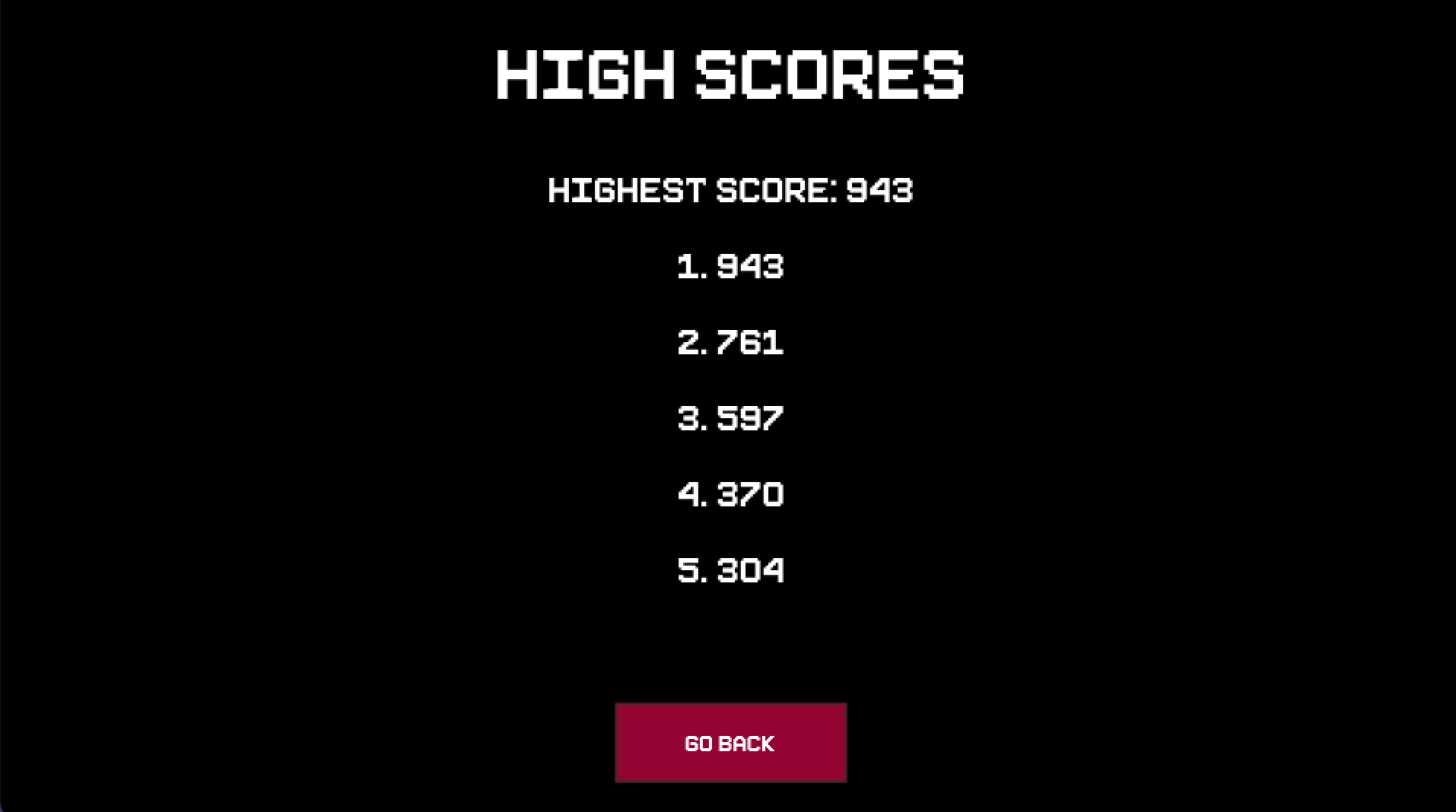
- Add menus, including start, pause, game over, and scoreboard.
- Be able to save game state.
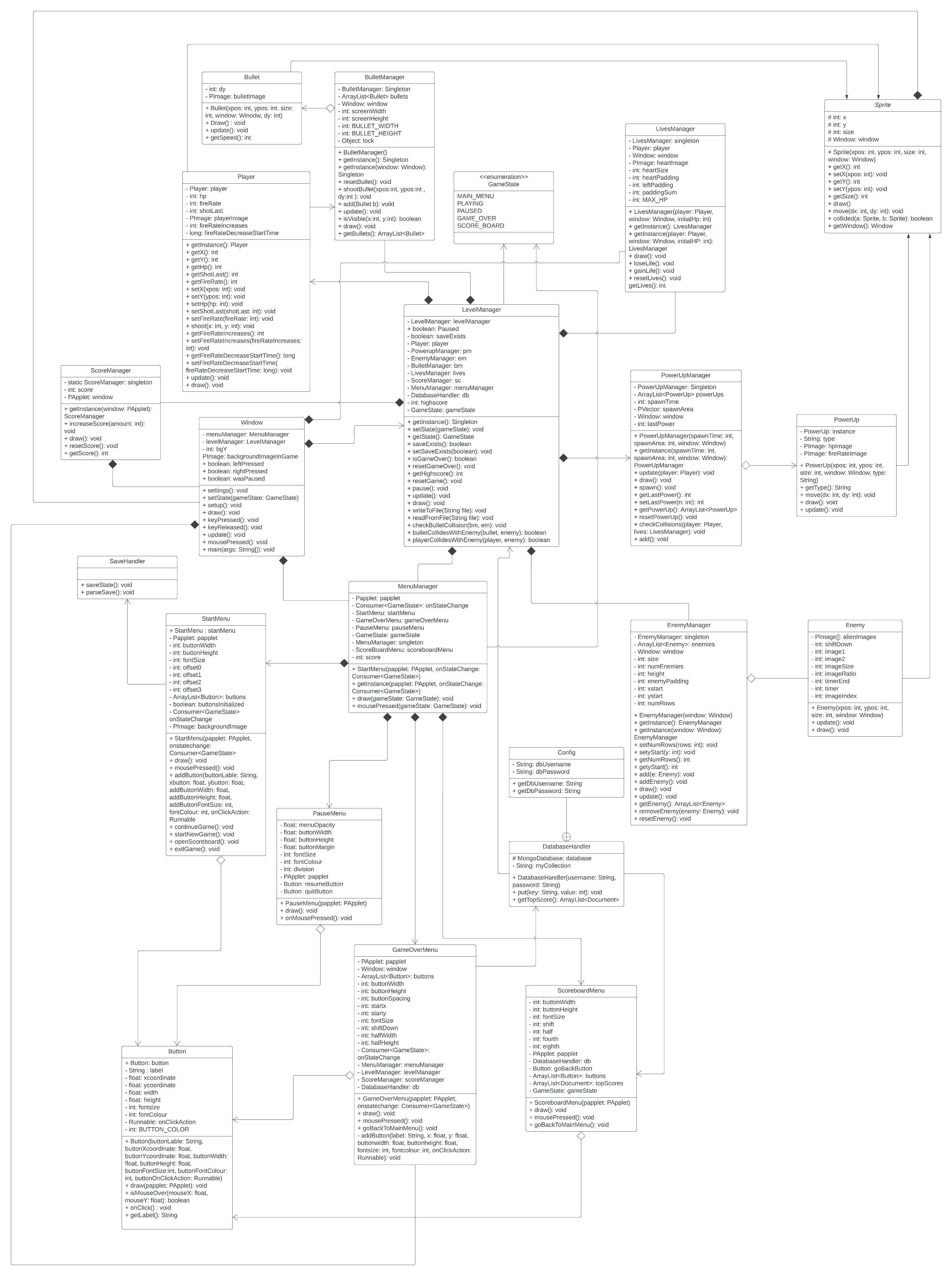
Please see the closed GitHub Issues for reference.
The following lists the classes or tasks that each teammate worked on.
Helen Liu: Sprite, Enemy, EnemyManager, PauseMenu, Window
Mylo Yu: Window, Player, LevelManager, SaveHandler
Samuel Chua: Window, background, animations, sound effects
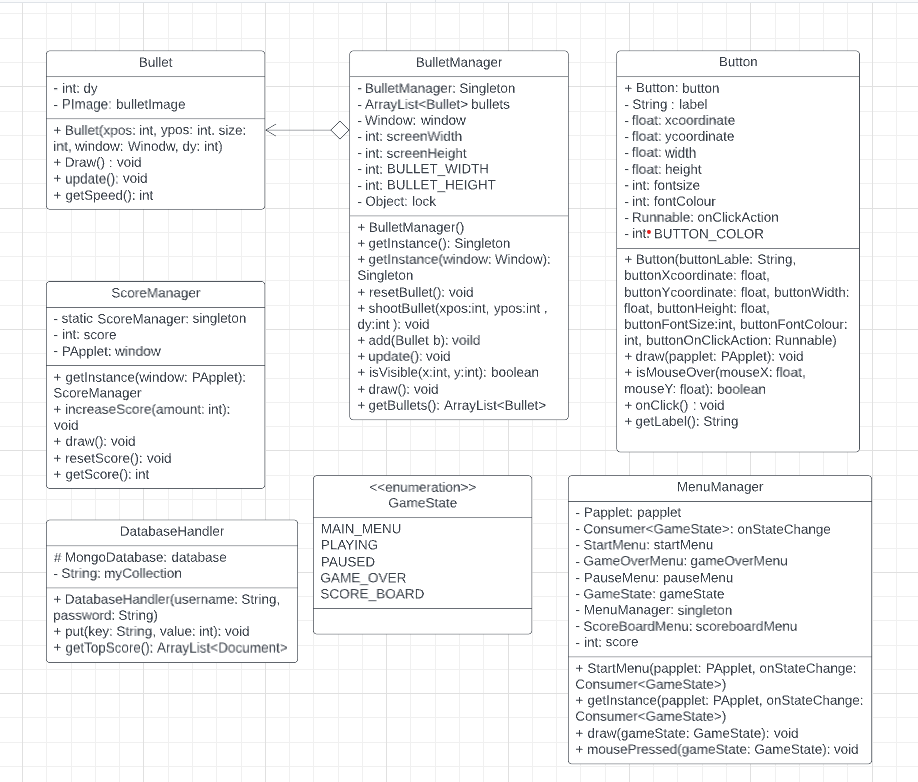
Eric (Sungmok) Cho: Bullet, BulletManager, Button, DatabaseHandler, GameOverMenu, GameState, MenuManager, ScoreboardMenu, ScoreManager, StartMenu, Window
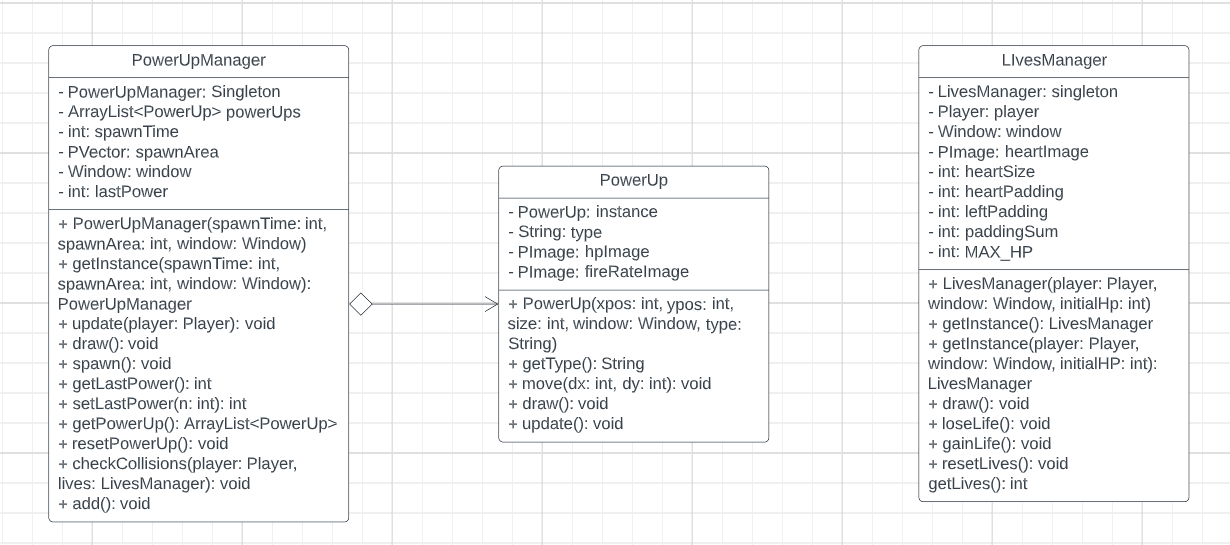
Mina (Sunmin) Park: LivesManager, PowerUp, PowerUpManager, LevelManager, Window
A description of your individual feature that you plan to implement.
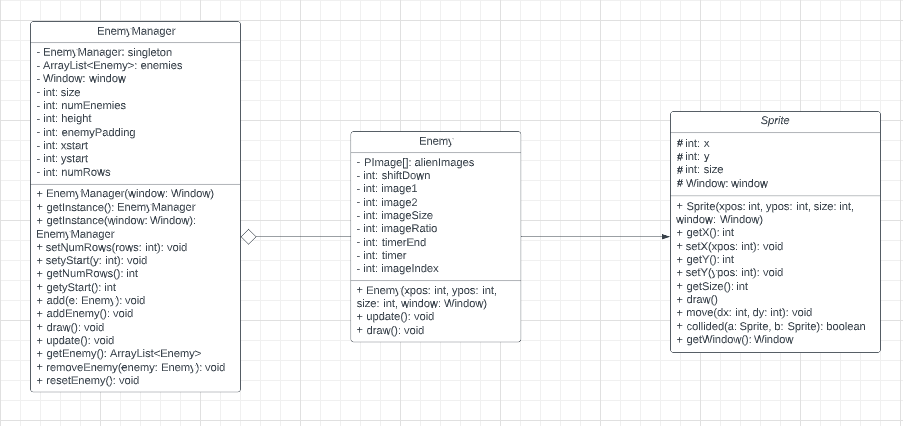
Helen Liu: I will be handling the Sprite, Enemy and Enemy Manager for the project. For my part, I will be responsible for handling the physical attributes of the enemy hordes, their positions, what happens when they come into contact with the player, and how often they are "refreshed".
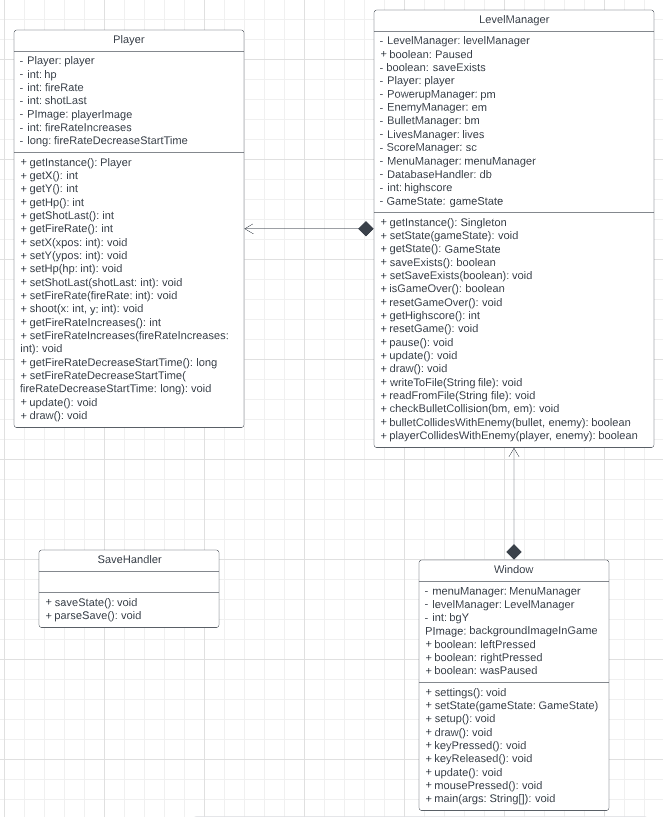
Mylo Yu: I will be developing player functions, window settings and functions, as well as saving all information about the current gamestate to a JSON file so a player can quit out of the game and return later. I will also develop the level manager class and its functions, which will manage all the enemies, bullets, player, and score.
Samuel Chua: I will be developing the code and graphics on the implementation of the background environment and visual effects. This entails how general images, objects and effects look, how they're created, drawn, and interact with window class, the start menu window, game screen window, and options page window. This includes making all the pixel art for the visual assets that will be used for the project.
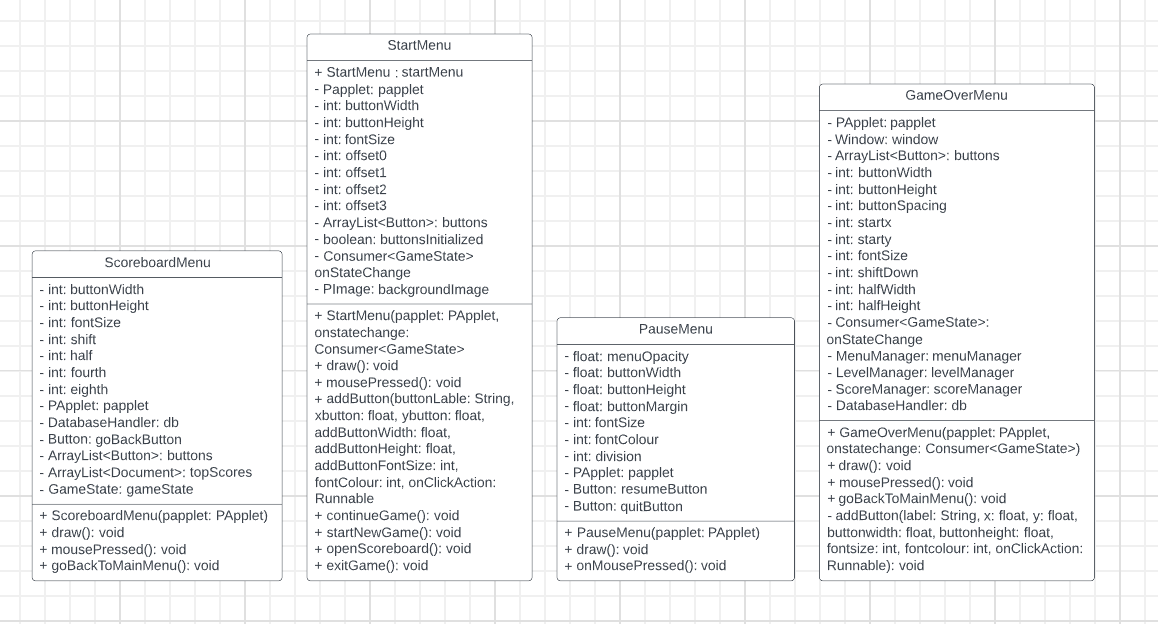
Eric (Sungmok) Cho: I will work on the bullet, bullet manager, start menu, and button classes. Bullet class has integer type variables such as bulletDamage that indicates the damage of bullet, coordinates for the bullet, x and y, and speed of the bullet. Bullet manager manages a bullet object's instance like move, remove, and add. StartMenu has a few button objects that send users to different window when they click the buttons. Button object will have some variables that determine the font size, colour and properties of the button, such as its shape and colour.
Mina (Sunmin) Park: I will be working on the PowerUp and PowerUp Manager. When the player collides with a PowerUp sprite, the player can either get an increase in HP or the bullet fire rate, depending on the PowerUp sprite. The PowerUp Manager manages the spawn time and spawn area of the PowerUp sprite.
Helen Liu
Mylo Yu
Samuel Chua
Eric (Sungmok) Cho
Mina (Sunmin) Park