Github Page Link: https://chen-han-tx.github.io/TypeStormMania-Website/
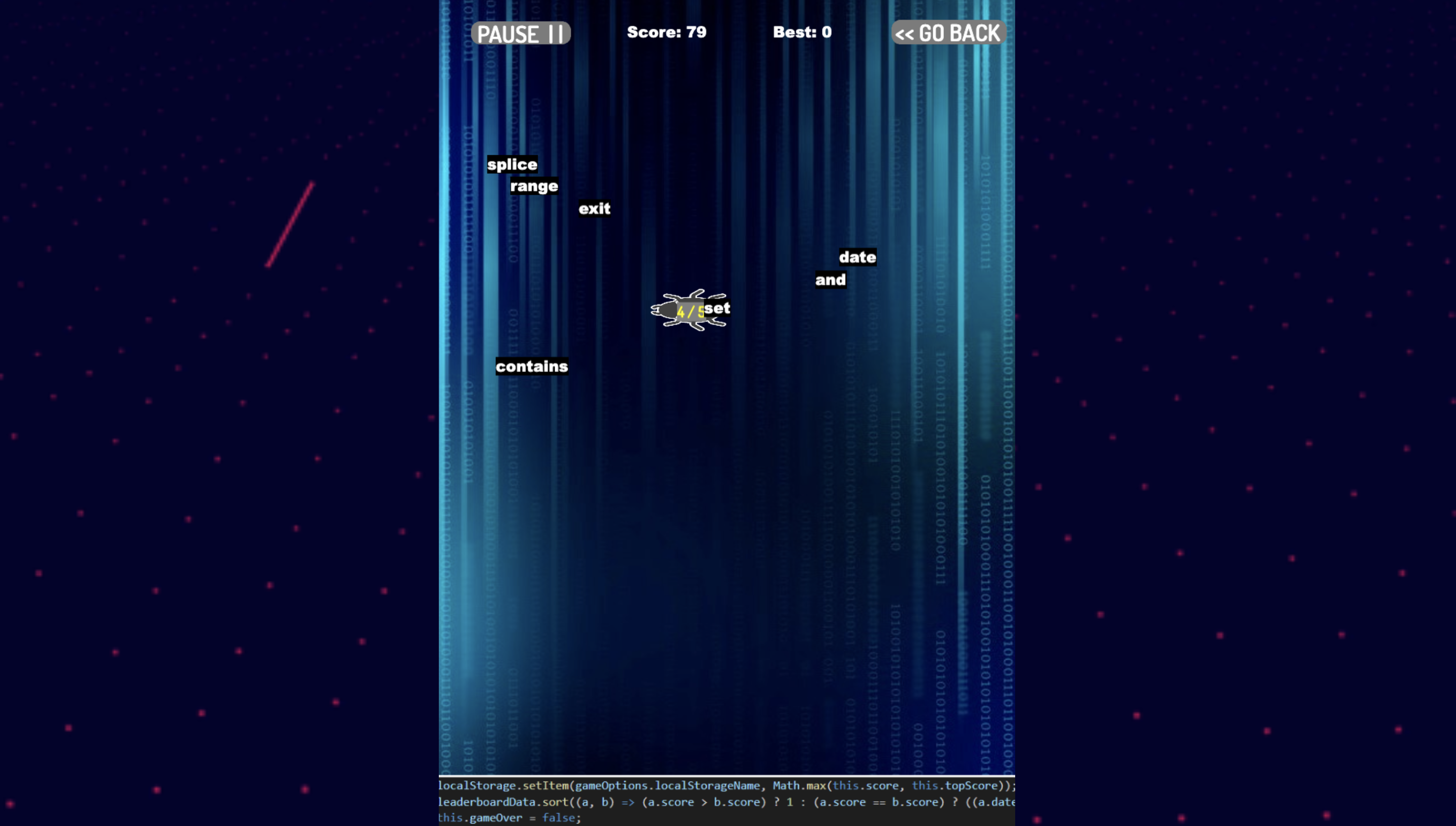
- To run locally, you need to use a live server to host the website for the game to run.
This website holds a typing game that challenge users how fast they can type. The words being thrown at users are words from the programming languages python, javascript and c#. The game help users practise their typing speed and train themselves to push their typing speed limit further. There is a leaderboard section that shows the top 20 people who have the 20 highest scores in the database, and challenge others to try to beat their high scores.
TypeStorm Mania is a typing game. If you press a letter on your keyboard, it finds a word that starts with the same letter that is closest to the ground. When you press the first letter of the word, the word is locked and you have to completely type out the word before moving on to the next word. At random intervals, an enemy bug will appear and block your vision and covers a word. Each enemy bug will have a random health bar and that health bar will decrease by 1 for every word you destroy! After destroying the bug, the word will be revealed for you to destroy for bonus points!
- Destroy a letter (+1 point)
- Destroy a regular word (+5 points)
- Destroy a word blocked by a bug (+15 points)
This website uses mostly cool colours. On every page in the game, it uses a cool colour of blue and its many different shades. The background colour is kept the same for every javascript page to stick to a blue toned colour theme. In the game page, there are many referneces to coding. The background was picked carefully with the theme of code, and the ground of the game is screenshots of actual code found in our javascript game code. At the game over screen, the ground code becomes lines of error. The interactive buttons on the main, pause and game over screen page are interactive and upon hover change colour for a nice effect of seeing clearly the option your mouse is hovering over. The html background with the gif is selected to have cool colours with a bit of contrast of the moving waves of red dots and lines.
- The typing game
- Random speeds for each word
- Overall speed increase after every milestone of words cleared
- Pause screen (Restart or Continue game)
- Game over screen
- Saving best score for individual local storages
- Submitting best scores of an individual to a database
- Leaderboard loads information from a database
- Phaser 3 (Game framework)
- Rex UI
- Lottie (GIF)
- Font Awesome
- Explosion codes - Link
- Overall Github Phaser 3 examples - Link
- Font Awesome ICON in Pause Screen - Link
- Upload score screen - Link
- Phaser 3 rounded rectangle - Link
- Main menu background image Technology vector created by starline - www.freepik.com
- Leaderboard background image Background vector created by kjpargeter - www.freepik.com
- Game background image
- Lottie GIF gif