


Transform any camera into an intelligent AI-powered surveillance system
🚀 Quick Start • 📖 Documentation • 📱Mobile App • 🤝 Contributing
GemmaGuardian converts any RTSP camera into an intelligent surveillance system using Google's Gemma models. It eliminates false positives through AI-powered analysis and provides professional-grade threat assessment with mobile integration.
- 🚀 Setup Guide - Complete installation and configuration
- 🏗️ System Architecture - Technical deep dive with official architecture diagram
- 🔧 Network Setup - Firewall, ports, and network configuration
- 🧠 Dual AI Modes: Ollama server-based or direct transformer processing
- 📹 Universal Camera Support: Works with any RTSP-enabled camera
- 🚨 Intelligent Alerts: Context-aware threat classification (Critical/High/Medium/Low)
- 📱 Mobile App: Complete Android companion with live streaming
- 🔒 Privacy-First: Local processing, no cloud dependency required
- ⚡ Real-time Processing: <100ms person detection, 30-60s analysis

Complete GemmaGuardian system flow from RTSP input through AI processing to mobile notifications and storage.
graph TD
    A[📹 RTSP Stream Input] --> B[🔍 Real-time Person Detection MobileNet SSD]
    B --> C{👤 Person Detected?}
    C -->|Yes Confidence > 0.5| D[📹 Record 60s HD Security Clip]
    C -->|No| B
    D --> E[🖼️ Extract Frames Every 2 Seconds]
    E --> F[📐 Resize to 1024x1024 Resolution]
    F --> G[📦 Group into Batches of 4 Frames]
    G --> H[🧠 AI Mode Selection]

    H --> I[🌐 Ollama Mode]
    H --> J[🔥 Transformer Mode]

    I --> I1[📡 Send to Ollama Server]
    I1 --> I2[🎯 Gemma 3 4b Vision Analysis]
    I2 --> I3[📝 Gemma 3n e2b Consolidation]
    I3 --> K[🛡️ Security Assessment]

    J --> J1[💾 Load Model to GPU/CPU]
    J1 --> J2[🚀 Direct PyTorch Inference]
    J2 --> J3[🔧 Memory-Optimized Processing]
    J3 --> K

    K --> L[📊 Threat Classification]
    L --> M{⚠️ Threat Level?}
    M -->|Critical/High| N[🚨 Immediate Alert]
    M -->|Medium/Low| O[📋 Activity Log]
    N --> P[📱 Mobile Notification]
    O --> P
    P --> Q[💾 Database Storage]
    Q --> R[📁 Archive & Cleanup]
    R --> B

    subgraph "🧠 AI Processing Comparison"
        AI1[Ollama: Server-based Client-Server]
        AI2[Transformer: Direct In-Process]
        AI3[Both: Anti-hallucination Validation]
        H --> AI1
        H --> AI2
        AI1 --> AI3
        AI2 --> AI3
    end
Professional Android companion with local network connectivity:
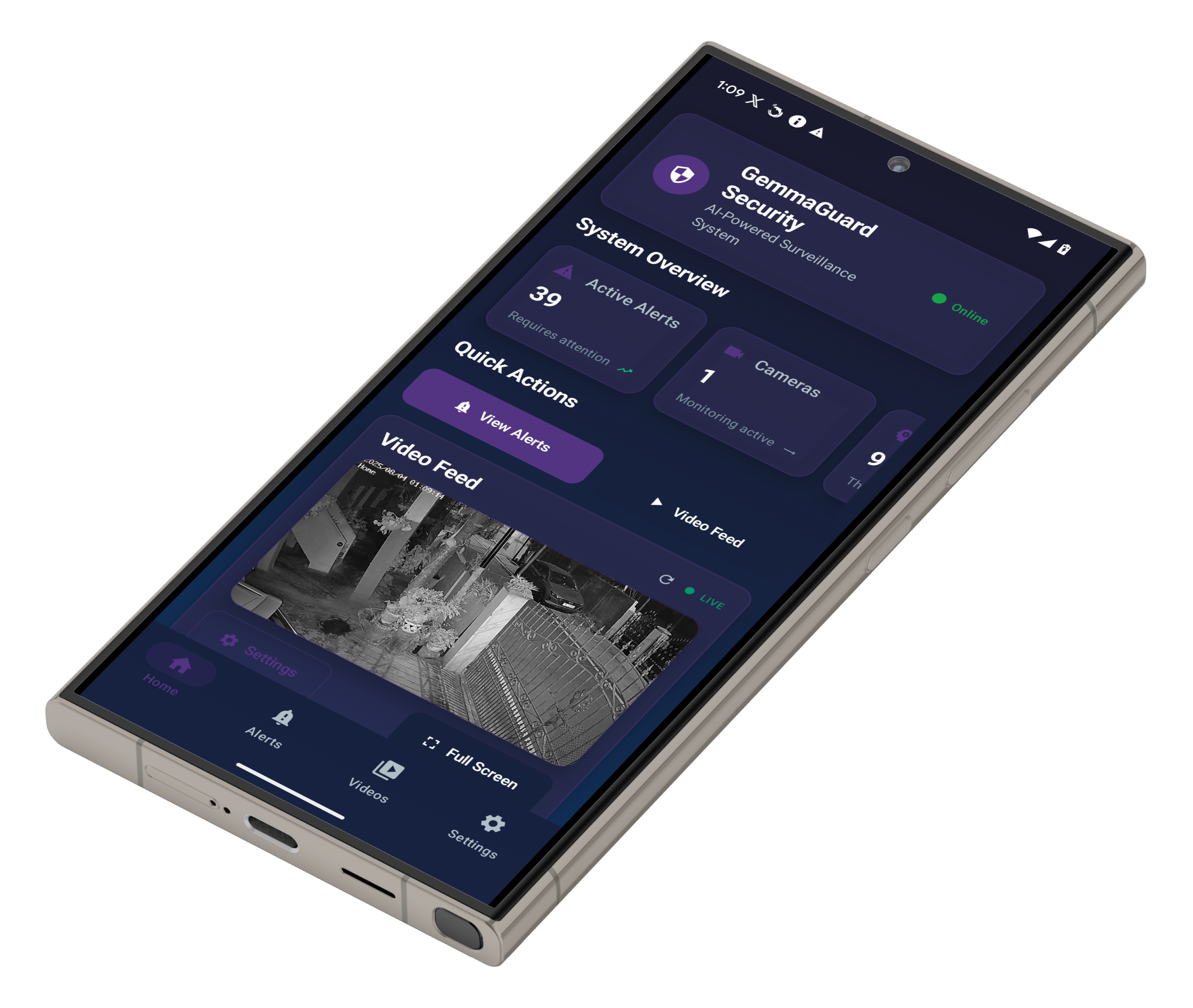
📱 Home Dashboard |
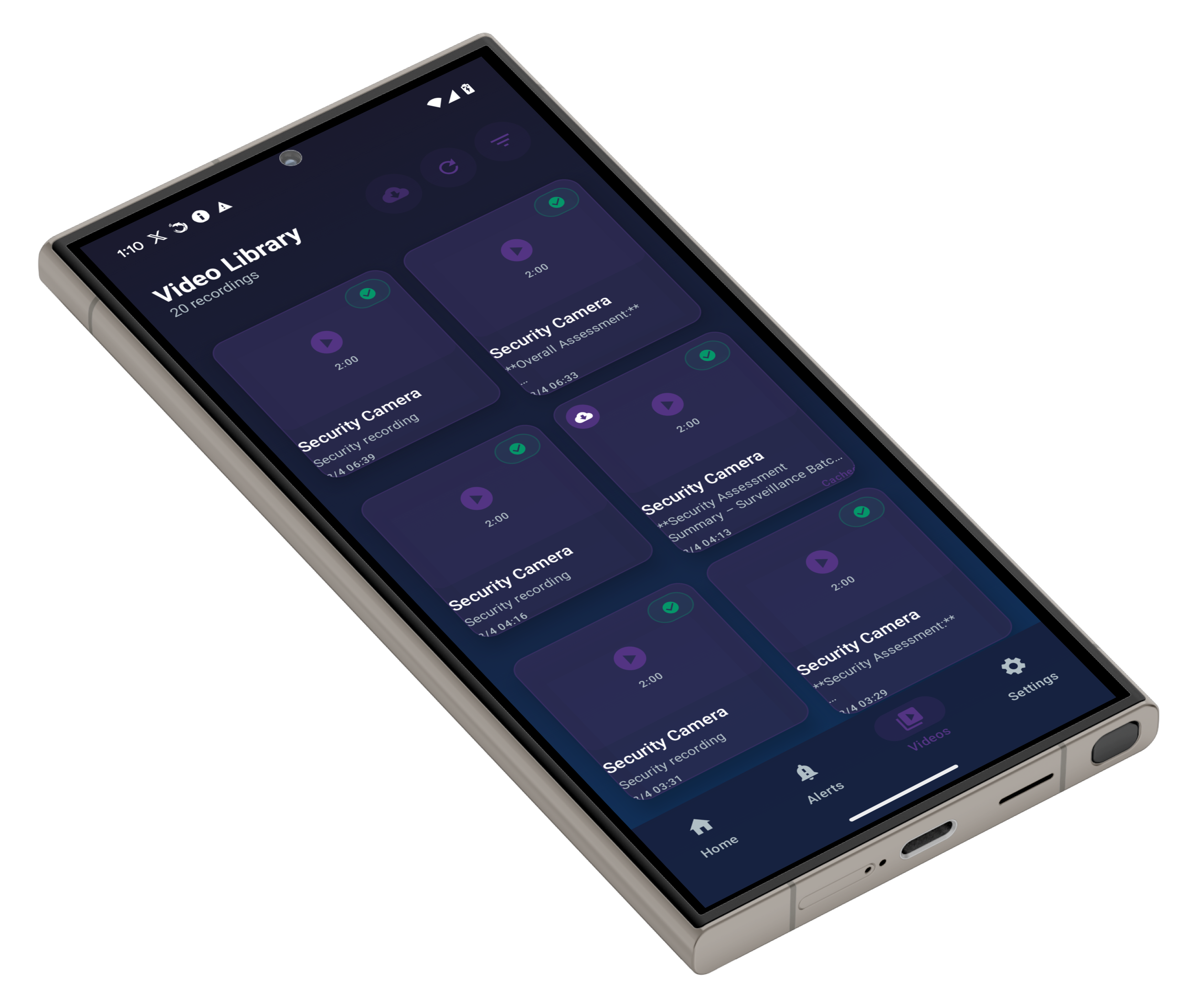
📹 Video Feed |
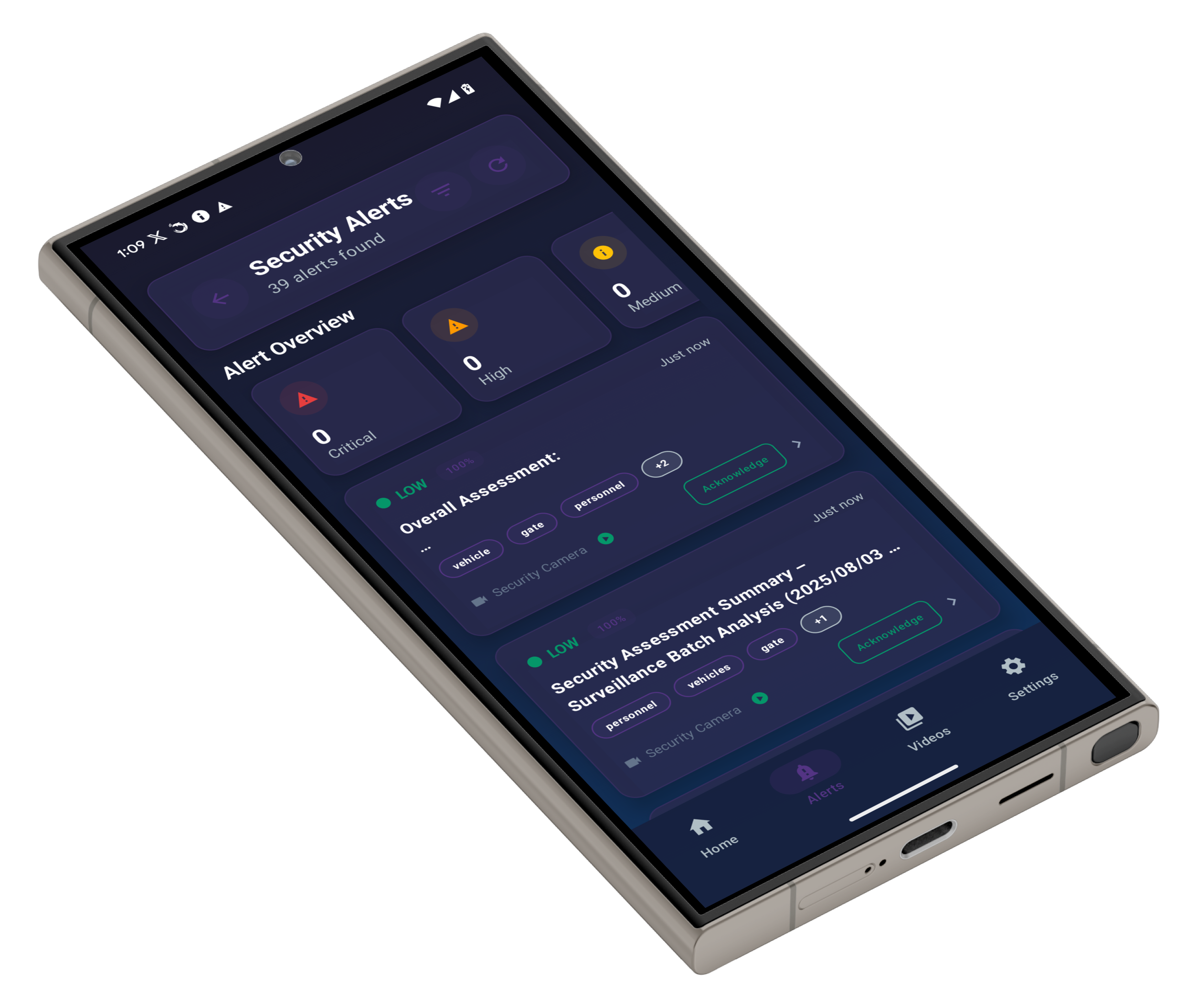
🚨 Alert Management |
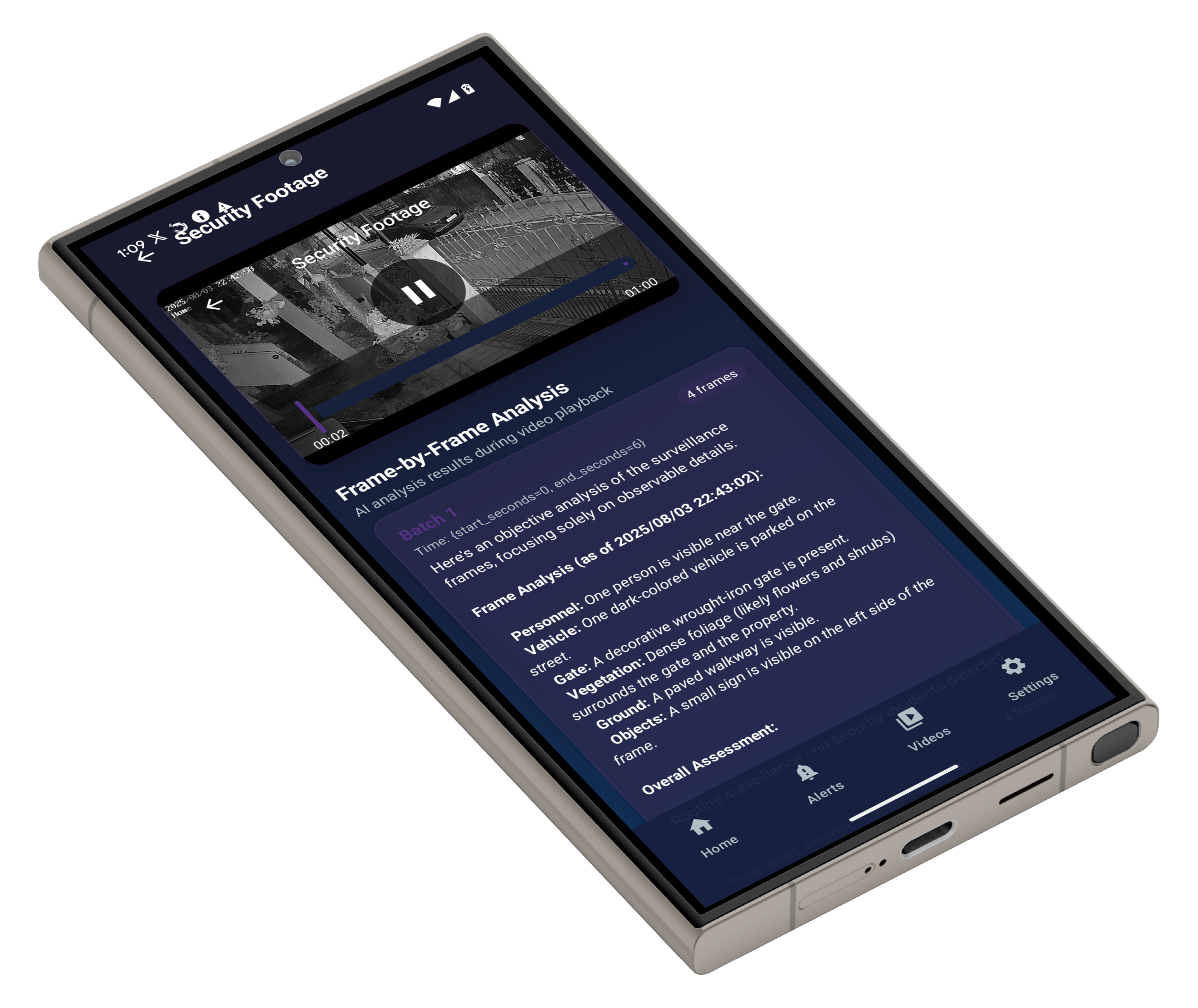
🔒 Technical Details |
Key Features:
- 📱 Real-time RTSP Streaming: Direct camera feed access within LAN
- 🔔 UDP Broadcast Alerts: Instant notifications via local network
- 📊 AI Analysis Dashboard: Historical threat assessments and statistics
- ⚙️ Remote Configuration: System settings via local API calls
The setup.py script is your gateway to GemmaGuardian - it handles EVERYTHING automatically:
python setup.py🎯 What this powerful script accomplishes:
- ✅ Environment Setup: Creates virtual environment and installs all dependencies
- ✅ Model Downloads: Downloads MobileNet SSD and Gemma AI models automatically
- ✅ AI Mode Configuration: Guides you through Ollama or Transformer mode setup
- ✅ Network Configuration: Sets up firewall rules for camera and mobile access
- ✅ System Testing: Runs comprehensive tests to verify everything works
- ✅ Camera Setup: Prompts for your RTSP URL and validates connection
- ✅ Auto-Launch: Optionally starts the surveillance system immediately
🚀 After running setup.py, your surveillance system will be fully operational!
💡 Pro Tip: The setup script includes intelligent error handling, GPU detection, and guided configuration - making professional surveillance setup accessible to everyone.
GemmaGuardian requires specific network ports for mobile connectivity:
# Windows (Run as Administrator) - Automated Setup
cd src/SurveillanceAgent
.\setup_firewall.ps1
# Linux/Ubuntu - Manual Setup
sudo ufw allow 37020/udp # UDP broadcast notifications
sudo ufw allow 8888/tcp # REST API server
sudo ufw reload
⚠️ Critical: Without proper firewall configuration, the mobile app won't receive notifications or connect to the surveillance system.
📖 Detailed Setup Guide: docs/SETUP_GUIDE.md
- Python 3.8+
- 8GB+ RAM (16GB recommended)
- RTSP Camera (IP camera, NVR, or mobile app)
- GPU (optional, for Transformer mode acceleration)
- � Setup Guide - Complete installation and configuration
- 🏗️ System Architecture - Technical deep dive and system design
- 🔧 Network Setup - Firewall, ports, and network configuration
- 📡 API Reference - Complete REST API documentation
- 📱 Mobile App Setup - Android companion app guide
- 📲 Android APK Download - Pre-built mobile app for instant installation
# Automated firewall configuration
cd src/SurveillanceAgent
.\setup_firewall.ps1cd src/SurveillanceAgent
python main.py --mode ollama # or --mode transformerProfessional Android companion app with enterprise-grade features:
- 📹 Live Streaming: Real-time RTSP feed viewing
- 🔔 Smart Notifications: Threat-level based alerts only
- 📊 Analysis History: Browse and search security events
- ⚙️ Remote Control: Configure system from anywhere
- 🚨 Emergency Alerts: Critical threat escalation
Ready-to-install APK: Download the pre-built Android app directly from docs/gemmaguardian.apk
📱 Mobile App Setup: src/MobileApp/README.md
# Run the provided PowerShell script as Administrator
cd src/SurveillanceAgent
.\setup_firewall.ps1
📋 Complete Configuration Guide: docs/SETUP_GUIDE.md
# Quick system test
cd src/SurveillanceAgent
python test_setup.py

# AI model validation
python test_ai_flow.py
We welcome contributions! Areas of focus:
- 🎯 New AI models and detection algorithms
- 📱 Mobile app enhancements
- 🔔 Additional notification channels
- 📊 Analytics and reporting features
- 🐳 Container and deployment improvements
Development Setup: docs/SETUP_GUIDE.md#manual-installation-advanced-users
This project is licensed under the MIT License - see the LICENSE file for details.
- Google: Gemma model family
- Ollama: Model serving platform
🔗 Links: GitHub • Issues • Discussions