
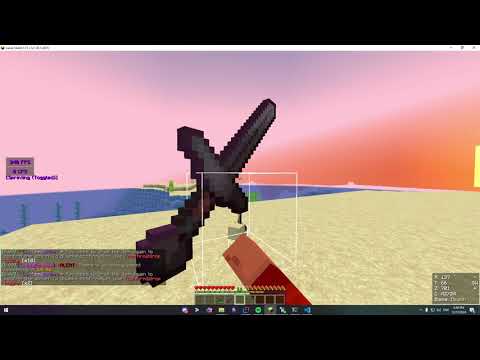
Confirm2Drop is a lightweight Minecraft plugin that protects players from accidentally dropping valuable items. Players are prompted to confirm drops for items listed in the configurable blacklist, ensuring they don’t lose important gear.
-
Drop confirmation for tools, armor, spawn eggs, and enchanted items.
-
Fully customizable blacklist in
config.yml. -
Toggleable per-player confirmation with
/confirm2drop toggle. -
Data storage fully supports
SQLite.Database viewer
- Simple system understanding:
1 - ON|0 - OFF
- Website to check SQLite database:
- Simple system understanding:
-
Configurable timeout for confirmation requests.
-
Compatible with recent Minecraft versions (API 1.20).
Click to reveal the video
- Download the plugin: Download the latest version of the MoneyPouchDeluxe plugin from GitHub Releases page.
- Install the plugin: Copy the
.jarfile into your server'spluginsdirectory. - Configure the plugin: Run the server for the first time to generate the configuration files, then stop it. Edit the
config.ymlfile to customize the plugin to your liking. - Start the server: Start the server again to load the plugin with your custom settings.
| Permission | Description | Default |
|---|---|---|
confirm2drop.* |
Grants access to all Confirm2Drop commands and features | op |
confirm2drop.toggle |
Allows the player to toggle drop confirmation on or off | true |
confirm2drop.reload |
Allows reloading of the plugin's configuration and locale files | op |
confirm2drop.version |
Allows viewing the plugin's version | op |
By default, you don't need to set any permissions. This plugin is ready out of the box.
confirm2drop.*: A master permission for all commands and features. This is useful for server administrators.confirm2drop.toggle: Lets players enable or disable drop confirmation for themselves.confirm2drop.reload: Reserved for administrators to reload the plugin's configuration.confirm2drop.version: Allows checking the plugin's version. Intended for administrators.
| Command | Description | Permission |
|---|---|---|
/confirm2drop toggle |
Toggles drop confirmation for the player | confirm2drop.toggle |
/confirm2drop reload |
Reloads configuration and locale files | confirm2drop.reload |
/confirm2drop version |
Displays the plugin's version information | confirm2drop.version |
/confirm2drop toggle: Lets players enable or disable drop confirmation for themselves./confirm2drop reload: Used by administrators to reload the plugin's configuration and locale files without restarting the server./confirm2drop version: Displays the plugin version, useful for debugging or support.
#   ____  ___   _      ____
#  / ___|/ _ \ | |    |  _ \
# | |   | | | || |    | | | |
# | |___| |_| || |___ | |_| |
#  \____|\___/ |_____|_____/
#
# The locale to use in the /locale folder
# Default: en_US
locale: en_US

# Which command should we redirect to when using '/confirm2drop' with no subcommand specified?
# You can use a value here such as 'version' to show the output of '/confirm2drop version'
# If you have any aliases defined, do not use them here
# If left as blank, the default behavior of showing '/confirm2drop version' with bypassed permissions will be used
#
# Default:
base-command-redirect: ''

# When true, players must confirm the toggle action with '/c2d toggle confirm'.
# When false, the toggle action works directly with '/c2d toggle'.
# Default: false
toggle-warning: false

# Enable or disable the Confirm2Drop feature globally.
# If set to false, no confirmation will be required for dropping items,
# and the plugin will ignore all player-specific settings.
# No changes to the toggle preference can be made while the feature is disabled.
# Default: true
confirm2drop: true
blacklist:

  # Enable or disable confirmation for all tools.
  # If set to true, players will need to confirm dropping tools.
  # Default: true
  tools: true

  # Enable or disable confirmation for all armor items.
  # If set to true, players will need to confirm dropping armor.
  # Default: true
  armor: true

  # Enable or disable confirmation for spawn eggs.
  # If set to true, players will need to confirm dropping spawn eggs.
  # Default: true
  spawn-eggs: true

  # Enable or disable confirmation for enchanted items.
  # If set to true, players will need to confirm dropping items with enchantments.
  # Default: true
  enchanted-items: true

  # A list of specific item IDs that require confirmation before dropping.
  # Example: [lodestone_compass, compass, mace, totem_of_undying]
  # Add the item IDs here to enforce confirmation for custom items.
  others: []

# Time in seconds before the confirmation request expires.
# If the player does not confirm the drop within this time, the request will be canceled.
# Default: 5
confirmation-timeout: 5

# Enable or disable debug logging for the plugin.
# If set to true, debug messages will be shown in the console.
# Default: false
debug: false