Home
Arduino provides syntax highlighting and autocompletion for the Arduino programming language within the Nova IDE.
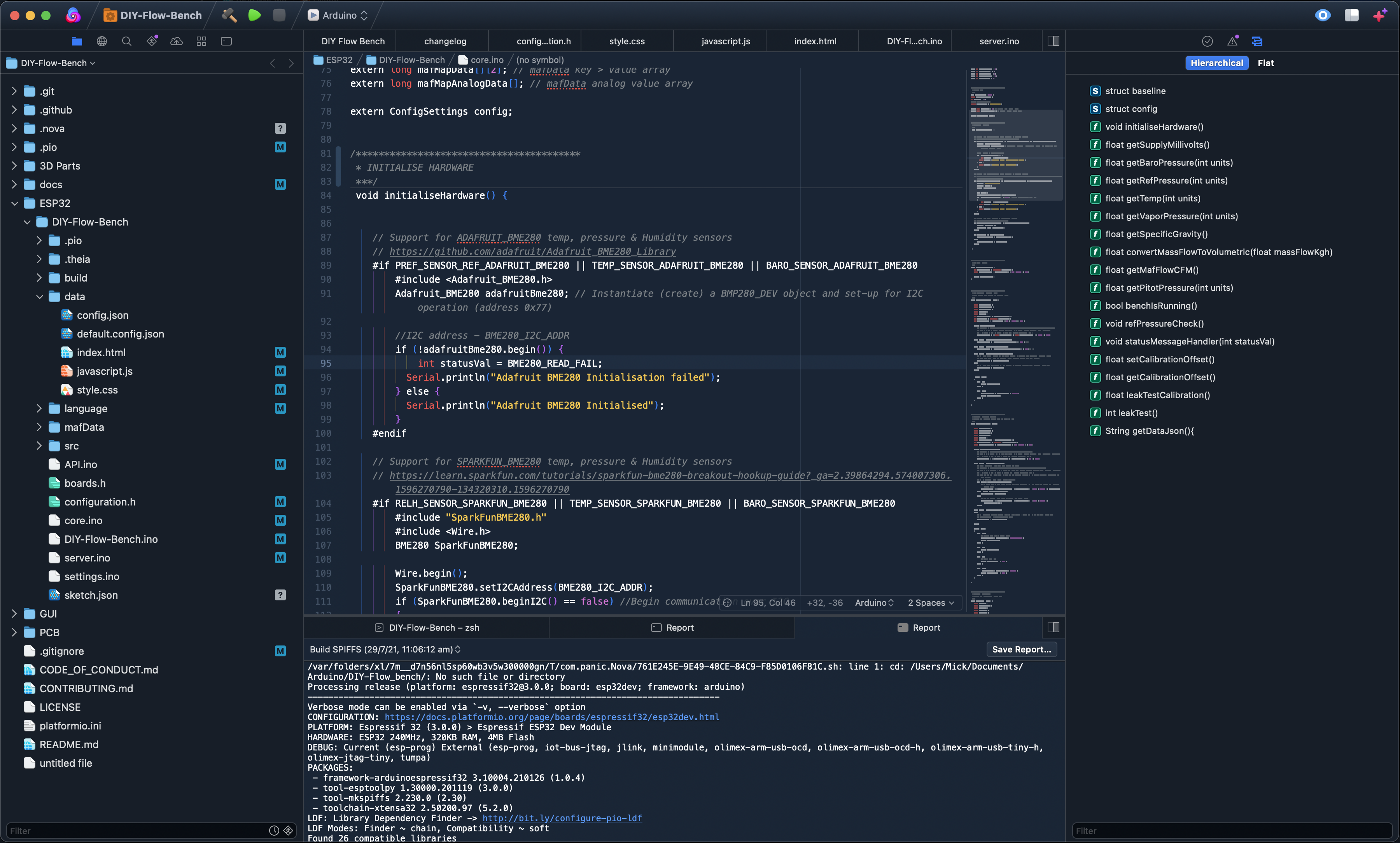
Arduino currently supports the following features:
- Code Highlighting
- Collections listed in sidebar:
- Functions
- Structs
- ~~ Auto Completion~~ (Please note that support for auto completion is currently very limited)
Function and struct collections are listed in the sidebar provided that they follow standard lexical grammar...
void myFunction() {
	doSomething();
}

void myOtherFunction()
{
	doSomethingElse();
}

struct myStruct {
	int myInt = 1;
}

struct myOtherStruct
{
	float myfloat = 1.1;
}
I've added the repo to the Nova extensions page so that you can download and install it from within Nova. You can also download from here and install by double-clicking the arduino.novaextension file on your mac. It will automagically open nova and install the extension for you.
So why not use the Arduino editor or the new Arduino IDE??
Well. I did give the IDE a really good go and I quite liked it when it was in its early beta stages (released as the 'Arduino Pro IDE'). At that stage it included function declaration navigation in the sidebar, which is a pretty standard feature for any IDE, but in later versions they have dropped this, which I find to be a real shame and a little bit of a deal breaker.
I'm also developing a lot with the ESP32 board, which means that there is a lot of webdev stuff, which Nova does really well and the Arduino editor does not do at all. So it made a lot of sense to integrate Arduino development into Nova.
In addition to the syntax highlighting, to make Nova truly useful you need to install the Arduino-CLI on your machine. This will allow you to set up some Tasks to run and compile the code. I'll post some additional info up on how to set up your environment to be able to do this.
If like me, you are developing on the ESP32 platform, you should also consider installing the platformio command line tools. This gives you the added functionality of being able to transfer files across to the filesystem partition on the ESP32. Again you can create some tasks to be able to run those command line processors from within Nova. Previously I was running this directly from the terminal, so integrating it into Nova makes workflow neat and tidy.
With both of these tools you can effectively do away with the Arduino editor and do everything from within Nova.
A long time ago before IDE's were a thing, I used to use Ultraedit, which in a way was a lot like Nova in that it supported running external scripts and command line tasks. It was (and still is) a really good text editor that had just enough support for external tasks. I even used it on the Mac for a while.
Being used to terminal editors and basic text editors I find modern IDE's by comparison are very bloated and most are overly complicated to install and maintain. Sure they have support for this library, that feature along with the kitchen sink, but if like me you are an old school coder that just likes to code in a text editor, why not use Nova? It's a nice working environment and supports everything that I need.
/DM
For support / contributions / discussions please visit the Discussions page or join us on Discus