Loading Plugins
Once you finish creating your own plugin, you are ready to use it in Infinite Yield! You can find or post plugins in the #plugins channel of the Infinite Yield Discord server.
The first thing you need to do is to make sure that your filename is PluginName and that it has a .iy extension. Next, put your file into the workspace folder of your exploit.
Tip: If you are unable to see the extension of files, click the View tab at the top of the file explorer and check the box next to File name extensions:

Once you've done that, you need to load the plugin in Infinite Yield.
The below tutorial is a little outdated since you can just run the command addallplugins and then to test again just do reloadplugin testplugin. This is assuming your plugin's filename is testplugin.iy.
- Hover your mouse over Infinite Yield FE to open it up
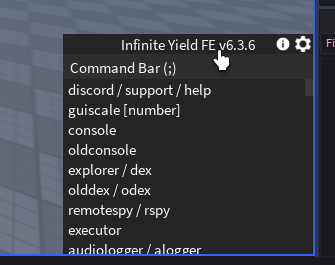
- Click the cog in the top right corner of the GUI to pull up the settings.
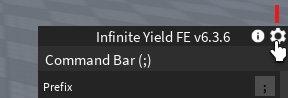
- Next to Plugins click the Edit button.

- Click the Add button to open the Add Plugins window.

- In the text box type in the name of your plugin file (make sure not to type .iy) and click Add Plugin. If you did it correctly, you will get a notification box that shows your plugin name and description.

- Click X on the Add Plugins window, Close then the cog in Infinite Yield

Now you should be able to use the commands you made in your plugin!