Free threat intelligence platform for Windows
Automatically checks your network activity against 8 live threat feeds — malware IPs, C2 servers, phishing domains, and more.
Built by Egyan | Red Parrot Accounting Ltd
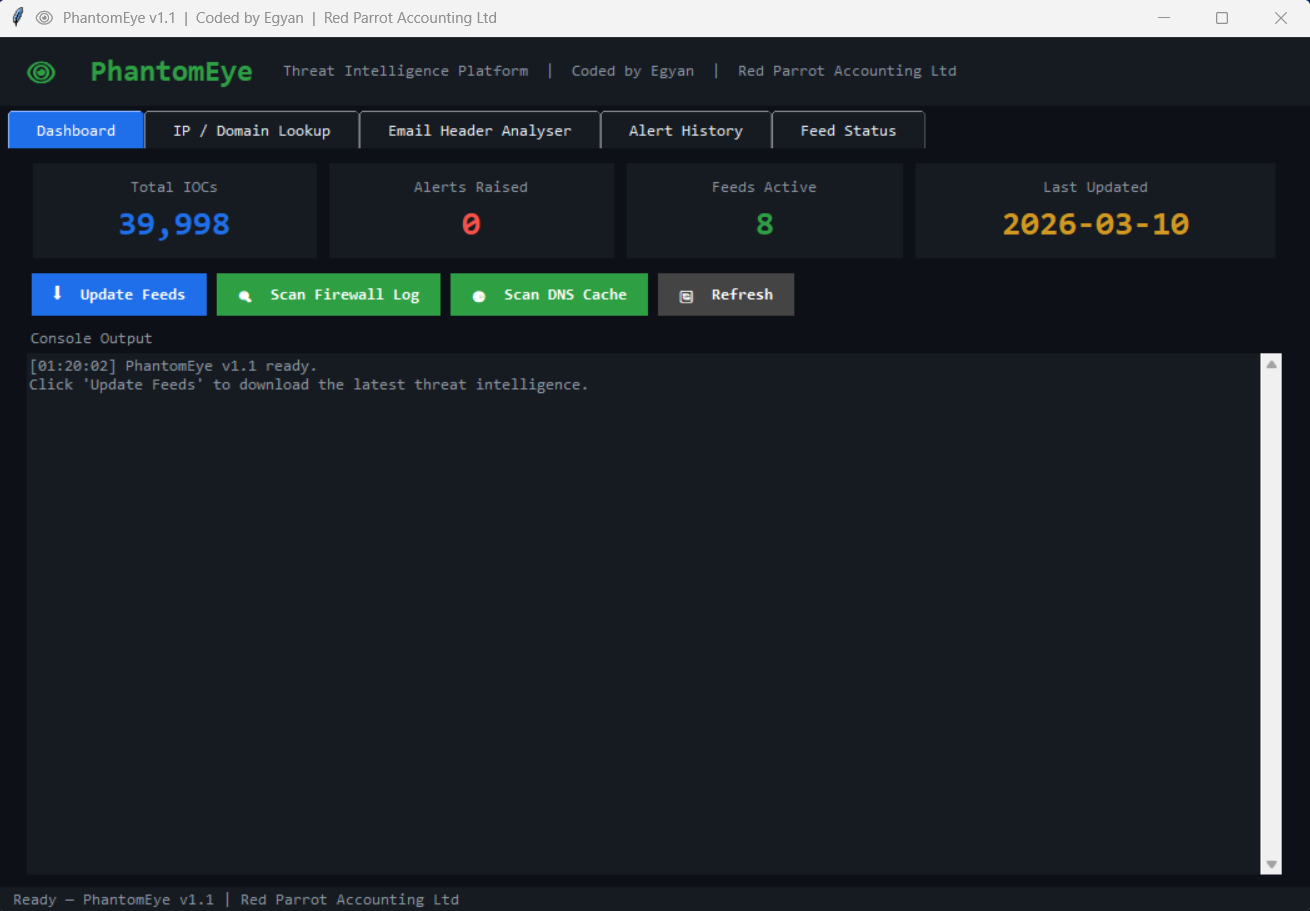
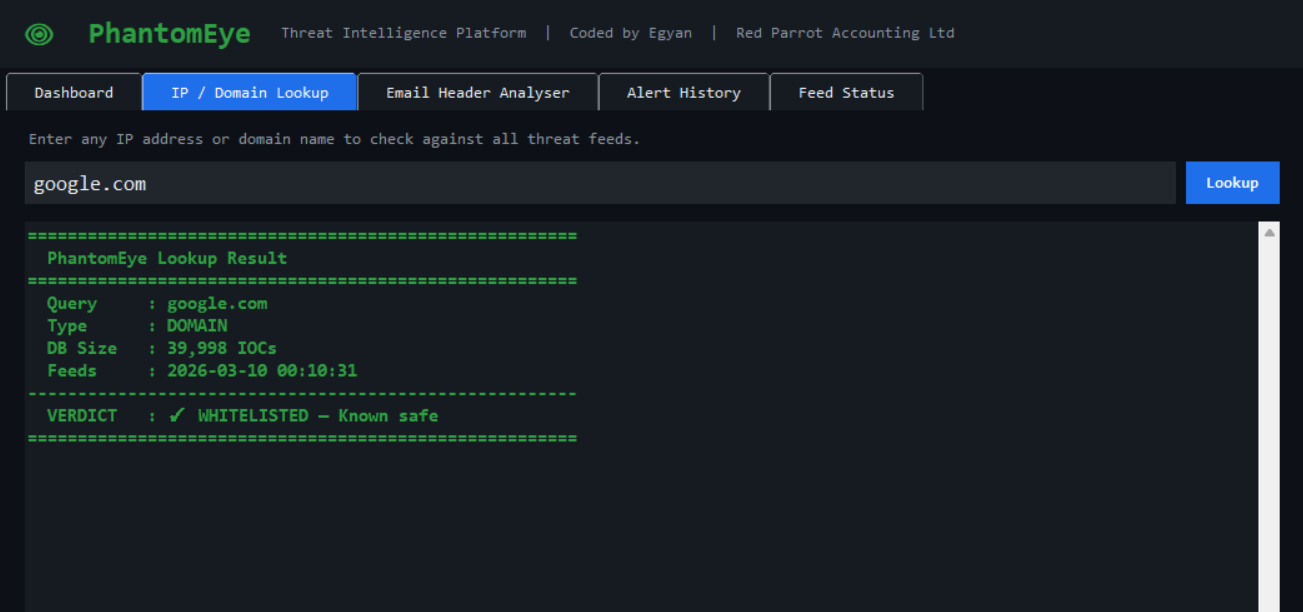
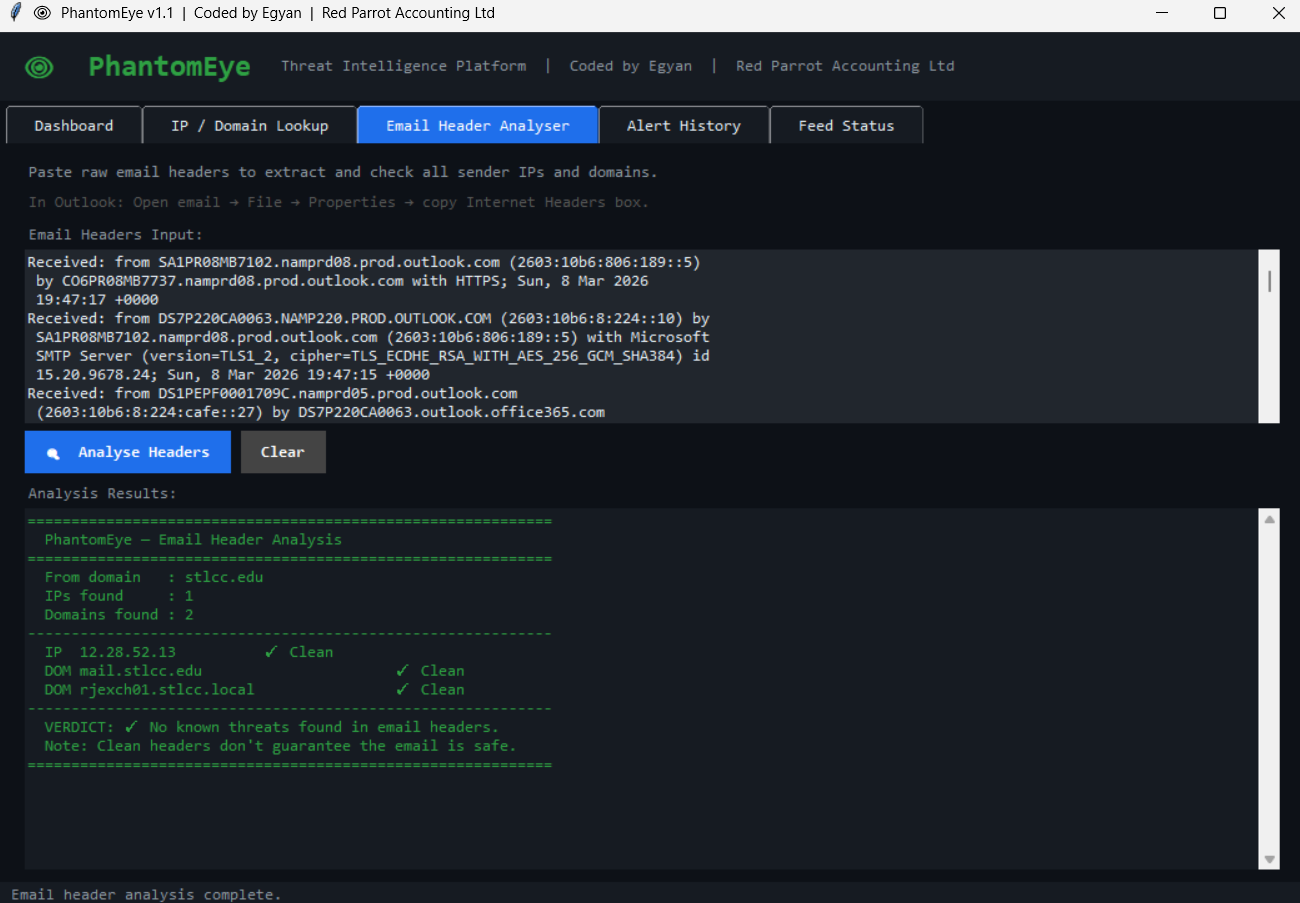
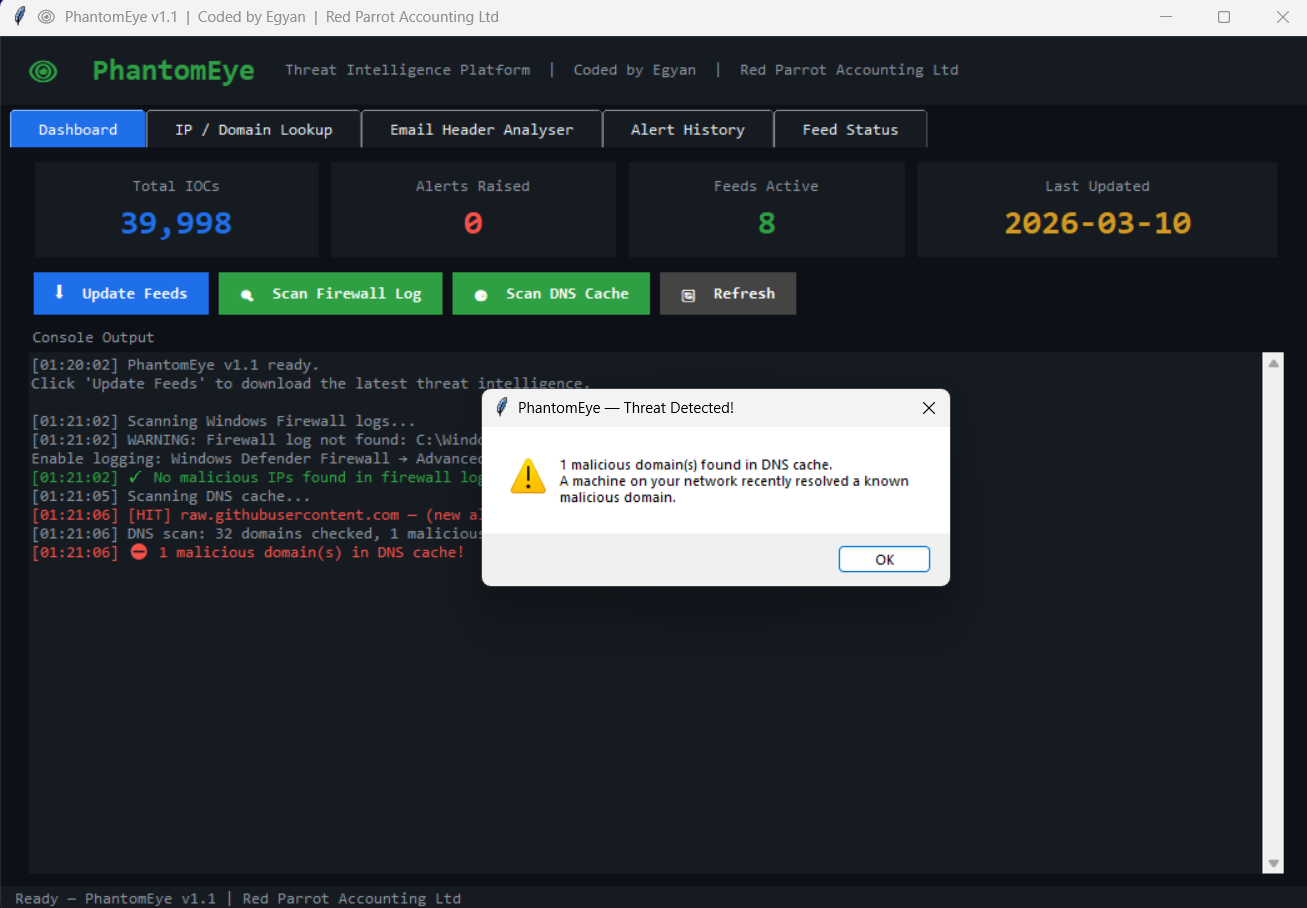
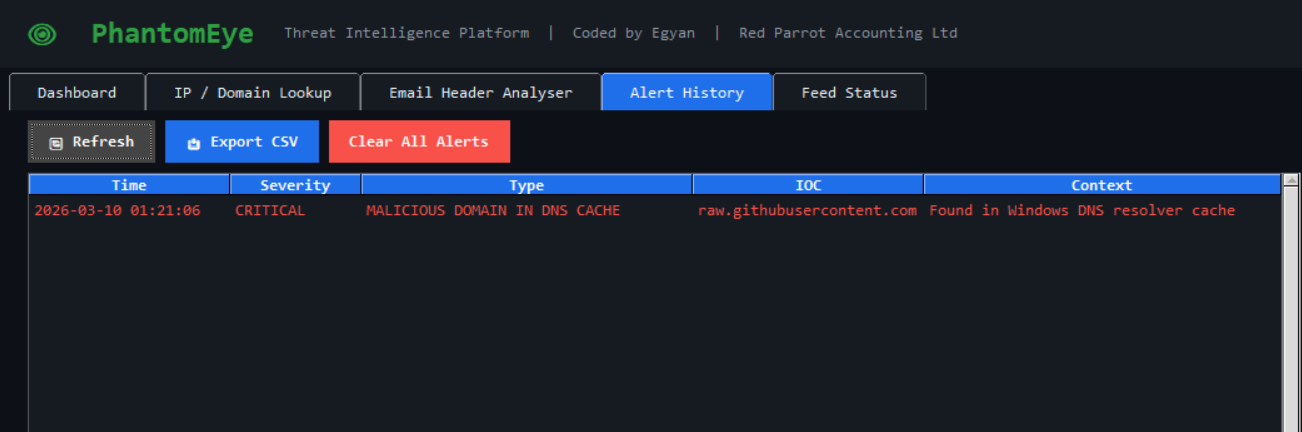
PhantomEye downloads threat intelligence from 8 free public feeds and checks your Windows network activity against them in real time.
It detects:
- Machines connecting to known malware / C2 servers (both allowed and blocked connections)
- Inbound connection attempts from known malicious IPs
- DNS lookups for known phishing or malware domains
- Malicious IPs or domains in email headers
- Any IP or domain you want to manually check
| Feature | Description |
|---|---|
| 🔍 IP / Domain Lookup | Instant verdict from 40,000+ IOCs — paste any IP, domain, or full URL |
| 📧 Email Header Analyser | Paste raw Outlook headers — extracts and checks all relay IPs and sender domains |
| 🔥 Firewall Log Scanner | Checks Windows Firewall log — flags both outbound (dst) and inbound (src) malicious IPs |
| 🌐 DNS Cache Scanner | Checks your Windows DNS resolver cache for malicious domains |
| 📊 Alert History | Full timestamped alert log with CSV export |
| 📡 Feed Status | Per-feed IOC count, last-update timestamp, and health indicator |
| 🩺 Health Check | --check flag validates config, DB, and feed status from the CLI |
| Feed | Type | Coverage |
|---|---|---|
| Feodo Tracker | IP | Botnet C2 servers |
| Emerging Threats | IP | Compromised hosts |
| CINS Score | IP | Known bad actors |
| Abuse.ch SSL Blacklist | IP | Malicious SSL certificates |
| URLhaus | Domain | Malware download URLs |
| OpenPhish | Domain | Active phishing sites |
| Botvrij.eu | Domain | Malicious domains |
| Botvrij.eu | IP | Malicious IPs |
- Windows 10 or 11
- Python 3.10 or newer — python.org
- Internet connection for feed updates
- No extra packages needed — runs entirely on Python's standard library
- Clone or download this repo
- Open
config.pyand setADMIN_PCto your admin machine name - Right-click
Install_PhantomEye.bat→ Run as administrator - Done — PhantomEye launches automatically and feeds are downloaded
The installer creates two Windows Scheduled Tasks:
- Feed update — every 6 hours
- Morning scan — daily at 6:00 AM
Both run as your user account, not SYSTEM.
Launch the GUI:
python C:\SecurityLogs\PhantomEye\main.py --gui
Update feeds only:
python C:\SecurityLogs\PhantomEye\main.py --update-feeds
Run a scan headlessly (for scripting):
python C:\SecurityLogs\PhantomEye\main.py --scan
Quick lookup from terminal:
python C:\SecurityLogs\PhantomEye\main.py --lookup 185.234.xx.xx
python C:\SecurityLogs\PhantomEye\main.py --lookup evil-domain.ru
Check version:
python C:\SecurityLogs\PhantomEye\main.py --version
Validate config and feed health:
python C:\SecurityLogs\PhantomEye\main.py --check
Set EMAIL_ENABLED = True in config.py.
Store your password as a Windows environment variable — never hardcode it:
# Run PowerShell as Administrator
[System.Environment]::SetEnvironmentVariable(
'PHANTOMEYE_EMAIL_PASSWORD', 'your_app_password', 'Machine')PhantomEye ships with 86 unit tests covering utils, feeds, lookup, and alerts.
pip install pytest
pytest tests/ -v
PhantomEye/
├── main.py              # CLI entry point
├── config.py            # All user settings ← edit this
├── logger.py            # Rotating log handler
├── database.py          # DB schema
├── utils.py             # IP/domain validation, whitelist
├── feeds.py             # Feed download, parsing, in-memory IOC cache
├── lookup.py            # O(1) IOC lookup engine
├── alerts.py            # Alert dispatch + 24h deduplication
├── scanner.py           # Firewall / DNS / email scan engines
├── requirements.txt     # Python version and dev dependencies
├── gui/
│   ├── app.py           # Main window
│   ├── theme.py         # Shared colours and widget helpers
│   ├── tab_dashboard.py
│   ├── tab_lookup.py
│   ├── tab_email.py
│   ├── tab_alerts.py
│   └── tab_feeds.py
├── tests/
│   ├── test_utils.py
│   ├── test_feeds.py
│   ├── test_lookup.py
│   └── test_alerts.py
├── Install_PhantomEye.bat
└── Uninstall_PhantomEye.bat
For the firewall scan to work:
- Open Windows Defender Firewall with Advanced Security
- Click Windows Defender Firewall Properties
- On each profile tab (Domain, Private, Public):
- Logging → Customize
- Log successful connections: Yes
- Log dropped packets: Yes
- Click OK
PhantomEye is a known-bad detector — it matches against public threat intelligence feeds which typically lag 24–72 hours behind novel attacks. It is not a replacement for a full EDR or managed security service. It is designed to raise the security floor for small businesses that currently have no automated threat monitoring.
v1.2 (current)
- Fixed: IPv6 validation rewritten with stdlib
ipaddressmodule — handles every RFC edge case correctly - Fixed:
messageboxcalls moved off background threads (prevented random GUI crashes) - Fixed:
init_database/load_ioc_cacheno longer called twice on--guipath - Fixed: Empty lookup query now returns explicit error instead of false "Clean" verdict
- Fixed: SMTP now uses
ssl.create_default_context()— server certificate is verified - Fixed: Email IP extraction restricted to
Received:headers only — eliminates false positives - Fixed: Firewall scanner now checks source IP — inbound attacks from known bad actors detected
- Fixed: Double whitelist check in feed parser removed
- Fixed: All
except: passreplaced with properlog.warning/log.errorcalls - New:
_meta_cacheinfeeds.py— zero extra DB connections per lookup - New:
--versionCLI flag - New:
--checkCLI flag — validates config, DB connectivity, and feed health - New: Feed health warning card on Dashboard turns red when any feed has failed
- New: Last Scan time stat card on Dashboard
- New:
ALERT_HISTORY_LIMITmoved toconfig.py(was hardcoded 500) - New: 86 unit tests across
utils,feeds,lookup,alerts— run withpytest tests/ - New:
requirements.txtdocuments Python 3.10+ requirement and dev dependencies - Improved:
is_private_ipnow correctly catches multicast, reserved, and unspecified ranges - Improved:
parse_feedbuilds a set directly — no list→set round-trip
v1.1
- Refactored into 14 modules (was a 1,512-line single file)
- Fixed: Lookup and email analysis now run in background threads
- Fixed: Firewall scanner checks ALLOW and DROP entries
- Fixed: Alert deduplication — same IOC won't re-alert within 24h
- Fixed: Per-alert DB connection overhead eliminated
- Fixed: Variable shadowing in DNS scanner
- Fixed: Zero-feeds warning on lookup when DB is empty
- Fixed: Email password from environment variable
- Fixed: IPv6 validation and checking
- Fixed: Full URL auto-stripping in lookup tab
- New: Export alerts to CSV
v1.0
- Initial release
MIT License — free to use, modify, and distribute.
Built by Egyan | Red Parrot Accounting Ltd