
We will complete this assignment together in class. If you are having problems with this assignment please refer to the recorded lecture video or reach out to myself or the TAs for assistance.
-
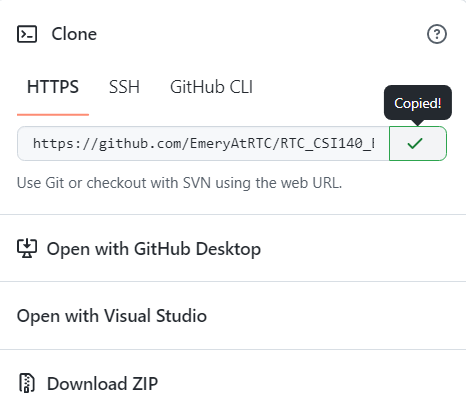
Click the Code Button from within the GitHub Assignment, then click the Copy symbol to copy the GitHub assignment URL
-
Open GitHub Desktop
-
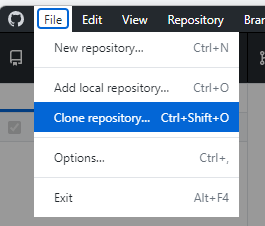
Click File ---> Clone Repository
-
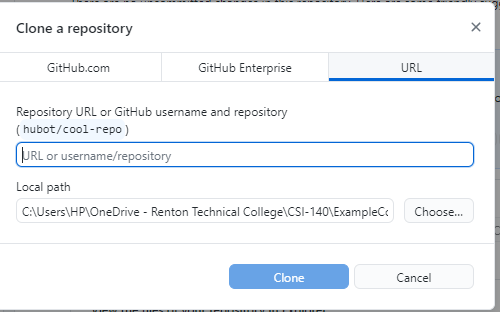
Click the URL Tab
-
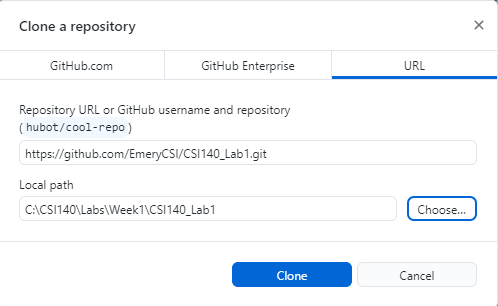
Paste the copied URL into the dialog, then click the Choose button. Here you are choosing where to store your local copy of this repo. I recommend creating a folder where you will store all of your lab assignments.
-
Click Clone
-
After it has cloned the repository, click Open in Visual Studio Code.
-
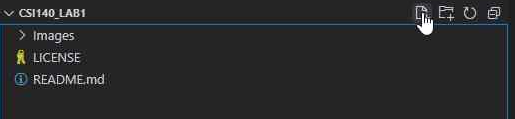
Click the New File Button.
-
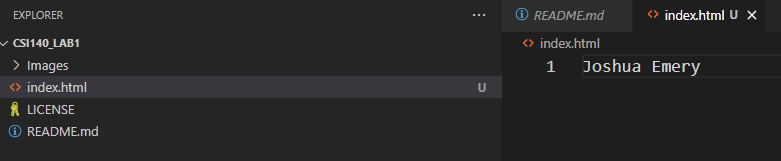
Add a file named index.html. Inside of that file type your name. Hit Ctrl + S to save the file.
-
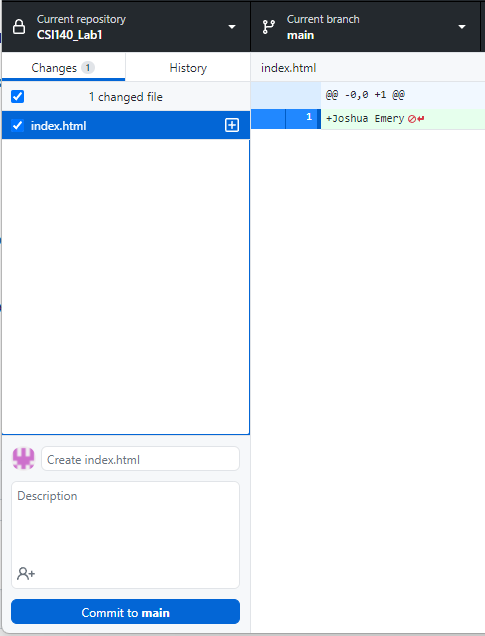
Return to GitHub Desktop. Notice how GitHub Desktop has tracked the change that you made
-
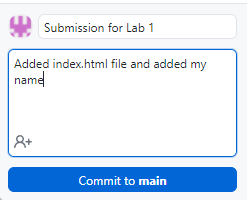
Name the Commit Submission for Lab 1 and write a note to explain what you did. These notes are very important as they help you remember what you changed on a given commit. Click Commit to main to commit the changes
-
Once a commit has been made the final step is to push that commit. Up until this point you have only changed the local repository. Once you push then the changes will also be reflected in the online repository. Click Push Origin.
-
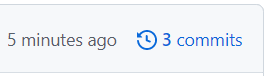
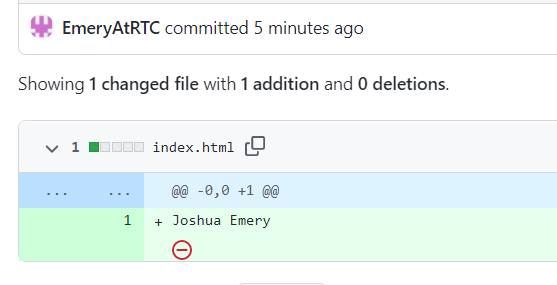
When you return to GitHub you will now see your commit. Clicking on the commit you will be able to see the details of what was changed in that commit.

Congratulations you are done with Lab 1.
Feel free to message your instructor or the TA on Canvas if you have any questions.