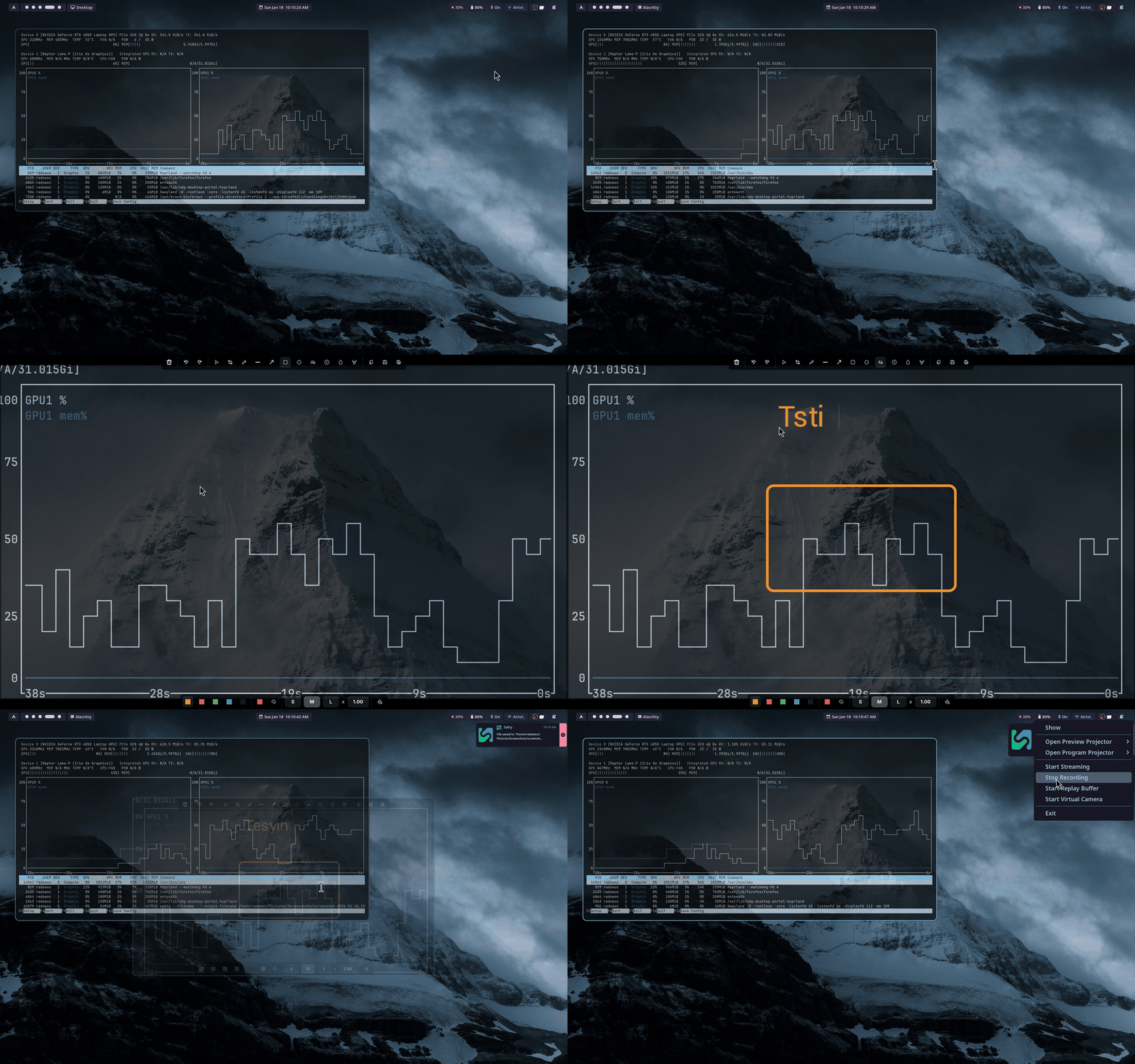
A simple screenshot script for Hyprland/Wayland.
📌 Output directory:
~/Pictures/Screenshots
Install these packages:
slurp(region selection)grim(capture screenshot)satty(annotate/edit + save)wl-copy(clipboard support)
sudo pacman -S slurp grim satty wl-clipboardSave the script somewhere in your PATH, for example:
sudo cp hyprshot.sh /usr/local/bin/
sudo chmod +x /usr/local/bin/hyprshot.shYou can run the script directly from the terminal:
./hyprshot.shBut the recommended way is to bind it to a Hyprland keybind.
Add this to your ~/.config/hypr/hyprland.conf:
bind = SUPER, S, exec, hyprshot.sh- Now pressing Super + S will launch the hyprshot to take screenshot.
I made this script for a few reasons:
-
Original Hyprshot is great, but it lacks annotation support.
Annotation is a must-have feature for any screenshot tool. -
Hyprshot is not an official part of the Hyprland ecosystem, and it has a lot of code.
And yeah, I’m paranoid. What if the original Hyprshot ever gets hacked? (joke)
Smaller script = easier to audit = less attack surface. (reallyyyy wow!) -
I already had my own screenshot script, but it used
swappy.
swappyworks fine, but it needs theming/ricing and looks kinda old.
So I rewrote/updated my script to use satty instead.
satty looks modern, needs no ricing, and blends nicely with basically any Hyprland theme.
So yeah... here we are.
I stole the name from https://github.com/Gustash/Hyprshot
MIT License. See LICENSE for details.