




A Tax System for Corporation to Monitor Payments like Renting Tax, etc.
- Multi-Owner Support: Manage both Corporations and Alliances
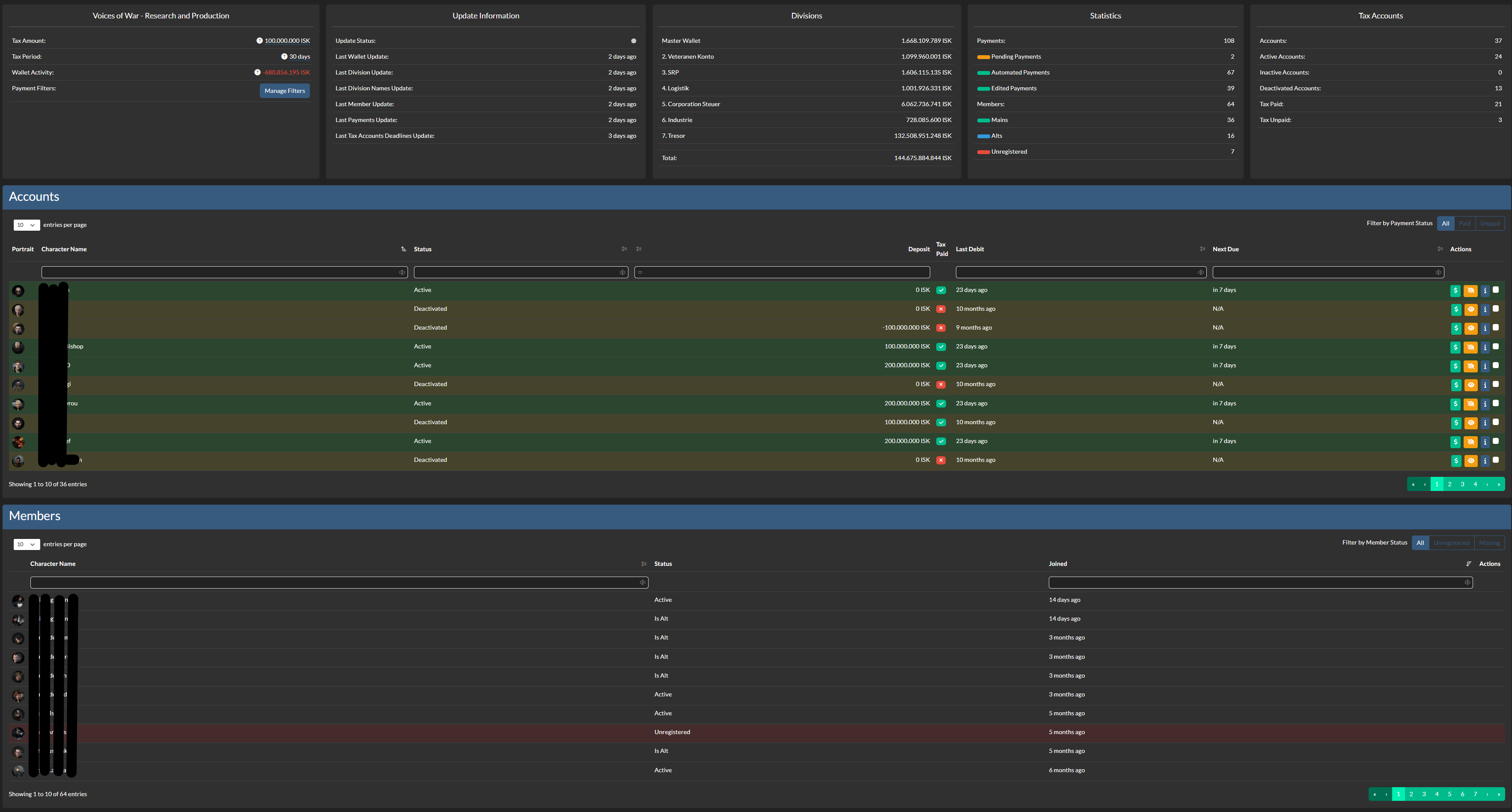
- Corporation & Alliance Tax System
- Statistics
- Owner Information
- Payments
- Tax Accounts
- Division Information
- Update Status
- Member Tracking
- Check Member is registered in Auth
- Check Member is Alt Char
- Report members as missing if they leave the corporation/alliance
- Payment System
- Allocate User from Member Tracking
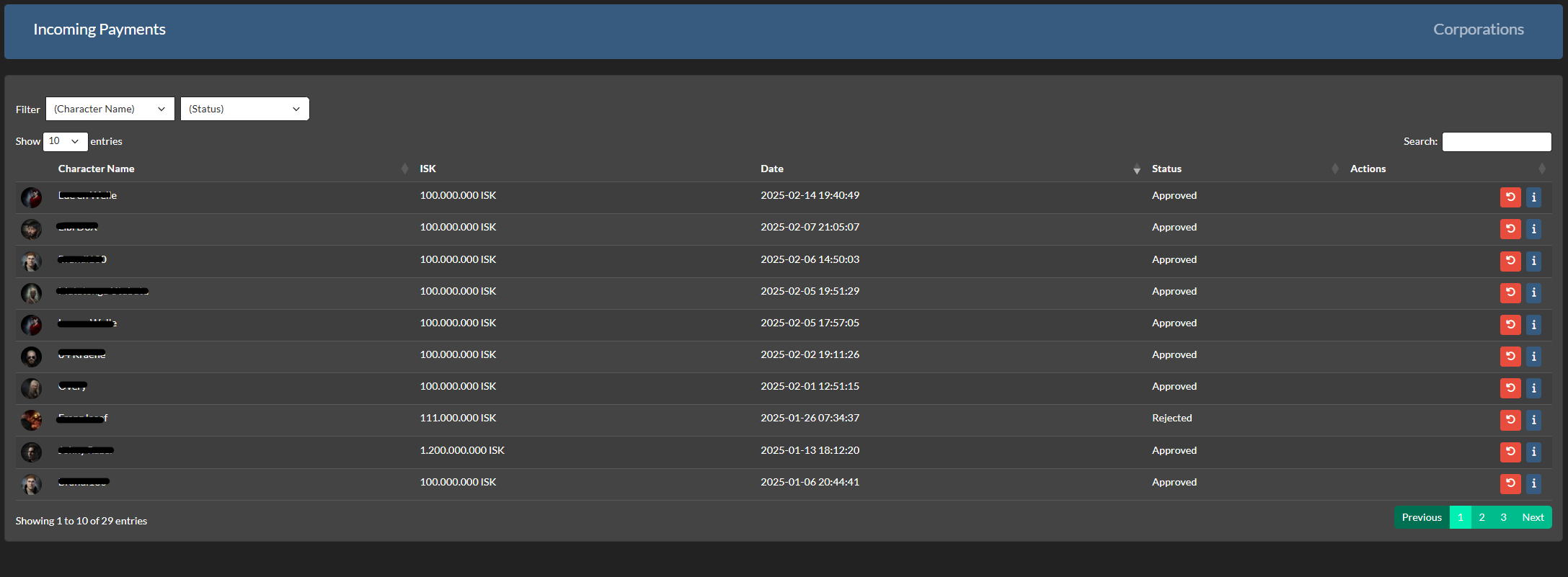
- Automatic Payment Tracking
- Automatic Payment Approval via Filters
- Filtering Amount, Reason, Date
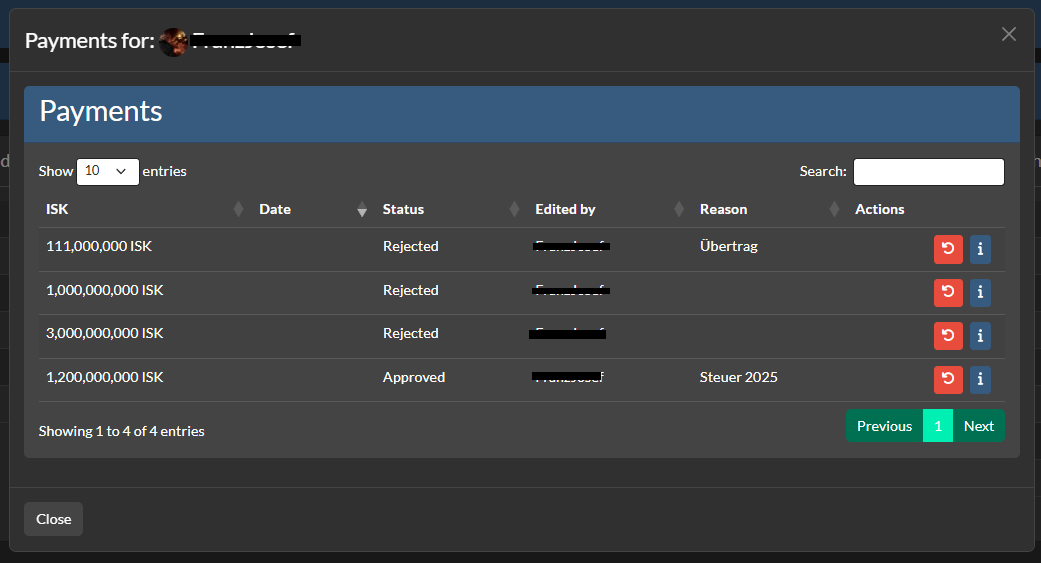
- Payments
- Track Payments that meets filters
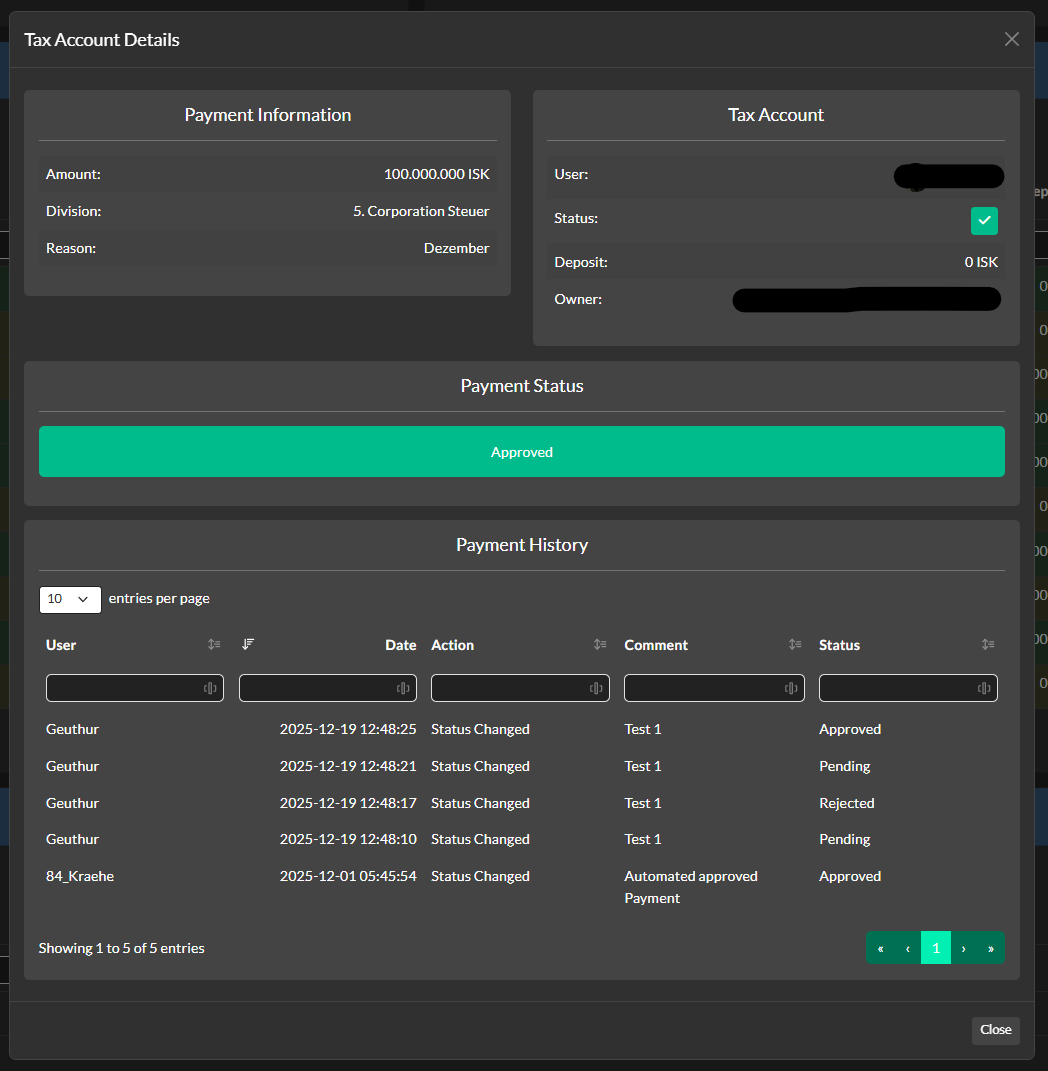
- Manual approval workflow for unfiltered payments
- Log System
- Logs Actions from Administration Section
- Payment history tracking
- Statistics
- Notify via Discord
- Data export functionality

Note
AA Tax System needs at least Alliance Auth v4.6.0 Please make sure to update your Alliance Auth before you install this APP
Make sure you're in your virtual environment (venv) of your Alliance Auth then install the pakage.
pip install aa-taxsystemConfigure your Alliance Auth settings (local.py) as follows:
- Add
'eveuniverse',toINSTALLED_APPS - Add
'taxsystem',toINSTALLED_APPS
To set up the Scheduled Tasks add following code to your local.py
CELERYBEAT_SCHEDULE["taxsystem_update_all_taxsytem"] = {
    "task": "taxsystem.tasks.update_all_taxsytem",
    "schedule": 1800,
}To set up the Logger add following code to your local.py
Ensure that you have writing permission in logs folder.
LOGGING["handlers"]["taxsystem_file"] = {
    "level": "INFO",
    "class": "logging.handlers.RotatingFileHandler",
    "filename": os.path.join(BASE_DIR, "log/taxsystem.log"),
    "formatter": "verbose",
    "maxBytes": 1024 * 1024 * 5,
    "backupCount": 5,
}
LOGGING["loggers"]["extensions.taxsystem"] = {
    "handlers": ["taxsystem_file", "console", "extension_file"],
    "level": "DEBUG",
}python manage.py collectstatic
python manage.py migrateWith the Following IDs you can set up the permissions for the Tax System
| ID | Description | |
|---|---|---|
basic_access |
Can access the Tax System module | All Members with the Permission can access the Tax System. |
create_access |
Can add Corporation/Alliance | Users with this permission can add corporations and alliances. |
manage_own_corp |
Can manage own Corporation | Users with this permission can manage own corporation. |
manage_corps |
Can manage all Corporations | Users with this permission can manage all corporations. |
manage_own_alliance |
Can manage own Alliance | Users with this permission can manage own alliance. |
manage_alliances |
Can manage all Alliances | Users with this permission can manage all alliances. |
The Following Settings can be setting up in the local.py
-
TAXSYSTEM_APP_NAME:
"YOURNAME"- Set the name of the APP -
TAXSYSTEM_BULK_BATCH_SIZE:
500- Maximum database batch size per operation. Reduce (e.g., 250) if encountering 'max_allowed_packet' errors, increase for better performance if MySQL is configured with higher limits Advanced Settings: Stale Status for Each Section -
TAXSYSTEM_STALE_TYPES =
{ "wallet": 60, "divisions": 60, "division_names": 60, "members": 60, "payments": 60, "tax_accounts":60, "deadlines": 1440 }- Defines the stale status duration (in minutes) for each section.
For detailed information on how to use the Tax System, please refer to our comprehensive User Manual.
The manual covers:
- Getting started with the Tax System
- Adding Corporations and Alliances
- Payment System functionality
- Filter configuration
- Account management
- Administration features
- FAQ and troubleshooting

Help us translate this app into your language or improve existing translations. Join our team!"
You want to improve the project? Please ensure you read the contribution guidelines

