Gazebo Sim standalone system plugins and Gazebo Sim ROS 2 plugins. This repository accompanies a YouTube tutorial series on Gazebo Sim plugins.
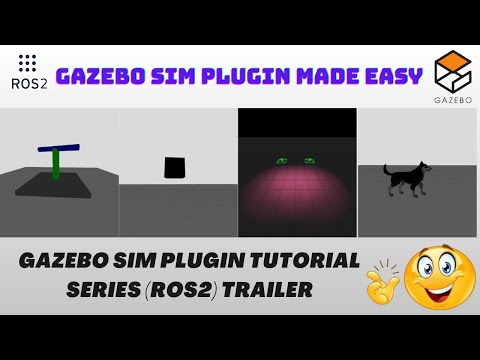
👉 Gazebo Sim Plugin Made Easy – YouTube Playlist
gazebo-sim-plugins-tutorial/
├── standalone_gz_sim_plugins/
│   ├── plugin_name_1/              # Standalone Gazebo Sim system plugin
│   ├── plugin_name_2/              # Standalone Gazebo Sim system plugin
│   └── ...                         # More standalone plugins
│
├── ros2_ws/
│   ├── src/
│   │   ├── yt_tutorial_gazebo_ros/      # ROS 2 Gazebo launch & integration
│   │   └── tutorial_gazebo_plugins/     # ROS 2 Gazebo plugins
│   └── ...                               # ROS 2 build, install, log folders
│
└── README.md
- standalone_gz_sim_plugins/
Standalone Gazebo Sim system plugins (CMake build)
- ros2_ws/
ROS 2 workspace containing Gazebo Sim ROS 2 plugins + launch files
A) With Docker (recommended if you already have a prepared docker-compose environment)
B) Without Docker (install ROS 2 + Gazebo Sim on your host machine)
Common:
- Git
- A Linux environment (Ubuntu recommended)
With Docker:
- Docker
- Docker Compose
- GUI support via X11 (xhost)
Without Docker:
- ROS 2 installed on host
- Gazebo Sim installed on host
- Build tools (CMake / make)
- colcon (for ROS 2 workspace)
NOTE:
- You need to clone this repo INSIDE the folder where docker-compose.yml exists (from your other docker repo).
Clone:
cd <inside_docker_repo_folder>
git clone https://github.com/Hrithik-verma/gazebo-sim-plugins-tutorial.git
Enter container (assuming container is already built/running):
xhost +                (required for GUI on host)
docker exec -it <container_name> bash
If you need to start the container first, do it from your docker repo as you normally do (e.g., using docker compose up -d). This repo does not include docker-compose.yml.
NOTE:
- Make sure you already have ROS 2 + Gazebo Sim installed on your system.
- The main difference vs Docker is simply where your X path points.
Clone:
git clone https://github.com/Hrithik-verma/gazebo-sim-plugins-tutorial.git
cd gazebo-sim-plugins-tutorialYou will see used below:
Without Docker:
X = <path-to>/gazebo-sim-plugins-tutorial
With Docker:
(inside the container)
X = /root
- Go to a standalone plugin folder:
cd <X>/standalone_gz_sim_plugins/<plugin_name>- Build:
mkdir build && cd build
cmake ..
make
cd ..- Export plugin path (so Gazebo Sim can find it):
export GZ_SIM_SYSTEM_PLUGIN_PATH=$(pwd)/build- Launch Gazebo Sim with an SDF:
gazebo sim -v 4 <sdf_file_path>.sdfNotes:
- "-v 4" prints debug logs (useful while developing)
- If Gazebo can’t find the plugin, re-check GZ_SIM_SYSTEM_PLUGIN_PATH and that build succeeded.
- Go to the ROS 2 workspace:
cd <X>/ros2_ws- Build ROS 2 packages:
colcon build --symlink-install- Source the workspace:
source install/setup.bash- Launch:
ros2 launch yt_tutorial_gazebo_ros <launch_file>.launch.pyNotes:
- If launch fails, confirm package names exist and build completed successfully.
- Always source the workspace in every new terminal where you run ROS 2 commands.
GUI / Gazebo window not opening (Docker):
- Ensure you ran: xhost +
- Ensure DISPLAY is correctly passed into container (depends on your docker setup)
Plugin not loading:
- Re-run export: export GZ_SIM_SYSTEM_PLUGIN_PATH=$(pwd)/build
- Confirm the plugin was built and the build folder contains the compiled library
ROS 2 packages not found:
- Ensure you ran: colcon build --symlink-install source install/setup.bash