Skip to content

ICECapstone/Blynk-LED-DHT11

Folders and files

NameName
Last commit message
Last commit date

Latest commit


History

3 Commits


Repository files navigation

Blynk-LED-DHT11

In this workshop, you will learn how to control an LED and read/display live sensor data in an App.

  1. Connect DHT11 signal to PIN2 of NodeMCU (GPIO2), in addition to the LED (GPIO3)
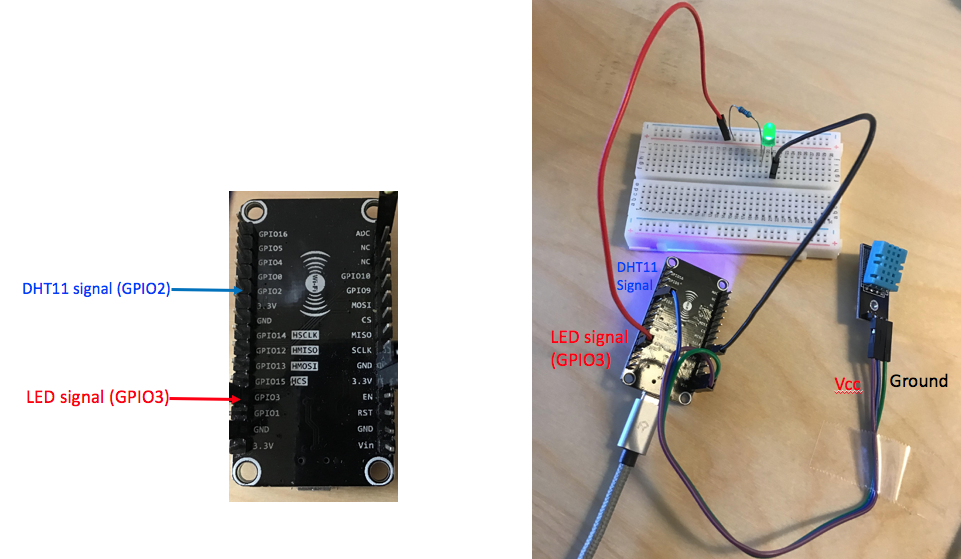
    connection

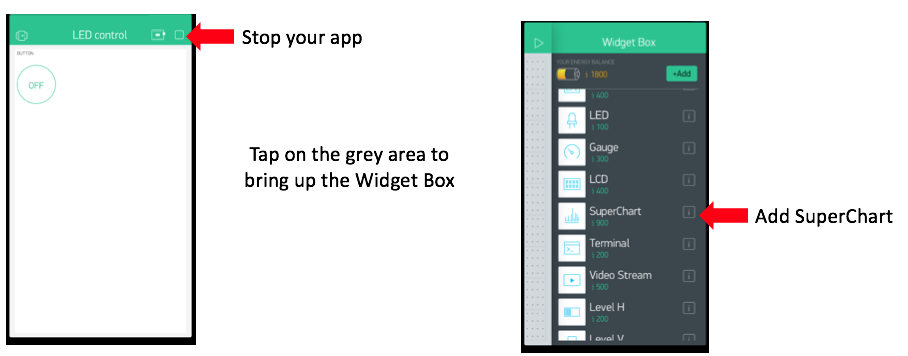
  2. Add SuperChart
    addsupercharge

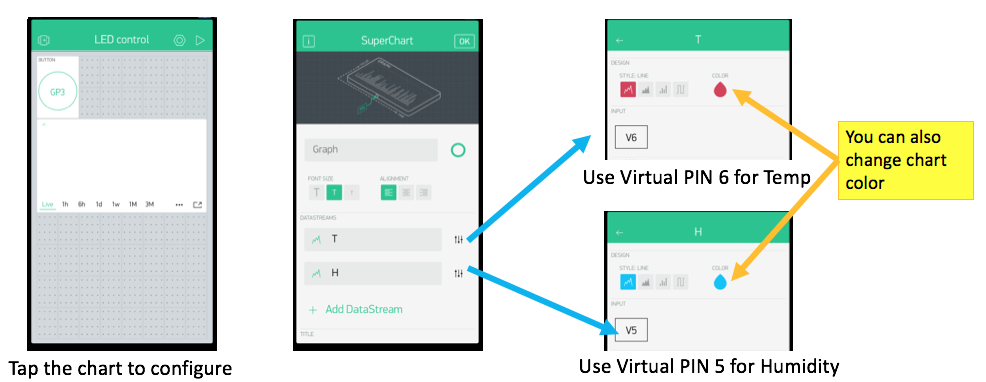
  3. Configure SuperChart
    configurechart

  4. Upload the Sketch

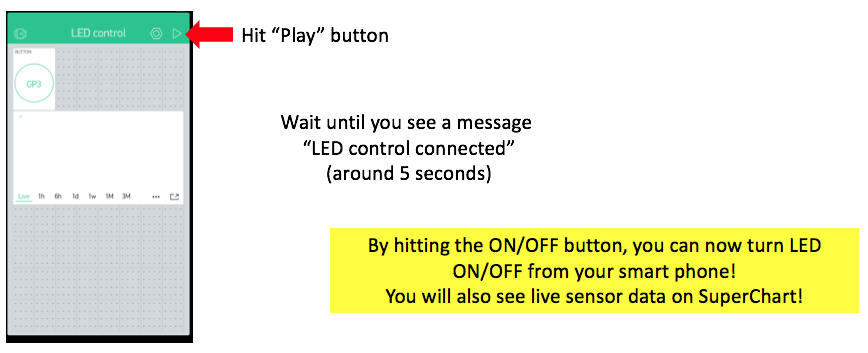
  5. You are Done!
    final2

About

No description, website, or topics provided.

Resources

Stars

Watchers

Forks

Releases

No releases published

Packages


Contributors

Languages