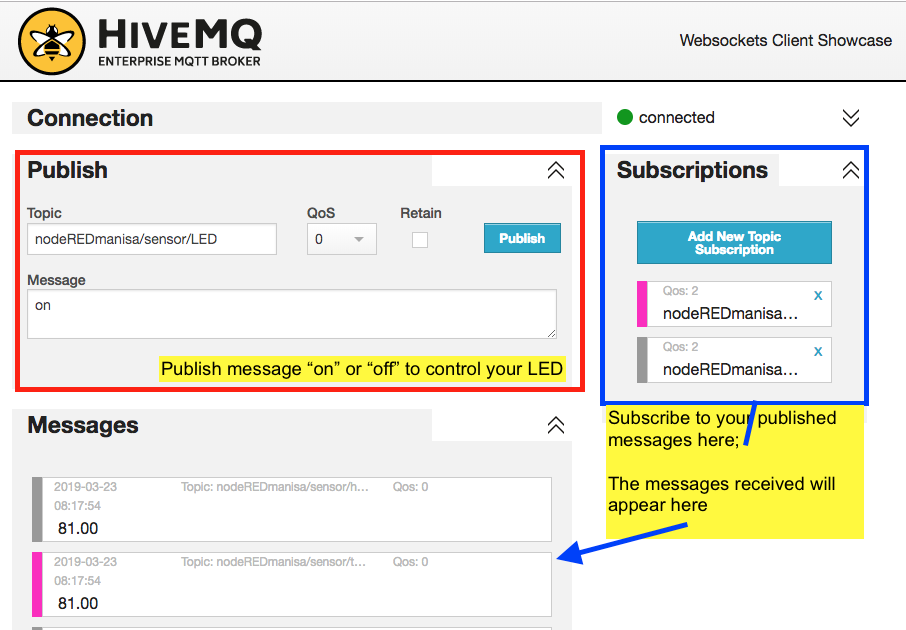
In this lecture, you will learn to publish DHT11 readings from NodeMCU using MQTT, and control LED by listening to a published message.
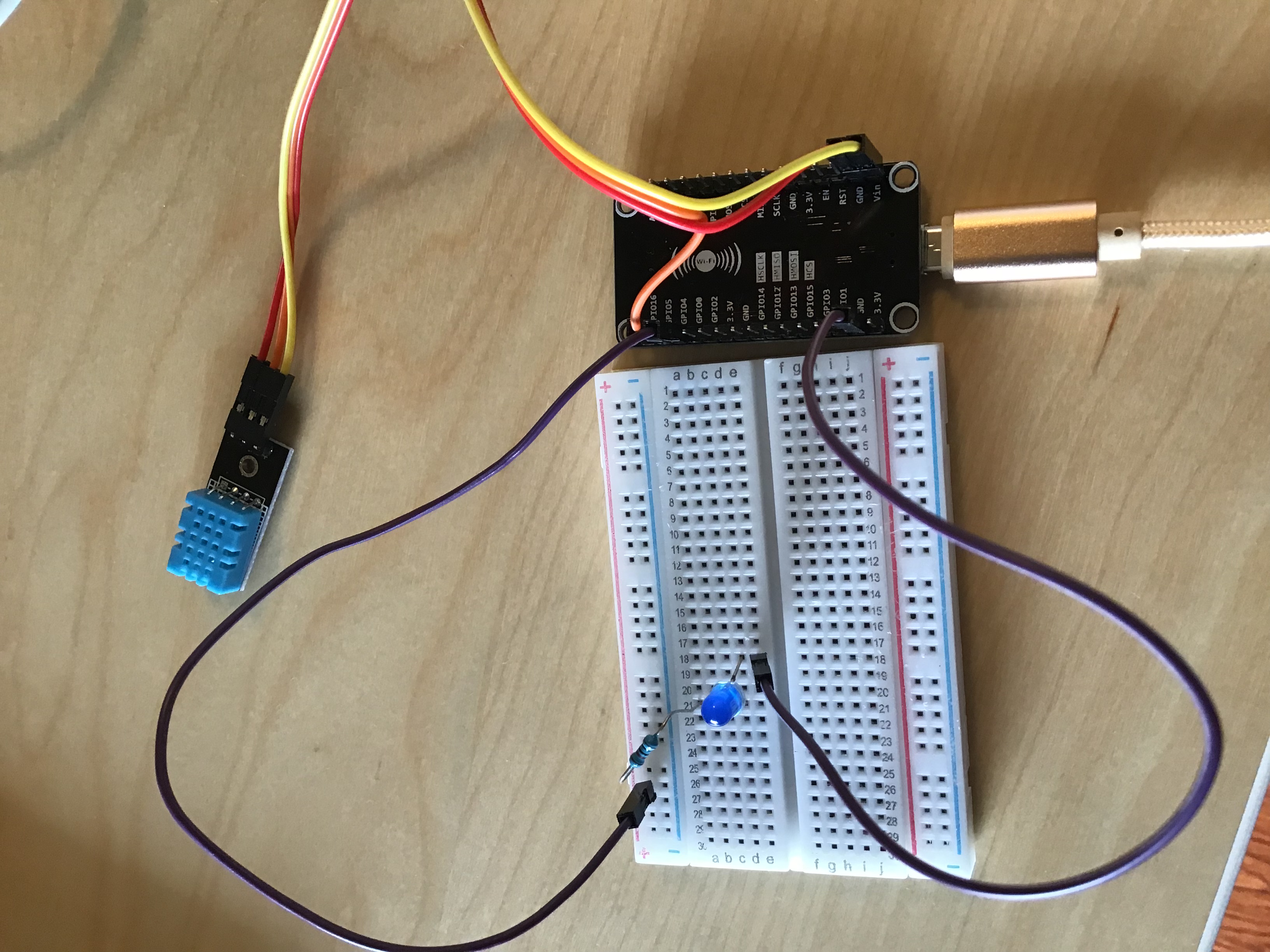
Please connect NodeMCU, DHT11 and LED as shown below.* DHT11 - GPIO5
* LED - GPIO4
 Please change your SSID, password, pubTopic and subTopic as follows:

* pubTopicT = "GROUPNAME/temperature"
* pubTopicH ="GROUPNAME/humidity"
* subTopicLED = "GROUPNAME/LED"
Please use the following group names: * vCANTEEN * LOCKER * PARKING * CUMAP * HYPERBORA * MONKOL * Please subscribe to your published temperature/humidity topics. You should see the message appearing on the MQTT broker
* Please publish a control message from your MQTT broker to your LED. Your LED should be turned ON/OFF accordingly.