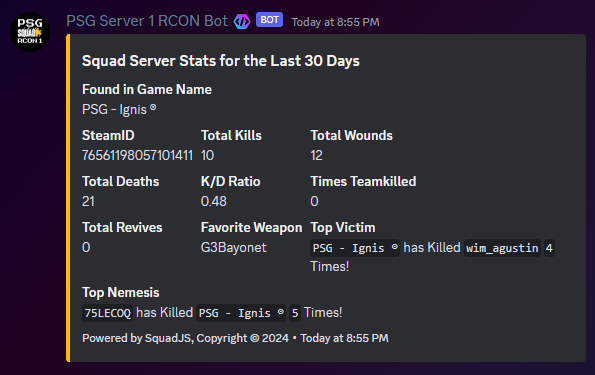
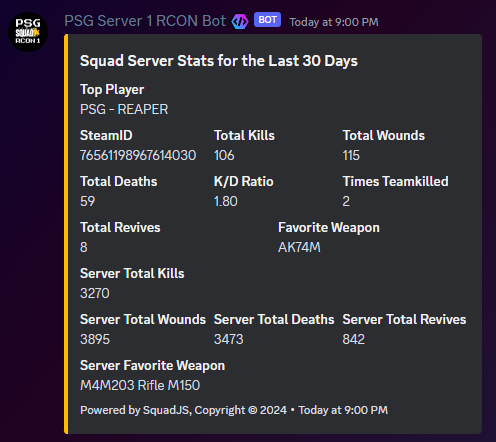
- Posts a Daily Top Player and Server Totals Stats Embed to your Discord at your Configured Time.
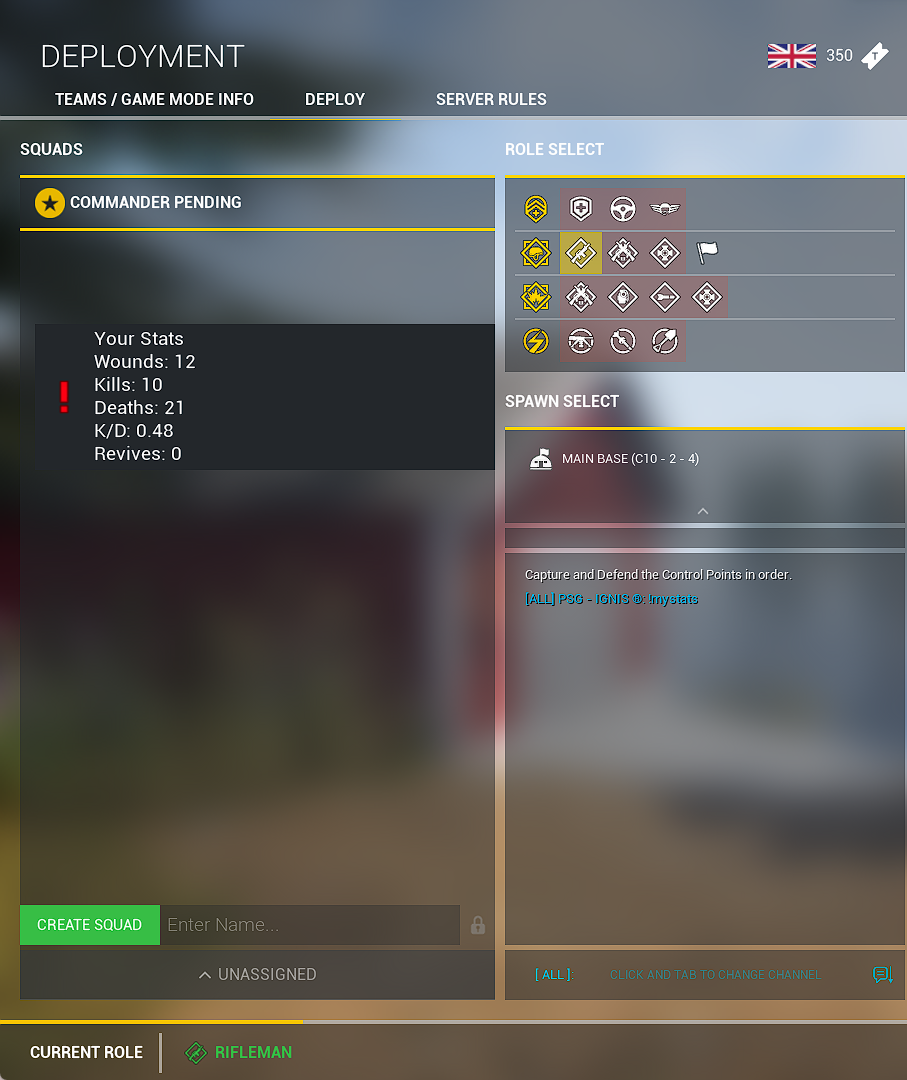
- Allow Players to check Stats while in-game with a configurable Cooldown.
- Allow Player to link their in-game and Discord Accounts so that they can:
- Check Stats in Discord with a configuralbe Cooldown.
- In-game, players use
!mystatsto view Stats in Game. (or your configured command - don't put an!in the config.json) - In Discord, players use
!linkto get a linking code that is used in game. (or your configured command - don't put an!in the config.json).- In-game, players use
!link [code]to link thier in-game to their Discord. (or your configured command - don't put an!in the config.json).
- In-game, players use
- In Discord, once linked, players can use
!mystatsto view thier stats in Discord. (or your configured command - don't put an!in the config.json).
- DBLog Plugin needs to be ENABLED
- You need to have your Reserve List Configured in
adminListsif you wish to require in game players to be a Reserve to use the in game Command.
- Add the bits to your SquadJS - See below for more instructions.
channelIDsets the channel that the daily stats embed will be sent to.daysBackToQuerysets how many days back the in game and in Discord queries check back for stats. Recommended Max is 30 DaysenableInGameStatsCommandenables or disables the in game stats command.inGameStatsCommandsets the in game stats command. Must have a leading!when used by the player in game. DO NOT Configureconfig.jsonwith a leading!.enableInDiscordStatsCommandenables or disables the in Discord stats command.linkDiscordAccountCommandis the command to use in Discord to link to a Player Account. Must have a leading!when used by the player in game. DO NOT Configureconfig.jsonwith a leading!.linkDiscordEmbedColorsets the linking Embed Color.linkInGameAccountCommandset the in-game linking command. Must have a leading!when used by the player in game. DO NOT Configureconfig.jsonwith a leading!.inDiscordStatsCommandsets the in Discord stats command. Must have a leading!when used by the player in Discord. DO NOT Configureconfig.jsonwith a leading!.inDiscordStatsEmbedColorset the stats Embed Color.statCooldownsets the in game & in Discord stats command cooldown in minutes. This prevents abuse of the command to confirm kills.ingameRequireReservesets whether the in game command requires the user to have aReserveslot.enableDailyStatsturn on or off the daily top player post.dailyStatsTimesets the time of day that the daily stats will be sent. Use 24 Hour time.dailyStatsManualPostCmdsets the manual command to force the daily stats embed. Must have a leading!when used by someone with thedailymanualCmdRolein Discord. DO NOT Configureconfig.jsonwith a leading!.dailymanualCmdRolesets the role required to force the daily stats embed.
- You are welcome to use the provided
a-complete-db-log.jsfile contents for yourdb-log.jsplugin. Just note, that I may not have this file updated as fast if the Main SquadJS updates their version ofdb-log.js. - Therefore, I have provided the individual bits you need to paste in the
add-to-db-log.jsfile. - You may need to manually update the Database Tables to make sure they get the new Table and Columns:
- Your Database may/may not be CaSe Sensitive about Table/Columm names.
ALTER TABLE dblog_players
ADD COLUMN discordID VARCHAR(255);
CREATE TABLE <database name here>.dblog_linkcodes (
id INT(11) PRIMARY KEY AUTO_INCREMENT,
linkCode VARCHAR(255) NOT NULL,
discordID VARCHAR(255) NOT NULL
);- Please contact me if there is any confusion.