

Redirect your Python log output to Discord using Python logging subsystem and Discord Webhook library.
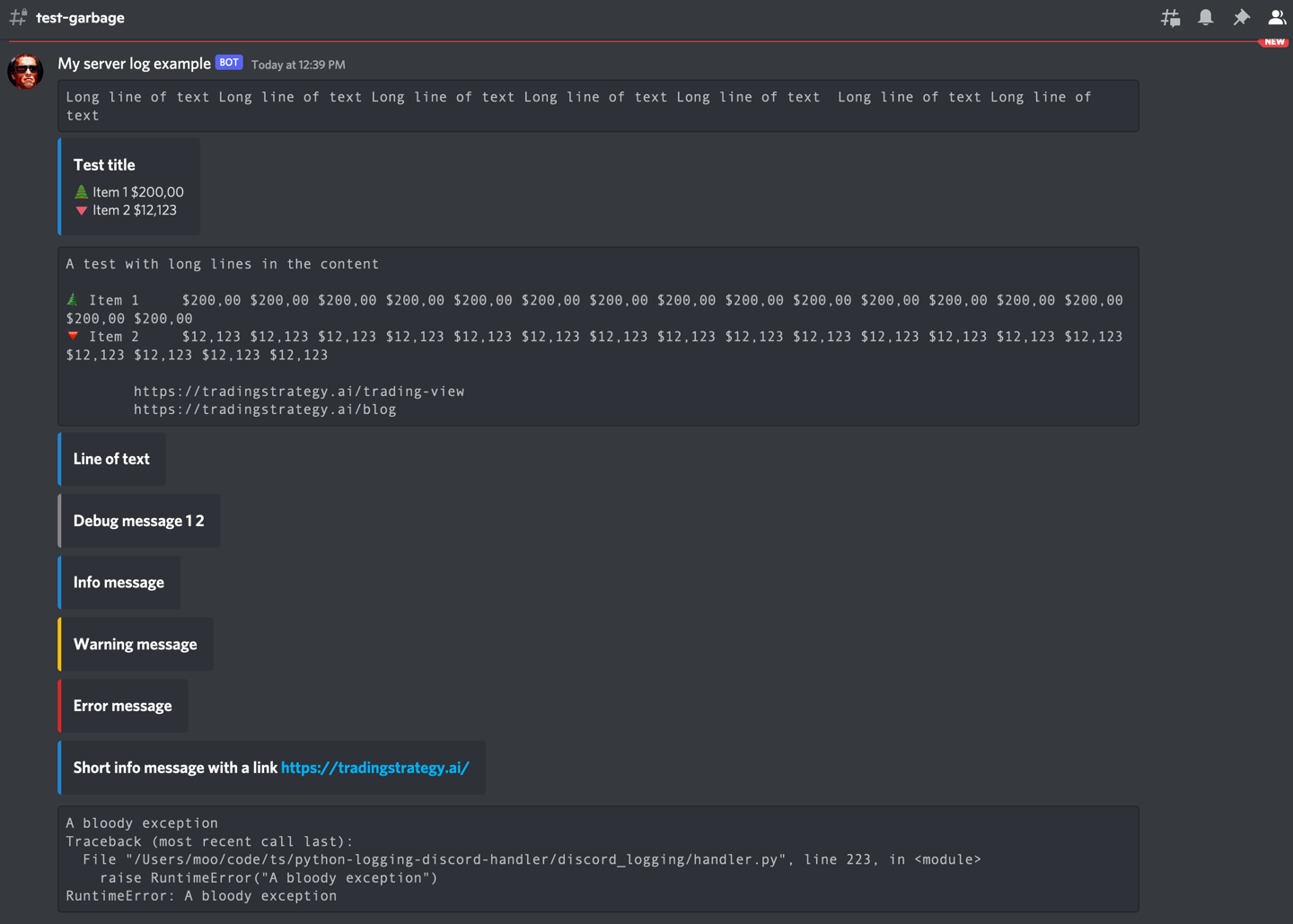
- Easily share logs with non-technical colleagues
- Get notified on server-side errors
- Follow your batch job processes easily
- Good for businesses and communities that have their messaging set up in Discord
- Minimum or no changes to a Python application needed
- Optional color coding of messages using Discord embeds
- Optional emoticons on messages using Unicode
- Discord rate limiting friendly for burst of logs
- Documentation
- Special handling for long log messages like tracebacks to deal with Discord's 2000 character max message length
- Python 3.8+
pip install python-logging-discord-handlerpoetry add python-logging-discord-handlerThis example logs both to Discord and standard output.
First you need to
import logging

from discord_logging.handler import DiscordHandler

# See instructions below how to get a Webhook URL
webhook_url = # ...
logger = logging.getLogger()

stream_format = logging.Formatter("%(asctime)s - %(name)s - %(levelname)s - %(message)s")
discord_format = logging.Formatter("%(message)s")

discord_handler = DiscordHandler(
    "Hello World Bot",
    webhook_url,
    avatar_url="https://i0.wp.com/www.theterminatorfans.com/wp-content/uploads/2012/09/the-terminator3.jpg?resize=900%2C450&ssl=1")

#discord_handler = DiscordHandler("Happy Bot", webhook_url, emojis={})
discord_handler.setFormatter(discord_format)
stream_handler = logging.StreamHandler()
stream_handler.setFormatter(stream_format)

# Add the handlers to the Logger
logger.addHandler(discord_handler)
logger.addHandler(stream_handler)
logger.setLevel(logging.DEBUG)

logger.info("This is an info message")
logger.debug("A debug message - usually not that interesting")
logger.error("Very nasty error messgae!")
Find more examples in the examples.py source code.
- Go to Edit channel (gear) in Discord
- Choose Integrations
- Choose View webhooks -> New
- Copy URL
It is recommend that you store the webhook URL outside your source code to avoid damage in hacks or similar security incidents.
In Linux/macOS shell you can do on the command line:
export DISCORD_TEST_WEBHOOK_URL=<your webhook URL here>For long term configuration, you can create a file storing environment variables outside your source code tree, like in your home directory. Store the export commands there.
# Text editor for a secrets.env file in your home directory on Linux
nano ~/secrets.env
In your Linux shell session, you can then read this file and make environment variables effective using source command in your shell:
# Reads secrets.env and executes all commands there and makes them effective
# in the current shell session
source ~/secrets.env
Then you can read the environment variable in your Python code:
import os

webhook_url = os.environ["DISCORD_TEST_WEBHOOK_URL"]Logging messages can be decorated with colours and emoticons.
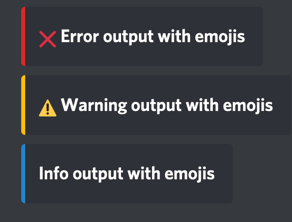
Here are the defaults:
#: The default log level colors as hexacimal, converted int
DEFAULT_COLOURS = {
    None: 2040357,  # Unknown log level
    logging.CRITICAL: 14362664,  # Red
    logging.ERROR: 14362664,  # Red
    logging.WARNING: 16497928,  # Yellow
    logging.INFO: 2196944,  # Blue
    logging.DEBUG: 8947848,  # Gray
}


#: The default log emojis as
DEFAULT_EMOJIS = {
    None: "",  # Unknown log level
    logging.CRITICAL: "🆘",
    logging.ERROR: "❌",
    logging.WARNING: "⚠️",
    logging.INFO: "",
    logging.DEBUG: "",
}
Emoticons are disabled by default as they often make the output a bit too colourful and harder to read.
Originally created for Trading Strategy to follow trading bot activity.
MIT