Welcome to the SA_Hourangle_Converter wiki!
app to replace timelapse video for star adventurer absolute positioning system described here by Kamil Pekala
Youtube: How to Build
How to use
apk file is here: https://github.com/LordIkol/SA_Hourangle_Converter/tree/master/app/release
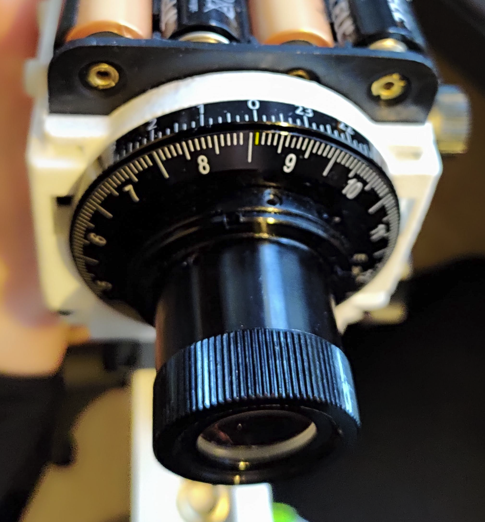
Long Line to the left of the numbers 1-12 are start of that Sector Values are the small lines between them. if its exactly on the Long line Value is 0
To get the starting sector you have to level your Mount check Kamils video at 12 Minutes https://youtu.be/JfTsTZkUOjo?t=718
If the below Picture is your Starting Sector you would put Starting Sector 9 and Value 1 into the App
Clicking the save icon saves the Starting Position so you don't have to enter it every time.
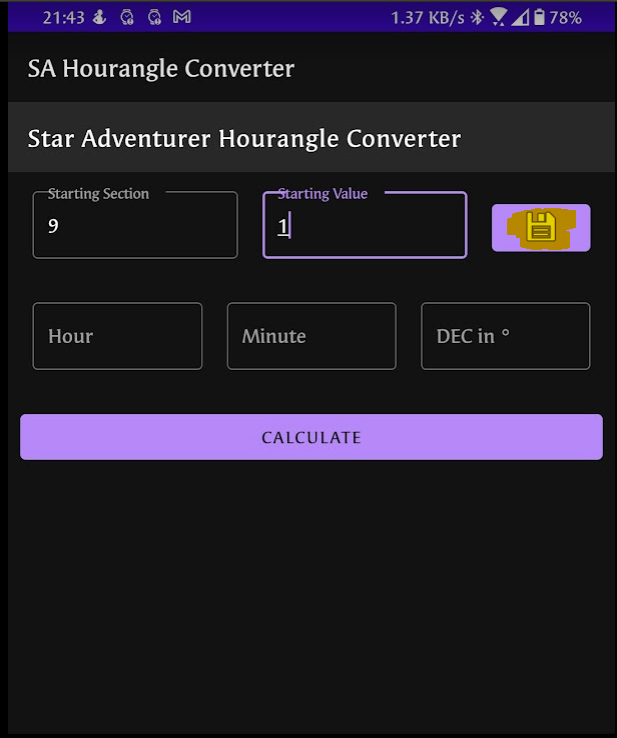
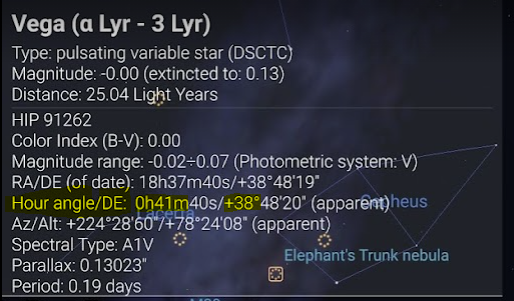
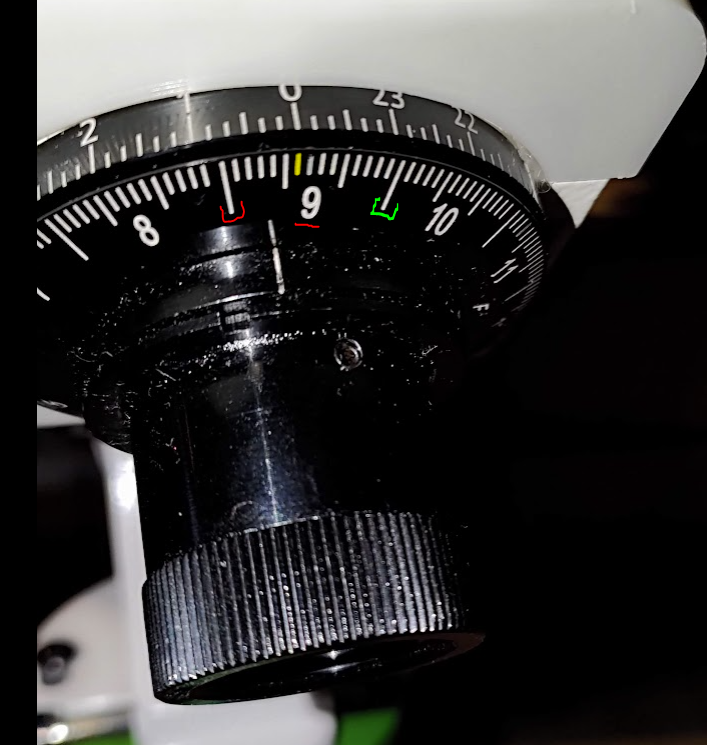
You don't need to Substract the 12 like in the Video since the app does that automatically for you so we set it to Sector 9 value 6
highlighted in Red would be the Start of Sector 9 (Sector 9 Value 0) Green would be (Sector 10 Value 0) and the line in yellow is what we have set (Sector 9 Value 6)
As you can see in the Picture the symbol for Dec rotation is Red and Counterclockwise so we turn that way
If you turn around your objective since you have negative Dec the app will switch rotation just enter the dec value with a minus
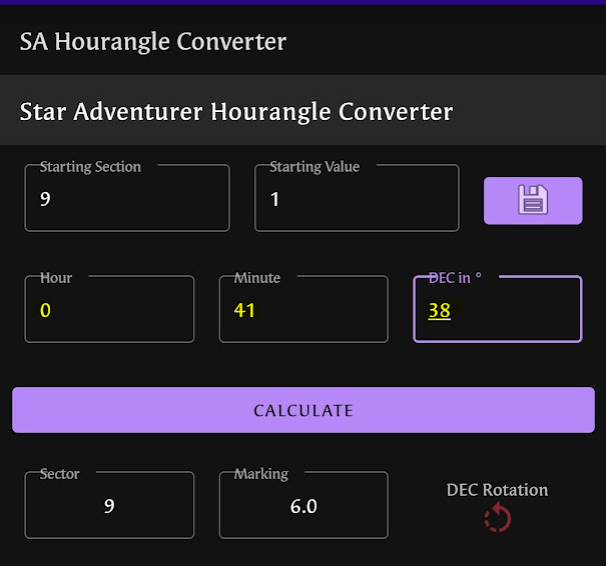
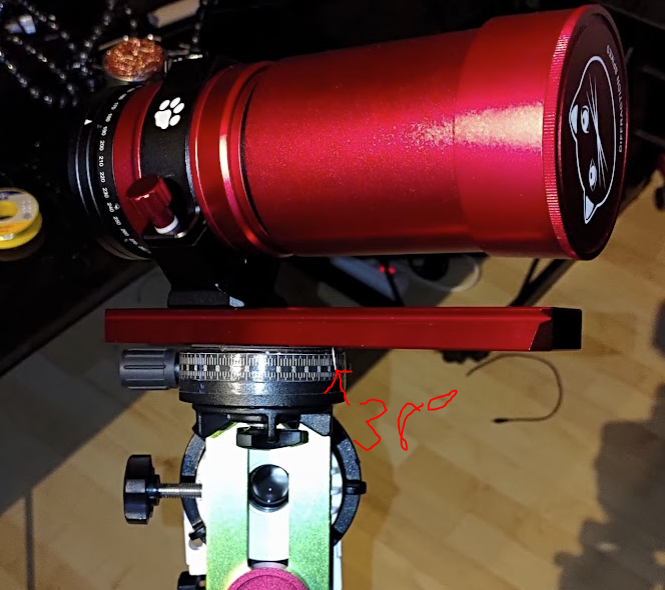
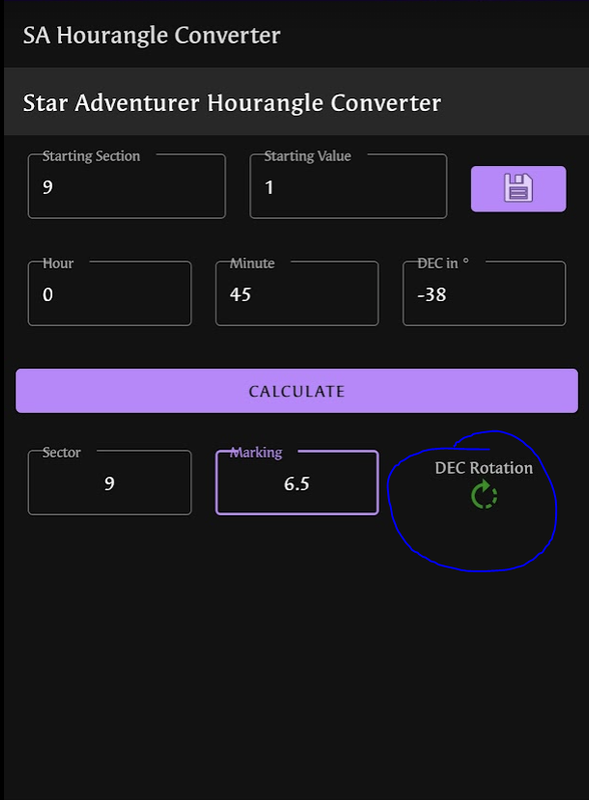
Values are in increments of .5 so you can have value 6.5 like in the image below
Just means its not 6 anymore not 7 yet so try to put it inbetween the 2 like in the image below
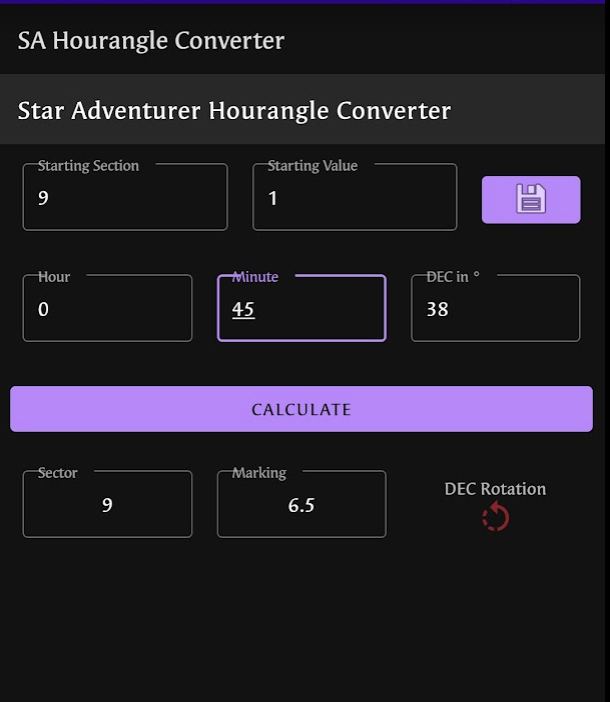
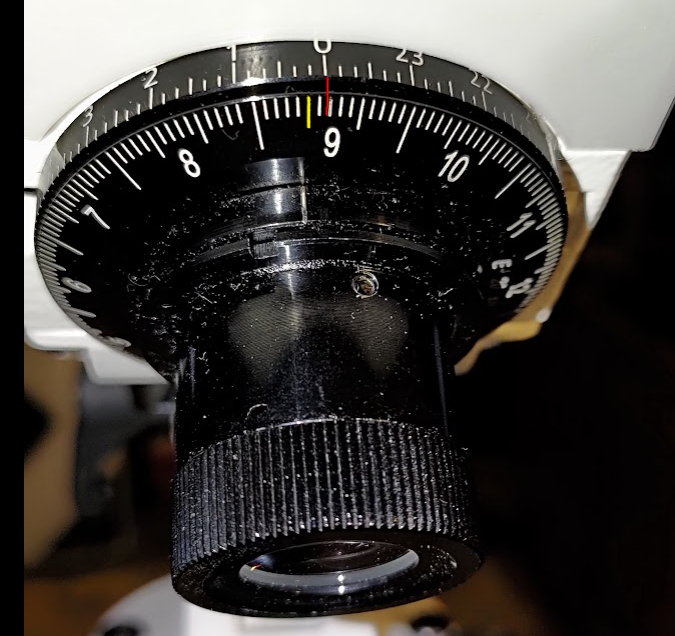
As seen in Kamils Video you would need to turn your Scope/Camera backwards if you have a negative DEC this is still the case obviously
But the app will take this into account if you enter a Negative Dec and give you the correct rotation
As you can see in the first picture we need to turn Dec Counterclockwise and in the Second Picture with same data but negative DEC it shows clockwise
**If you would additionally enter a Hour greater 12 like 15 it would switch back to Counterclockwise since the flip is negated again **
- don't worry about which way to turn the DEC app takes care of it
- no need to substract 12 from values greater than 12 the app will do that for you
- values are between 0 and 14 in increments of 0.5 so if you see Sector 1 Value 10.5 have it between the 10th and 11th line of Sector 1
- if you have a negative DEC in Stellarium then enter it accordingly with a minus
- don't be afraid to play around with the Starting sector a bit to get better results add or substract .5 or 1 to the starting value and see what it does to the accuracy.
- keep in mind this is not an exact science there are many points of failure but i have tested the app in the field and compared it to the values shown in the Videos from Kamil and it works pretty well.
Enjoy