This workshop is about learning about how to build simple react components and connect them to a graphql layer.
- Chat room: https://tlk.io/mindera
- GraphCMS: https://app.graphcms.com/login
- Presentation: https://mindera.github.io/fe-techday-workshop
- Node 8.11.2 LTS
- Text editor (sublime, vscode, atom etc)
- Bash terminal (git bash for windows)
Go to the app folder
cd ./app
Install all dependencies
npm i
To run the app
npm start
Presentation (10/15min)
Setup (15min)
GraphCMS challenge (45min)
React (45min)
Questions
- Install node
- Clone project
- Verify everyone is running the project
- Create GraphCMS account in https://app.graphcms.com/signup
-
Login into GraphCMS
-
Create a
New ProjectfromScratch -
After that we can start building our models
Create Technologies from enum type:
enum TechnologiesList {
    Node
    React
    Angular
    Jquery
    Html
    Css
    Sass
    Graph
  }
Create Project from model type:
type Project @model {
    description: String @defaultValue(value: "Project description")
    projectImages: [Asset!]! @relation(name: "AssetProjectProjectImages")
    technologies: [TechnologiesList!]
    title: String! @defaultValue(value: "Project title")
}
- Test you model on the
API Explorer
Your service is done! Congratulations!
Lets start coding!
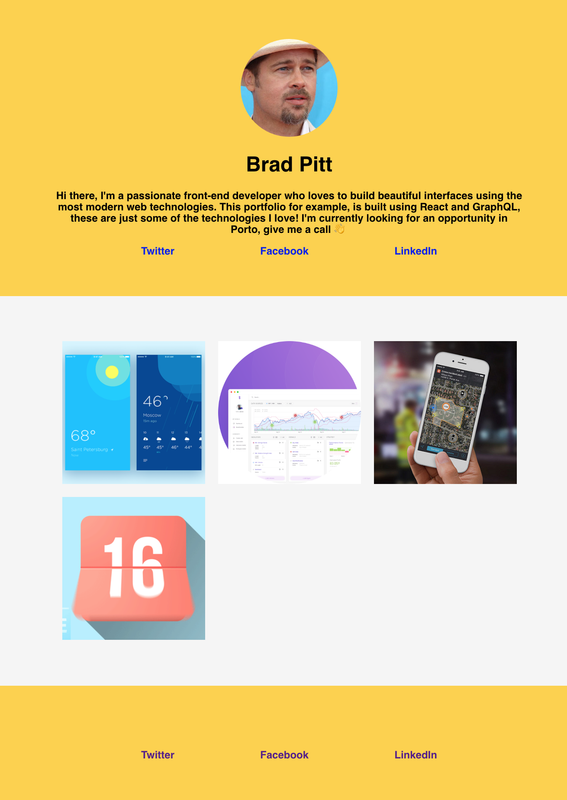
The goal of the React challange is to create an app in which you can showcase your own projects on a list, and then access each one individually to check the details on a detail page.
The list is already implemented and the implementation will be explained, then it's up to you to create the detail page and connect it to the GraphQL server.
First of all, duplicate the .env file, rename it to .env.local and fill it with the GraphCMS token and ID:
REACT_APP_GRAPH_CMS_FOLIO_TOKEN=<your token>
REACT_APP_GRAPH_CMS_FOLIO_ID=<your graphcms id>
- First you need to generate the distribution build
npm run build
- Install firebase tools globally
npm install -g firebase-tools
- Now you need to login into firebase...
firebase login
- Create a new project on firebase
firebase init
- Follow the command line instructions, and then
firebase deploy