Releases: Moroxi/Fov-Mod
v5.6

Changelog
🛠️ Revamped Settings & UI
- New FOV Settings Look
- Dynamic Menu Theme Color Changer
- Custom Font Injector (Google Fonts)
- Absolute Hide Advertisement
- Interactive "Developed by Moroxi" Watermark
- Included Mod Changelog Splash Screen (F1)
- Migrated Social Hub to Main Menu
- Brought Back Close Game Button
🎮 Gameplay & Maps
- Water go blueeee
- Added FOV Jump Pad in Scraper
- Improved Charfix
- Improved Hide Hands Mechanism
⚡ Performance & Stability
- Optimized Script to Remove Stutters
⚠️ Important Notice
Join the Fov Server to:
- Suggest improvements
- Report bugs
- Get help and updates
v5.5
Changelog
🎮 Twitch Chat Bridge
- Connect your Twitch channel directly to Venge chat.
- Chat from Venge to Twitch and see Twitch chat in-game.
- New Twitch overlay for the main menu.
🛠️ Revamped Settings (F8)
- Sleek new design and position
- Removed "Remove Light" Feature
⚡ Performance & Visuals
- Optimized script hooks and memory management for a smoother experience.
- Custom Charfix Colors Changed for better visibility.
- CSS Returned: Dynamic dark-red theme applied across the entire menu.
- Overlay Cleanup: Hid distracting elements.
- UX Improvements
- Removed Changed Owner's Color
📋 Twitch Setup Requirements
To use the Twitch Chat Bridge, you need to provide the following in the Settings (F8):
- Twitch Channel: Your Twitch username (e.g.,
itsmoroxi). - OAuth Token: A token to allow the mod to send messages. Get it from https://antiscuff.com/oauth/.
- Format:
oauth:xxxxxxxxxxxxx
- Format:
- Prefix: The character used to send messages to Twitch from the in-game chat (default is
.).
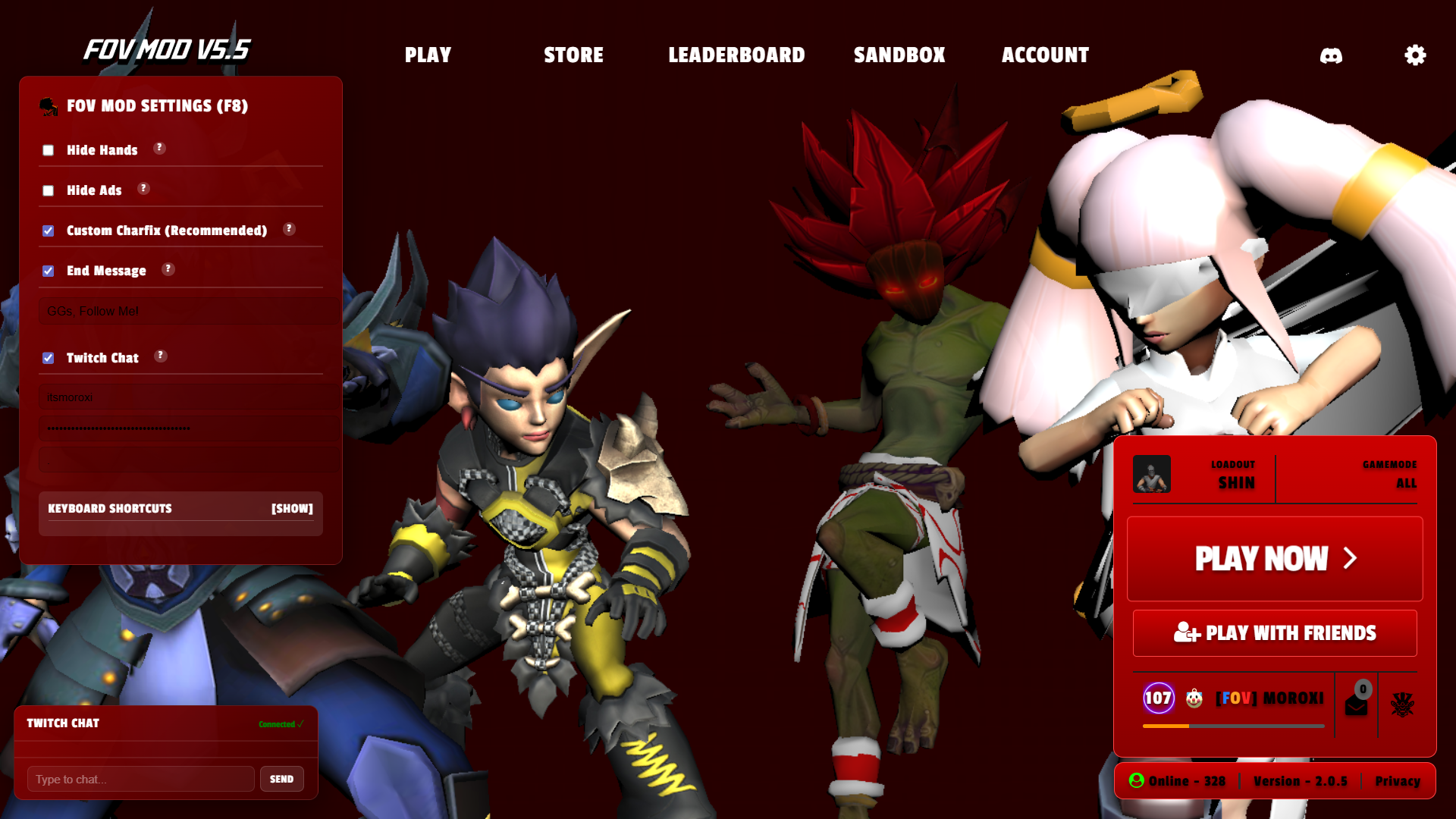 Main Menu |
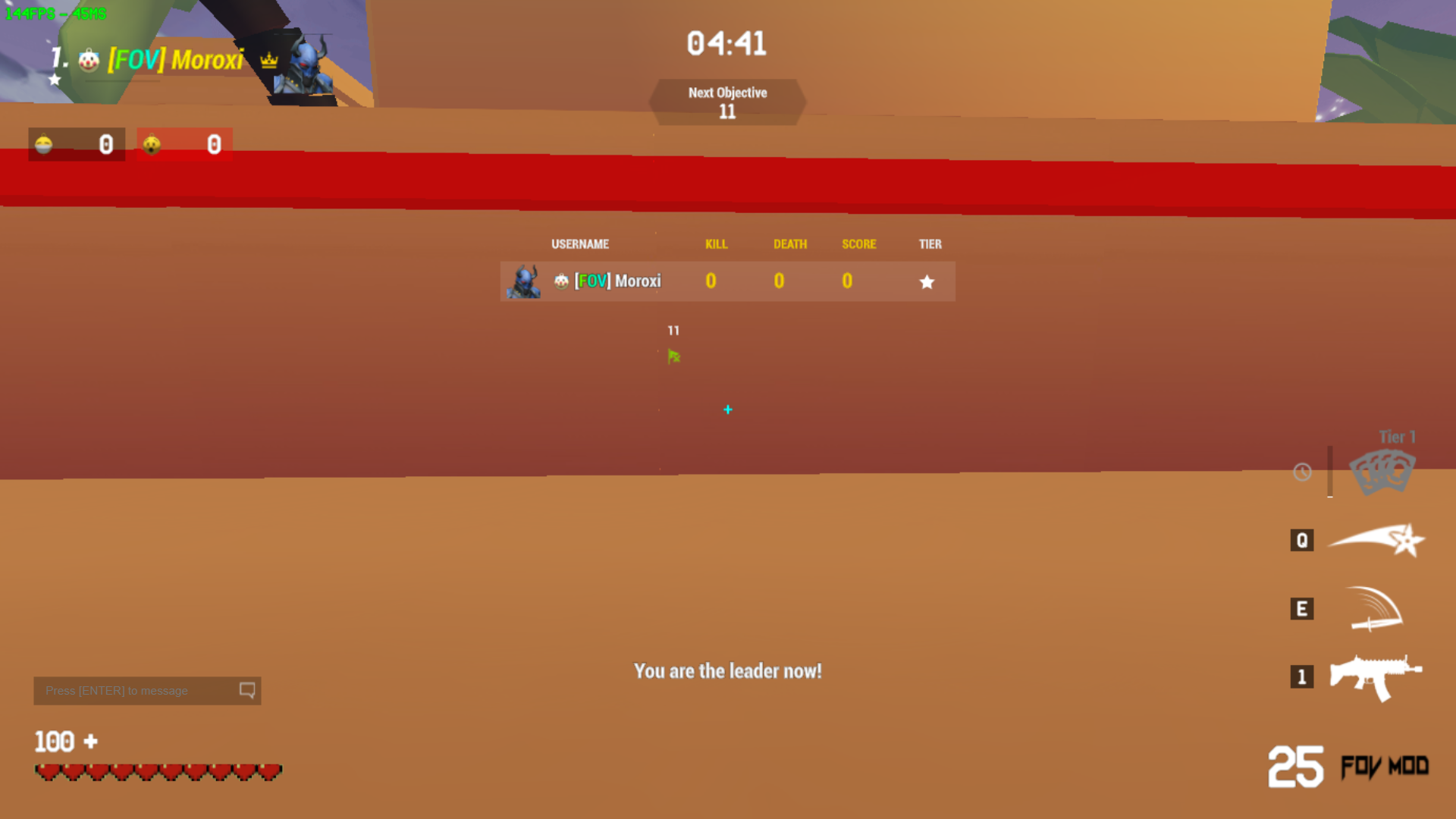 Stats |
⚠️ Important Notice
Join the Fov Server to:
- Suggest improvements
- Report bugs
- Get help and updates
v5.4
Changelog
🚀 Improvements
- Major Performance Boost: Revamped the code to fix lag issues reported by users.
- Updated FOV Settings UI: Redesigned the FOV settings to match the new main menu style.
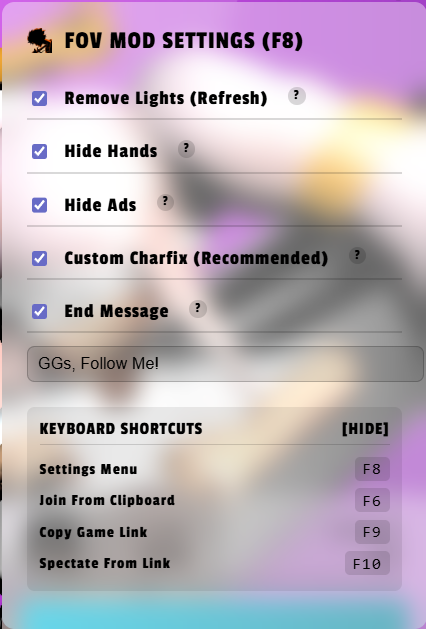 FOV Settings |
- No Refresh Required: FOV settings now apply instantly.
- Exceptions: Remove Light still requires a refresh.
- To apply Hide Hands, simply switch weapons or respawn.
- Custom Charfix Added: Enable it in FOV Settings to apply map-based character color for better visibility.
- Project Cleanup: Removed all empty folders.
- Main Menu Cleanup: Removed the bottom-left banner from the main menu.
🗑 Removed
- Custom CSS: Removed due to incompatibility with the new update.
The updated main menu design is cleaner and no longer requires custom CSS.
⚠️ Important Notice
Join the Fov Server to:
- Suggest improvements
- Report bugs
- Get help and updates
v5.3
Changelog
- Removed Ads from Alpha Client.
- Fixed Fov Settings Conflict: Fixed an issue where the mod's Hide Hands/Hide ADS was overriding the in-game Hide Weapon & Hands/Hide Charms settings.
- Modified Version Indicator: The Fov Mod Version Indicator has better visibility and is now visible in the Alpha Client too.
- Optimized Code: Improved overall performance for smoother gameplay.
- Added Custom Default Skins: Added a Fov Mod Custom Default Skin Set created by Builderman (Except Sniper, Dagger, Desert-Eagle, M4, AK-47, LIGHT MACHINE GUN).
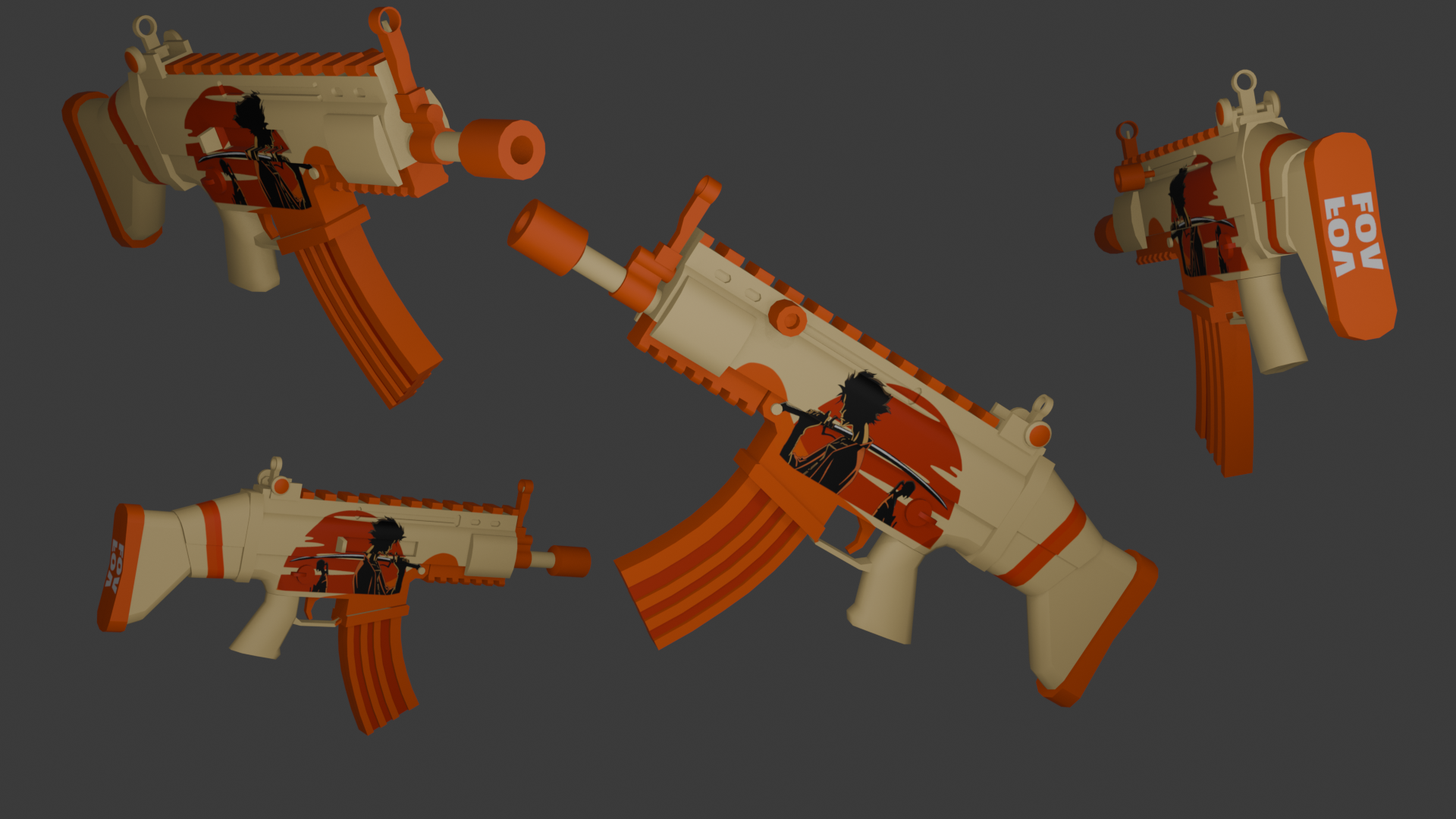 Scar |
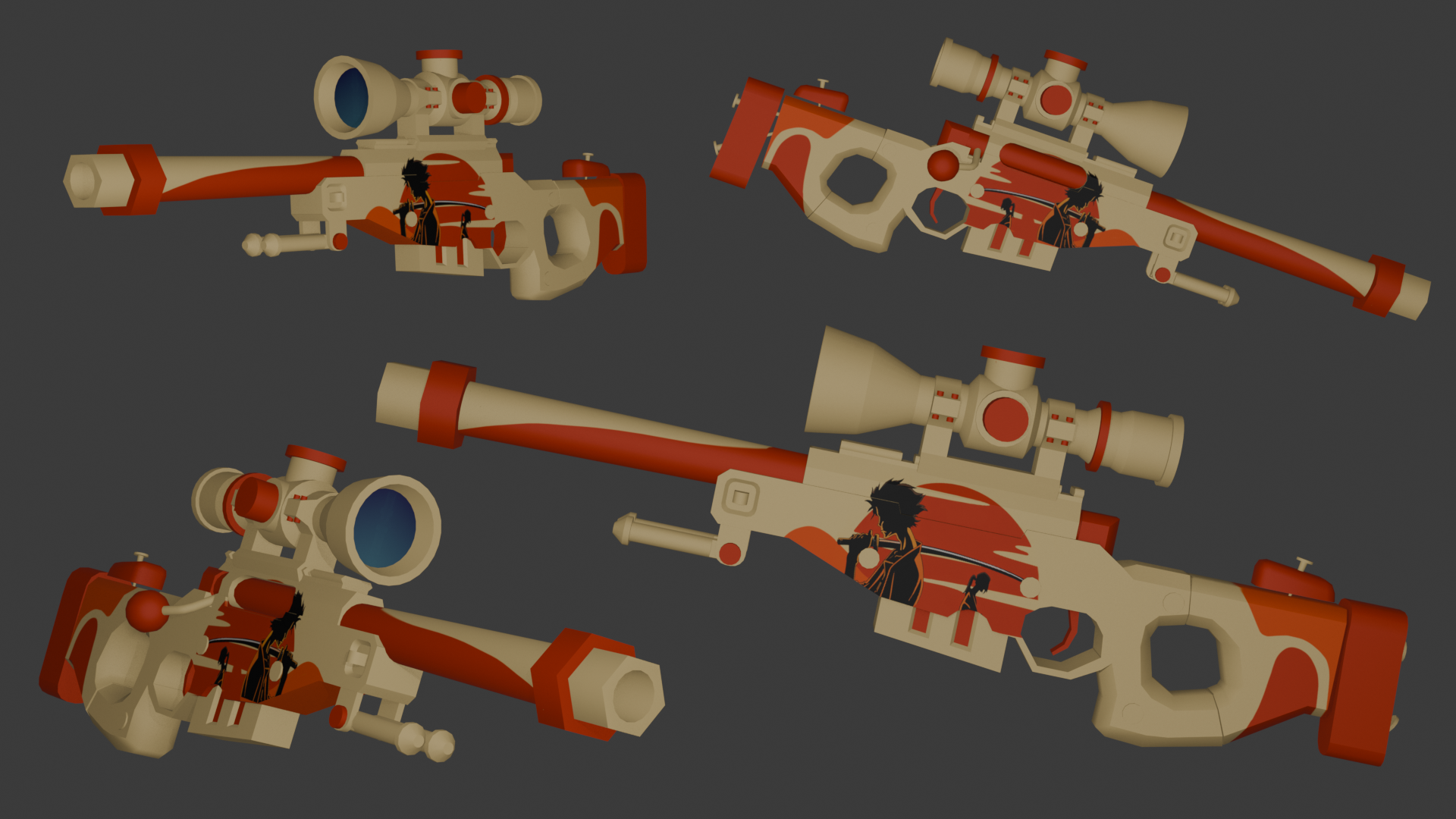 AWP |
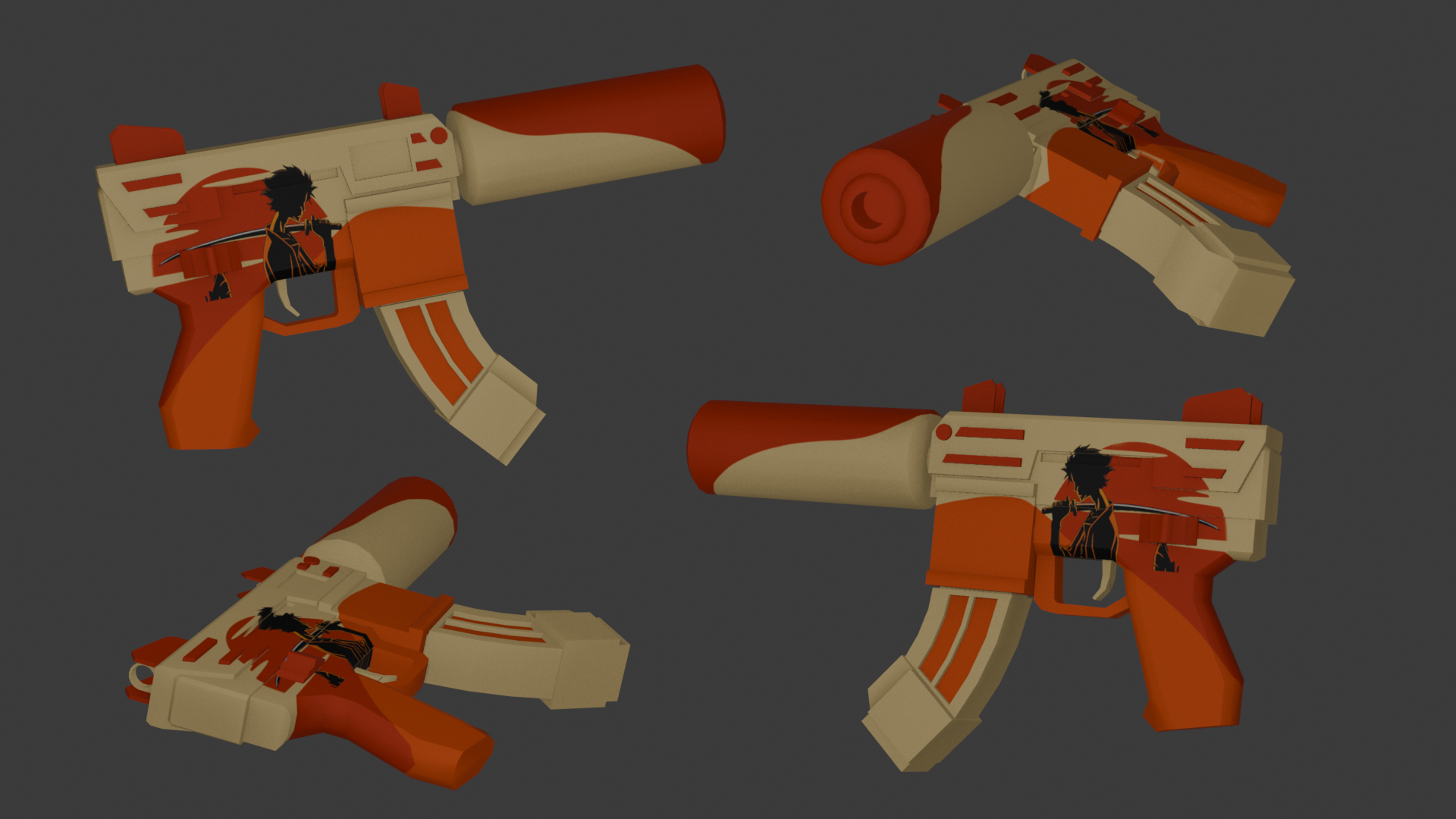 Tec-9 |
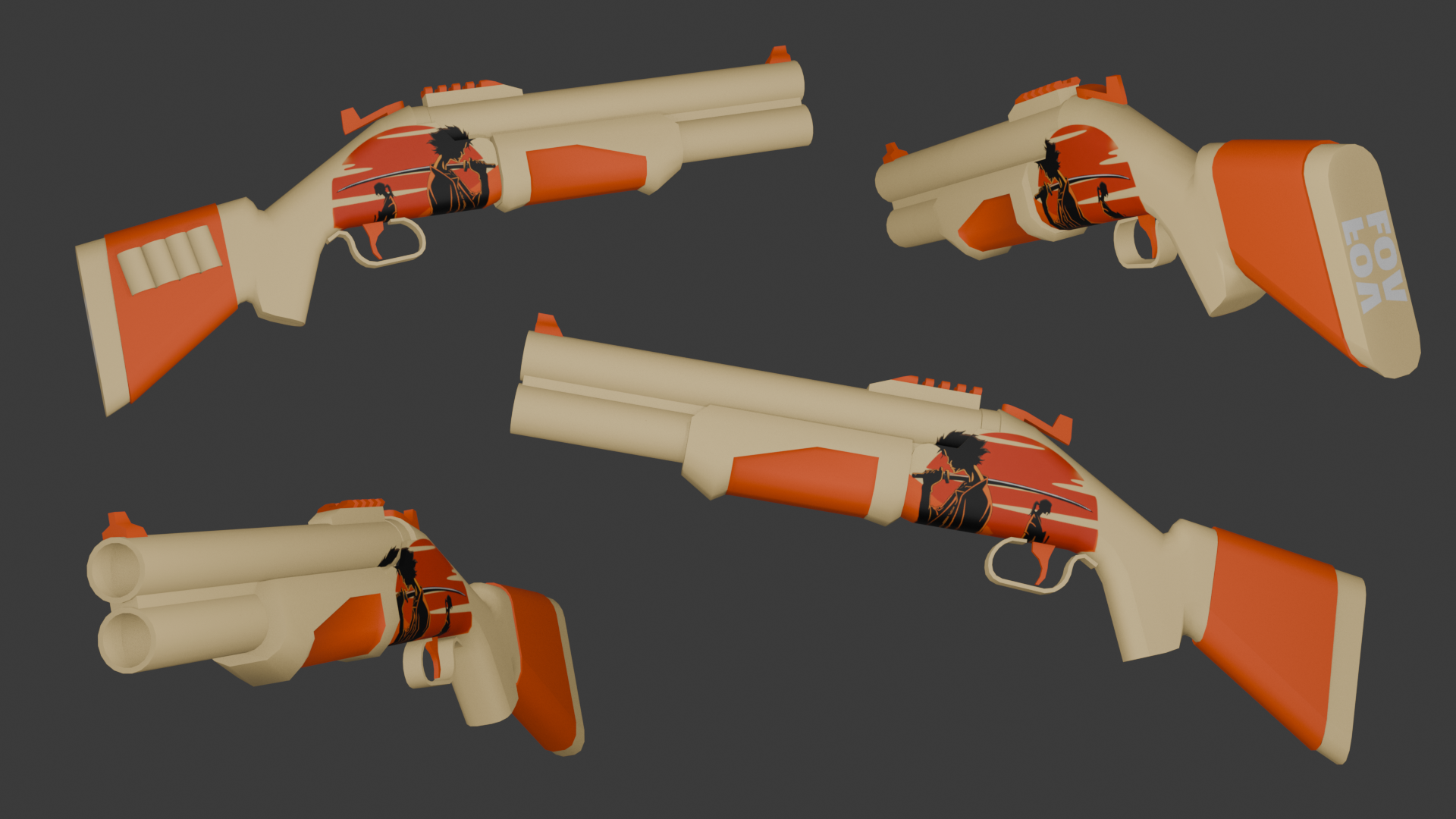 Shotgun |
- Changed Owner's Color (Moroxi): My username is now colored red in-game (Leaderboard and Chat) to make it easier to identify me. Feel free to report issues or give feedback in-game!
- Added CopyGameLink (F9): You can now easily share your current public or private game with friends by pressing F9.
- Added Spectate Feature (F10): You can now spectate any public or private game by copying a link and pressing F10.
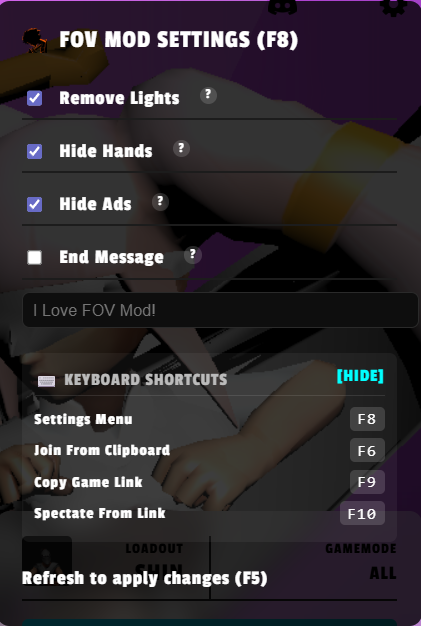
- Added Keyboard Shortcuts Panel: Added a new collapsible "Keyboard Shortcuts" section to the Fov Settings menu (F8) so users can easily view all the available keybinds (such as F6, F9, and F10).
Fov Settings
⚠️ Important NoticeCustom CSS won't function correctly in the alpha client.
Join the Fov Server to:
- Suggest improvements
- Report bugs
- Get help and updates
👉 https://discord.gg/sT8b5r9vwB
v5.2
Changelog
- Optimized Scraper map
- Removed some assets to improve performance
- Brought back OG Fov Mod bounce pad
- Introduced Join via Link — press F6 to join a match from clipboard (for alpha client users)
- Moved Fov Settings in-game
- To use Settings > General > Hide Weapon & Hands or Hide Charms, disable Hide Hands & Hide ADS in Fov Settings (F8)
⚠️ Important Notice
Some CSS and JavaScript features may not function correctly in the alpha client.
Join the Fov Server to:
- Suggest improvements
- Report bugs
- Get help and updates
👉 https://discord.gg/sT8b5r9vwB
🔔 Support & Updates
Follow and support the project for future updates:
v5.1
Changelog
- Download the Alpha version of the Venge Client, as the older version is currently unstable.
(This client is allowed to be used until the old client gets updated.)
https://drive.google.com/file/d/120oGkU9gsZJB49IVoO2wfCZjJVoVuTJ2/view - Updated CharFix
- Removed some Christmas props from the Sierra map
- Removed the Venge Social Club script (a shortcut is now available directly in the shop)
- Added Hide Ads feature
- Added End Message feature
- Revamped Hide Hands and Remove Light
- All features can now be manually enabled or disabled via Fov-Settings
- Brought back the Capture Flag Icon (as it indicates where the point farming area is)
⚠️ Important Announcement
Some CSS and JavaScript features are currently not functioning due to changes in the new alpha client.
Join the Fov Server to suggest improvements for Fov Mod, report issues, and interact with other users:
https://discord.gg/sT8b5r9vwB
🔔 Support & Updates
Follow and support for future updates:
v5.0
Changelog
- Removed some useless assets
- Fixed the black screen issue
Important Announcement: Join the Fov Server to suggest improvements for Fov Mod, report issues, and interact with other users: https://discord.gg/sT8b5r9vwB
Feel free to follow and support for more updates:
v4.9
Changelog
- Removed some halloween props
- Added back the headshot sound effect!
- Added a new CSS!
- Changed Level Icon.
- Removed Custom Flag.
- Performance Tip: For better experience, use Performance Mod (Settings > Graphics).
- Updated BouncePad texture (borrowed from Scraper).
- Removed black background from the top-left dynamic leaderboard (based on community suggestion and poll).This change may occur automatically during a match, even without specific actions like kills, delivering coins, or getting points etc.
- Ads removed from the top-right corner.
Important Announcement: Join the Fov Server to suggest improvements for Fov Mod, report issues, and interact with other users: https://discord.gg/sT8b5r9vwB
Feel free to follow and support for more updates: