
Nano is a tiny UE4 template designed for people who want to make tiny games. It was inspired by a special award in Epic's #ue4jam that goes to the best game under 100 MB. This award tends to raise a lot of questions in the community about how to make a UE4 game so small, so I decided to create a template that does most of the heavy lifting for you!
Here's how Nano compares to the blank template that ships with UE4:
Numbers are based on the Shipping build configuration
| 64-bit | 32-bit | |
|---|---|---|
| Blank | 181 MB | 150 MB |
| Nano | 116 MB | 85 MB |
You can take this even further if you exclude the prerequisites installer:
| 64-bit | 32-bit | |
|---|---|---|
| Blank | 141 MB | 126 MB |
| Nano | 76 MB | 62 MB |
⚠ Please keep in mind: excluding the prerequisites installer means your game may not work for players who have never installed a UE4-based game before. This is probably fine for most people during the #ue4jam, but if you want your game to be accessible to everyone, skip this step!
To help achieve its small size, Nano comes out of the box with the following configuration:
- Windows only
- DirectX 11 & 12 only
- No editor startup map
- No editor content
- Shared material code & libraries
- Compressed cooked packages
- Oculus VR and Steam VR plugins disabled
There are ways to reduce the size even further, but I decided to focus on the modifications that had significant results while remaining safe and usable for most people.
To use Nano, download the latest release and copy it to your templates directory (e.g. Epic Games/UE_4.22/Templates/). Once you do this, Nano should appear as a template option in the New Project dialog.

- Visual Studio is required to package your game with Nano. This is because the VR plugins are disabled. You don't have to use it; just install it with the configuration shown below and you should be good to go.
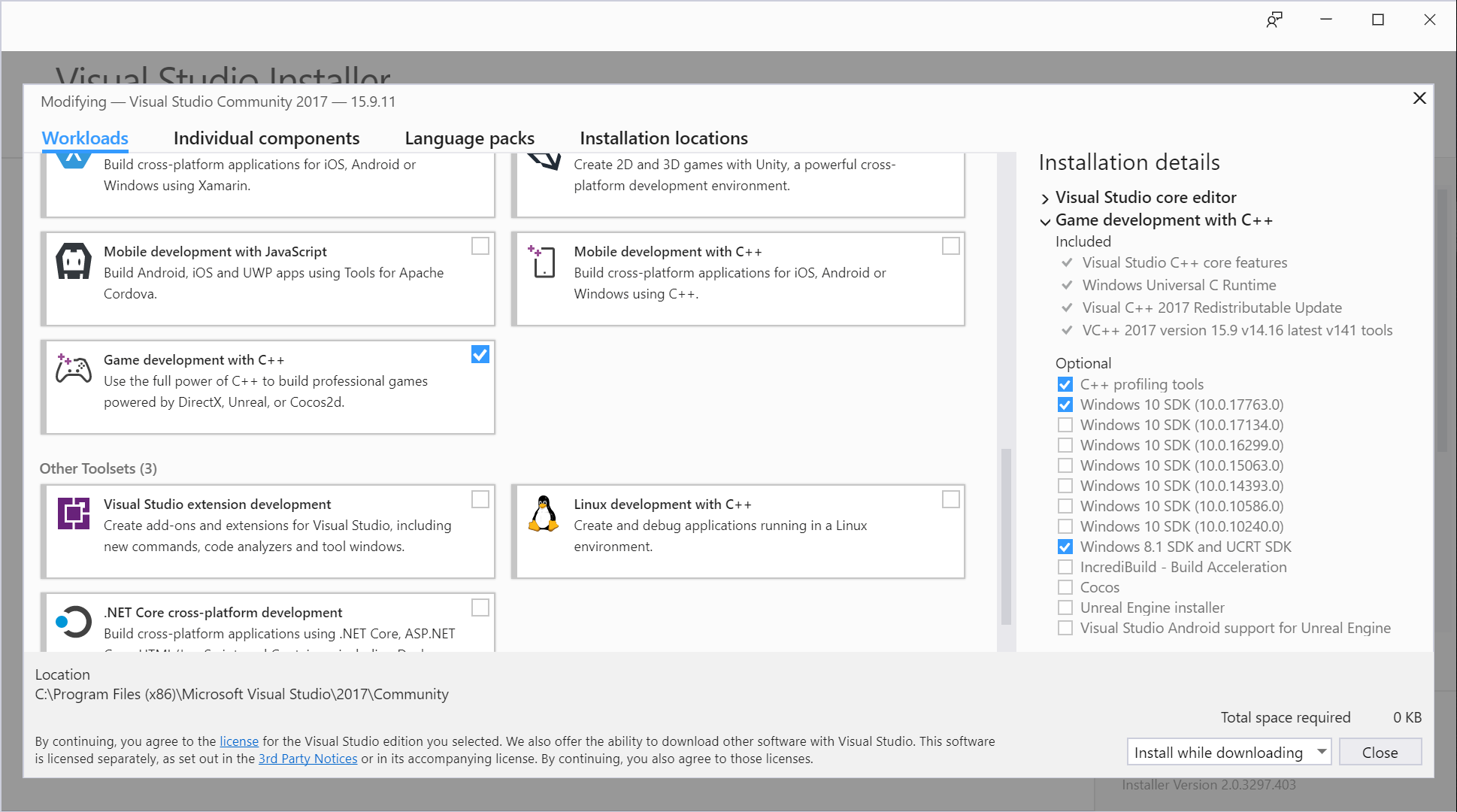
- Nano is configured for development out of the box. When it's time to package the final version of your game, don't forget to set your build config to Shipping!
- The font used in the Nano logo is Playlines by PutraCetol Studio
- Whomever at Epic Games wrote this article on reducing your package size
- Heff, Tate Hartel, and AzorMachine from the #gamejams channel on Unreal Slackers for their tips on reducing package size