Allows you to bind a key to cycle between gizmos like translation to rotation or bind them to something like QWE like Maya or 3ds Max.
Here's an example:
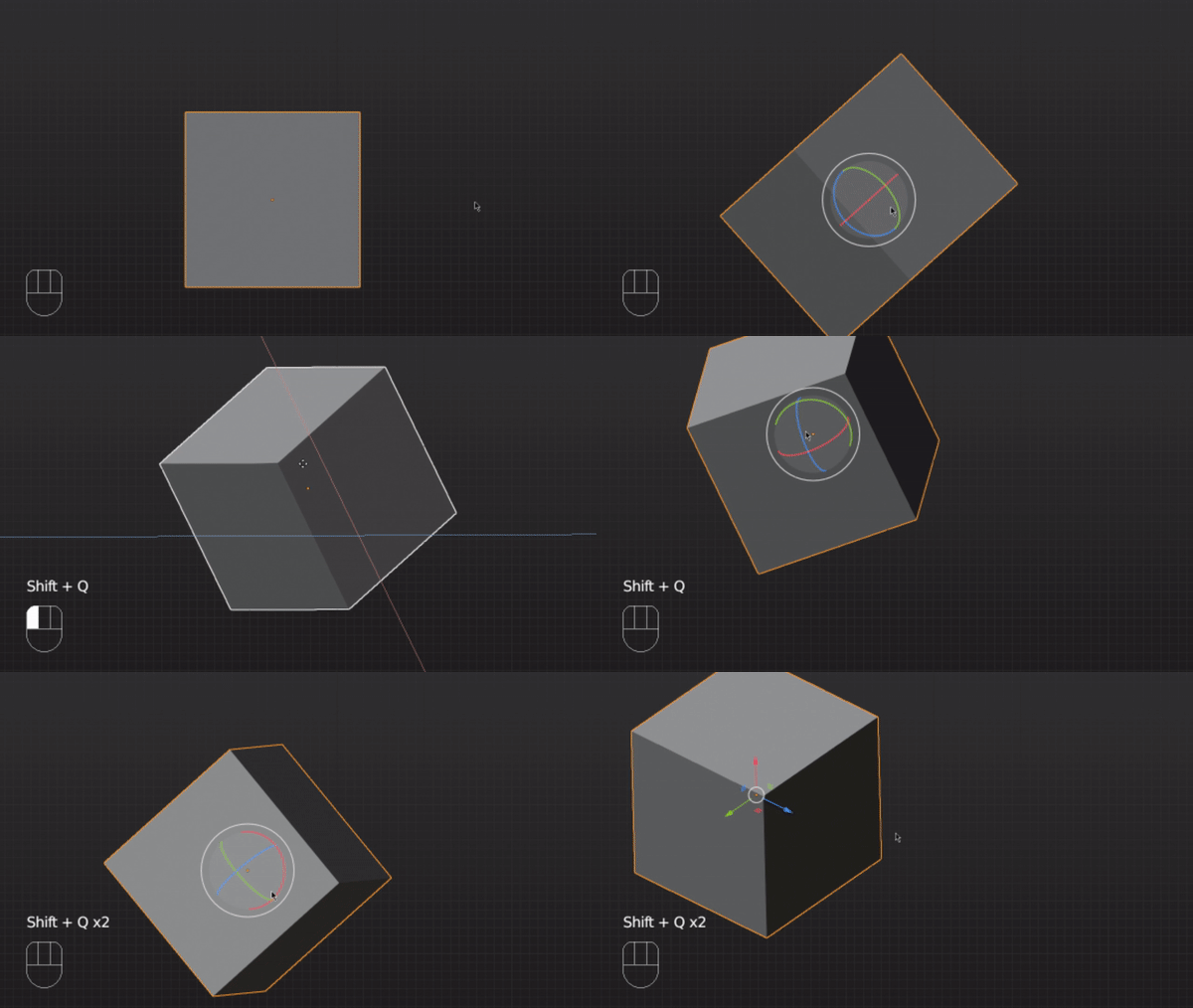
Here I have shift + q to cycle between translation and rotation gizmos. I also have alt + q to clear any gizmos.
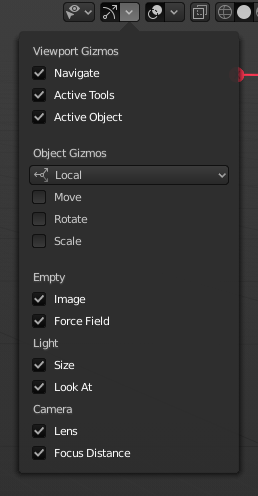
Remember to change the oriantation to local or whatever you want to use
- To add a bind, go to Edit > Preferences > Keymap > Name > Window.
- Click add new in Window.
- Paste in a command then change the bind to what ever you want. Like this:
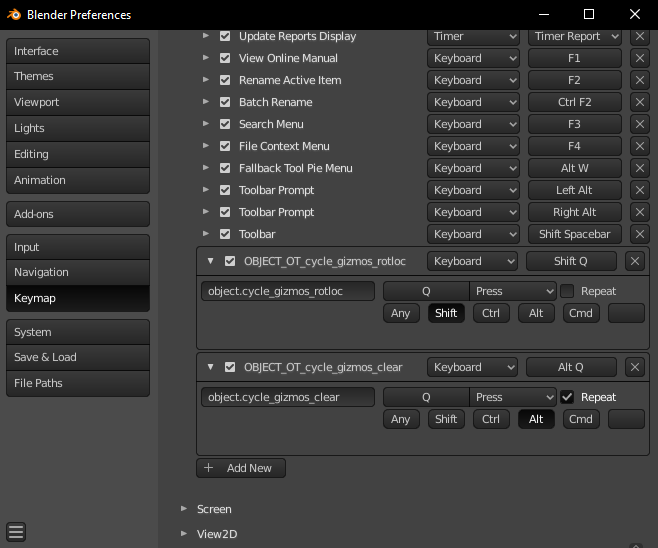
- object.cycle_gizmos_rotloc
- object.cycle_gizmos_rotlocscale
- object.toggle_gizmos_rot
- object.toggle_gizmos_loc
- object.toggle_gizmos_scale
- object.cycle_gizmos_clear