
Web Application and API for the management of a high school database.
View the full API documentation here: Postman Documentation
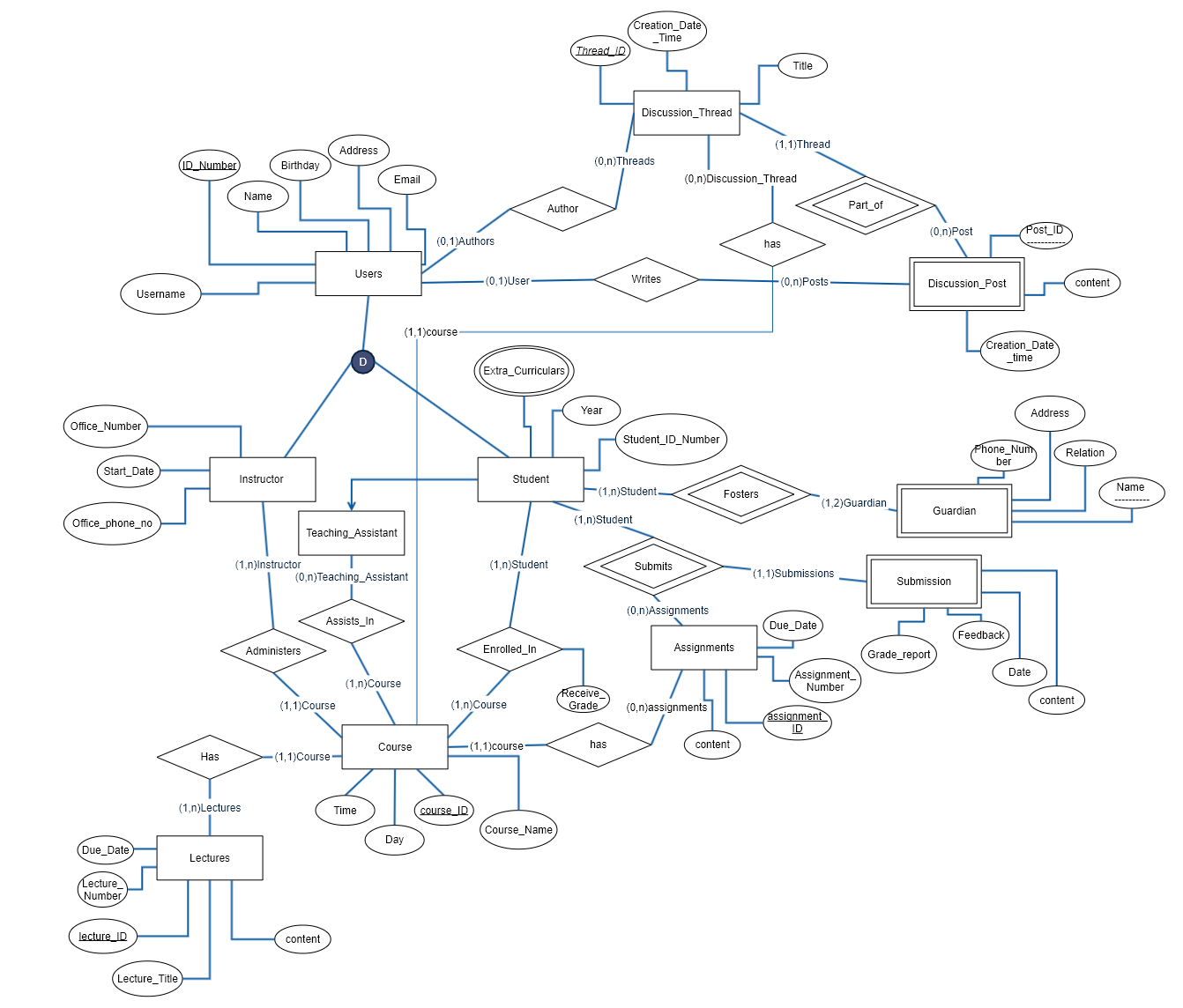
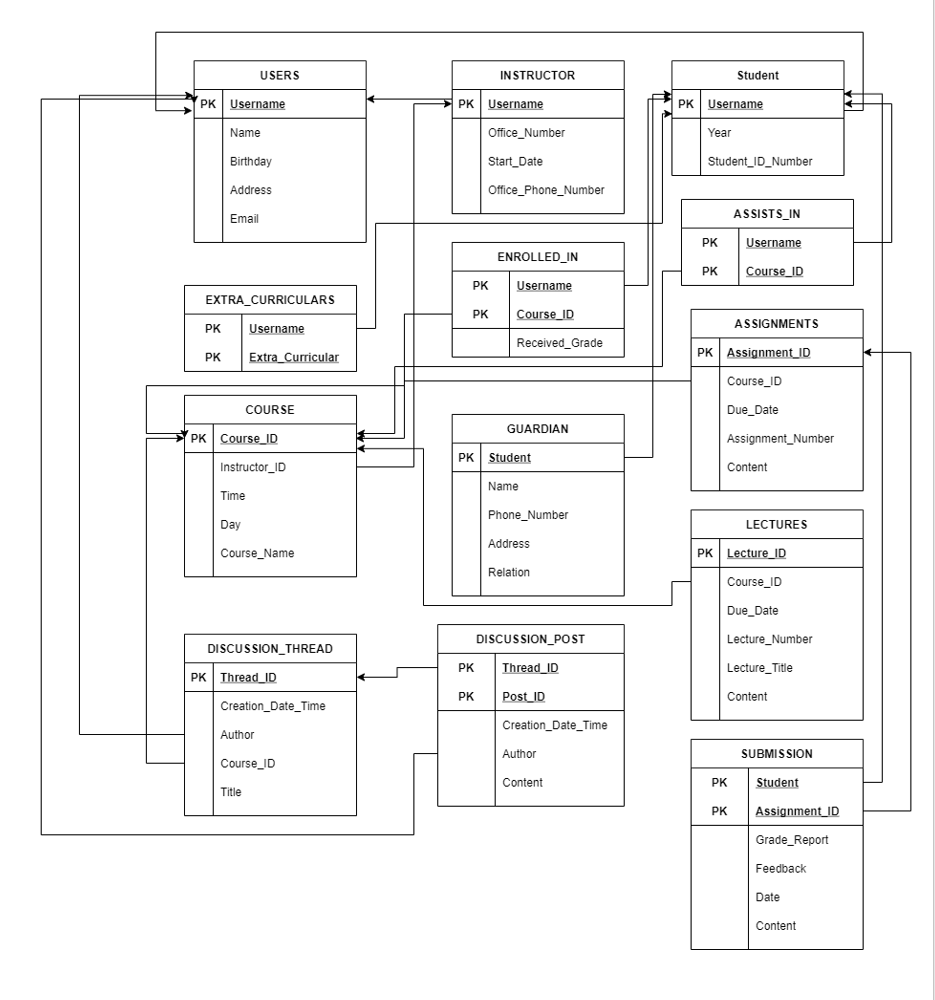
-
Click the 'Fork' button in the top right corner of the page to make a copy of this repo on your account
-
Head over to your copy of the repo and click the green 'Code' button and copy the repo URL
-
Open up your terminal and type
git clone <paste URL here> -
Move into the project folder with
cd SchoolManagement
-
Make sure you have Python and pip installed on your machine. Check that it installed correctly by typing
pip --version
I recommend using a virtual environment for Django but it's not necessary
Virtual Environment Setup (Windows)
Virtual Environment Setup (MacOS/Linux) -
Inside the project folder there will be a
requirements.txtfile containing all the packages that need to be installed to run the Django app. This is based on a previous project I did, and we may not end up using them all
Install them using the command:pip install -r requirements.txt -
Finally, run the server with:
python manage.py runserver
Type inlocalhost:8000in your browser to access the site
Quit the server with CONTROL-C (COMMAND-C on MacOS) in the terminal
First thing you'll want to do once you get the program running is create a superuser for yourself
-
Stop the server and run the command:
python manage.py createsuperuser -
Follow the instructions and enter your username, email and password (these are stored securely so feel free to use whatever password you want)
-
Run the server again and navigate to
localhost:8000/adminand login with your new credentials
Before pushing your code make sure it's up to date with the original repo.
-
Add the original repo as a remote, call it "upstream"
git remote add upstream https://github.com/JacobCuke/SchoolManagement.git -
Fetch to update your remote-tracking branches
git fetch upstream -
Make sure that you're on your master branch
git checkout master -
Update your local repo with the original master
git rebase upstream/master
Now you can commit and push as normal
-
Add your changes to the staging area
git add . -
Commit them to your local repo
git commit -m "Meaningful commit message" -
Push them to your remote repo
git push origin master
Now all you need to do is go create a Pull Request
-
Go to you GitHub profile and navigate to the repo containing your version of the project
-
Create a new pull request, and leave a short description of the modifications you made
-
I will see the pull request and after confirming there are no conflicts I will merge your changes into the original repo