This repository was archived by the owner on Sep 4, 2022. It is now read-only.
Node Overview
This page contains an overview of how all the computing parts of the project fit together.
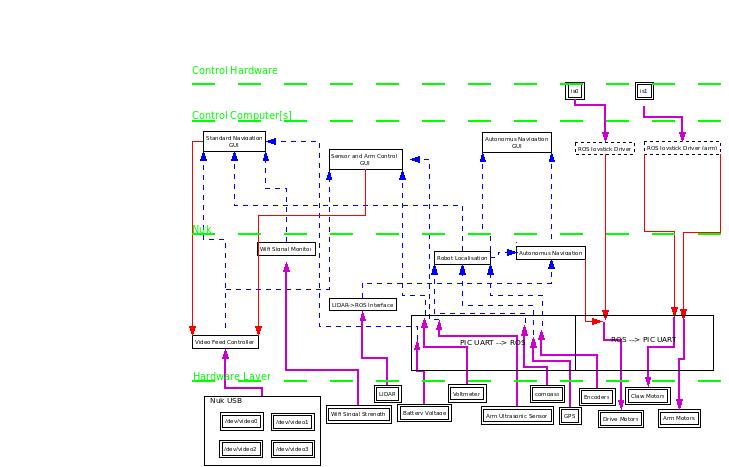 (Full Sized Image) (Dia File)
-
Blue dashed line - ROS Topic (information)
-
Red line - ROS Topic (command)
-
Purple Line - Hardware connection (E.g. serial BUS)
-
Dashed Box - ROS node provided by ROS
-
Double Lined Box - Hardware Component
-
Single Lined Box - OWR ROS Node
Note: The diagram is not yet complete, most ROS topic names, along with some nodes are missing. RoS topics may be grouped
##Nodes
###Navigation GUI ros_node: navigation_gui
ros_package: owr_gui
inputs:
| Topic | Type |
|---|---|
| /owr/status/battery | owr_messages/bat_status |
| /owr/status/signal | owr_messages/signal |
| /owr/sensors/containers | owr_messages/containers |
| TODO: add camera in | TODO |
outputs:
| Topic | Type |
|---|---|
| /owr/control/activateFeed | owr_messages/stream |