AdvancedGraphics
Allows Weapons to utilize multiple possible graphics, can either be controlled by item quality or be totally random
		<graphicData>
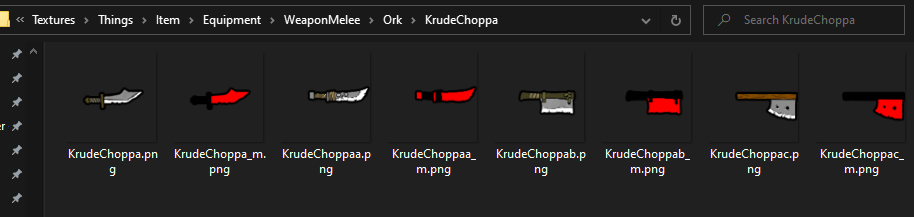
			<texPath>Things/Item/Equipment/WeaponMelee/Ork/KrudeChoppa</texPath>
			<graphicClass>AdvancedGraphics.Graphic_AdvancedSingle</graphicClass>
			<shaderType>CutoutComplex</shaderType>
		</graphicData>
		<comps>
			<li Class="AdvancedGraphics.CompProperties_AdvancedGraphic">
				<randomised>true</randomised>
			</li>
		</comps>
this example would choose randomly from the items in the image below, take note of the file path used
		<graphicData>
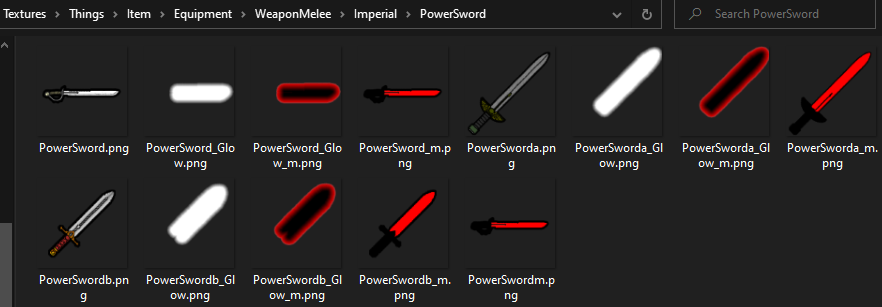
			<texPath>Things/Item/Equipment/WeaponMelee/Imperial/PowerSword</texPath>
			<graphicClass>AdvancedGraphics.Graphic_AdvancedSingle</graphicClass>
			<shaderType>CutoutComplex</shaderType>
		</graphicData>
		<comps>
			<li Class="AdvancedGraphics.CompProperties_AdvancedGraphic">
				<quality>true</quality>
				<onlyArtable>true</onlyArtable>
				<!-- Default = False, if true, only items with Art will be allowed randomized graphics -->
				<minQuality>Good</minQuality>
				<!-- this is an optional field to control the minimum quality required for different graphics to be used -->
			</li>
		</comps>
this example would choose randomly from the items in the image below, take note of the file path used