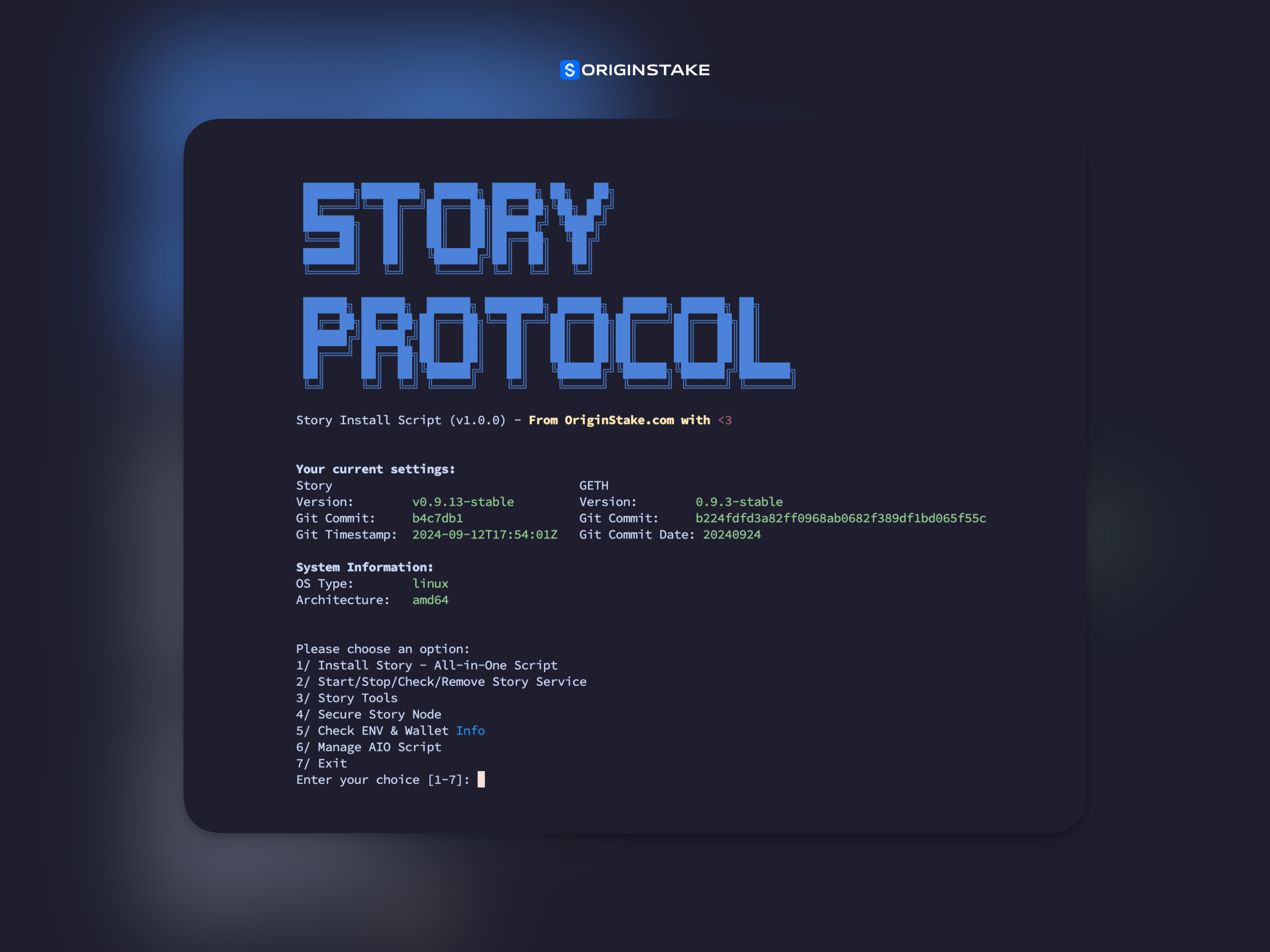
The Story All-in-One (AIO) Script is a comprehensive tool designed to simplify the installation, management, and operation of Story nodes. This script provides an easy-to-use interface for various tasks related to Story and Story-GETH services.
- One-click installation of Story and Story-GETH
- Service management (start, stop, check status)
- Node synchronization monitoring
- Security enhancements for your node
- Environment and wallet information checking
- AIO script management and updates
- A Linux or macOS system
- Sudo privileges (for Linux)
- Internet connection
-
Clone the repository & run with one command
git clone https://github.com/OriginStake/story-aio.git && cd story-aio && chmod +x main.sh && ./main.sh
Upon running the script, you'll be presented with a main menu offering various options:
- Install Story - All-in-One Script
- Start/Stop/Check/Remove Story Service
- Story Tools
- Secure Story Node
- Check ENV & Wallet Info
- Manage AIO Script
- Exit
This option guides you through the installation process of Story and Story-GETH. You can customize various settings such as installation directories, ports, and versions.
Here you can:
- Start the Story services
- Stop the Story services
- Check the status of Story services
- Remove all Story installations
The script will also display the current sync status of your node.
This section provides additional tools and utilities for managing your Story node.
Enhance the security of your Story node with various options provided in this section.
View your current environment settings and wallet information.
Update and manage the AIO script itself.
The script uses environment variables stored in $HOME/.story_env. You can modify these variables to customize your installation.
The script creates systemd service files for Story and Story-GETH on Linux systems. These can be found at:
/etc/systemd/system/story-geth.service/etc/systemd/system/story.service
Installation logs are stored in $HOME/install_log.txt.
If you encounter any issues:
- Check the installation logs in
$HOME/install_log.txt - Ensure all dependencies are correctly installed
- Verify your system meets the minimum requirements
- Check your internet connection
Contributions to the Story AIO Script are welcome. Please fork the repository and submit a pull request with your changes.
This script is provided as-is. Always ensure you understand the actions being performed on your system. It's recommended to run this script on a dedicated machine or VM.
For support, please open an issue on the GitHub repository or contact the OriginStake team.
Developed with ❤️ by OriginStake