Application development
- Download Visual Studio 2019 (Community Edition)
- Download Qt Installer (Open source)
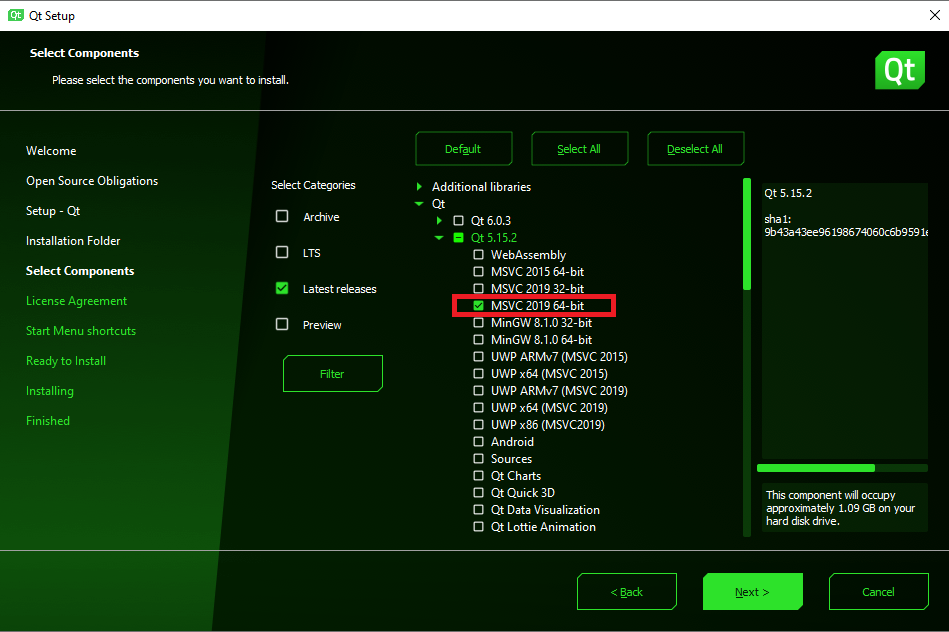
- Install Qt version 5.15 msvc2019 64-bit
- Sign-up for Qt
- Select Custom installation for Qt (preferably also D as the installation drive - aprox 2GB disk space will be needed)
- Expand Qt 5.15.2 and select msvc2019 64-bit. Leave all other options as default.
- Qt Visual Studio Tools (installed from Visual Studio)
- Menu -> Manage Extensions -> Search for Qt
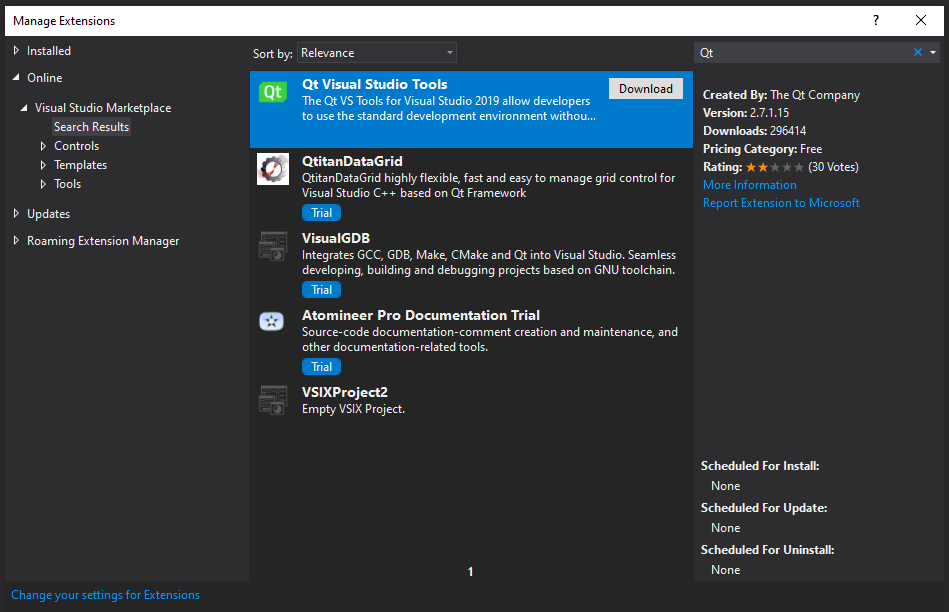
- Menu -> Manage Extensions -> Search for Qt
- Download and Close Visual Studio 2019 (so the extension can be applied).
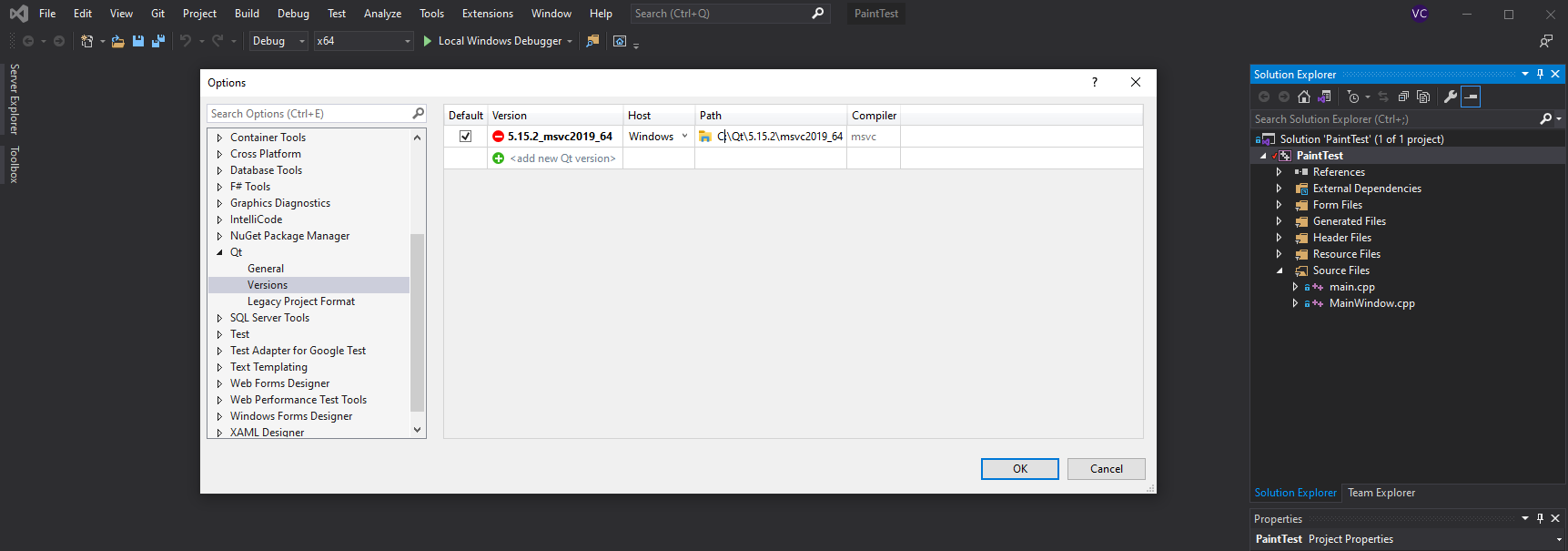
- Configure Qt versions in Visual studio
- Menu -> Extensions -> Qt VS tools -> Qt versions
- Add the installed version by navigating to the installation dir \Qt\5.15.2\msvc2019_64\bin folder.
- Set it as default (see default checkbox)
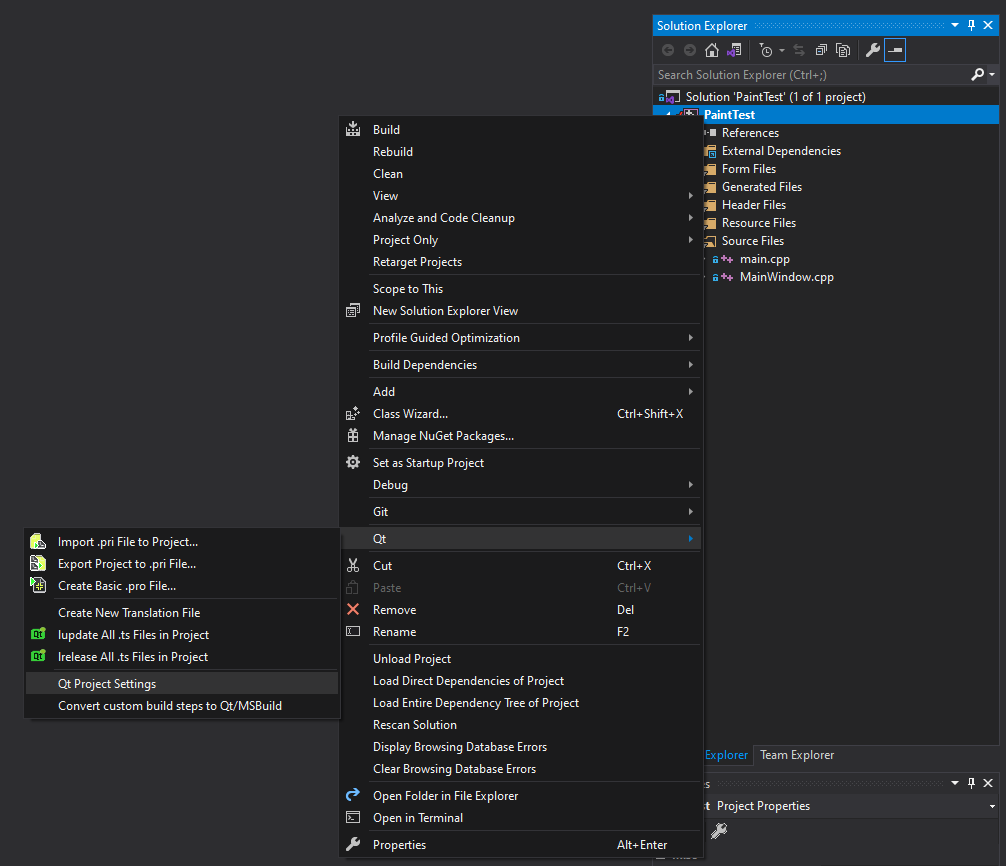
- Configure Visual Studio project with Qt version
- Right Click on PaintTest -> Qt -> Qt project Settings
- Make sure the Version is $(DefaultQtVersion)
- Right Click on PaintTest -> Qt -> Qt project Settings
- Rebuild project
- ========== Rebuild All: 1 succeeded, 0 failed, 0 skipped ==========