Releases: QoderAI/changelog
Releases · QoderAI/changelog
Bug fixes

Bug fixes and improvements
- Fixed an intermittent "session is busy" error occurring in Quest spec mode.
- Resolved terminal launch failure on macOS (x64 architecture).
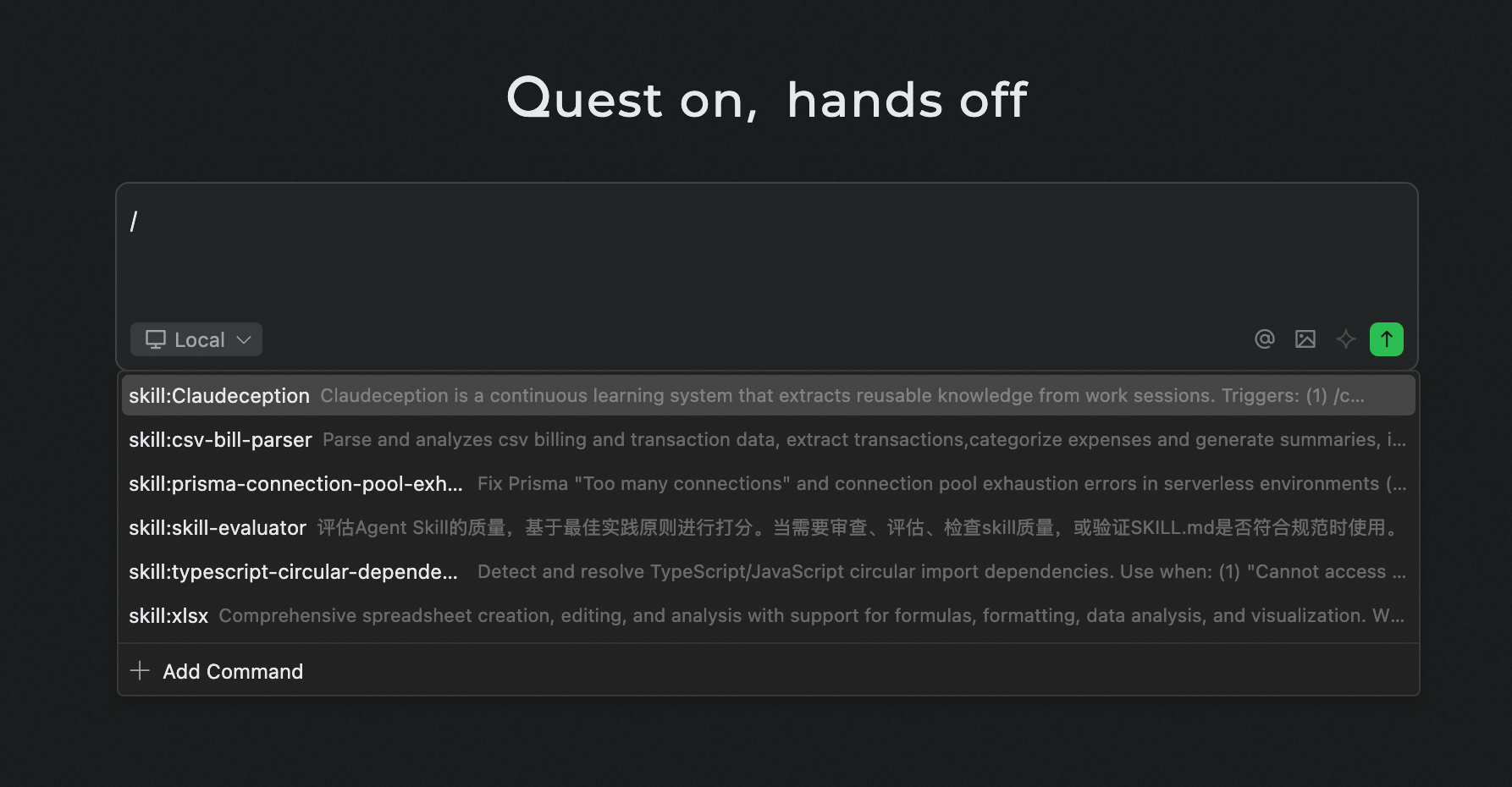
Invoke Skills via Slash
Features
- Added support for invoking and using skills via /
Improvements
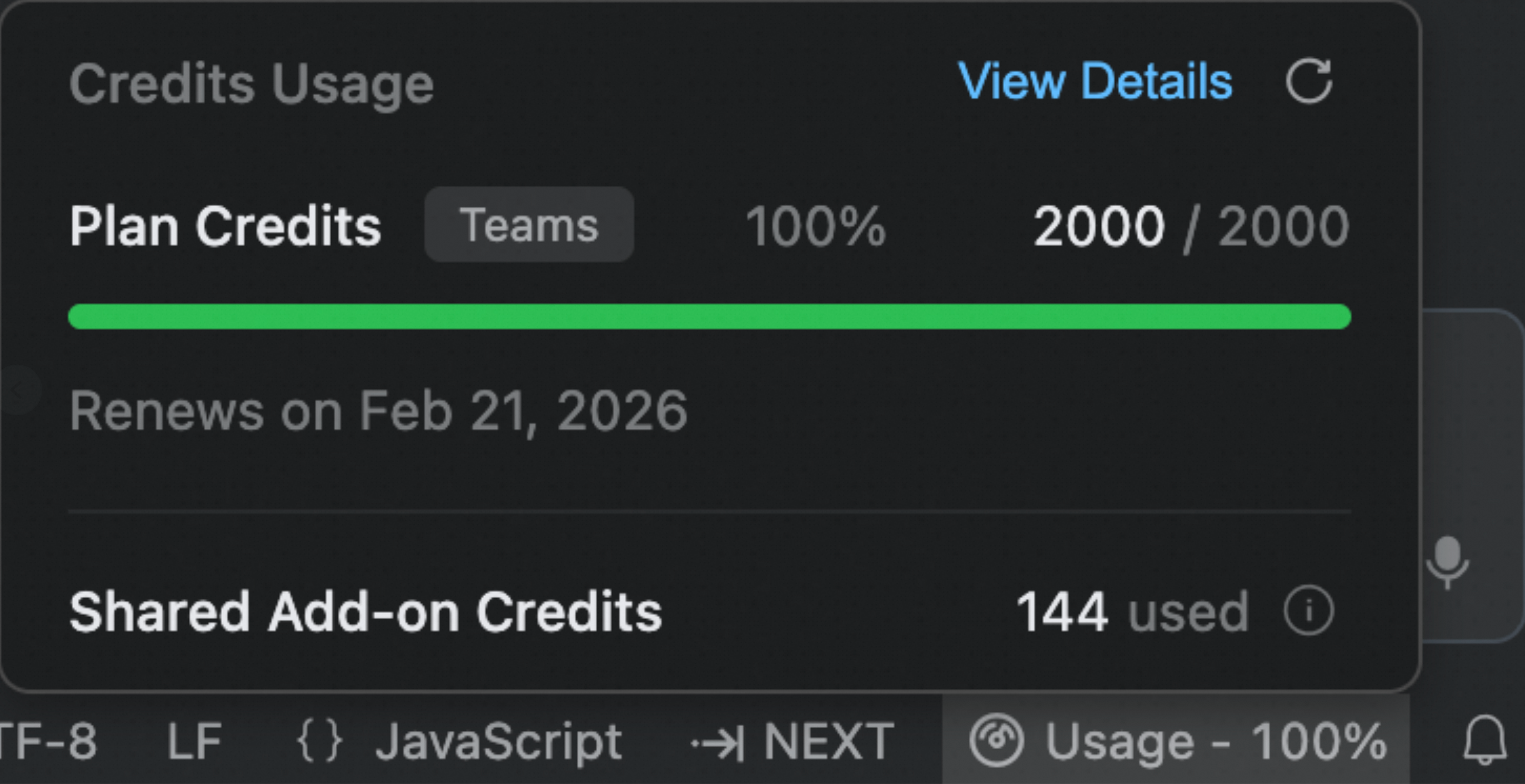
- Credits usage now displays Shared Add-on Credits consumption
Qoder v0.3.1 Official Release

In this version, we have released the following features and optimized previously released capabilities. The version is now officially updated to 0.3.1:
Features
-
Multi-Agent Run in Parallel: Support for multiple chat windows running in parallel, handling different tasks simultaneously, significantly improving multi-tasking efficiency.
-
Voice Input: Added voice input support, enabling voice command control of the agent for more convenient and natural conversations.
-
Enhanced Custom Extensions: Support for Custom Subagents and Skills to create your own intelligent workflows.
Improvements
- New Windows System Installer: Suitable for Windows multi-user environments or scenarios requiring administrator privileges to run Qoder
- Chat Feed Display Optimization: Tool call details are now collapsed by default
Recently Launched Features
In addition to this update, the following features have been recently launched:
- NEXT Brand Launch: NES product capabilities fully upgraded with the new NEXT brand, moving from passive completion to proactive prediction for a more powerful AI programming experience.
- Quest Mode Upgrade: Comprehensive upgrade to autonomous programming experience, with agents capable of self-learning and evolution.
- Qoder Teams Release: Team edition officially launched, providing SSO support, centralized privacy mode control, and centralized billing capabilities for team collaboration.
- Browser Agent: End-to-end workflow from code generation to automated testing to automated debugging, also covering automated web analysis scenarios.
- Planning Agent: When handling complex tasks, users can leverage human-agent collaboration to pre-define actionable execution plans.
- Custom Commands: Support for custom Slash Commands to quickly invoke frequently used commands and improve development efficiency.
Quest 1.0 is Now Available
Features
- Quest 1.0: Elevating Autonomous Coding
- Agent Autonomy Enhancements: Quest autonomously delivers high-quality, end-to-end, production-ready results, with minimal human intervention.
- Powered by top-tier models: Leverages world-leading AI models for optimal results in one shot
- Requirement alignment: Intent recognition, requirement clarification, and spec co-creation to align on tasks before execution
- Long-running capability: Significantly improved long-duration task execution, with agents monitoring completion
- Quality assurance: Built-in verification automatically validates and fixes deliverables
- Continuous self-evolution: Beyond execution—actively evolves, remembers your style, and continuously learns new techniques
- Support for More Use Scenarios: Quest recognizes user intent and automatically routes to the right capabilities.
- Spec-driven development: Align on requirements and constraints first, then execute and verify to ensure clear, traceable results
- From idea to product: Creates websites and prototypes from scratch, with top-tier visual models for exceptional design quality and usability
- Reimagined Interaction: Smoother and more intuitive experience.
- Seamless mode switching: Quest entry now in the top bar—easily switch between Editor and Quest modes
- Three-column layout: Task list + conversation area + output area, redefining Quest deliverables
- Polished throughout: Refined interactions across every workflow
- Agent Autonomy Enhancements: Quest autonomously delivers high-quality, end-to-end, production-ready results, with minimal human intervention.
- Agentic Chat: Introducing Browser and Plan agents with new capabilities
- Browser Controls: Agent can directly control the browser to automatically capture page source, console logs, and network requests/traffic, enabling an end-to-end workflow from code generation to automated testing and automated debugging. It also supports use cases such as automated web analysis, significantly improving front-end engineering productivity.
- Planning: When handling complex tasks, users can leverage human-agent collaboration to pre-define actionable execution plans. This significantly boosts task execution efficiency, minimizes rework, and improves both the quality of agent-generated code and the overall predictability of the results.
- Browser Controls: Agent can directly control the browser to automatically capture page source, console logs, and network requests/traffic, enabling an end-to-end workflow from code generation to automated testing and automated debugging. It also supports use cases such as automated web analysis, significantly improving front-end engineering productivity.
- Terminal Sandbox for Mac/Linux: Agent commands now run in a secure sandbox environment, effectively isolating potentially risky operations.
Improvements
- Agentic Chat: Redo functionality now supports restoring manually edited code
- NEXT: Add background color to the editor area in its focused state to enhance the discoverability of completions.
NES Fully Upgraded to NEXT
Features
- NES Core Capability Upgrade: From passive completion to proactive prediction. Now supports cross-file edit prediction, automatic dependency imports, and more—enhanced capabilities with a refined user experience.
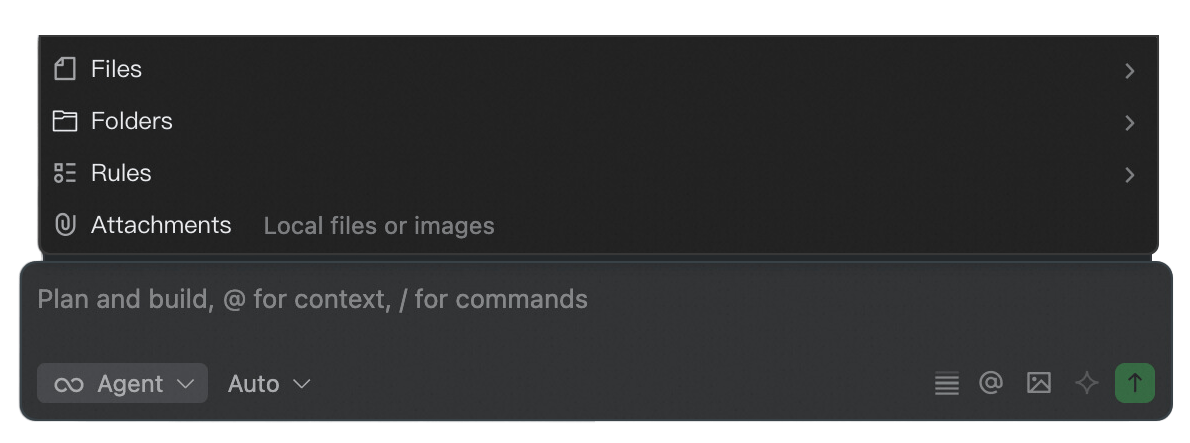
- Context Selection Optimization: Enhanced context menu options to support adding images, local files, and more—including drag-and-drop image insertion. Removed the @gitcommit and @codechanges options from the menu, as the Agent can now autonomously gather relevant context. Additionally, improved the presentation of contextual content.
Improvements
- Added QODER_AGENT environment variable for Agent terminal execution to skip heavy shell theme loading.
Fixed
- Fixed lag issues in certain scenarios
Contributors


gitcommit and codechanges
Assets 2
Bug fixes
Bug fixes and improvements
- Fixed potential lag issues in long conversations
- Enhanced slash command input experience
Improvements & Refinements
- Enhanced NES file rules to exclude Notebook files
- Improved Commands naming to support underscores
- Adjusted the display style for newly sent messages
Bug fixes and improvements
- Fixed an issue where concurrent file editing could cause the Agent to hang
- Fix the problem of decline in the completion effect of NES feature