Backup Node
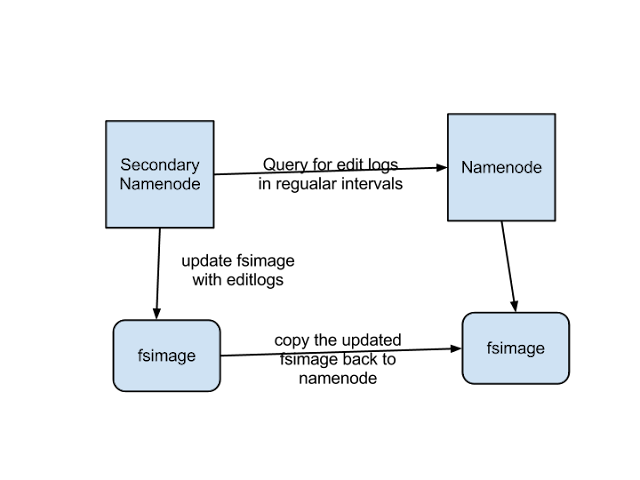
####Important clarification: The Backup Node is NOT the same thing as the Secondary NameNode (an older feature that we will not be using).
Apache created "backup node" and "checkpoint node" when it decided to deprecate secondary name nodes. Note that in terms of functionality, a standard "backup node" is not a 'backup' in the sense of being the namenode's 'understudy.'
A standard backup node will never swoop in and become a NameNode if the NameNode crashes. Rather, the backup name node is a node that keeps track of edits the name node makes, literally creating and maintaining an up-to-date log that can be used as the latest namespace state in the event of the name-node dying).
If you wanted a backup node that CAN swoop in to become the active namenode, you are looking for StandbyNode (which is a backup node that additionally also has this feature). More terminology definitions available here: https://issues.apache.org/jira/secure/attachment/12400631/StreamEditsToBN.pdf
From HADOOP-4539:
- Checkpoint Node: Creates checkpoints of the name space
- Backup Node: Maintains the up-to-date state of the namespace by receiving edits from the name node
Taken from the HDFS Users Guide (https://hadoop.apache.org/docs/r1.0.4/hdfs_user_guide.html#Backup+Node):
-
The Backup node provides the same checkpointing functionality as the Checkpoint node, as well as maintaining an in-memory, up-to-date copy of the file system namespace that is always synchronized with the active NameNode state. Along with accepting a journal stream of file system edits from the NameNode and persisting this to disk, the Backup node also applies those edits into its own copy of the namespace in memory, thus creating a backup of the namespace.
-
The Backup node does not need to download fsimage and edits files from the active NameNode in order to create a checkpoint, as would be required with a Checkpoint node or Secondary NameNode, since it already has an up-to-date state of the namespace state in memory. The Backup node checkpoint process is more efficient as it only needs to save the namespace into the local fsimage file and reset edits.
-
As the Backup node maintains a copy of the namespace in memory, its RAM requirements are the same as the NameNode.
-
The NameNode supports one Backup node at a time. No Checkpoint nodes may be registered if a Backup node is in use. Using multiple Backup nodes concurrently will be supported in the future.
-
The Backup node is configured in the same manner as the Checkpoint node. It is started with bin/hdfs namenode -checkpoint.
-
The location of the Backup (or Checkpoint) node and its accompanying web interface are configured via the dfs.backup.address and dfs.backup.http.address configuration variables.
Use of a Backup node provides the option of running the NameNode with no persistent storage, delegating all responsibility for persisting the state of the namespace to the Backup node. To do this, start the NameNode with the -importCheckpoint option, along with specifying no persistent storage directories of type edits dfs.name.edits.dir for the NameNode configuration.
For a complete discussion of the motivation behind the creation of the Backup node and Checkpoint node, see HADOOP-4539.