

Build AI-powered Flutter apps in minutes, not days.
AI Kit is the missing AI integration layer for Flutter. Drop in a complete chat UI, connect any AI provider, and ship AI features with 3 lines of code.
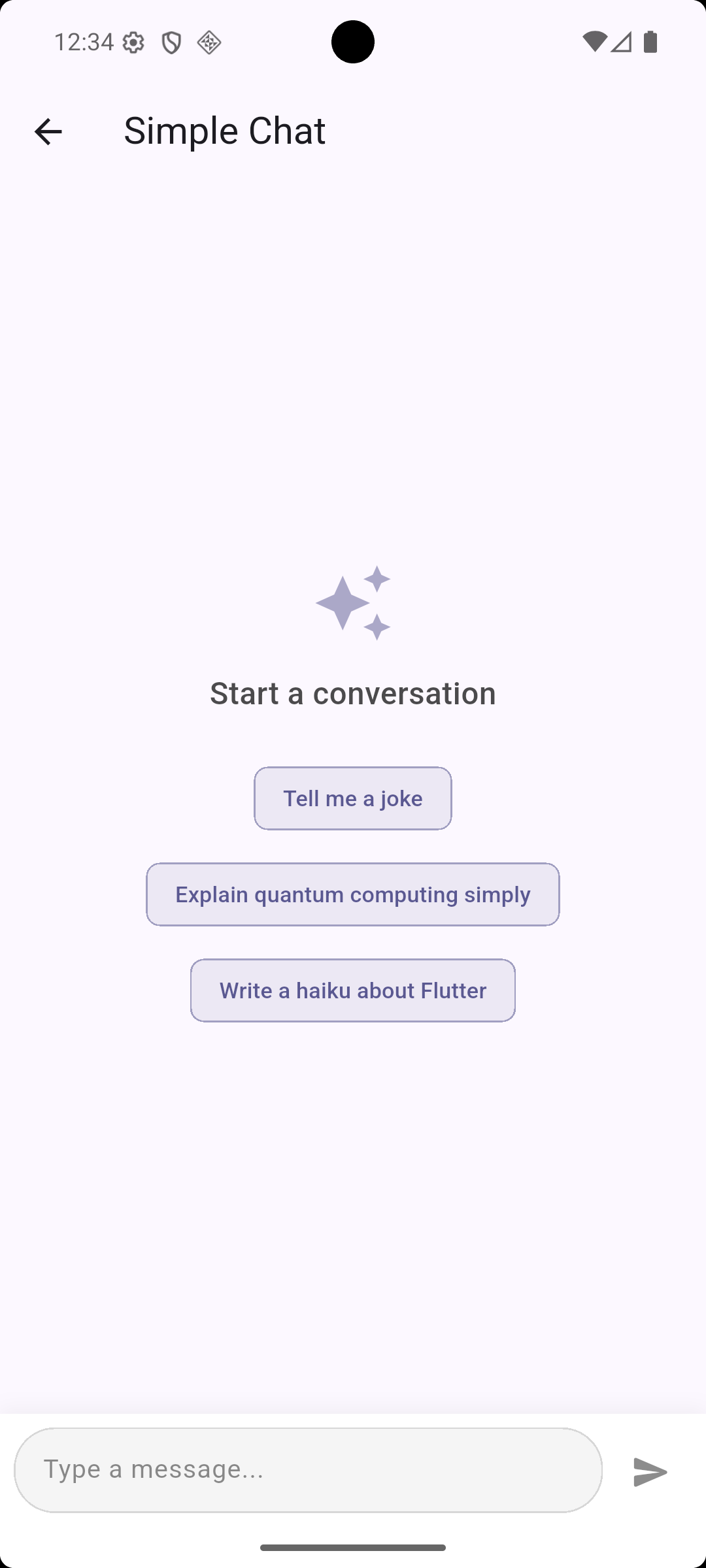
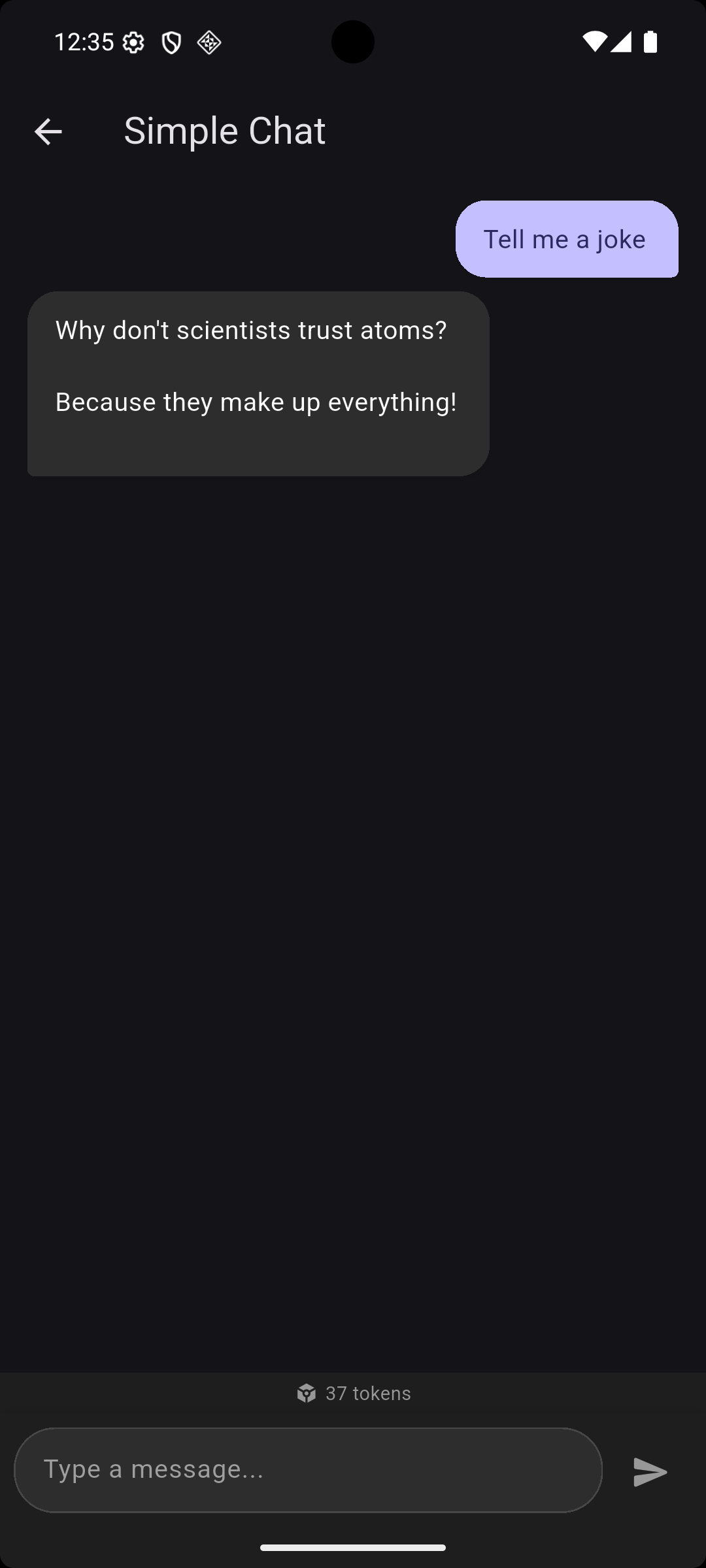
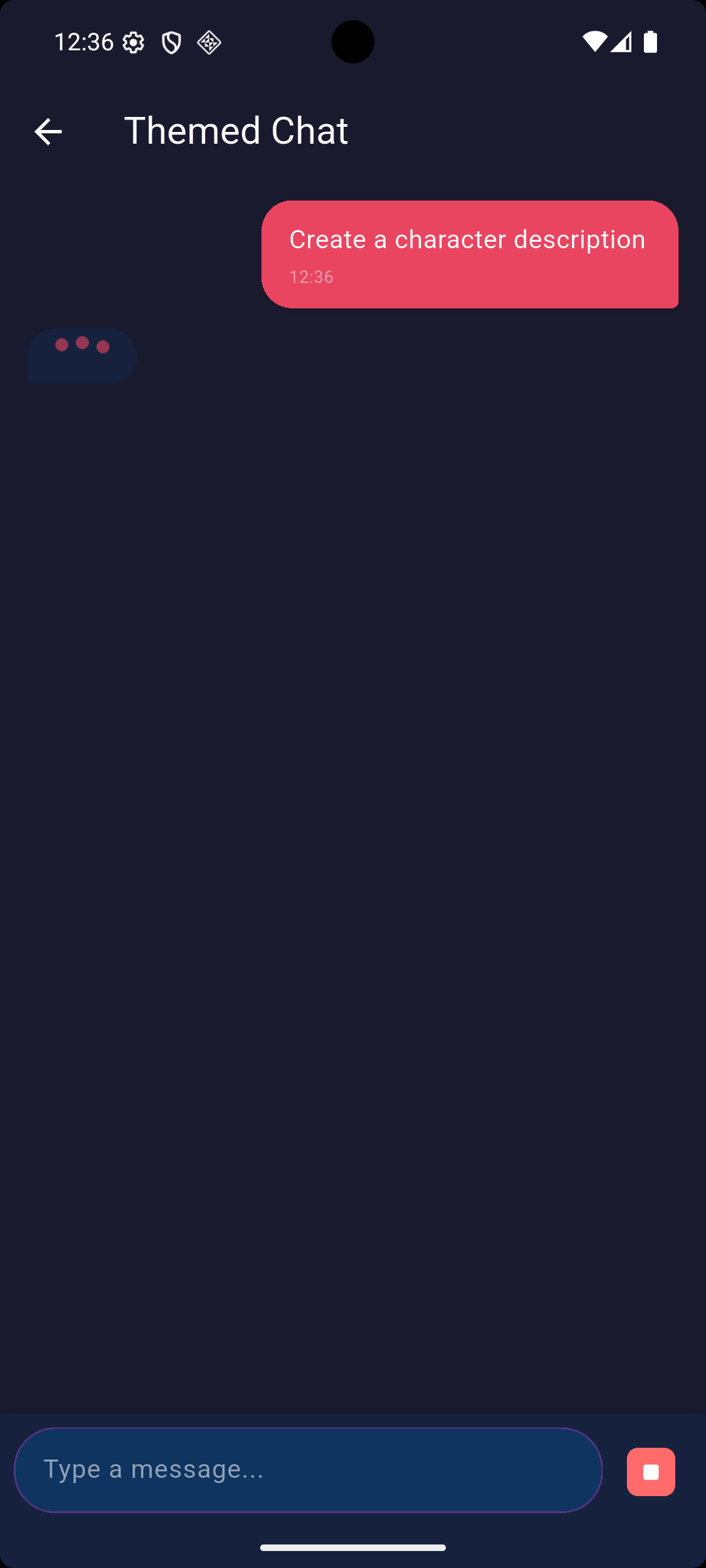
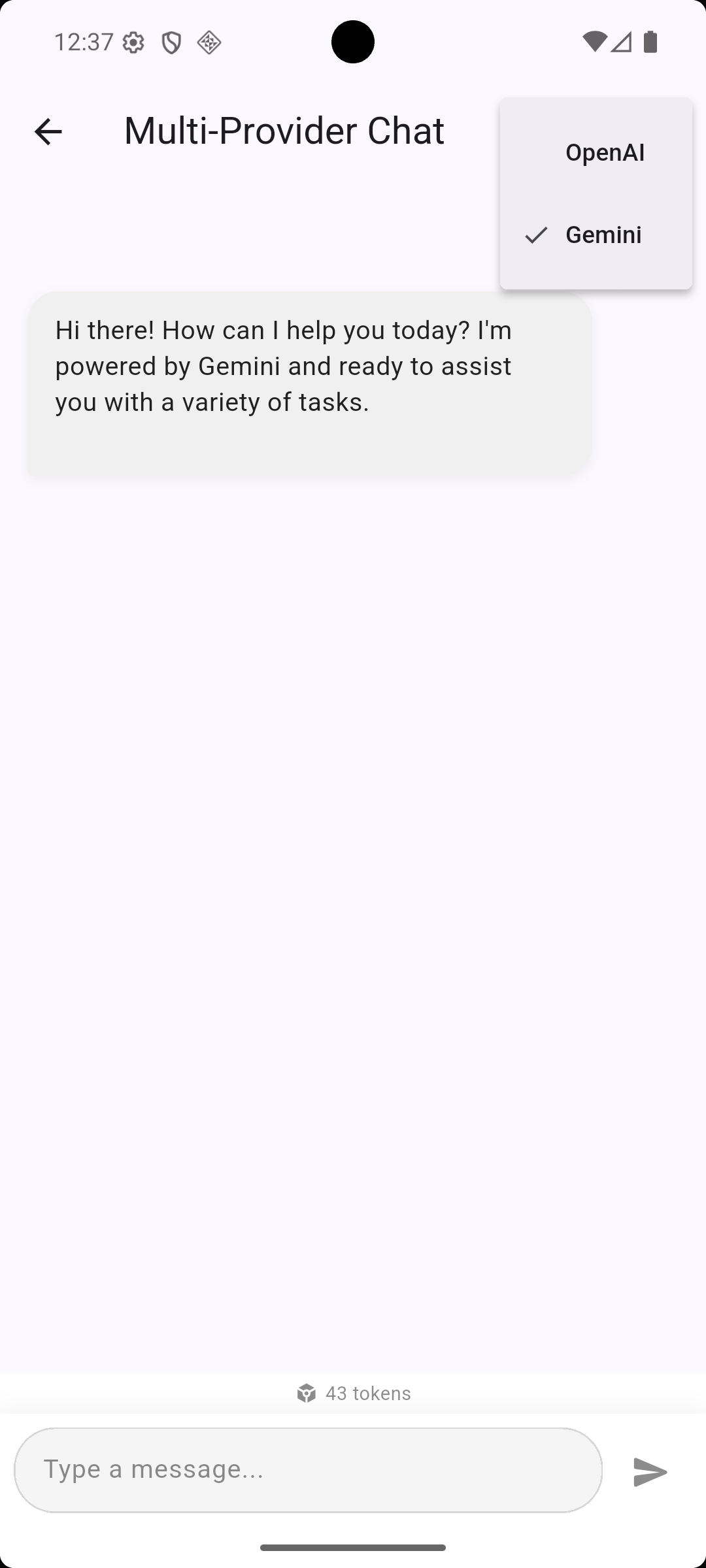
- 🔌 Multi-provider — OpenAI, Gemini, Claude (swap with one line)
- 💬 Complete Chat UI — Streaming responses, typing indicators, theming
- 🎨 Fully customizable — Themes, custom bubbles, custom input
- 🔄 Auto retry & failover — Automatic retries, multi-provider failover
- 💰 Usage tracking — Token counts and cost estimation
- 💾 Conversation memory — Buffer, sliding window, or persistent storage
- 📝 Smart text field — AI-powered autocomplete suggestions
- 🖼️ Multi-modal — Send images with messages
- 🛠️ Function calling — Let AI call your Dart functions
- 🌐 All platforms — Android, iOS, Web, macOS, Windows, Linux
dependencies:
ai_kit: ^0.1.0import 'package:ai_kit/ai_kit.dart';
// 1. Initialize with your provider
AIKit.init(providers: [OpenAIProvider(apiKey: 'sk-...')]);
// 2. Drop in the chat widget
AIChatView(systemPrompt: 'You are a helpful assistant')
// That's it! Full streaming chat UI. 🎉final aiKit = AIKit.init(
providers: [OpenAIProvider(apiKey: 'your-key')],
);
final answer = await aiKit.ask('What is Flutter?');
print(answer);Scaffold(
appBar: AppBar(title: Text('AI Chat')),
body: AIChatView(
systemPrompt: 'You are a friendly coding assistant.',
suggestions: [
'Explain async/await',
'Write a REST API client',
'Debug my code',
],
showUsage: true,
theme: AIChatTheme.dark(),
onResponse: (response) {
print('Tokens: ${response.usage?.totalTokens}');
},
),
)AIKit.init(
providers: [
OpenAIProvider(apiKey: 'sk-...'),
GeminiProvider(apiKey: 'AI...'),
ClaudeProvider(apiKey: 'sk-ant-...'),
],
defaultProvider: 'OpenAI',
);
// Automatically tries next provider if one fails
final response = await AIKit.instance.chatWithFailover(
[AIMessage.user('Hello!')],
);await for (final response in AIKit.instance.chatStream([
AIMessage.system('You are a poet.'),
AIMessage.user('Write a haiku about Flutter'),
])) {
print(response.text); // Updates incrementally
}// Creative writing with Claude
await AIKit.instance.ask('Write a poem', provider: 'Claude');
// Code with GPT
await AIKit.instance.ask('Write a sort function', provider: 'OpenAI');
// Free tier with Gemini
await AIKit.instance.ask('Summarize this', provider: 'Gemini');AITextField(
label: 'Email Subject',
hint: 'Start typing for AI suggestions...',
maxSuggestions: 3,
onSuggestionSelected: (text) => print('Selected: $text'),
)AIChatView(
theme: AIChatTheme(
primaryColor: Colors.purple,
backgroundColor: Color(0xFF1A1A2E),
userBubbleColor: Colors.purple,
aiBubbleColor: Color(0xFF2D2D4E),
userTextColor: Colors.white,
aiTextColor: Colors.white,
textColor: Colors.white,
secondaryTextColor: Colors.white54,
inputBackgroundColor: Color(0xFF0F3460),
inputBorderColor: Color(0xFF533483),
errorColor: Colors.redAccent,
showTimestamp: true,
showProviderLabel: true,
),
)// Simple buffer
final memory = BufferMemory(maxMessages: 50);
// Token-aware window
final memory = SlidingWindowMemory(
maxTokens: 4000,
systemMessage: AIMessage.system('Be helpful'),
);
// Persistent (survives app restart)
final memory = PersistentMemory(conversationId: 'main_chat');
await memory.load();| Provider | Class | Models |
|---|---|---|
| OpenAI | OpenAIProvider |
GPT-4o, GPT-4o-mini, GPT-4-turbo, o1 |
| Google Gemini | GeminiProvider |
Gemini 2.0 Flash, 1.5 Pro, 1.5 Flash |
| Anthropic Claude | ClaudeProvider |
Claude Sonnet 4, Opus 4, 3.5 Haiku |
OpenAIProvider(
  apiKey: 'your-key',
  baseUrl: 'https://your-resource.openai.azure.com/openai/deployments/your-model',
  customHeaders: {'api-key': 'your-azure-key'},
)print(AIKit.instance.totalRequests); // 42
print(AIKit.instance.totalTokens); // 15230
print(AIKit.instance.totalCost); // 0.0234
print(AIKit.instance.usageStats); // Full summary mapIf this package saves you time, consider buying me a coffee!

Contributions are welcome! Please feel free to submit a Pull Request.
- Fork the repository
- Create your feature branch (
git checkout -b feature/amazing-feature) - Commit your changes (
git commit -m 'Add amazing feature') - Push to the branch (
git push origin feature/amazing-feature) - Open a Pull Request
MIT License - see LICENSE for details.
Made with ❤️ for the Flutter community